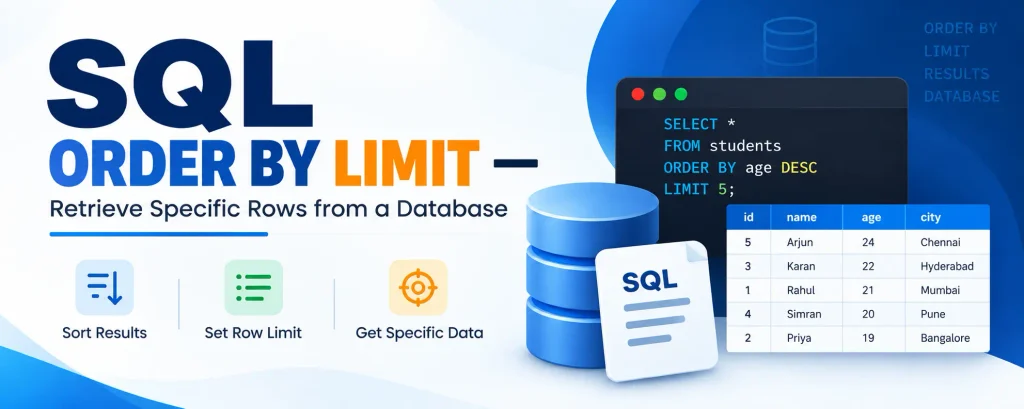
SQL ORDER BY with LIMIT
When working with large datasets, you often need to fetch only a fixed number of records useful for pagination and top-N reports. The ORDER BY clause arranges records in a specific order, while LIMIT (or its equivalent) restricts the number of rows returned.
Complete Advance AI Topics: Click Here
SQL Tutorial: Click Here
LIMIT in MySQL and PostgreSQL
SELECT name, age
FROM employee_data
ORDER BY age ASC
LIMIT 20;
Returns the 20 youngest employees, sorted by age.
Pagination with LIMIT and OFFSET
-- Page 2 (rows 21-40), 20 per page
SELECT name, age FROM employee_data
ORDER BY age ASC
LIMIT 20 OFFSET 20;
Equivalent in SQL Server: TOP
SELECT TOP 20 name, age
FROM employee_data
ORDER BY age ASC;
Equivalent in Oracle: ROWNUM
SELECT employee_name, employee_salary FROM (
  SELECT employee_name, employee_salary, ROWNUM r FROM (
    SELECT employee_name, employee_salary
    FROM company_employees
    ORDER BY employee_salary DESC
  ) WHERE ROWNUM <= 40
) WHERE r >= 21;
Fetches rows 21-40 from the salary-sorted result Oracle pagination pattern.
Why Use ORDER BY with LIMIT?
- Efficient Pagination: Load only what you need.
- Top-N Queries: Highest salary, most recent orders, etc.
- Better UX: Dashboards and apps load fast in chunks.
Download New Real Time Projects:- Click here
Final Thoughts
ORDER BY with LIMIT (or TOP / ROWNUM) is essential for pagination and top-N queries. MySQL and PostgreSQL use LIMIT, SQL Server uses TOP, and Oracle uses ROWNUM with subqueries. For more SQL tips, stay tuned to .
sql order by limit offset
order by limit 1 vs max
mysql order by limit
order by desc limit 1
sql limit
limit with order by in oracle
order by and limit in postgres
sql order by limit example