Skip to content
  • SiteMap
  • Our Services
  • Frequently Asked Questions (FAQ)
  • Support
  • About Us

UpdateGadh

Update Your Skills.

  • Home
  • Projects
    •  Blockchain projects
    • Python Project
    • Data Science
    •  Ai projects
    • Machine Learning
    • PHP Project
    • React Projects
    • Java Project
    • SpringBoot
    • JSP Projects
    • Java Script Projects
    • Code Snippet
    • Free Projects
  • Tutorials
    • Ai
    • Machine Learning
    • Advance Python
    • Advance SQL
    • DBMS Tutorial
    • Data Analyst
    • Deep Learning Tutorial
    • Data Science
    • Nodejs Tutorial
  • Blog
  • Contact us
  • Toggle search form
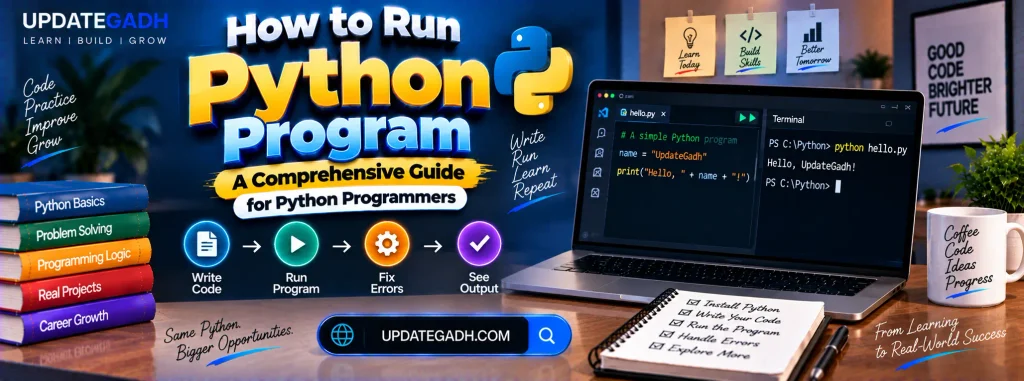
How to Run Python Program: A Comprehensive Guide for Python Programmers - How to Run Python Program

How to Run Python Program: A Comprehensive Guide for Python Programmers

Posted on January 2, 2025January 8, 2025 By Rishabh saini No Comments on How to Run Python Program: A Comprehensive Guide for Python Programmers

How to Run Python Program

As a Python programmer, mastering the various ways to execute Python scripts is crucial for validating your code and ensuring it works as expected. Python relies on its interpreter—a software layer bridging your program and the computer hardware—to execute scripts. This blog will guide you through several methods to run Python code effectively.
Complete Python Course with Advance topics:-Click here

How to Run a Python Program

Methods to Run Python Scripts

Python offers multiple options for running scripts. These include:

  1. Operating System Command-Line or Terminal
  2. Python Interactive Mode
  3. Integrated Development Environment (IDE) or Text Editor
  4. File Manager of the System

1. Using the Operating System Command-Line or Terminal

Running Python scripts through the command-line is a fundamental approach. Unlike the Python shell, which loses code after a session ends, this method ensures code persistence through plain text files saved with a .py extension.

Example:

  1. Write a simple Python script, sample.py:

 print("Hello, Python!")

  1. Save it in your working directory.
  2. Open the command-line or terminal and navigate to the script’s directory.
  3. Run the script using the following command:

 python sample.py

Output:

Hello, Python!

2. Using Python Interactive Mode

The Python interactive mode, often called the Python shell, is ideal for testing snippets of code.

How to Start Python Interactive Mode:

  1. Open your terminal or command-line.
  2. Type python and press Enter.
  3. Enter Python commands directly, like:

 print("Interactive Python Session!")

Output:

Interactive Python Session!

Exiting the Interactive Mode:

  • Use quit() or exit() commands.
  • Alternatively, press Ctrl + Z (Windows) or Ctrl + D (macOS/Linux).

While it’s great for testing, note that code written in interactive mode won’t persist once the session ends.

3. Using an IDE or Text Editor

An Integrated Development Environment (IDE) provides a comprehensive interface for writing, testing, and debugging Python code. Popular IDEs include PyCharm, VS Code, and Jupyter Notebook.

Steps to Run Python Scripts in PyCharm:

  1. Open PyCharm and create a new project.
  2. Add a new Python file (example.py).
  3. Write your code:

print("Running in PyCharm!")

4.Click the green play button to execute the script.

Output:

Running in PyCharm!

IDEs offer advanced features such as debugging tools, syntax highlighting, and version control integration, making them ideal for larger projects.

4. Using the File Manager

A Python script can also be executed directly from your system’s file manager.

Steps:

  1. Locate your .py file in the file manager.
  2. Double-click the file.
  3. The script will run in a terminal window or Python shell, depending on system configuration.

This method is less common during development but useful for running finished scripts. Ensure that .py files are associated with the correct Python interpreter (python.exe or equivalent).

Key Takeaways

  • The command-line/terminal is reliable for quick execution and debugging.
  • Interactive mode is excellent for experimenting but doesn’t save your work.
  • IDEs provide a robust environment for development.
  • File manager execution is practical for end-users running final scripts.

Download New Real Time Projects :-Click here
PHP PROJECT:- CLICK HERE


how to run python program in terminal
how to run python program
how to run python program in windows 10
how to run python program in cmd
how to run a python program in idle
how to run python program step by step
python online compiler
How to Run Python Program
python download
python compiler
python
install python
how to run a python program step by step

Post Views: 1,194
Python Interview Question Tags:first python program, how to, how to run python program in idle, how to run python program in windows, how to run python program using terminal., learn python, learn python programming, Python, python 3, python for beginners, python program, python program in idle, python programming, python programming language, python programming tutorial, Python Tutorial, python tutorial for beginners, run python program on windows 10, run python programs

Post navigation

Previous Post: Django Project on Medical Shop Management System
Next Post: Comprehensive Guide to SQL Syntax and Key Commands

More Related Articles

How to Declare a Global Variable in Python How to Declare a Global Variable in Python Python Interview Question
Create a Virtual Environment in Python How to Create a Virtual Environment in Python Python Interview Question
How to Clear the Python Shell How to Clear the Python Shell Python Interview Question

Leave a Reply Cancel reply

Your email address will not be published. Required fields are marked *

You may also like

  1. How to Install Python on Windows: A Step-by-Step Guide
  2. How to Create a Dictionary in Python
  3. How to Install Matplotlib in Python
  4. How to Create a DataFrame in Python
  5. Strong Number in Python
  6. Insertion Sort in Python

Most Viewed Posts

  1. Top Large Language Models in 2025
  2. Online Shopping System using PHP, MySQL with Free Source Code
  3. login form in php and mysql , Step-by-Step with Free Source Code
  4. Flipkart Clone using PHP And MYSQL Free Source Code
  5. News Portal Project in PHP and MySql Free Source Code
  6. User Login & Registration System Using PHP and MySQL Free Code
  7. Top 10 Final Year Project Ideas in Python
  8. Online Bike Rental Management System Using PHP and MySQL
  9. E learning Website in php with Free source code
  10. E-Commerce Website Project in Java Servlets (JSP)
  • AI
  • ASP.NET
  • Blockchain
  • ChatCPT
  • code Snippets
  • Collage Projects
  • Data Science Project
  • Data Science Tutorial
  • DBMS Tutorial
  • Deep Learning Tutorial
  • Final Year Projects
  • Free Projects
  • How to
  • html
  • Interview Question
  • Java Notes
  • Java Project
  • Java Script Notes
  • JAVASCRIPT
  • Javascript Project
  • JSP JAVA(J2EE)
  • Machine Learning Project
  • Machine Learning Tutorial
  • MySQL Tutorial
  • Node.js Tutorial
  • PHP Project
  • Portfolio
  • Python
  • Python Interview Question
  • Python Projects
  • PythonFreeProject
  • React Free Project
  • React Projects
  • Spring boot
  • SQL Tutorial
  • TOP 10
  • Uncategorized
  • Online Examination System in PHP with Source Code
  • AI Chatbot for College and Hospital
  • Job Portal Web Application in PHP MySQL
  • Online Tutorial Portal Site in PHP MySQL — Full Project with Source Code
  • Online Job Portal System in JSP Servlet MySQL

Most Viewed Posts

  • Top Large Language Models in 2025 (8,612)
  • Online Shopping System using PHP, MySQL with Free Source Code (5,211)
  • login form in php and mysql , Step-by-Step with Free Source Code (4,866)

Copyright © 2026 UpdateGadh.

Powered by PressBook Green WordPress theme