Python String Concatenation
String concatenation in Python means joining two or more strings together to create a single string. It is a common operation used in Python programs whenever you need to combine names, messages, sentences, user input, or other text values.
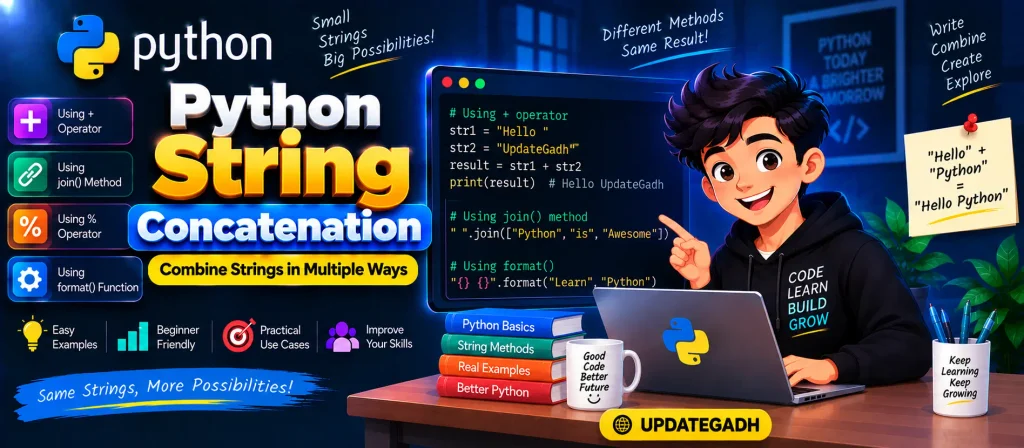
Python provides several ways to concatenate strings. The most common methods include using the + operator, join() method, % operator, and format() method.
Python strings are immutable, which means their existing content cannot be changed directly. When strings are concatenated, Python creates a new string containing the combined values.
In this tutorial, we will learn different ways to perform string concatenation in Python with simple examples.
Complete Python Course: Click Here
Complete Advance AI Topics: Click Here
What is String Concatenation in Python?
String concatenation is the process of joining multiple strings into one string. For example, if you have "Hello" and "Coders", concatenating them can produce "Hello Coders".
Python provides different methods depending on how you want to combine the strings.
1. Using the + Operator
The + operator is the simplest and most straightforward way to concatenate two or more strings in Python.
str1 = "Hello "
str2 = "Coders"

str3 = str1 + str2

print("The new combined string is:", str3)
Output:
The new combined string is: Hello CodersIn this example, str1 contains "Hello " and str2 contains "Coders". The + operator combines them and stores the result in str3.
If you want a space between two strings, remember to include the space inside one of the strings:
first_name = "John"
last_name = "Smith"

full_name = first_name + " " + last_name

print(full_name)
Output:
John Smith2. Using the join() Method
The join() method is useful when you need to combine multiple strings, especially when the strings are stored inside a list.
For example:
str1 = "Hello"
str2 = "UpdateGadh"

result = "".join([str1, str2])

print(result)
Output:
HelloUpdateGadhHere, an empty string is used as the separator, so the two strings are joined without any space.
You can also use a space as the separator:
str1 = "Hello"
str2 = "UpdateGadh"

result = " ".join([str1, str2])

print(result)
Output:
Hello UpdateGadhThe join() method becomes particularly useful when working with a list containing many strings.
words = ["Python", "is", "easy", "to", "learn"]

sentence = " ".join(words)

print(sentence)
Output:
Python is easy to learn3. Using the % Operator
The % operator is an older style of string formatting that can also be used to combine multiple strings.
For example:
str1 = "Hello"
str2 = "Coders"
str3 = "UpdateGadh"

result = "%s %s %s" % (str1, str2, str3)

print(result)
Output:
Hello Coders UpdateGadhIn this example, each %s acts as a placeholder for a string. The values supplied after the % operator are inserted into those positions.
Although this method is still supported, newer Python code often uses more modern formatting techniques.
4. Using the format() Method
The format() method provides another way to combine strings and insert values into a text template. It is useful when working with dynamic data.
str1 = "Hello"
str2 = "To"
str3 = "UpdateGadh"

result = "{} {} {}".format(str1, str2, str3)

print(result)
Output:
Hello To UpdateGadhThe curly braces {} act as placeholders. The values provided to format() are inserted into those placeholders in order.
String Concatenation with User Input
You can also concatenate strings received from the user using input().
str1 = input("Enter the first string: ")
str2 = input("Enter the second string: ")

result = str1 + " " + str2

print("Combined string:", result)
If the user enters Welcome and Python, the output will be:
Combined string: Welcome PythonThis approach is useful when the values are not known beforehand and are entered while the program is running.
YT:- DecodeIT
String Concatenation with Variables
Variables can easily be combined with strings using the + operator.
name = "Peter"
course = "Python"

message = name + " is learning " + course

print(message)
Output:
Peter is learning PythonWhen combining strings with variables, make sure the values being joined are strings. Python does not automatically concatenate a string and an integer using the + operator.
String and Integer Concatenation
If you want to combine a string with an integer, you need to convert the integer into a string first.
age = 21

message = "My age is " + str(age)

print(message)
Output:
My age is 21The str() function converts the integer into a string so that both values can be combined.
Which String Concatenation Method Should You Use?
| Method | Best Used For |
|---|---|
+ | Simple string concatenation |
join() | Joining multiple strings from an iterable |
% | Traditional string formatting |
format() | Formatted strings with dynamic values |
Important Points to Remember
- String concatenation means joining strings together.
- The
+operator is the simplest method for basic concatenation. - The
join()method is useful for combining multiple strings. - The
%operator provides an older formatting approach. - The
format()method allows values to be inserted into placeholders. - Use
str()when an integer or another value needs to be combined with a string using+.
Conclusion
Python string concatenation is a basic but important concept for Python programmers. You can join strings using the + operator, join() method, % operator, or format() method.
For simple cases, the + operator is easy to understand and use. When working with a list of strings, join() is particularly useful. The % operator provides traditional formatting, while format() gives you more control when inserting dynamic values.
Once you understand these methods, you can easily create combined messages, work with user input, and format text in your Python applications.
Frequently Asked Questions (FAQ)
1. What is string concatenation in Python?
String concatenation is the process of joining two or more strings to create a single string.
2. How do I concatenate two strings in Python?
The simplest method is to use the + operator, such as "Hello " + "World".
3. How do I concatenate strings with a space?
You can add a space between strings using +, such as first + " " + last, or use " ".join().
4. How do I concatenate a string and an integer?
Convert the integer into a string using str() before using the + operator.
5. Which method is useful for concatenating a list of strings?
The join() method is designed for joining multiple strings from an iterable such as a list.
6. Can I concatenate multiple strings in Python?
Yes. You can combine multiple strings using +, join(), %, or format().
Related Keywords
Python String Concatenation, how to concatenate two strings in python with space, python concatenate string and int, python concatenate string and variable, python concatenate list of strings, python concatenate arrays, concatenation in python example, string concatenation, python string concatenation with variable, python string concatenation time complexity, python string concatenation with int, python string concatenation operator, python string concatenation multiple lines, python string concatenation function