
Reverse a Number in Python
Reversing a number is a common programming problem that helps beginners understand loops, arithmetic operators, functions, and recursion. In Python, a number can be reversed in different ways depending on the approach you want to learn.
In this tutorial, we will learn how to reverse a number in Python using two common methods: a while loop and recursion. Both methods use the same basic logic but approach the problem differently.
YT:- DecodeIT
What Does It Mean to Reverse a Number?
For example:
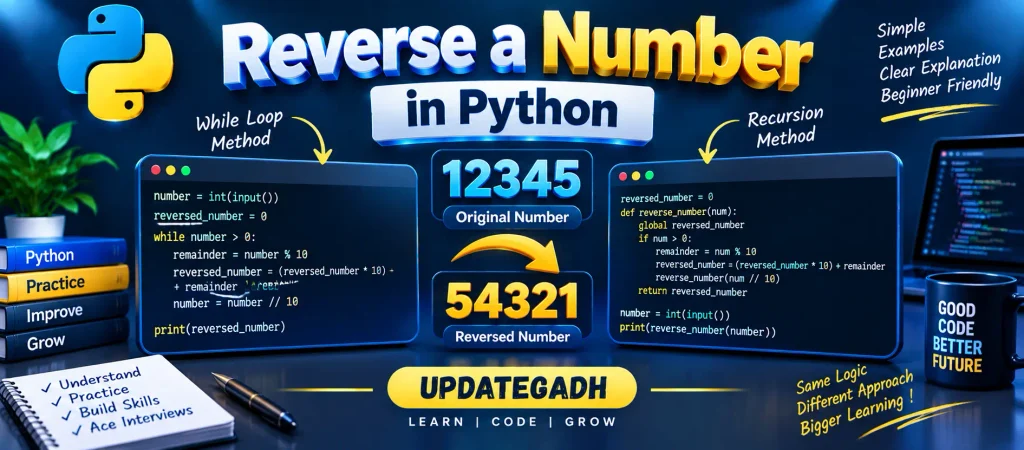
Original Number: 12345
Reversed Number: 54321
Similarly:
Original Number: 5426
Reversed Number: 6245
To reverse a number mathematically, we can repeatedly extract its last digit and use that digit to build the reversed number.
Methods to Reverse a Number in Python
There are several approaches for reversing a number. In this tutorial, we will focus on:
- Using a while loop
- Using recursion
Method 1: Reverse a Number Using a While Loop
A while loop provides a simple way to reverse the digits of a number. The basic idea is to take the last digit from the original number, add it to the reversed number, and then remove that last digit.
Algorithm
Suppose the input is an integer called number.
- Initialize
reversed_numberto0. - Check whether
numberis greater than0. - Use the modulus operator
%to get the last digit. - Multiply
reversed_numberby10and add the extracted digit. - Use integer division
//to remove last digit from original number. - Repeat the process until the number becomes
0.
Python Program
# Reverse a number using a while loop

number = int(input("Enter an integer number: "))

reversed_number = 0

while number > 0:
    remainder = number % 10
    reversed_number = (reversed_number * 10) + remainder
    number = number // 10

print(f"The reversed number is: {reversed_number}")
Output
Enter an integer number: 12345
The reversed number is: 54321
How the While Loop Works
Let’s understand the process using 12345 as an example.
| Step | Number | Last Digit | Reversed Number |
|---|---|---|---|
| 1 | 12345 | 5 | 5 |
| 2 | 1234 | 4 | 54 |
| 3 | 123 | 3 | 543 |
| 4 | 12 | 2 | 5432 |
| 5 | 1 | 1 | 54321 |
At every iteration, % 10 extracts the last digit, while // 10 removes the last digit from the original number.
Understanding the Important Operators
Two operators are especially important in this program:
Modulus Operator (%)
The modulus operator returns the remainder after division.
12345 % 10 = 5Integer Division (//)
Integer division removes the last digit when number divided by 10.
12345 // 10 = 1234Method 2: Reverse a Number Using Recursion
Another way to reverse a number is by using recursion. Recursion means that a function calls itself with a smaller or simpler input until a stopping condition is reached.
Algorithm
- Initialize
reversed_numberto0. - Check whether the number is greater than
0. - Extract the last digit using
% 10. - Add the digit to
reversed_number. - Remove the last digit using
// 10. - Call the function again with the remaining number.
- Stop when the number becomes
0.
Python Program
# Reverse a number using recursion

number = int(input("Enter the number: "))

reversed_number = 0

def reverse_number(num):
    global reversed_number

    if num > 0:
        remainder = num % 10
        reversed_number = (reversed_number * 10) + remainder
        reverse_number(num // 10)

    return reversed_number


result = reverse_number(number)

print(f"The reversed number is: {result}")
Output
Enter the number: 5426
The reversed number is: 6245
How Recursion Works
The recursive function extracts one digit during each function call and then calls itself with the remaining number.
For example, when the input is 5426:
- First,
6is extracted. - Then,
2is extracted. - Next,
4is extracted. - Finally,
5is extracted. - The digits are combined to produce
6245.
When the number becomes 0, the recursive calls stop and the reversed number is returned.
While Loop vs Recursion
| Feature | While Loop | Recursion |
|---|---|---|
| Approach | Iterative | Recursive |
| Implementation | Simple and direct | Uses function calls |
| Extra Call Stack | No recursive call stack | Uses call stack |
| Best For | Simple number processing | Learning recursive programming |
Important Point About Leading Zeros
When a number is reversed, leading zeros in the result are not preserved because the result is an integer.
For example:
Original Number: 1200
Reversed Number: 21
The reversed numeric value is 21, not 0021. If you need to preserve zeros as part of the output, treating the input as a string is a different approach.
Key Takeaways
- A number can be reversed by processing its digits from right to left.
- The
%operator is used to extract the last digit. - The
//operator removes the last digit. - A
whileloop provides a simple iterative solution. - Recursion can also be used to reverse a number.
- The same logic can be applied when learning similar problems in other programming languages.
Complete Advance AI Topics: Click Here
SQL Tutorial: Click Here
Conclusion
Reverse a Number in Python is a useful beginner-level programming problem for understanding loops, arithmetic operators, functions, and recursion. The while-loop approach repeatedly extracts the last digit and builds the reversed number, while the recursive approach performs the same process through repeated function calls.
Understanding this simple problem can also help you learn how individual digits can be processed mathematically in Python.
Frequently Asked Questions
How do you reverse a number in Python?
You can reverse a number using a while loop, recursion, or other approaches such as converting the number to a string.
Which operator is used to get the last digit of a number?
The modulus operator % 10 can be used to extract the last digit of a positive integer.
How does integer division help reverse a number?
Integer division by 10 removes the last digit from a positive integer. For example, 12345 // 10 gives 1234.
Can I reverse a number using recursion in Python?
Yes. A recursive function can repeatedly extract the last digit and call itself with the remaining number.
What happens when a reversed number starts with zero?
When the result is stored as an integer, leading zeros are removed. For example, reversing 1200 produces the integer 21.
Keywords
Reverse a Number in Python, reverse a number in Python using while loop, reverse a number in Python using for loop, reverse a number in Python using function, reverse a number in Python using recursion, reverse a number in Python using slicing, reverse a number in Python without loop, Python program to reverse a number, reverse number Python example, reverse number using while loop, Python number programs, reverse digits in Python, reverse integer in Python, Python programming examples


