How to Convert a Python List to a String
Python makes it easy to work with different types of data. During programming, you will often need to convert data from one type to another depending on what your application requires. One common task is converting a Python list to a string.
A list is generally used when you want to store multiple values together, while a string is useful when those values need to be represented as a single piece of text. For example, you may have a list containing names, numbers, words, or other values and need to combine them into one readable string for displaying on a webpage, saving in a file, creating a message, or processing text.
Python provides several approaches for converting a list into a string. The most recommended method is usually the join() method, but other techniques such as map(), list comprehension, iteration, and str() can also be useful depending on the type of data and the expected output.
In this tutorial, we will understand what lists and strings are, learn different ways to convert a Python list to a string, and look at practical examples so that you can choose the right method for your program.
YT:- DecodeIT
What is a List in Python?
A list is one of the most commonly used collection data types in Python. It allows you to store multiple values inside a single variable. Lists are ordered and mutable, which means their elements can be accessed according to their position and can also be changed after the list has been created.
A Python list can contain values of the same type or completely different types. It can contain strings, integers, floating-point numbers, Boolean values, and even other lists. Duplicate values are also allowed.
Example of a Python List
list_example = [10, 20, 30, "Java", "Python", "Ruby", True]

print(list_example)
In this example, the list contains integers, strings, and a Boolean value. This flexibility is one of the reasons lists are so useful in Python programming.
Lists also support operations such as indexing, slicing, iteration, concatenation, inserting elements, removing elements, and sorting. Because lists can contain multiple values, developers frequently need to convert them into another format, including a string.
What is a String in Python?
A string is a sequence of characters used to represent text in Python. Strings can be created using single quotes, double quotes, or triple quotes.
Example of a Python String
string_example = "Hello, World!"

print(string_example)
Unlike lists, strings are immutable. This means that once a string has been created, its individual characters cannot be changed directly.
Strings are widely used for displaying information, handling user input, creating messages, working with files, processing text, and communicating with databases or APIs. Therefore, knowing how to convert a list into a string is an important Python programming skill.
Why Convert a List to a String?
There are many situations where a list needs to be converted into a string. For example, suppose a program stores a list of product names:
products = ["Laptop", "Mouse", "Keyboard"]If you want to display these products as a single sentence, you may need a string such as:
Laptop, Mouse, KeyboardSimilarly, list-to-string conversion can be useful when generating reports, creating CSV-style data, preparing messages, formatting output, storing information as text, or passing data to functions that expect strings.
Methods
Python provides several ways to convert a list to a string. The method you choose depends mainly on whether the list contains only strings or includes other data types such as integers and Boolean values.
1. Using the join() Method
The join() method is generally the preferred approach when the list contains strings. It combines all elements of an iterable and places a specified separator between them.
Syntax
separator.join(iterable)The separator can be a space, comma, hyphen, newline, or any other string.
Example:
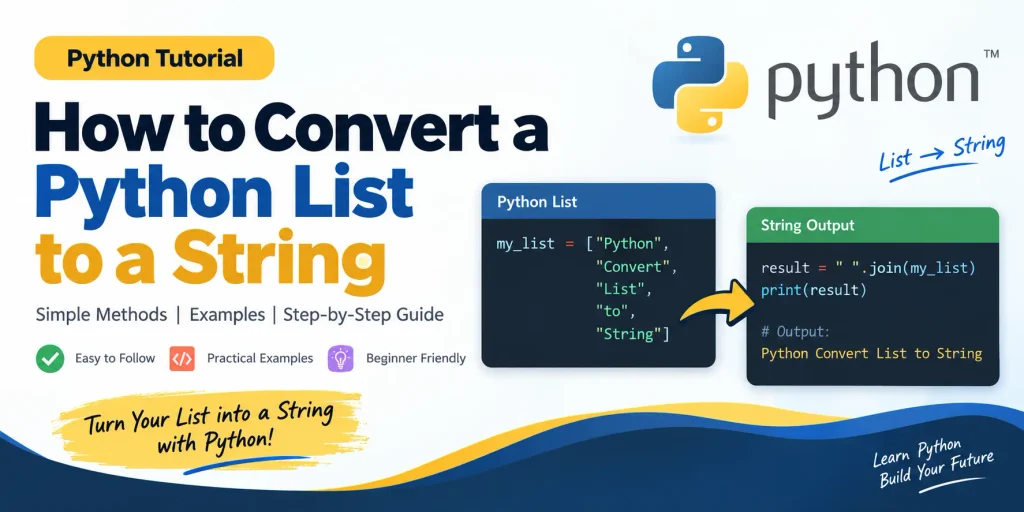
my_list = ["Python", "Convert", "List", "String", "Method"]

result = " ".join(my_list)

print(result)
print(type(result))
The output will be:
Python Convert List String Method
<class 'str'>
Here, a space is used as the separator. The join() method combines every item into one string.
Using a Comma as a Separator
You can easily change the separator depending on your requirements.
my_list = ["Python", "Java", "C++", "JavaScript"]

result = ", ".join(my_list)

print(result)
Output:
Python, Java, C++, JavaScriptThis approach is especially useful when you need a readable comma-separated string.
2. Using join() with map()
The join() method expects its elements to be strings. If your list contains integers, floating-point values, Boolean values, or other objects, directly using join() can result in a TypeError.
For example:
my_list = ["Python", 11, "List", 12]

result = " ".join(my_list)
This will not work because the values 11 and 12 are integers rather than strings.
To solve this problem, you can use the map() function together with str.
Example
my_list = ["Python", "Convert", 11, "List", 12, "String"]

result = " ".join(map(str, my_list))

print(result)
print(type(result))
Output:
Python Convert 11 List 12 String
<class 'str'>
The expression map(str, my_list) applies the str() function to every element. After all values have been converted to strings, join() combines them.
This is one of the most useful approaches when working with a list containing mixed or numeric data.
3. Using List Comprehension
Another way to convert list elements into strings is to use list comprehension. List comprehension provides a compact syntax for processing every item in a list.
Example
my_list = ["Python", "Convert", 11, "List", 12, "String"]

result = " ".join([str(element) for element in my_list])

print(result)
Output:
Python Convert 11 List 12 StringIn this example, str(element) converts every element into a string. The resulting collection is then passed to join().
List comprehension is particularly useful when you want to perform additional processing while converting the elements. For example, you could conditionally format values or transform them before joining them.
4. Using a for Loop
You can also convert a list to a string by iterating over its elements using a for loop. This approach requires more code, but it is helpful for beginners because it makes the conversion process easy to understand step by step.
Example
my_list = ["Python", "Convert", "List", "String", "Method"]

result = ""

for element in my_list:
    result += " " + element

print(result.strip())
Output:
Python Convert List String MethodDuring each iteration, an element is added to the result string. The strip() method removes the unnecessary space from the beginning and end.
Although this method works, join() is normally preferred for combining strings because it provides cleaner and more efficient code.
5. Using str() Directly on a List
Python also allows you to use the str() function directly on a list:
my_list = ["Python", "Java", "C++"]

result = str(my_list)

print(result)
print(type(result))
Output:
['Python', 'Java', 'C++']
<class 'str'>
It is important to understand that this does not produce the same result as join(). Instead, Python creates the textual representation of the complete list, including square brackets and quotes.
Therefore, if you want a clean sentence or comma-separated value, str() is generally not the right choice. It is more suitable when you specifically need the string representation of the list itself.
6. Convert a List of Integers to a String
A common requirement in Python programming is converting a list of integers into a string. Consider the following list:
numbers = [10, 20, 30, 40, 50]Because these are integers, you cannot directly use join(). Instead, convert each number to a string first.
numbers = [10, 20, 30, 40, 50]

result = ", ".join(map(str, numbers))

print(result)
Output:
10, 20, 30, 40, 50This technique is useful when displaying numeric data as text, creating reports, or preparing values for a text-based format.
7. Convert a List to a String Without a Separator
Sometimes you may want to combine all list elements without adding spaces or commas between them. In that case, use an empty string as the separator.
my_list = ["P", "y", "t", "h", "o", "n"]

result = "".join(my_list)

print(result)
Output:
PythonThis approach is useful when a list contains individual characters and you want to rebuild the original word or text.
8. Convert a List into a String with Each Item on a New Line
The separator does not have to be a space or comma. You can use the newline character \n when you want every list element to appear on a separate line.
items = ["Python", "Java", "C++", "JavaScript"]

result = "\n".join(items)

print(result)
Output:
Python
Java
C++
JavaScript
This can be useful when generating reports, menus, logs, or formatted text.
9. Convert a List to a Comma-Separated String
Comma-separated strings are frequently required when working with data files and text-based formats.
languages = ["Python", "Java", "C++", "PHP"]

result = ", ".join(languages)

print(result)
Output:
Python, Java, C++, PHPThe comma followed by a space makes the resulting text easier to read.
10. Handling an Empty List
An empty list can also be converted safely using join().
my_list = []

result = ", ".join(my_list)

print(result)
The result is simply an empty string. This behavior is useful because you do not need a special condition just to handle an empty list in many situations.
Which Method Should You Use?
The best method depends on the structure of your list and the output you need.
- Use join(): When your list already contains strings.
- Use map() with join(): When your list contains numbers or mixed data types.
- Use list comprehension: When you need to transform elements before joining them.
- Use a for loop: When you need custom processing during iteration or want to understand the process step by step.
- Use str(list): When you specifically need the textual representation of the entire list, including its list formatting.
Common Mistake When Using join()
One of the most common mistakes beginners make is trying to use join() directly on a list containing integers.
numbers = [1, 2, 3, 4]

result = ", ".join(numbers)
This produces a TypeError because join() requires string elements.
The correct approach is:
numbers = [1, 2, 3, 4]

result = ", ".join(map(str, numbers))

print(result)
Output:
1, 2, 3, 4Understanding this difference will help you avoid one of the most frequent errors associated with Python list-to-string conversion.
Practical Example
Suppose you are creating a small Python program that stores the names of students and needs to display them as one sentence.
students = ["Rahul", "Priya", "Amit", "Neha"]

student_names = ", ".join(students)

print("Students enrolled in the course:", student_names)
Output:
Students enrolled in the course: Rahul, Priya, Amit, NehaThis simple example demonstrates why list-to-string conversion is useful in real-world applications. Instead of displaying a Python list with brackets and quotation marks, the program produces clean and readable text.
Conclusion
Converting a Python list to a string is a simple but important operation that you will encounter frequently while working with Python. The join() method is usually the cleanest choice when the list contains strings, while combining map(str, ...) with join() is a convenient solution for lists containing integers or other values.
List comprehension provides another flexible option when elements need to be transformed before conversion, while a traditional for loop can be useful when you need more control over the process. The str() function can also convert a list into a string, but it produces the string representation of the entire list rather than a cleanly joined sequence.
Once you understand the difference between these approaches, you can select the appropriate technique based on your application’s requirements. Whether you are formatting user input, preparing data for display, generating reports, or processing information from a database, knowing how to convert lists into strings is a useful Python programming skill.
Complete Advance AI Topics: Click Here
SQL Tutorial: Click Here
Frequently Asked Questions (FAQ)
1. How do I convert a Python list to a string?
You can use the join() method when the list contains strings.
my_list = ["Python", "is", "easy"]

result = " ".join(my_list)

print(result)
This produces a single string containing all the list elements separated by spaces.
2. How to Convert a List of Integers to a String in Python??
Use map(str, list) with join():
numbers = [1, 2, 3, 4]

result = ", ".join(map(str, numbers))

print(result)
The map() function converts each integer into a string before join() combines them.
3. Can I use join() with a list containing integers?
No. The elements passed to join() need to be strings. If the list contains integers, convert them first using map(str, my_list) or a list comprehension.
4. What is the difference between str(list) and join()?
str(list) creates a textual representation of the complete list, including brackets and quotation marks. The join() method combines the elements into a cleaner string using a separator.
5. How to Convert a List to a Comma-Separated String in Python?
Use a comma as the separator:
items = ["Python", "Java", "PHP"]

result = ", ".join(items)

print(result)
6. How can I convert a list to a string without spaces?
Use an empty string as the separator:
letters = ["P", "y", "t", "h", "o", "n"]

result = "".join(letters)

print(result)
7. Can join() convert mixed-type lists?
Not directly. If the list contains integers, Boolean values, or other non-string objects, convert each value to a string first. A common approach is " ".join(map(str, my_list)).
8. Which method is recommended for converting a list of strings?
For a list containing strings, join() is generally the most straightforward approach. It is concise, readable, and lets you choose exactly how the elements should be separated.
9. Can I convert an empty list to a string?
Yes. Using join() with an empty list returns an empty string.
items = []

result = ", ".join(items)

print(result)
10. Can a Python list contain both strings and numbers?
Yes. Python lists can contain different types of values. When converting such a list into one string, use map(str, my_list) before applying join().
11. How do I convert a list of characters into a word?
Use join() with an empty separator:
characters = ["H", "e", "l", "l", "o"]

word = "".join(characters)

print(word)
The result will be Hello.
12. Is list-to-string conversion useful in real Python projects?
Yes. It is commonly useful when formatting output, generating messages, preparing data for files, displaying database results, creating reports, processing user input, and working with APIs or other text-based data formats.
Related Python Keywords
list to string python with comma, how to convert a python list to a string, convert string to list python without split, convert list of int to string python, convert list to string, how to convert a python list to a string full explain, convert string to list of characters python, list of strings to string python, Python list conversion, Python string conversion, Python join method, Python map function.