

Compare Two Lists in Python
Python lists are commonly used to store collections of values such as numbers, strings, and other objects. While working with lists, you may need to determine whether two lists contain the same elements. Python provides several ways to compare two lists, depending on whether the order of elements matters and whether duplicate values need to be considered.
For example, two lists may contain exactly the same values in the same order, or they may contain the same values in a different order. In some situations, you may also need to compare the frequency of duplicate elements. Choosing the right comparison method is therefore important.
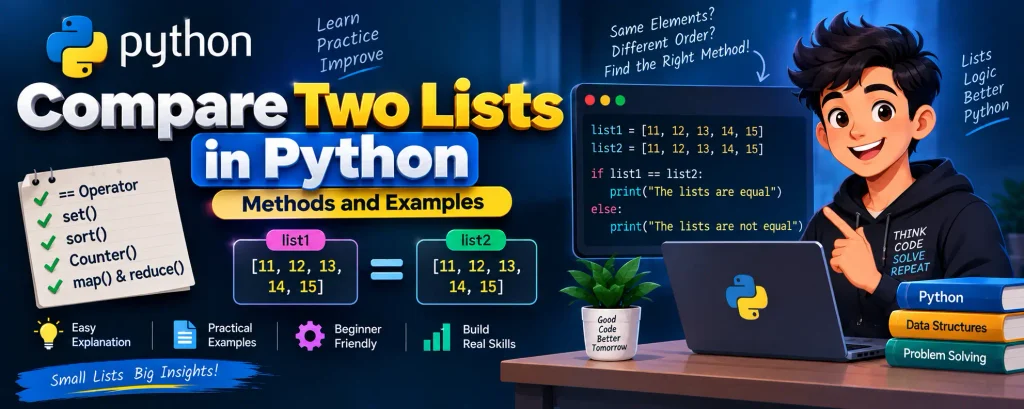
Python provides simple options such as the == operator as well as methods using set(), sort(), collections.Counter(), map(), and functools.reduce().
In this tutorial, you will learn different ways to compare two lists in Python, understand how each method works, and see practical examples with their outputs.
Complete Advance AI Topics: Click Here
SQL Tutorial: Click Here
Sample Lists for Comparison
Let’s begin with two simple lists containing the same elements in the same order:
list1 = [11, 12, 13, 14, 15]
list2 = [11, 12, 13, 14, 15]
Since both lists contain the same elements in the same order, they are equal.
Output
The lists are equal.However, the result can change depending on the comparison technique. Some methods consider the order of elements, while others ignore it.
Methods to Compare Two Lists in Python
Here are the commonly used methods for comparing Python lists:
- Using the
==operator - Using the
set()function - Using the
sort()method - Using
collections.Counter() - Using
map()andfunctools.reduce()
1. Using the == Operator
The simplest way to compare two lists is by using the == operator. It checks whether both lists contain the same elements in the same order.
Example
list1 = [11, 12, 13, 14, 15]
list2 = [11, 12, 13, 14, 15]

if list1 == list2:
    print("The lists are equal")
else:
    print("The lists are not equal")
Output
The lists are equalIn this example, both lists have identical values and the same order, so the comparison returns True.
The == operator is generally the most straightforward choice when both the values and their positions need to match.
2. Using the set() Function
The set() function can be used when the order of elements does not matter. A set stores unique elements, so the comparison focuses on which values are present rather than their positions.
Example
list1 = [11, 12, 13, 14, 15]
list2 = [15, 14, 13, 12, 11]

if set(list1) == set(list2):
    print("The lists are equal")
else:
    print("The lists are not equal")
Output
The lists are equalAlthough the elements appear in different orders, both sets contain the same values. Therefore, the comparison returns True.
Keep in mind that converting lists to sets removes duplicate values. Therefore, this method is not suitable when the number of occurrences of each element matters.
3. Using the sort() Method
Another way to compare lists without considering their original order is to sort both lists before comparing them. The sort() method rearranges the elements in ascending order.
Example
list1 = [10, 20, 30, 40, 50]
list2 = [50, 40, 30, 20, 10]

list1.sort()
list2.sort()

if list1 == list2:
    print("The lists are equal")
else:
    print("The lists are not equal")
Output
The lists are equalBefore sorting, the lists have different orders. After sorting, both become identical, allowing the == operator to compare them successfully.
One important point is that sort() modifies the original lists. If you need to preserve their original order, consider using sorted() instead.
4. Using collections.Counter()
The Counter class from Python’s collections module is useful when you want to compare lists without considering order while still taking duplicate elements into account.
Example
from collections import Counter

list1 = [10, 20, 30, 40, 50]
list2 = [50, 40, 30, 20, 10]

if Counter(list1) == Counter(list2):
    print("The lists are equal")
else:
    print("The lists are not equal")
Output
The lists are equalCounter records each element along with the number of times it appears. This makes it useful when duplicate values are important.
For example, the lists [10, 10, 20] and [10, 20, 20] would not be considered equal because their element frequencies are different.
5. Using map() and functools.reduce()
You can also compare corresponding elements of two lists using map() and combine the comparison results using reduce(). This approach is more detailed than using == and can be useful when custom element-by-element processing is required.
Example
from functools import reduce

list1 = [10, 20, 30, 40, 50]
list2 = [10, 20, 30, 40, 50]
list3 = [50, 40, 30, 20, 10]

result1 = reduce(
    lambda x, y: x and y,
    map(lambda a, b: a == b, list1, list2),
    True
)

result2 = reduce(
    lambda x, y: x and y,
    map(lambda a, b: a == b, list1, list3),
    True
)

if result1:
    print("list1 and list2 are equal")
else:
    print("list1 and list2 are not equal")

if result2:
    print("list1 and list3 are equal")
else:
    print("list1 and list3 are not equal")
Output
list1 and list2 are equal
list1 and list3 are not equal
Here, map() compares corresponding elements from the lists. The reduce() function then combines the Boolean comparison results. Because corresponding positions are compared, the order of elements matters.
Compare Two Lists Element by Element
If you need to compare two lists element by element, a simple for loop can also be used.
list1 = [10, 20, 30]
list2 = [10, 25, 30]

for a, b in zip(list1, list2):
    if a == b:
        print(a, "and", b, "are equal")
    else:
        print(a, "and", b, "are different")
This approach allows you to identify which corresponding values match and which values are different. It can be useful when you need more information than simply knowing whether two complete lists are equal.
Which Method Should You Use?
The appropriate method depends on what you want to compare.
| Method | Order Matters | Duplicates Considered | Original List Modified |
|---|---|---|---|
== | Yes | Yes | No |
set() | No | No | No |
sort() | No | Yes | Yes |
Counter() | No | Yes | No |
map() + reduce() | Yes | Yes | No |
Key Considerations When Comparing Lists
- Use the
==operator when both element values and their order should match. - Use
set()when order does not matter and duplicate values are not important. - Use
sort()when you want to compare the same elements regardless of their original order. - Use
collections.Counter()when order does not matter but duplicate frequencies should be considered. - Use
map()andreduce()when you need element-by-element comparison or additional processing.
Conclusion
Python provides several convenient ways to compare two lists. The == operator is the simplest option when both lists must contain the same values in the same order. When order is not important, set() or Counter() can be useful depending on whether duplicate elements matter.
The sort() method provides another way to compare unordered lists, while map() and reduce() can be used for customized element-by-element comparisons. Understanding the differences between these approaches helps you select the right method for your Python program.
Frequently Asked Questions (FAQ)
1. How do I compare two lists in Python?
The simplest method is to use the == operator:
list1 == list2This compares both the elements and their order.
2. How can I compare two lists without considering order?
You can use set() when duplicate values do not matter:
set(list1) == set(list2)You can also use Counter() when duplicate frequencies need to be considered.
3. How do I compare two lists element by element?
You can use zip() with a for loop to compare corresponding elements individually.
4. How do I compare two lists and find differences?
The comparison approach depends on whether order and duplicate values matter. A loop with zip() can help identify differences at corresponding positions.
5. Does set() consider duplicate elements?
No. A set stores unique values, so duplicate occurrences are removed during conversion.
6. Does Counter() consider duplicate elements?
Yes. Counter() records how many times each element occurs, so duplicate frequencies are included in the comparison.
7. Does sort() change the original list?
Yes. The sort() method changes the original list by rearranging its elements.
Related Keywords
How to Compare Two Lists in Python, how to compare two lists in python, Python compare two lists return non matches, Python compare two lists element wise, compare two lists in Python using for loop, compare two lists in Python, Python compare two lists for differences, Python compare two lists of strings, compare two lists in Python and return indices of matched values, list comparison in Python, Python list comparison, compare lists using set in Python, compare lists using Counter in Python, Python set, Python list methods.
Download New Real Time Projects: Click Here


