How to Convert Text to Speech in Python
Text-to-speech technology allows a computer program to read written content aloud. In Python, this feature can be added to applications with the help of text-to-speech libraries. Such functionality can be useful for accessibility tools, learning applications, voice-based utilities, and projects that need spoken output.
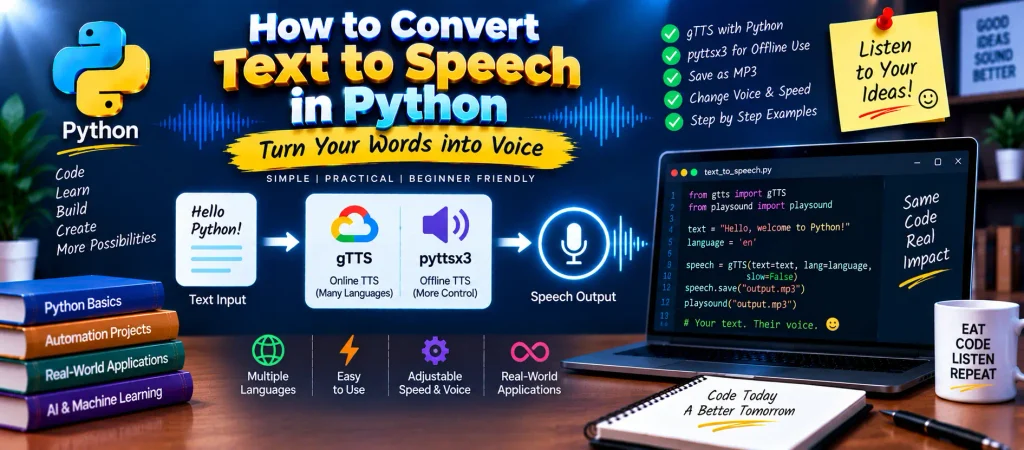
Python provides several options for converting written text into audio. In this tutorial, we will work with gTTS for online speech generation and pyttsx3 for offline text-to-speech. We will also see how to save generated speech, play audio, list supported languages, and modify voice properties.
Table of Contents
YT:- DecodeIT
What Is Text-to-Speech?
Text-to-speech, commonly called TTS, is the process of turning written words into spoken audio. Instead of displaying a message only on the screen, a Python application can send the text to a speech engine and produce audible output.
For example, a program can take the text Welcome to UpdateGadh and generate speech from it. This makes TTS useful when users need to listen to information instead of reading it.
Why Use gTTS in Python?
gTTS, short for Google Text-to-Speech, provides a simple way to generate speech from text. It supports multiple languages and can save the generated audio as an MP3 file.
Some useful characteristics of gTTS include:
- Support for languages such as English, Hindi, German, French, and Tamil.
- An option to generate speech at normal or slower speed.
- A simple interface that requires only a small amount of Python code.
- The ability to save generated speech as an audio file.
One important point is that gTTS relies on an internet connection when generating speech. If an offline solution is required, pyttsx3 is a suitable alternative.
Install the Required Python Libraries
Before creating the program, install the packages needed for the examples.
pip install gTTS
pip install playsound
pip install pyttsx3
Here, gTTS handles online speech generation, playsound can be used to play the generated audio, and pyttsx3 provides offline speech capabilities.
Convert Text to Speech with gTTS
The basic gTTS workflow is straightforward: provide some text, select a language, create the speech object, save the result, and then play the generated file.
Example
from gtts import gTTS
from playsound import playsound

text = "Welcome to UpdateGadh"
language = "en"

speech = gTTS(
    text=text,
    lang=language,
    slow=False
)

speech.save("welcome.mp3")

playsound("welcome.mp3")
How the Code Works
gTTSis imported to create speech from the supplied text.- The
playsoundfunction is imported to play the saved audio. - The text that should be spoken is stored in the
textvariable. - The
langparameter specifies the language. slow=Falserequests normal speech speed.- The
save()method stores the generated result as an MP3 file. playsound()plays the saved audio.
When the program runs successfully, it creates welcome.mp3 and plays the generated speech.
Find Supported Languages in gTTS
If you want to know which language codes are available, gTTS provides the tts_langs() function.
from gtts.lang import tts_langs

languages = tts_langs()

print(languages)
The function returns a dictionary containing language names along with their corresponding language codes. These codes can then be supplied to the lang parameter while generating speech.
Convert Text to Speech Offline with pyttsx3
When an application needs to generate speech without depending on an internet connection, pyttsx3 can be used. It works with speech engines available on the local computer and also provides options for controlling speech characteristics.
Example
import pyttsx3

engine = pyttsx3.init()

text = "Python is a powerful programming language"

engine.say(text)

engine.runAndWait()
The init() function creates the speech engine. The text is passed to say(), while runAndWait() starts the speech process and waits until the queued speech has finished.
Change the Speech Speed
The speaking rate can be adjusted through the rate property. This is useful when the default voice sounds too fast or too slow.
engine.setProperty("rate", 150)The number represents the speech rate. You can experiment with different values until the output reaches a comfortable speed.
Change the Voice
Some systems provide more than one installed voice. You can retrieve the available voices and select one for the speech engine.
voices = engine.getProperty("voices")

engine.setProperty("voice", voices[1].id)
The available voices depend on the operating system and the speech engines installed on the computer. Therefore, the number of available voices can vary from one system to another.
Complete Advance AI Topics: Click Here
SQL Tutorial: Click Here
gTTS vs pyttsx3
| Feature | gTTS | pyttsx3 |
|---|---|---|
| Internet required | Yes | No |
| Offline speech | No | Yes |
| Language support | Multiple languages | Depends on installed voices |
| Speech speed control | Basic slow/normal option | Adjustable rate |
| Voice selection | Limited control | Supports installed voices |
| Audio file generation | Can save generated speech | Supports engine-based speech and configuration |
Which Python TTS Library Should You Use?
The choice depends on what your project requires. If you want a simple way to generate speech using an online service and save it as an MP3 file, gTTS is convenient. If the application needs to work without internet access and requires greater control over voice settings, pyttsx3 is a better fit.
Conclusion
Python makes it relatively simple to add speech capabilities to an application. In this tutorial, we explored two approaches: gTTS for online text-to-speech and pyttsx3 for offline speech generation.
With gTTS, text can be converted into speech and saved as an MP3 file, while pyttsx3 allows you to work with locally available speech engines and adjust settings such as speaking speed and voice selection. These techniques can be used as a starting point for building voice-enabled applications, accessibility tools, educational software, and Python-based virtual assistants.
Frequently Asked Questions
How can I convert text to speech in Python?
You can use libraries such as gTTS or pyttsx3. gTTS is an online approach, while pyttsx3 can work with speech engines installed on the local system.
Can Python convert text to speech without internet?
Yes. pyttsx3 can be used for offline text-to-speech because it works with speech engines available on the computer.
What is gTTS in Python?
gTTS is a Python library that provides access to Google Text-to-Speech functionality and can generate speech from text in supported languages.
How can I change the speaking speed with pyttsx3?
Use the setProperty() method with the rate property:
engine.setProperty("rate", 150)How can I change the voice in pyttsx3?
First retrieve the available voices with getProperty("voices"), then assign the required voice ID using setProperty().
Keywords
How to Convert Text to Speech in Python, text to speech Python, Python text to speech, convert text to speech Python gTTS, Python gTTS tutorial, Google Text-to-Speech Python, Python text to speech offline, pyttsx3 Python, text-to-speech converter Python, Python speech synthesis, Python voice generation, gTTS Python example, pyttsx3 text to speech, offline TTS Python, Python speech application, Python TTS project