Inventory Management System using Spring Boot
The Inventory Management System using Spring Boot is a web-based business management application designed to help organizations manage products, inventory, suppliers, stores, employees, customers, orders, categories, and user access from a centralized platform.
The project is developed using Java, Spring Boot, Spring MVC, Spring Data JPA, Hibernate, Spring Security, Thymeleaf, MySQL, HTML, CSS, JavaScript, Bootstrap, and Font Awesome. It follows a layered application structure with controllers, services, repositories, entities, DTOs, validation, and database relationships.
This project is suitable for students and developers who want to learn how to build a complete Spring Boot management application with database integration, authentication, role-based permissions, CRUD operations, order processing, and REST APIs.
Project Overview
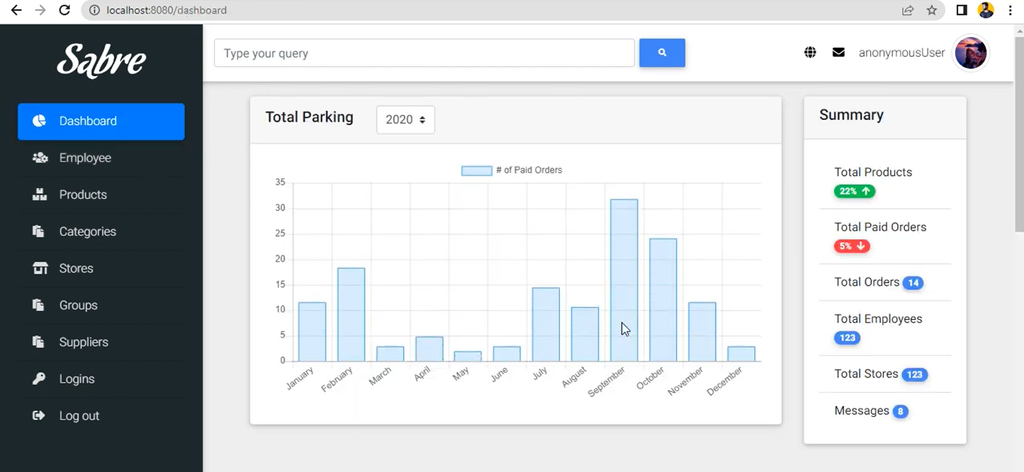
The Inventory Management System provides a dashboard-based interface where authorized users can manage different areas of a business. The application contains modules for products, categories, suppliers, stores, employees, customers, orders, groups, permissions, login accounts, and company settings.
Products are connected with categories, suppliers, and stores, while employees can be associated with stores and locations. Orders contain customer information, product quantities, pricing information, discounts, VAT calculations, payment status, and order dates.
Objective
- Manage products and available inventory from a centralized application.
- Organize products using categories.
- Maintain supplier and store information.
- Manage employees and their assigned stores.
- Create and manage customer orders.
- Calculate gross amount, VAT, discounts, and net amount.
- Provide secure login functionality.
- Manage user groups and permissions.
- Provide REST endpoints for product and order operations.
- Store application data in a MySQL database.
User Roles
The application includes a security and permission structure based on login accounts, groups, and permissions.
Administrator / Authorized User
- Access the management dashboard.
- Manage products and categories.
- Manage stores and suppliers.
- Manage employees.
- Manage orders and customers.
- Manage login accounts.
- Configure groups and permissions.
- Update company settings.
Key Features
- Dashboard-based management interface
- Secure form login
- BCrypt password encryption
- Product management
- Inventory quantity management
- Product category management
- Supplier management
- Store management
- Employee management
- Customer and order management
- Order product quantity handling
- VAT and discount calculation
- Payment status management
- User group management
- Permission management
- Company settings management
- MySQL database integration
- REST API endpoints for products and orders
- Form validation and error handling
Project Modules
1. Dashboard Module
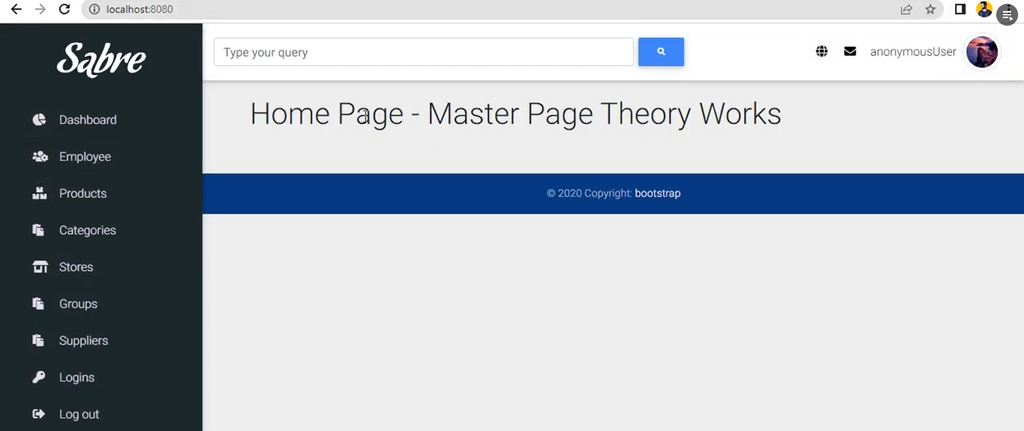
The dashboard provides the main entry point for the management application. It acts as the central interface from which users can navigate to different business modules.
2. Product Management Module
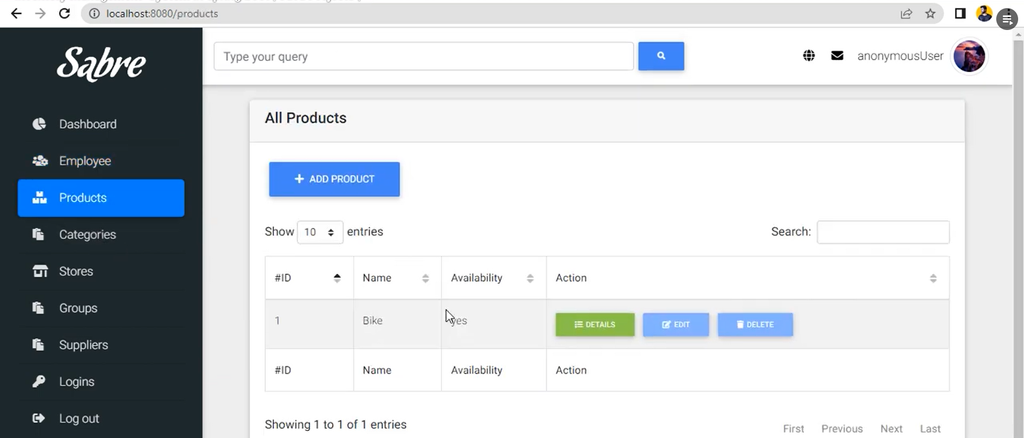
The product module is responsible for maintaining inventory items. Each product contains information such as name, price, quantity, description, availability, category, supplier, and store.
The product entity is connected with the Category, Supplier, and Store entities, allowing inventory records to maintain their business relationships.
- Add products
- View products
- Maintain product price
- Maintain available quantity
- Store product descriptions
- Set product availability
- Assign categories
- Assign suppliers
- Assign stores
3. Category Management Module
The category module allows administrators to organize inventory products into different categories. A category contains a name and status.
The database also enforces unique category names to prevent duplicate category records.
4. Supplier Management Module
The supplier module maintains supplier information used by the inventory system. Supplier records include company name, phone number, and location information.
- Add suppliers
- View suppliers
- Maintain supplier company information
- Store supplier contact details
- Maintain supplier location
5. Store Management Module
The application supports multiple stores. Each store contains a name, status, and associated location.
This structure allows products and employees to be associated with specific stores.
- Create stores
- View stores
- Maintain store status
- Assign store locations
6. Employee Management Module
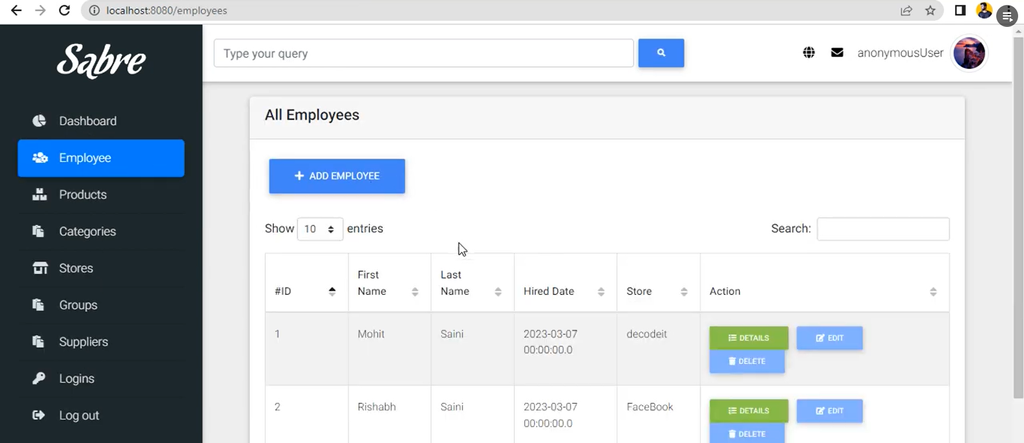
The employee module stores information about employees working within the organization. Employee records include first name, last name, email, phone number, hiring date, location, and assigned store.
- Add employees
- View employee records
- Store employee contact information
- Maintain hiring dates
- Assign employees to stores
- Maintain employee locations
7. Order Management Module
The order module is one of the important components of the application. It stores customer information and order financial details.
An order contains customer name, customer address, customer phone, gross amount, VAT charge, VAT amount, discount, net amount, payment status, and order date.
Orders can also contain multiple products through the OrderProduct relationship, where the quantity of each product is maintained.
8. Customer Management
Customer information is associated with orders. The application maintains customer name, address, and phone number while creating an order.
The customer management interface provides a convenient way to view customer-related order information.
9. User Login and Authentication
The project uses Spring Security for application authentication. Users can access the login page and authenticate using their configured credentials.
The project uses BCryptPasswordEncoder for password encoding and a custom LoginService as the user details service.
Logout functionality is also configured to invalidate the HTTP session and clear authentication information.
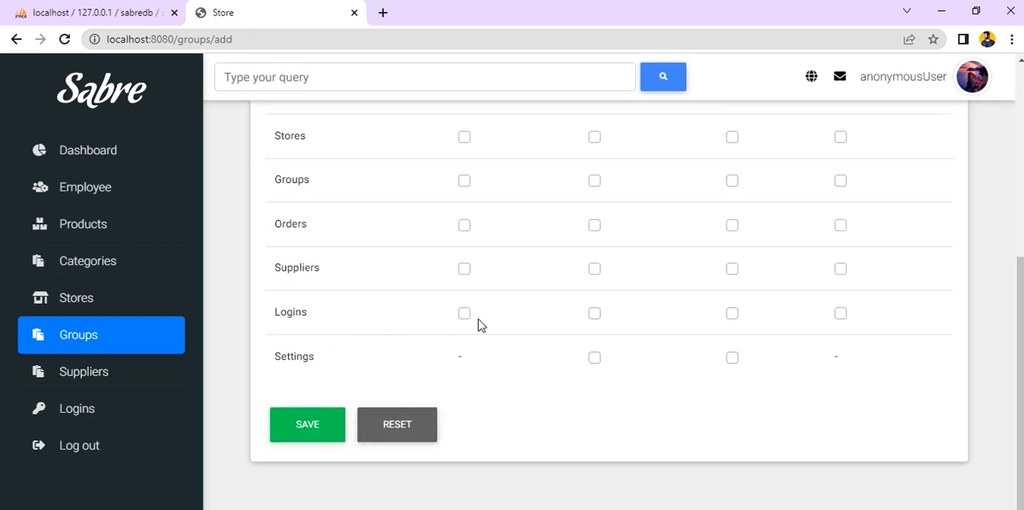
10. Groups and Permissions
The application includes a group and permission model for organizing user access. A group can contain multiple permissions, while login accounts can be associated with groups.
This provides the foundation for managing application access according to user responsibilities.
11. Company Settings Module
The settings module allows application-level company information to be maintained. Settings include company name, phone number, email address, address, country, and VAT charge.
12. Location Management
Locations are represented as separate entities and can be associated with employees, stores, and suppliers. A location contains an address and city.
Order Processing
The application provides an order form where customer details and product quantities can be entered. The order structure supports multiple products through the order-product relationship.
The order database stores the following financial information:
- Gross amount
- VAT charge
- VAT amount
- Discount
- Net amount
- Payment status
- Order date
This makes the project useful for demonstrating how an inventory system can be connected with a basic sales and order management workflow.
REST API
Along with the web-based interface, the project contains REST resources for product and order operations.
Product API
The product REST resource exposes endpoints under the /api/products path. It provides functionality for retrieving all products and retrieving an individual product by ID.
GET /api/products
GET /api/products/{id}
Order API
The order REST resource is available under the /api/orders path and provides a POST operation for adding orders.
POST /api/ordersThese APIs demonstrate how the application’s business services can also be accessed through REST endpoints.
Screenshot and demo video
How to Download
Get This Project
The complete package is available so you can run, study, and submit it with confidence. It includes:
- Full Source Code
- Project Report
- Synopsis
- PPT Presentation
For any queries or a quick response, reach out on WhatsApp: +91 79834 34684
YT:- DecodeIT
Technology Stack
| Technology | Purpose |
|---|---|
| Java 8 | Application programming language |
| Spring Boot 2.3.4 | Backend application framework |
| Spring MVC | Web application and controller layer |
| Spring Data JPA | Database access and repository abstraction |
| Hibernate | ORM and entity persistence |
| Spring Security | Authentication and security |
| Thymeleaf | Server-side HTML templates |
| MySQL | Relational database |
| HTML/CSS | Frontend structure and styling |
| JavaScript | Client-side functionality |
| Bootstrap | Responsive interface components |
| Font Awesome | Icons and interface elements |
| Maven | Project and dependency management |
Database Design
The project uses a MySQL database named sabredb. The supplied SQL database contains tables for the major modules of the application.
Important database tables include:
category_tblemployee_tblgroup_tblgroup_permission_tbllocation_tbllogin_tblorder_tblorder_products_tblpermission_tblproduct_tblsettings_tblstore_tblsupplier_tbl
The database uses foreign-key relationships between products, categories, suppliers, and stores. Employees are related to stores and locations, while login accounts are connected with employees and groups.
Project Architecture
The application follows a layered Spring Boot architecture.
Entity Layer
The entity package contains the application’s database models, including Product, Category, Supplier, Store, Employee, Order, Login, Group, Permission, Location, and Settings.
Repository Layer
The repository layer provides database access using Spring Data JPA.
Service Layer
Business operations are organized through service classes such as ProductService, CategoryService, SupplierService, StoreService, EmployeeService, OrderService, LoginService, and SettingsService.
Controller Layer
Spring MVC controllers handle browser requests and connect the frontend templates with the service layer. Controllers are provided for products, categories, suppliers, stores, employees, orders, groups, authentication, and settings.
DTO Layer
Data Transfer Objects are used for form processing and validation. Examples include product, employee, supplier, store, order, group, login, and settings DTOs.
Validation and Error Handling
The application uses Bean Validation annotations for validating submitted form data. It also contains custom validation components, including email validation and password matching validation.
Custom exception classes are included for entities such as products, orders, employees, categories, suppliers, stores, groups, settings, and login records.
Exception handler classes provide structured handling for application errors.
Software and Tools Required
- Java Development Kit (JDK) 8 or compatible Java environment
- Apache Maven or Maven Wrapper
- MySQL Server / compatible MySQL database environment
- Eclipse, IntelliJ IDEA, Spring Tool Suite, or another Java IDE
- Web browser
- Git, if you want to manage the project source code with version control
Project Setup
Step 1: Extract the Project
Extract the downloaded project ZIP file into your preferred development directory.
Step 2: Create the Database
Create a MySQL database named sabredb.
CREATE DATABASE sabredb;Import the supplied DB/sabredb.sql file into the database.
Step 3: Configure MySQL
Open the application’s application.properties file and configure the database username and password according to your local MySQL installation.
spring.datasource.driver-class-name=com.mysql.cj.jdbc.Driver
spring.datasource.url=jdbc:mysql://localhost:3306/sabredb?useSSL=false&serverTimezone=UTC
spring.datasource.username=root
spring.datasource.password=
Step 4: Import the Project
Open the project in Eclipse, IntelliJ IDEA, Spring Tool Suite, or another compatible Java IDE and allow Maven to download the required dependencies.
Step 5: Build the Application
Using Maven, build the project with:
mvn clean installThe project also includes Maven wrapper files, so you can use the wrapper when Maven is not installed globally.
Step 6: Run the Application
Run the Spring Boot application from the main application class:
com.eurekadevops.sabre.ApplicationAfter the application starts successfully, open the application in a web browser using the configured local server address.
Spring Boot Configuration
The project uses Hibernate with the following configuration:
spring.jpa.hibernate.ddl-auto=updateThis allows Hibernate to update the database schema based on the application’s entity mappings.
Security Configuration
Spring Security is configured through ApplicationSecurityConfig. The application uses a custom login page and a custom user details service.
Passwords are encoded using BCrypt:
new BCryptPasswordEncoder()The application also supports logout by invalidating the HTTP session and clearing authentication information.
Conclusion
The Inventory Management System using Spring Boot is a complete Java-based management project that combines inventory, product, supplier, store, employee, customer, order, authentication, and permission functionality in a single web application.
Its use of Spring Boot, Spring MVC, Spring Data JPA, Hibernate, Spring Security, Thymeleaf, and MySQL makes it a useful project for understanding how a real-world business management application can be structured.
For students, this project can also serve as a practical reference for learning database relationships, CRUD operations, authentication, validation, REST APIs, and layered Spring Boot application development.
Keywords
Inventory Management System using Spring Boot, Spring Boot Inventory Management System, Inventory Management System Java, Inventory Management Project, Spring Boot Project, Spring Boot MySQL Project, Spring Data JPA Project, Hibernate Inventory Management, Spring Security Project, Java Inventory Management System, Product Management System, Stock Management System, Supplier Management System, Store Management System, Employee Management System, Order Management System, Thymeleaf Project, MySQL Spring Boot Project inventory management system project
inventory management system pdf
inventory management system excel
inventory management system free
inventory-management system github
inventory management system examples
inventory management system project with source code
inventory management system design