
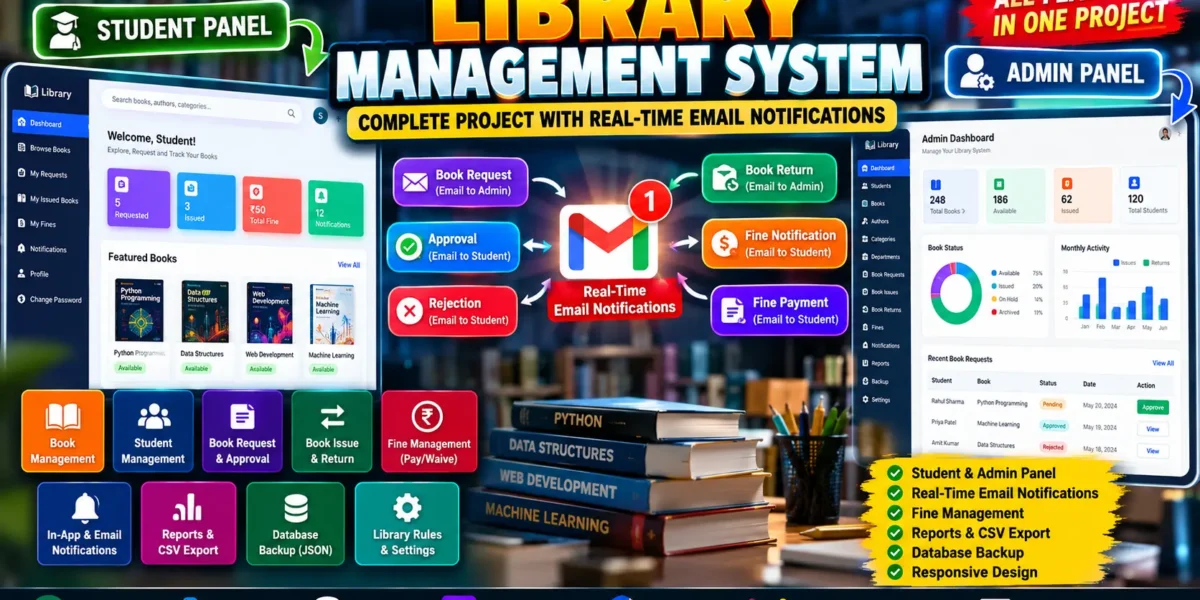
Library Management System Using Python
The Library Management System is a role-based web application developed using Python and Django to manage library operations through separate staff and student portals. The project is designed around real-world library workflows such as book management, student management, book requests, issue and return records, due dates, fines, notifications, activity tracking, reports, and database management.
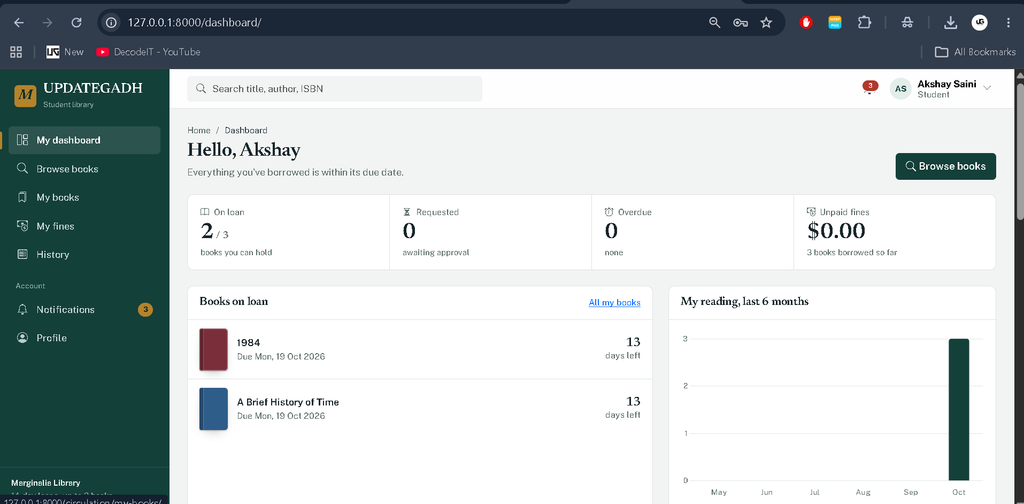
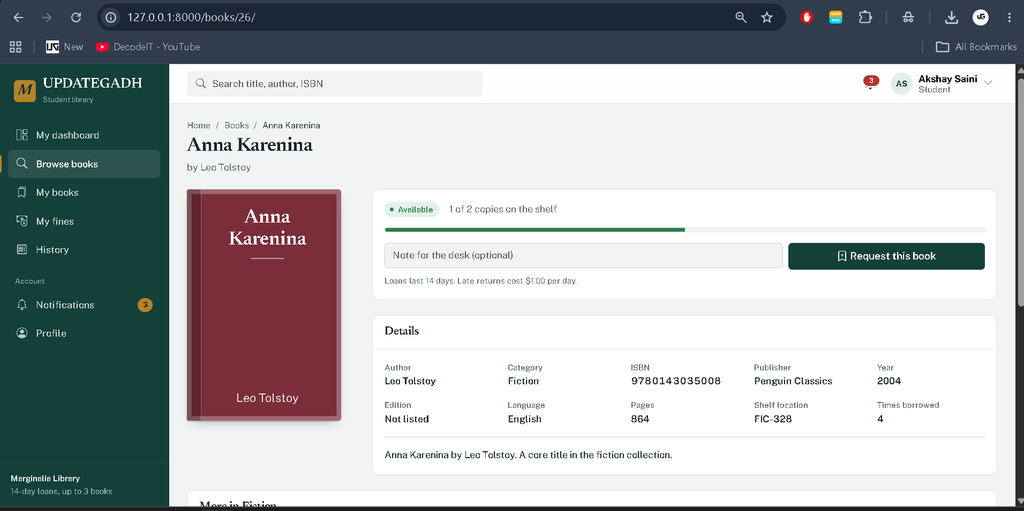
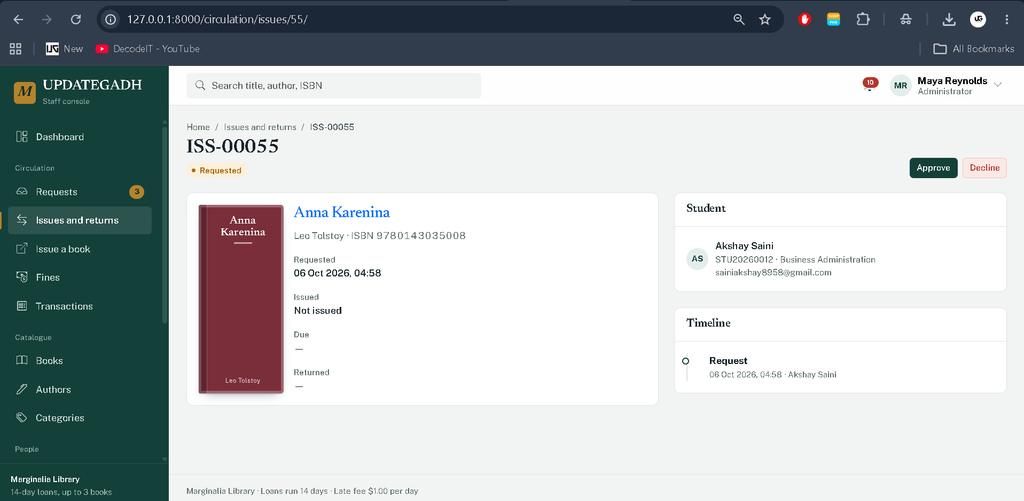
This project provides a structured environment where students can browse available books, request books, track issued books, view fines, and manage their library activity. Administrators can manage books, authors, categories, students, departments, issue requests, returns, fines, reports, and overall library operations from the staff panel.
Table of Contents
Complete Advance AI Topics: Click Here
Real Time Projects on YouTube:- DecodeIT
Project Overview
| Project Details | Information |
|---|---|
| Project Name | Marginalia Library Management System |
| Programming Language | Python |
| Framework | Django 5 |
| Database | SQLite |
| Frontend | HTML, CSS, Bootstrap 5, JavaScript |
| Charts | Chart.js |
| Authentication | Django Authentication |
| Type | Library Management System |
About the Library Management System
The system follows a role-based architecture with two primary roles: Administrator and Student. Staff members have access to management and administrative operations, while students have access to their own library activities.
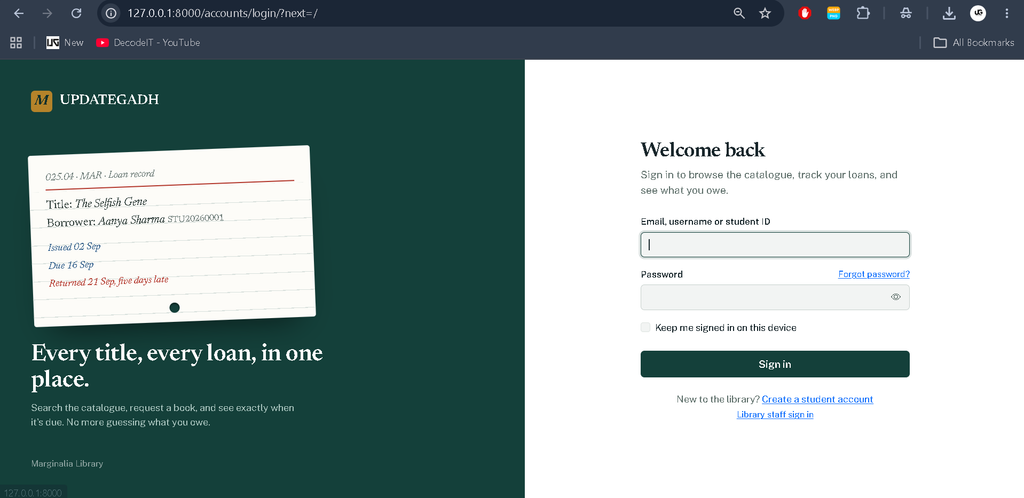
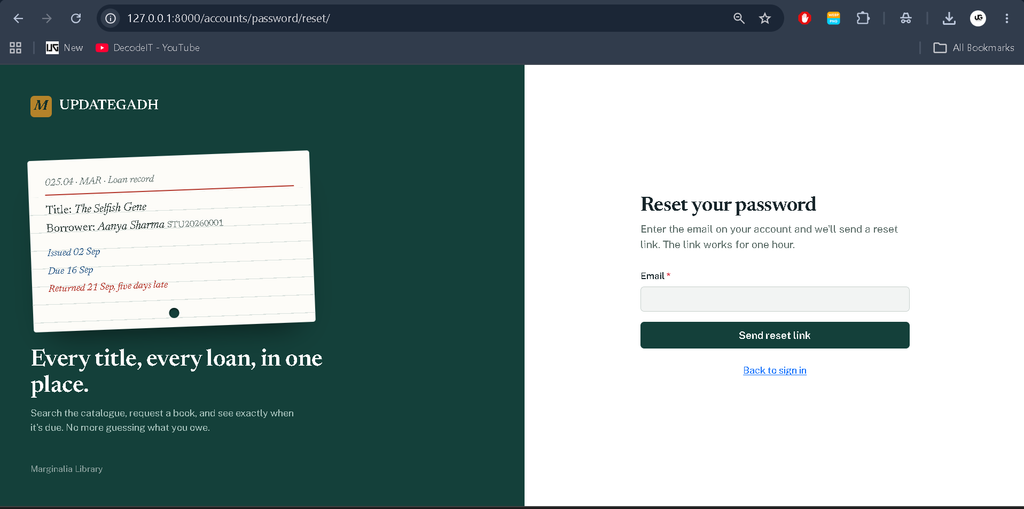
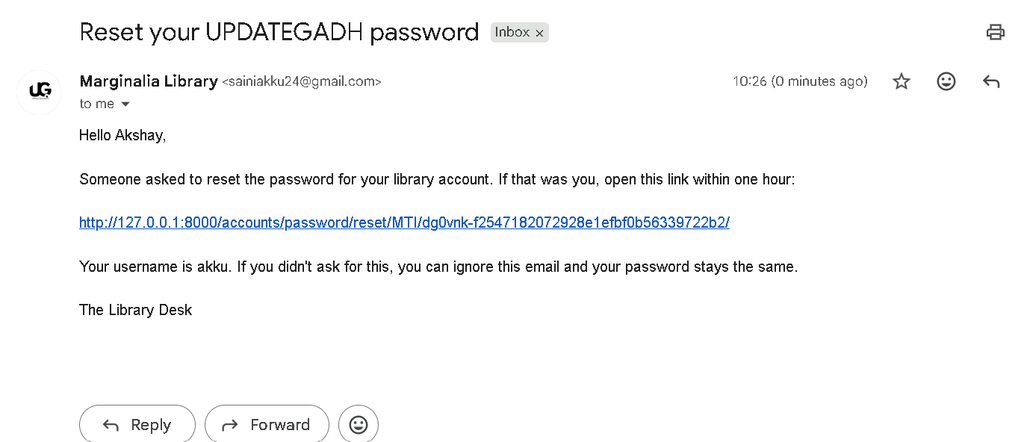
The project uses separate sign-in pages for students and staff. Students can log in using their username, email, or student ID. The system also includes password change and password reset functionality.
Available Features
- Authentication & Security — Login, Logout, Role-Based Access, Password Reset, Permissions, Secure Authentication
- Email Configuration — SMTP Configuration, Gmail Integration, Email Settings, Secure Credentials
- Student Management — Student Profiles, Departments, Account Status, Student Records
- Book Management — Books, Book Copies, Book Status, Authors, Categories, Availability
- Book Search — Search Books, Filters, Sorting, Availability Search
- Book Request & Approval — Book Requests, Request Validation, Approve, Reject, Request Tracking
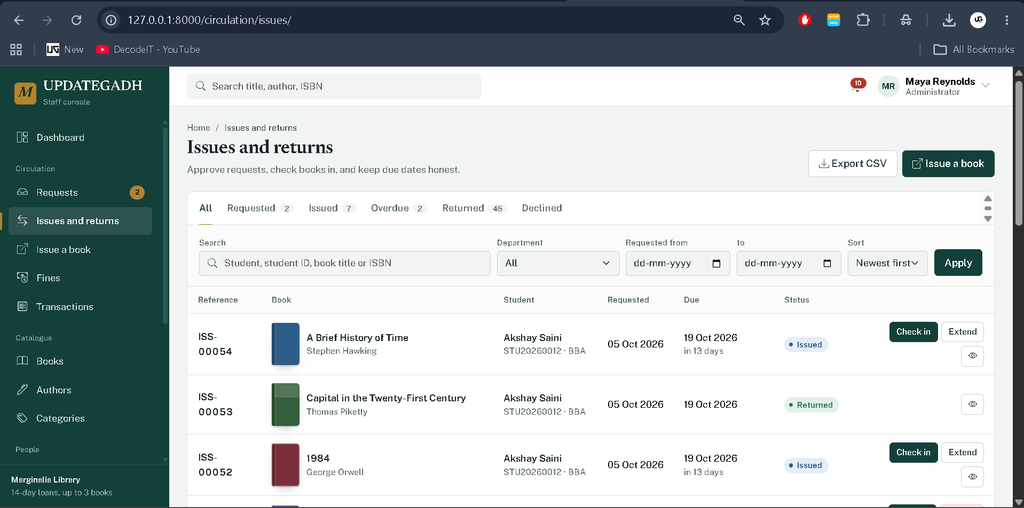
- Book Issue & Return — Book Issue, Direct Issue, Book Return, Due Dates, Issue History
- Fine Management — Fine Generation, Fine Payment, Fine Waiver, Fine Status, Restrictions
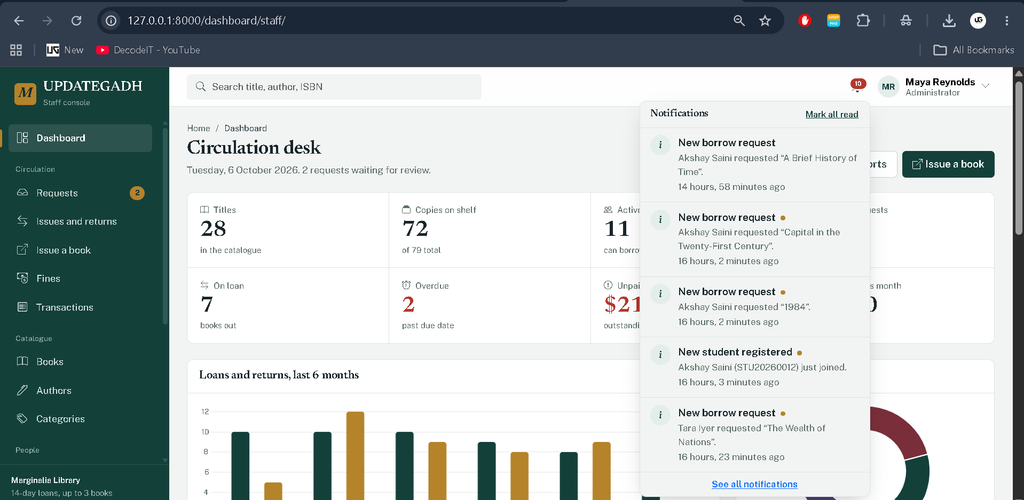
- Notifications — In-App Notifications, Notification Center, Activity Alerts
- Email Notifications — Request, Approval, Rejection, Return, Fine, Payment Notifications
- Forgot Password — Password Reset, Reset Link, Email Verification
- Admin Dashboard — Statistics, KPIs, Charts, Recent Activities, Quick Actions
- Student Panel — Books, Requests, Issued Books, Returns, Fines, Notifications
- Admin Panel — Students, Books, Requests, Issues, Returns, Fines, Reports
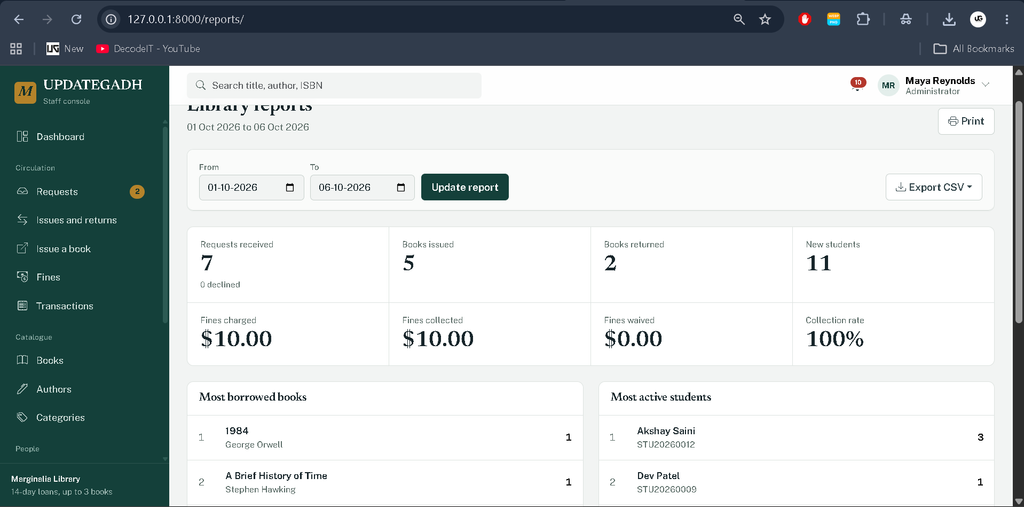
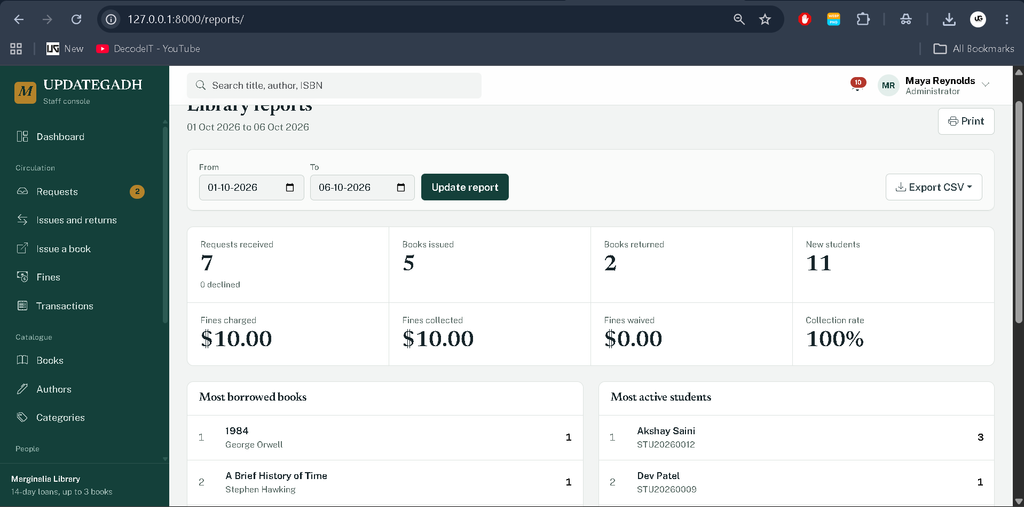
- Reports & History — Reports, Transactions, Activity Logs, Issue History, CSV Export
- Library Settings — Library Rules, Fine Rules, System Settings, Configuration
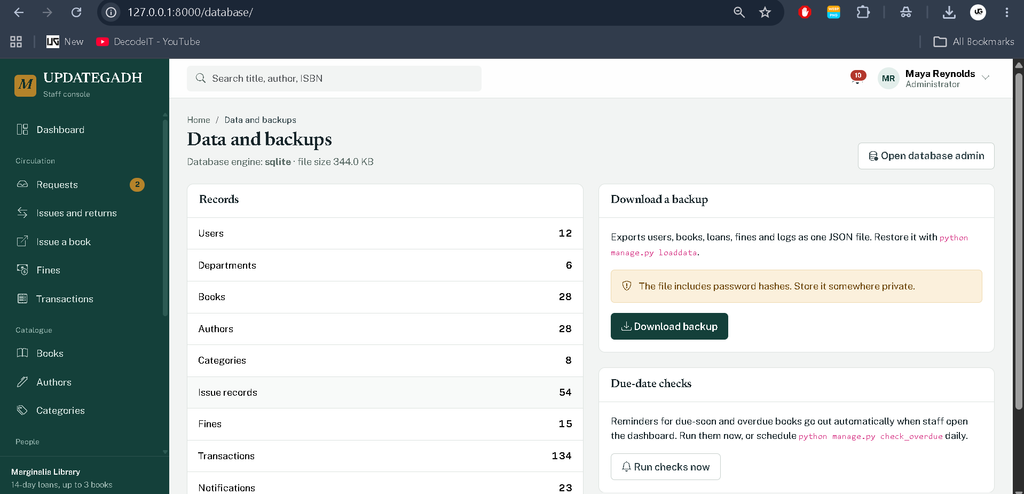
- Database Management — Database Backup, Restore, Data Management
- Security & Reliability — Validation, Permissions, Error Handling, Secure Email
- Responsive UI — Bootstrap, Modern Interface, Responsive Design, Mobile-Friendly Layout
Library Rules
The administrator can configure important library rules from the Library Rules section
- Loan period in days
- Fine per overdue day
- Grace period
- Maximum active books per student
- Due-soon reminder period
- Whether unpaid fines block new book requests
Technology Stack
- Backend: Python, Django 5
- Frontend: HTML, CSS, Bootstrap 5, JavaScript
- Database: SQLite
- Charts: Chart.js
- Image Handling: Pillow
- Authentication: Django Authentication System
Software and Tools Required
- Python 3
- Visual Studio Code
- Python Extension for VS Code
- Web Browser
- Command Prompt or VS Code Terminal
How to Download
The complete package is available so you can run, study, and submit it with confidence. It includes:
- Full Source Code
- Project Report
- Synopsis
- PPT Presentation
Screenshot

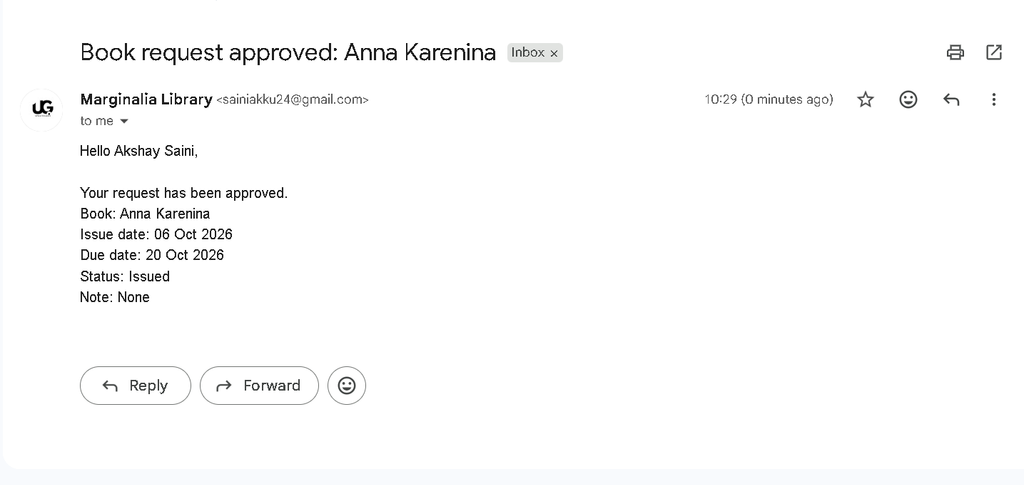
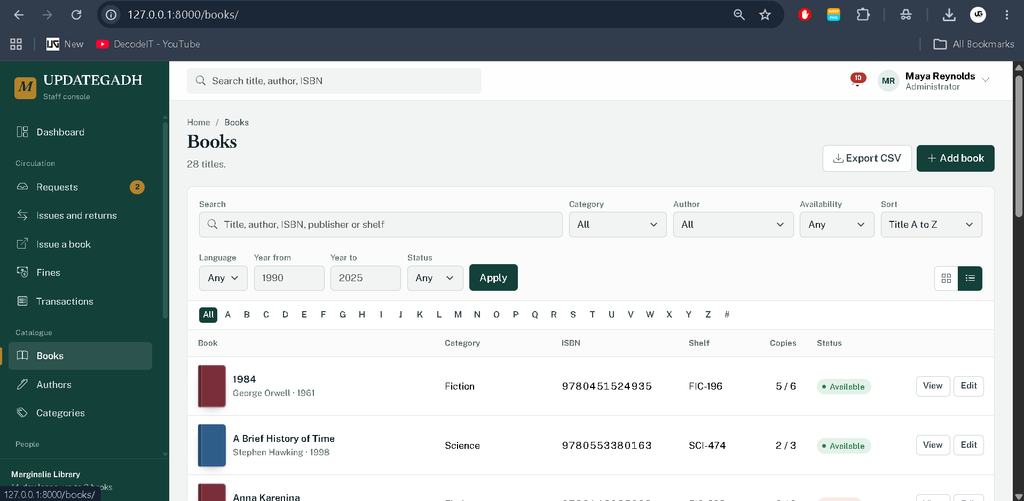
Installation Guide
Follow these steps to run the project in Visual Studio Code.
Step 1: Open the Project
Extract the project ZIP file and open the project folder in Visual Studio Code.
Step 2: Create a Virtual Environment
python -m venv .venvStep 3: Activate the Virtual Environment
For Windows:
.venv\Scripts\activateStep 4: Install Required Packages
pip install -r requirements.txtStep 5: Create Database Migrations
python manage.py makemigrations accounts catalog circulation coreStep 6: Apply Migrations
python manage.py migrateStep 7: Create an Administrator Account
python manage.py createsuperuserFollow the terminal instructions to create the administrator account.
Step 8: Run the Project
python manage.py runserverOpen the local Django server in your browser and log in through the appropriate student or staff portal.
Email Configuration
The project contains Django email configuration for password reset functionality. During development, when SMTP is not configured, email messages can be displayed in the terminal using Django’s console email backend.
For actual email delivery, configure the SMTP environment variables in the project’s environment configuration:
EMAIL_HOST=
EMAIL_PORT=587
EMAIL_HOST_USER=
EMAIL_HOST_PASSWORD=
EMAIL_USE_TLS=1
For Gmail SMTP, an appropriate Gmail App Password should be used instead of the normal Gmail account password.
Usage
Student: Students can log in, browse and search books, view book details, request available books, track issued books, check due dates, view fines, monitor notifications, and manage their profile.
Administrator: Administrators can manage students, departments, books, authors, categories, book requests, issues, returns, fines, library rules, notifications, activity logs, reports, CSV exports, and database backups.
Project Benefits
- Provides a practical real-world Django project
- Uses role-based access control
- Automates book issue and return workflows
- Calculates overdue fines automatically
- Provides centralized library rules
- Includes dashboards and reports
- Maintains transaction history and activity logs
- Supports CSV data exports
- Includes database backup functionality
- Provides a responsive library management interface
Final Thoughts
From a student perspective, this Library Management System is a useful project for understanding how a complete Django application works beyond basic CRUD operations. It demonstrates authentication, role-based permissions, database relationships, transaction-based business logic, book circulation, automatic fine calculation, notifications, activity logging, reporting, and data export in one practical application.
Keywords: Library Management System Using Python Django, Library Management System Django, Python Django Library Project, Django Library Management System, Library Management Project, Django Student Library System, Book Issue Management System, Library Management Software Library Management System Using Library Management System Using – Google Search library management system using html css and javascript github library management system using python library management system using java library management system using waterfall model library management system using use case diagram library management system using python and mysql library management system using class diagram library management system using php and mysql library management system using c++

![Food Management System in Python [Django Framework ]](https://updategadh.com/wp-content/uploads/2024/06/Food-Management-System-in-Python-Django-Framework-.png)