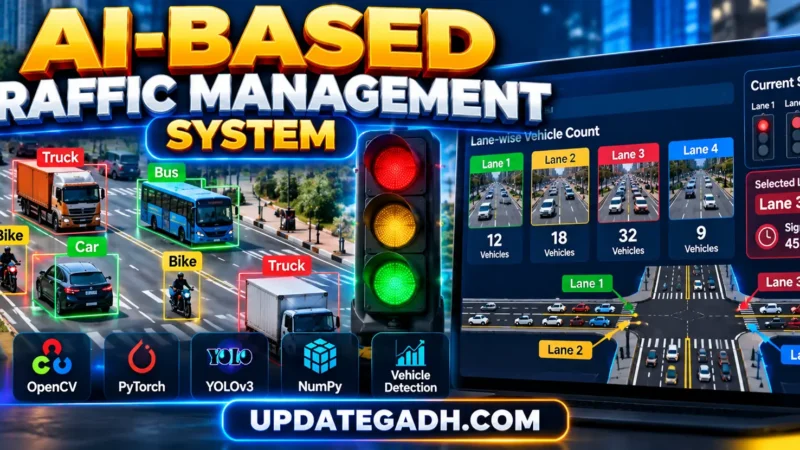
AI Traffic Management System
The AI Traffic Management System is a Python-based intelligent traffic intersection simulation designed to demonstrate how artificial intelligence and adaptive traffic signal control can improve traffic flow and provide priority to emergency vehicles.
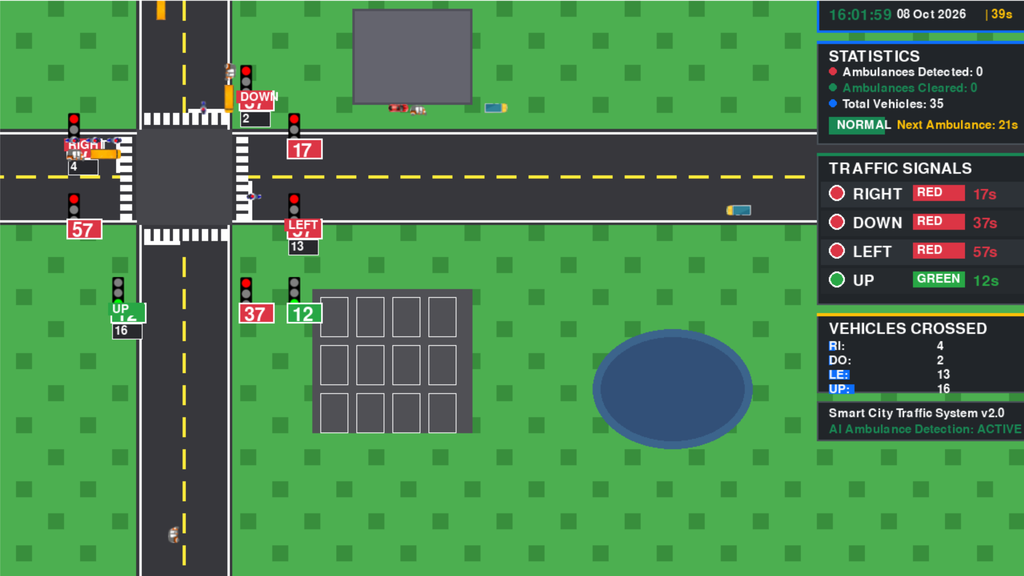
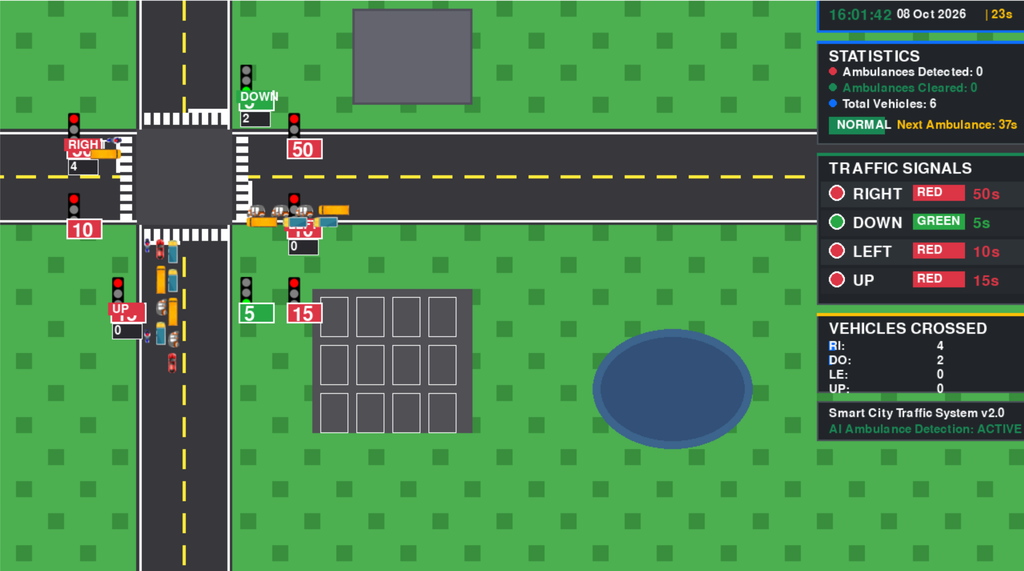
The project uses Python and Pygame to simulate a realistic four-way road intersection where different types of vehicles move through traffic lanes. The system dynamically manages traffic signals according to vehicle density and provides an emergency corridor when an ambulance is detected.
Unlike a basic traffic simulation, this project demonstrates dynamic signal timing, AI-based ambulance priority, vehicle movement, traffic statistics, and static versus dynamic traffic performance comparison in a visual simulation environment.
The project is designed as a practical academic project for students who want to understand traffic-management algorithms, simulation logic, artificial intelligence concepts, and adaptive signal systems.
Complete Advance AI Topics: Click Here
Real Time Projects on YouTube:- DecodeIT
Project Overview
| Project Detail | Information |
|---|---|
| Project Name | AI Traffic Management System |
| Programming Language | Python |
| Simulation Framework | Pygame |
| AI Concept | Ambulance Detection and Priority |
| Traffic Control | Dynamic Signal Timing |
| Intersection | Four-Way Intersection |
| Vehicle Types | Car, Bike, Bus, Truck, Rickshaw, Ambulance |
| Visualization | Pygame |
| Analytics | Static vs Dynamic Traffic Performance |
Main Features
1. Four-Way Traffic Intersection
The system provides a complete four-way intersection simulation where vehicles approach the intersection from different directions.
Vehicles are continuously generated and move according to their assigned lane and direction.
The simulation supports:
- Cars
- Bikes
- Buses
- Trucks
- Rickshaws
- Ambulances
Each vehicle type has its own movement speed, creating a more realistic traffic environment.
2. AI Ambulance Detection
The project includes an ambulance-priority mechanism that identifies an ambulance entering the traffic detection zone.
When an ambulance is detected, the system gives priority to its lane so that the emergency vehicle can cross the intersection without unnecessary waiting.
This demonstrates how intelligent traffic systems can be used to support emergency transportation.
3. Dynamic Traffic Signal Timing
Instead of using only fixed signal timings, the system adjusts green-light duration according to the number of vehicles waiting in different lanes.
When a lane has higher traffic density, the system can allocate additional green time to improve traffic flow.
This helps demonstrate the difference between traditional static traffic signals and adaptive traffic signal management.
4. Emergency Corridor
When ambulance priority is activated, the simulation displays an emergency corridor indicator.
The selected lane receives priority while other traffic signals are temporarily adjusted.
After the ambulance clears the intersection, the system returns to its normal signal-control process.
5. Real-Time Traffic Statistics
The simulation displays important information while running, including:
- Simulation time
- Vehicle count
- Current traffic signal
- Signal state
- Ambulance status
- Traffic movement
- Emergency corridor status
This allows users to observe the traffic-control algorithm while the simulation is running.
6. Multiple Vehicle Types
The simulation includes different vehicle categories with different movement speeds.
| Vehicle | Speed |
|---|---|
| Ambulance | 4.5 px/frame |
| Bike | 2.5 px/frame |
| Car | 2.25 px/frame |
| Rickshaw | 2.0 px/frame |
| Bus | 1.8 px/frame |
| Truck | 1.8 px/frame |
This variation makes the traffic simulation more realistic compared with a system where every vehicle behaves identically.
Dynamic Traffic Signal Logic
The system uses traffic density to influence signal timing.
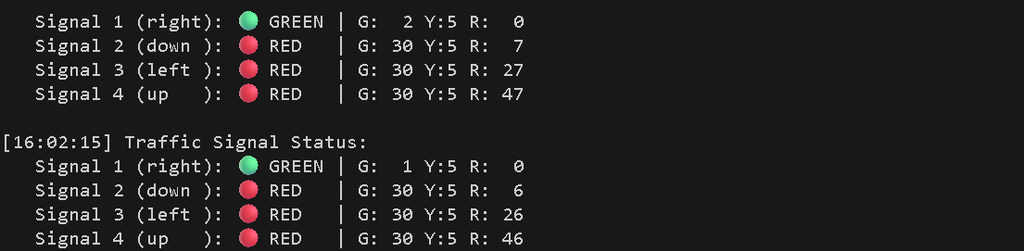
The default signal configuration includes:
- Red: 60 seconds
- Yellow: 5 seconds
- Green: 30 seconds
The green duration can be dynamically adjusted depending on the number of vehicles waiting at a particular signal.
The basic traffic-control process is:
- Count vehicles approaching each signal.
- Determine the traffic density.
- Identify the lane requiring additional green time.
- Adjust the green-light duration.
- Allow vehicles to pass through the intersection.
- Move to the next signal cycle.
This approach helps reduce unnecessary waiting when one road contains considerably more traffic than another.
Ambulance Priority System
Ambulance handling is one of the main intelligent features of the project.
The process works as follows:
- An ambulance is introduced into the simulation.
- The system identifies the ambulance within the detection zone.
- The ambulance’s direction/lane is determined.
- The corresponding signal receives priority.
- A short yellow transition is applied when required.
- The selected lane receives a green signal.
- An emergency corridor indicator appears.
- Other traffic is temporarily controlled to allow the ambulance to pass.
- Once the ambulance clears the intersection, normal traffic control resumes.
The simulation introduces an ambulance approximately every 60 seconds in a randomly selected direction.
Vehicle Movement
Vehicles are continuously generated and move toward the intersection.
The movement system controls:
- Vehicle direction
- Vehicle speed
- Lane position
- Traffic signal response
- Intersection crossing
- Emergency vehicle movement
Vehicles stop when their corresponding signal is red and continue when the signal permits movement.
The different vehicle speeds also affect how quickly traffic clears from the intersection.
How to Download
The complete package is available so you can run, study, and submit it with confidence. It includes:
- Full Source Code
- Project Report
- Synopsis
- PPT Presentation
Screenshot
Project Variants
The project contains multiple simulation implementations for demonstrating different traffic-control approaches.
| File | Purpose |
|---|---|
simulation_realtime.py | Main real-time AI ambulance-priority simulation |
simulation.py | Basic static-timing traffic simulation |
simulation Dy.py | Dynamic green-time traffic simulation |
simulation state.py | State-based traffic signal simulation |
Recommended Simulation
The primary file is:
python simulation_realtime.pyThis version demonstrates the main intelligent traffic-management functionality, including ambulance priority, dynamic signal behavior, vehicle movement, and real-time statistics.
Performance Comparison
The project also contains a chart-generation module for comparing static and dynamic traffic-control approaches.
The comparison focuses on traffic throughput across simulation runs.
The chart module is located inside:
Charts/Run:
cd Charts
python chart.py
The generated visualization helps demonstrate how adaptive signal control can improve traffic throughput compared with a fixed signal strategy.
Images and Graphics
The images directory contains the graphical resources required by the simulation.
Vehicle images are separated according to movement direction:
images/right/
images/left/
images/up/
images/down/
Traffic signal graphics are stored inside:
images/signals/The project also uses an intersection image for the simulation environment.
Software Requirements
The project requires:
- Python 3.x
- Pygame 2.x
The primary dependency is:
pygame>=2.0For this project, using a compatible Python environment such as Python 3.10 is recommended.
Installation Guide
Step 1: Open the Project
Open the project folder in Visual Studio Code.
Step 2: Create Virtual Environment
Open the VS Code terminal and run:
py -3.10 -m venv .venvStep 3: Activate Virtual Environment
On Windows:
.venv\Scripts\activateYou should see:
(.venv)before your terminal path.
Step 4: Upgrade pip
python -m pip install --upgrade pip setuptools wheelStep 5: Install Pygame
python -m pip install pygame==2.6.1Verify the installation:
python -c "import pygame; print(pygame.version.ver)"Step 6: Run the Main Project
python simulation_realtime.pyThe Pygame traffic intersection simulation will open.
Running Other Simulations
Basic Simulation
python simulation.pyThis runs the basic traffic simulation using static signal timing.
Dynamic Signal Simulation
python "simulation Dy.py"This version demonstrates traffic-density-based dynamic signal timing.
State-Based Simulation
python "simulation state.py"This version demonstrates traffic signal management using a state-based approach.
Performance Chart
Open the Charts directory:
cd ChartsThen run:
python chart.pyThis generates the static versus dynamic traffic performance comparison.
How the System Works
The complete system can be understood through the following workflow:
Vehicle Generation
        ↓
Vehicle Movement
        ↓
Traffic Density Analysis
        ↓
Signal Control
        ↓
Dynamic Green-Time Adjustment
        ↓
Ambulance Detection
        ↓
Emergency Priority
        ↓
Ambulance Crosses Intersection
        ↓
Normal Signal Control
        ↓
Performance Analysis
The simulation continuously evaluates traffic conditions and changes the signal behavior according to the current traffic situation.
Static vs Dynamic Traffic Control
The project demonstrates two different approaches.
Static Traffic Control
In a static system, traffic signals follow predefined timings regardless of how many vehicles are waiting.
For example:
Green → 30 seconds
Yellow → 5 seconds
Red → 60 seconds
This can result in unnecessary waiting when one road has significantly more traffic than another.
Dynamic Traffic Control
The dynamic system considers vehicle density before determining signal duration.
If one lane has significantly more vehicles, the system can allocate additional green time to that direction.
This provides a practical demonstration of how intelligent traffic management can improve traffic flow.
Emergency Vehicle Priority
Emergency vehicles such as ambulances require faster movement through intersections.
The project temporarily changes the normal traffic-control sequence when an ambulance requires priority.
The emergency mechanism helps demonstrate:
- Emergency vehicle detection
- Lane identification
- Signal override
- Emergency corridor creation
- Ambulance movement
- Restoration of normal signal operation
Benefits of the Project
The AI Traffic Management System provides several learning benefits for students:
- Understand traffic signal algorithms
- Learn Pygame-based simulation development
- Implement dynamic traffic control
- Understand emergency vehicle priority
- Work with real-time simulation logic
- Compare static and dynamic systems
- Visualize traffic-management algorithms
- Understand vehicle movement simulation
- Generate traffic-performance charts
Future Scope
The current project is primarily a simulation-based traffic-management system. It can be extended in the future with real-world traffic inputs and additional AI capabilities.
Possible improvements include:
- CCTV camera integration
- Real-time vehicle detection using YOLO
- Computer vision-based vehicle counting
- Automatic traffic-density calculation from video
- GPS-based ambulance tracking
- Multiple emergency vehicle support
- Machine-learning-based signal prediction
- Real-time traffic monitoring dashboard
- Cloud-based traffic analytics
- Historical traffic reports
- IoT traffic-signal integration
Final Thoughts
The AI Traffic Management System is a practical Python project that demonstrates how intelligent traffic-control concepts can be implemented through simulation.
Traffic Management System Traffic Management System traffic management system project traffic management system project report pdf free download traffic management system project with source code traffic management system ppt traffic management system images traffic management system using iot traffic management system github traffic management system research paper traffic management system class diagram