Employee Management System Using Python and Django
An Employee Management System using Python and Django is a complete web-based solution for organizing employee information, attendance, work assignments, leave requests, notices, notifications, and operational reports. The project uses Django for the application layer and SQLite for structured data storage. Instead of treating employee management as a collection of simple forms, the system connects the major activities that an organization performs every day into one role-based workspace.
From a student perspective, this project is useful because it demonstrates how a practical business application is planned, designed, connected to a database, and presented through a professional interface. It covers authentication, permissions, CRUD workflows, validation, status management, reporting, and responsive dashboard design in one project.
Complete Advance AI Topics: Click Here
Real Time Projects on YouTube:- DecodeIT
Project Overview
| Project Details | Description |
|---|---|
| Project Name | Employee Management System |
| Language/s Used | Python, Django, HTML, CSS |
| Database | SQLite |
| Application Type | Responsive Web Application |
| Primary Roles | Admin, HR Manager, Employee |
| Developer | UPDATEGADH |
User Roles
The system uses role-based access so that different users work with only the functions relevant to their responsibilities. Admin has overall management access and can manage employees, attendance, work, notices, requests, and reports. The HR Manager focuses on workforce operations and can maintain employee records, attendance, tasks, notices, leave workflows, and reports. The Employee receives a personal workspace where assigned work, notices, attendance information, notifications, and leave requests can be handled. This structure makes the application closer to an actual organizational workflow than a single-user CRUD project.
Key Features
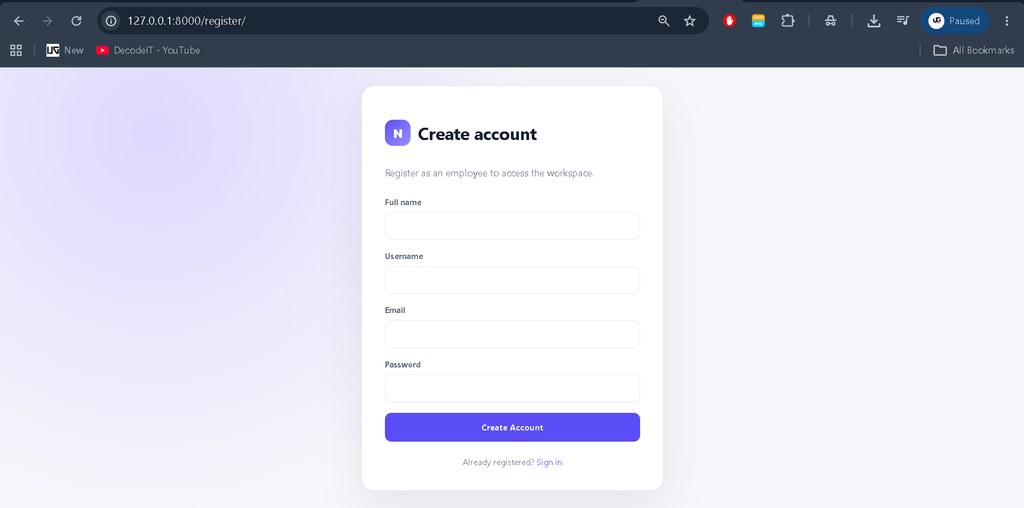
- Authentication and Registration: Users can sign in securely through Django authentication, while new users can register as employees.
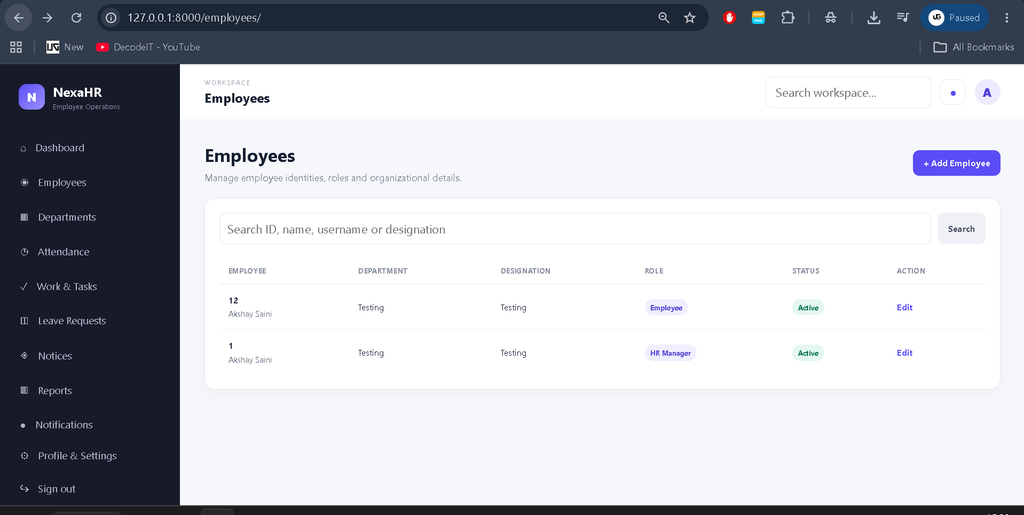
- Employee Management: Authorized managers can create, search, update, and manage employee profiles, roles, departments, designations, joining dates, contact details, and active status.
- Attendance Management: Attendance can be recorded using present, absent, leave, and half-day statuses, with optional check-in, check-out, and remarks.
- Work Assignment: Managers can assign tasks with descriptions, due dates, priorities, and status values. Employees can update the progress of work assigned to them.
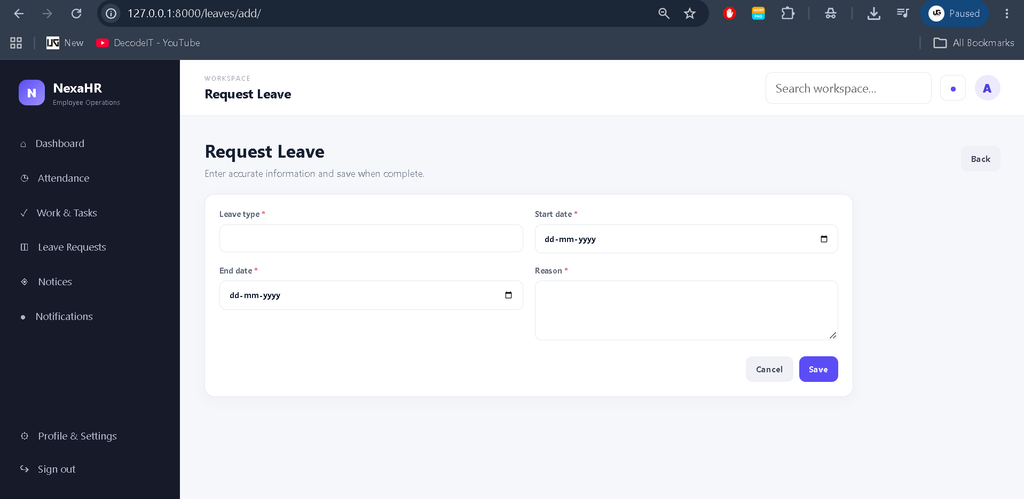
- Leave Workflow: Employees can submit leave requests with a type, date range, and reason. Managers can approve or reject pending requests.
- Notice Management: Authorized users can publish normal, important, or urgent workplace notices.
- Notifications: Important events such as new tasks and leave decisions can create in-app notifications.
- Activity History: Important actions are recorded in an activity timeline for operational visibility.
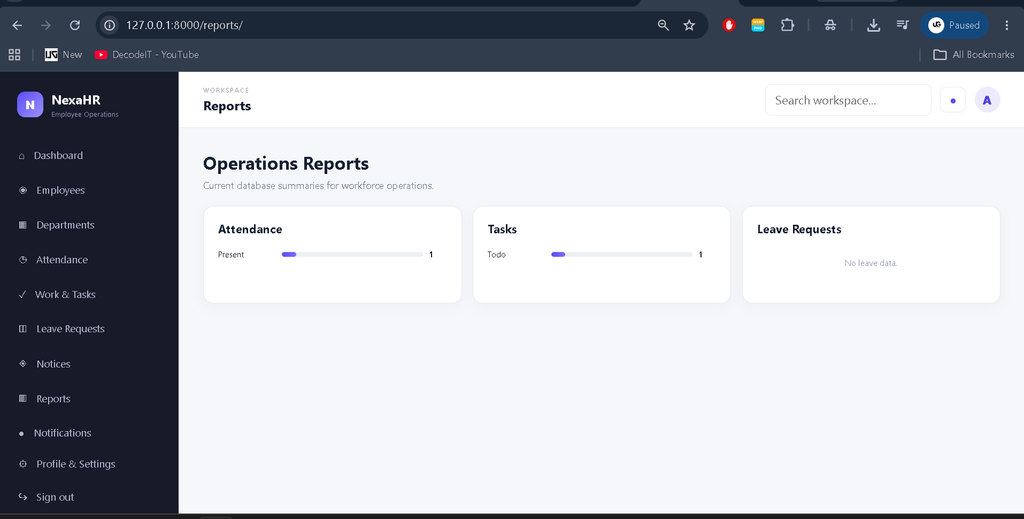
- Reports: Management users can view database summaries for attendance, task status, and leave requests.
- Responsive Interface: The custom interface adapts to desktop, tablet, and mobile screens.
How to Download
The complete package is available so you can run, study, and submit it with confidence. It includes:
- Full Source Code
- Project Report
- Synopsis
- PPT Presentation
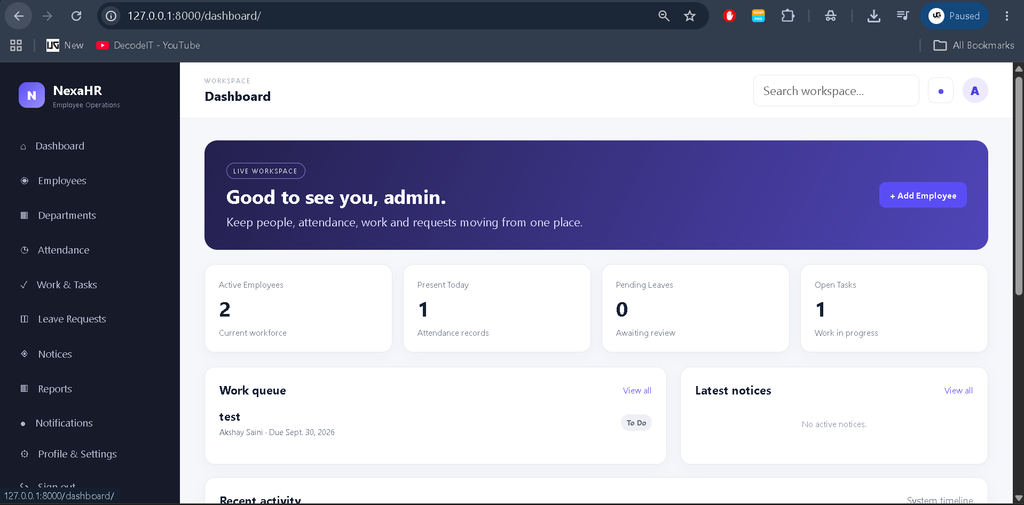
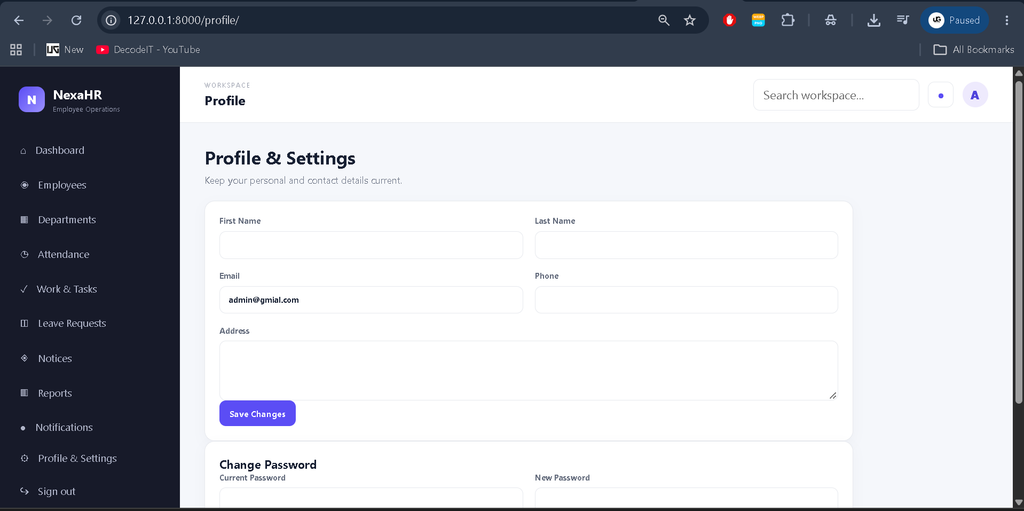
Screenshot
Project Modules
The application is divided into connected modules rather than unrelated pages. The Employee module stores identity and employment information. The Attendance module maintains daily attendance records. The Work and Task module connects managers with employees through assignments and progress states. The Leave module provides a complete request and review flow. The Notice module centralizes announcements, while the Notification module keeps users informed about relevant changes. The Reports module converts stored records into operational summaries.
Professional Dashboard
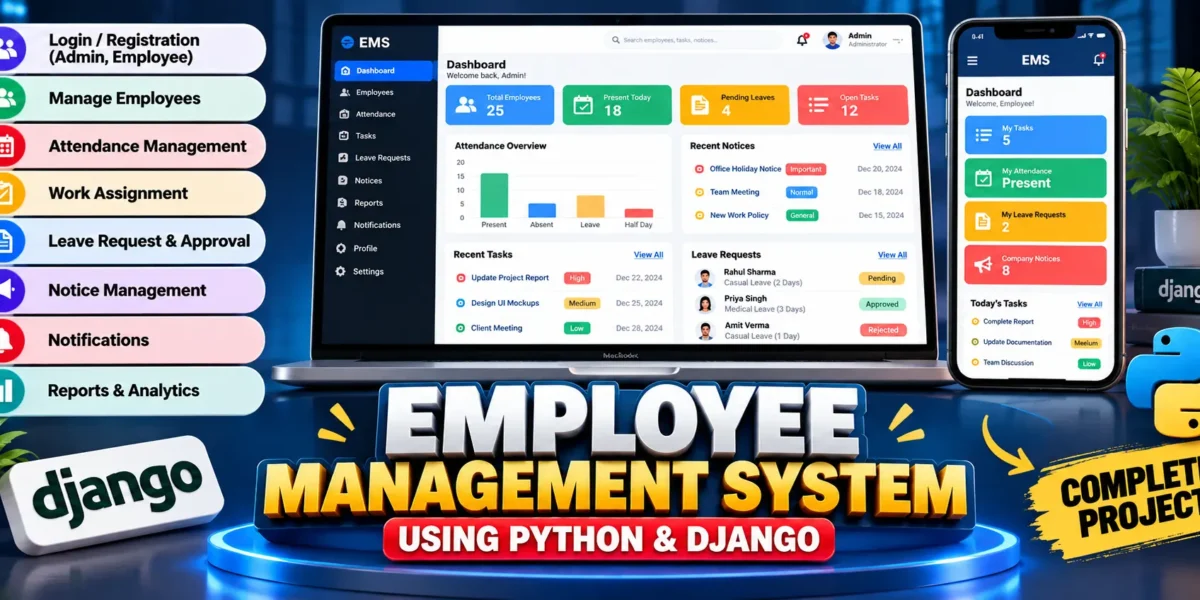
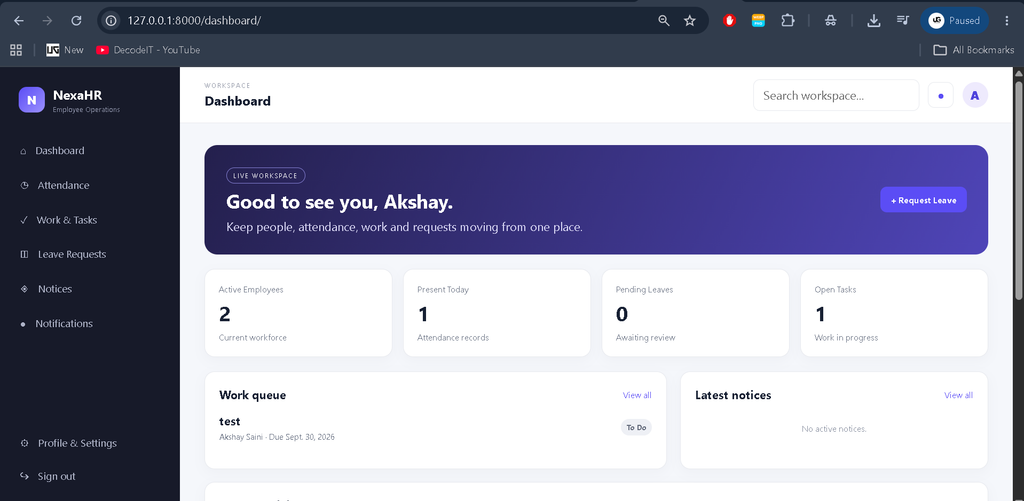
The custom dashboard is designed as an operational workspace rather than a default Django admin page. It includes a professional sidebar, top navigation, search area, profile access, notifications, KPI cards, work queues, notices, and recent activity. Management users can see active employees, current attendance records, pending leave requests, and open work. Employees receive a focused view of their own assignments and requests. The interface uses a distinct visual identity with a dark navigation area and a clean business workspace, while responsive rules keep tables, forms, and cards usable on smaller devices.
How the System Works
The workflow begins with authentication. After login, the application identifies the user’s role and displays the appropriate dashboard and navigation. A manager can create an employee record, maintain attendance, assign work, publish a notice, or review a leave request. When a task is assigned, the employee can see it in the work queue and change its status. When an employee submits leave, the request appears in the manager’s review area. Approval or rejection updates the request and creates a notification for the employee. Activity entries provide a chronological view of important actions. This connected flow keeps the database, interface, permissions, and business processes aligned.
Technology Stack
Python provides the programming language, while Django supplies URL routing, authentication, forms, templates, ORM support, sessions, and application structure. HTML and CSS are used to create the responsive user interface. SQLite stores application data without requiring a separate database server, making the project convenient for local development, demonstrations, and academic work.
Database Design
The database is organized around practical entities. Employee profiles connect users with employee IDs, departments, roles, designations, joining dates, and contact information. Attendance belongs to an employee and a date. Tasks connect an assigned employee with the manager who created the work. Leave requests connect employees with review information and status. Notices store publication details and priority, while notifications connect messages to individual users. Activity logs record important system actions. Django relationships, unique constraints, timestamps, and status fields support the connected workflow.
Installation and Setup
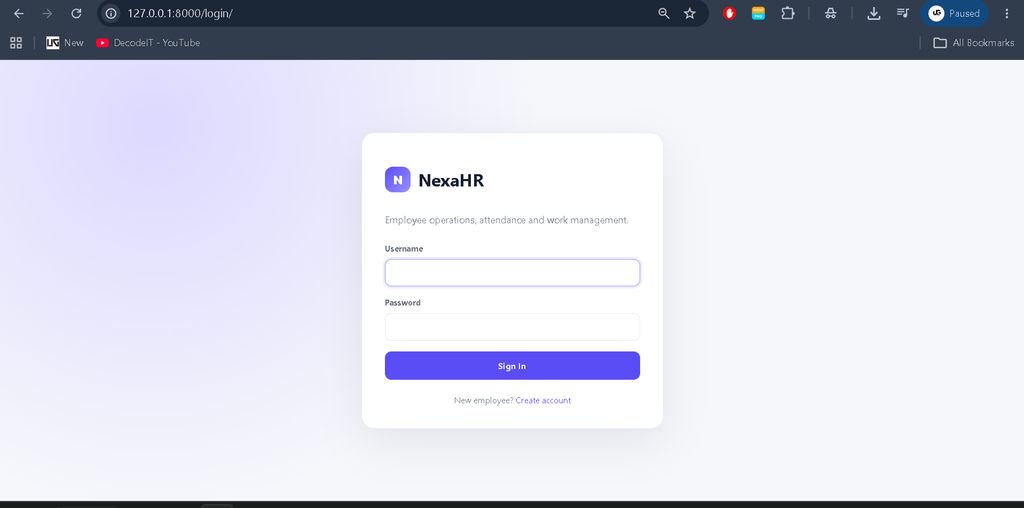
To run the project in VS Code, install Python and open the extracted project folder. Create a virtual environment with python -m venv venv, activate it, and install the dependencies using pip install -r requirements.txt. Create database migrations with python manage.py makemigrations and apply them using python manage.py migrate. Create a management account with python manage.py createsuperuser, then start the development server using python manage.py runserver. The application can be opened at http://127.0.0.1:8000/. A demo-data command is also included for local testing.
Usage
Managers should begin by creating or reviewing employee records, then maintain attendance and assign work as needed. Employees can sign in, review their assigned tasks, update task status, read notices, view notifications, and submit leave requests. The reports area provides management summaries for the records stored in the system. The profile section allows users to maintain basic personal and contact information.
Frequently Asked Questions
What is the purpose of this project?
It provides a connected web application for employee records, attendance, work, leave, notices, notifications, and operational reporting.
Which roles are supported?
The application supports Admin, HR Manager, and Employee roles with different access levels.
Which database is used?
SQLite is used as the project database and is configured through Django’s database settings.
Can employees manage their own work?
Employees can view assigned tasks and update their task status, while management users can create and assign work.
Can the project be run in VS Code?
Yes. It is structured as a standard Django project and can be run through the VS Code terminal after installing the required dependency and applying migrations.
Future Scope
- Add advanced department management screens and organizational hierarchy.
- Add richer attendance analytics and exportable reports.
- Add email or push notification integrations when an external service is required.
- Add configurable leave policies and approval levels for larger organizations.
- Add document management for employee records with stronger file validation.
- Add audit filtering and date-based operational reporting.
Conclusion
The Employee Management System using Python and Django provides a practical example of how a real organizational application can connect authentication, employee data, attendance, work allocation, leave management, notices, notifications, activity history, and reporting. For students, it offers experience with Django models, relationships, forms, permissions, templates, database operations, and responsive UI design. For an academic final-year project, the connected workflow also makes it easier to demonstrate how individual modules work together as one complete software product.
Keywords:
Employee Management System
Employee Management System – Google Search
employee management system project
employee management system project in java
employee management system project in java with source code
employee management system integral university
employee management system in excel free download
employee management system project in python
employee management system project source code
employee management system github
employee management system ui design