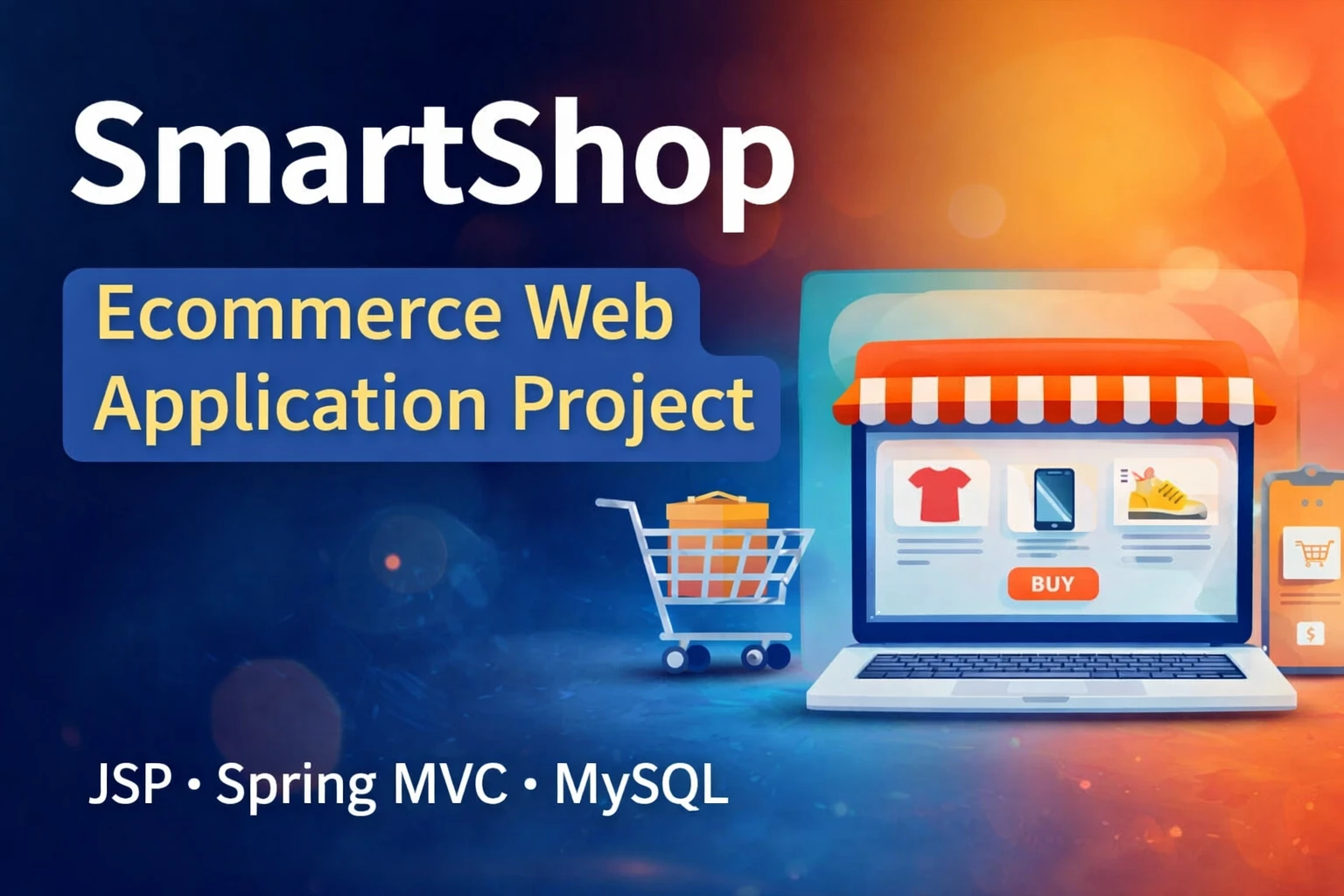
Looking for an ecommerce web application in Java using JSP, Spring MVC, and MySQL with full source code? SmartShop is a complete college-level final year project that demonstrates the practical use of JSP, Servlets, Spring MVC, AOP, Maven, and MySQL – exactly the kind of project that performs well in viva and impresses recruiters. Built for BCA, MCA, and B.Tech CS/IT students, the project follows a clean MVC architecture, three-tier design, and includes a fully functional customer storefront plus a powerful admin panel. In this post, you get the complete project explanation, feature breakdown, technology stack, system architecture, database design, and step-by-step setup guide.
Project Overview
| Project Name | Ecommerce Web Application in Java |
| Language Used | Java |
| Web Technologies | JSP, Servlets, Spring MVC |
| Architecture | MVC + Three-Tier (Presentation, Business, Data Access) |
| AOP | Spring AOP for logging and performance monitoring |
| Build Tool | Maven |
| Database | MySQL |
| Server | Apache Tomcat |
| Frontend | JSP, HTML5, CSS3, Bootstrap |
| Project Type | Full Stack Java Web Application |
| Difficulty | Advanced |
| Best For | BCA, MCA, B.Tech CS/IT Final Year Students |
| Developer | Updategadh |
About the Project
In today’s digital world, online shopping has become part of everyday life. From books to electronics, e-commerce platforms have completely changed the way people buy products. To help students understand how these real-world systems work behind the scenes, SmartShop was developed as a complete e-commerce web application using JSP, Servlets, Spring MVC, AOP, Maven, and MySQL.
Why Choose SmartShop as Your Final Year Project
- Real-world ecommerce workflow – product browsing, cart, checkout, and order management.
- Clean MVC architecture – shows you understand professional Java web design patterns.
- Spring MVC + AOP – enterprise-grade frameworks used in actual Java developer jobs.
- Fully database-driven – normalised MySQL schema with primary and foreign keys.
- Suitable for college submission – covers every topic that BCA, MCA, and B.Tech examiners look for.
- Resume and interview ready – one of the strongest projects to mention in Java developer interviews.
Key Features
Customer Module
- Secure user registration and login with hashed passwords
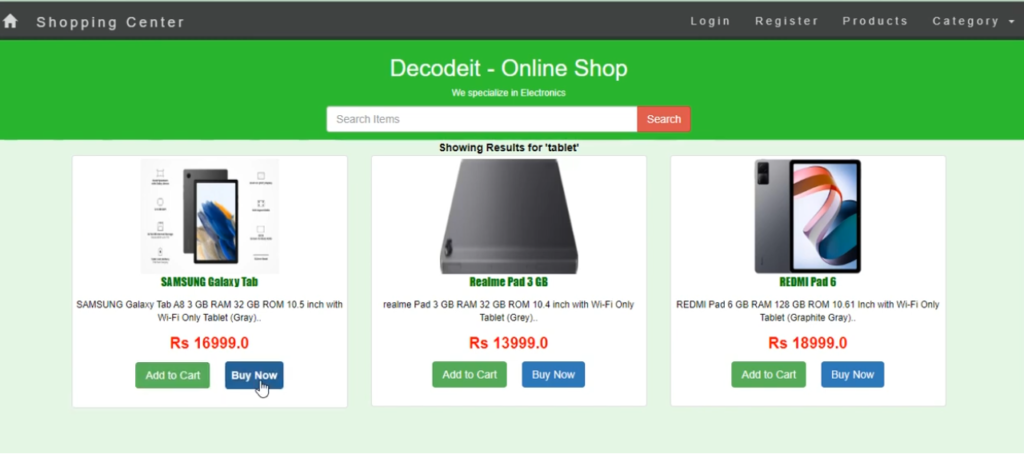
- Browse products by category
- Search products by name or keyword
- Add products to the shopping cart
- Update cart quantity or remove items
- Place orders with shipping details
- View complete order history
Admin Module
- Secure admin login with role-based access
- Add, update, and delete product categories
- Add, update, and delete products with image upload
- Manage product stock and pricing
- View all customer orders
- Update order status – Placed, Shipped, Delivered
Technologies Used
| Layer | Technology |
| Frontend | JSP, HTML5, CSS3, Bootstrap |
| Backend | Java, Servlets, Spring MVC |
| AOP | Spring AOP for logging and performance monitoring |
| Database | MySQL |
| Database Access | JDBC |
| Build Tool | Maven |
| Server | Apache Tomcat |
| IDE | Eclipse / IntelliJ IDEA |
Database Design
The MySQL database is well-structured and fully normalised, with all relationships defined cleanly using primary and foreign keys.
Main Tables
| Table | Purpose |
| users | Customer and admin account details |
| categories | Product categories (Electronics, Books, etc.) |
| products | Product details, price, stock, and image path |
| cart | Shopping cart line items per user |
| orders | Order header information with status and totals |
| order_items | Individual products inside each order |
How to Run This Project
Step 1: Set Up the Database
Open MySQL and import the included smartshop.sql file:
CREATE DATABASE smartshop;
USE smartshop;
SOURCE smartshop.sql;
Step 2: Configure Database Connection
Open src/main/resources/database.properties and update your MySQL credentials:
db.url=jdbc:mysql://localhost:3306/smartshop
db.username=root
db.password=your-password
Step 3: Build the Project with Maven
mvn clean installStep 4: Deploy on Apache Tomcat
Copy the generated WAR file from the target/ folder to your Tomcat webapps/ directory, or deploy directly from your IDE.
Step 5: Open the Application
Demo Video
Watch the complete walkthrough of the SmartShop Ecommerce Web Application below, covering customer registration, product browsing, cart management, checkout flow, and the admin panel:
Screenshots
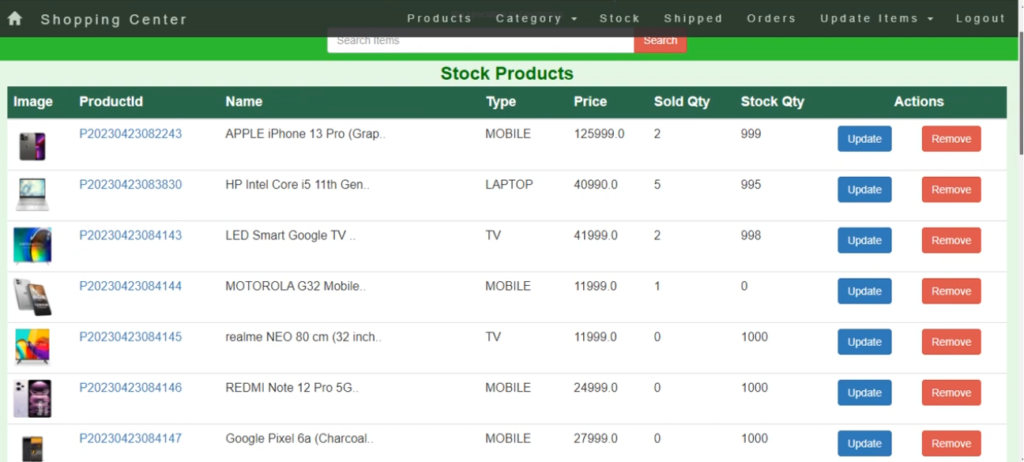
Future Enhancements
- Integration of payment gateways such as UPI, Razorpay, or Paytm
- Product reviews and ratings system
- Admin sales analytics dashboard with charts
- Mobile app integration using REST APIs
- AI-based product recommendation engine
- Wishlist and coupon code functionality
- Order invoice generation in PDF
How to Download
Get This Project
The complete package is available so you can run, study, and submit it with confidence. It includes:
- Full Source Code
- Project Report
- Synopsis
- PPT Presentation
For any queries or a quick response, reach out on WhatsApp: +91 79834 34684
YT:- DecodeIT
Which technologies are used in this Java Ecommerce project?
The project uses Java with JSP and Servlets for the web layer, Spring MVC for the controller layer, Spring AOP for cross-cutting concerns, JDBC for database access, MySQL as the database, Maven as the build tool, and Apache Tomcat as the server.
Is SmartShop suitable for BCA, MCA, and B.Tech final year submission?
Yes. It is an advanced-level Java project that covers MVC architecture, three-tier design, AOP, database normalisation, and role-based access – more than enough depth for BCA, MCA, B.Tech CS/IT, and M.Tech final year submissions.
What is the difference between JSP, Servlets, and Spring MVC in this project?
JSP handles the view layer (HTML rendering), Servlets and Spring MVC controllers handle HTTP requests, and Spring MVC adds higher-level routing, dependency injection, and clean separation between request handling and business logic.
Can I add a payment gateway to this project?
Yes. The project is structured cleanly enough that you can plug in UPI, Razorpay, or Paytm by adding a payment service class and calling it from the checkout controller. This is a recommended future enhancement.
Does the download package include the project report, synopsis, and PPT?
Yes. The complete package includes the full source code along with the project report, synopsis, and PPT ready for academic submission.
Which IDE should I use to run this Java project?
Eclipse IDE for Enterprise Java Developers or IntelliJ IDEA both work well. Make sure you have JDK 8 or higher, Apache Tomcat 9 or higher, and MySQL installed before importing the Maven project.
ecommerce web application GitHub
ecommerce web application template
ecommerce web application examples
ecommerce web application PDF
e commerce website, GitHub, HTML, CSS, JS
e commerce website project with source code
e commerce applications list
full stack e commerce website source code GitHub