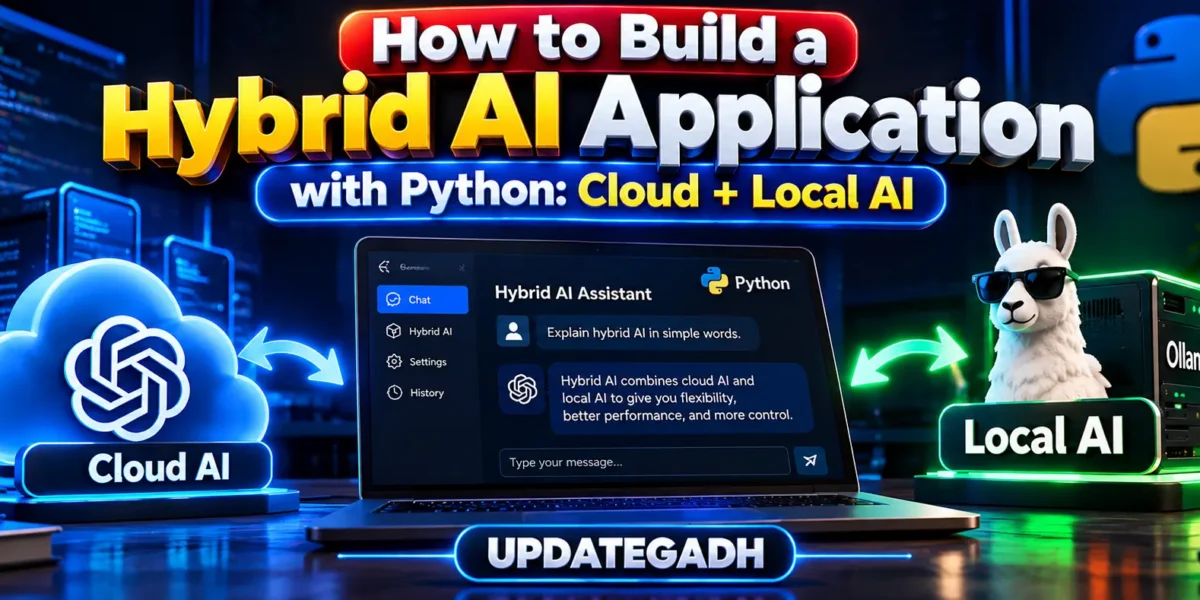
How to Build a Hybrid AI Application with Python
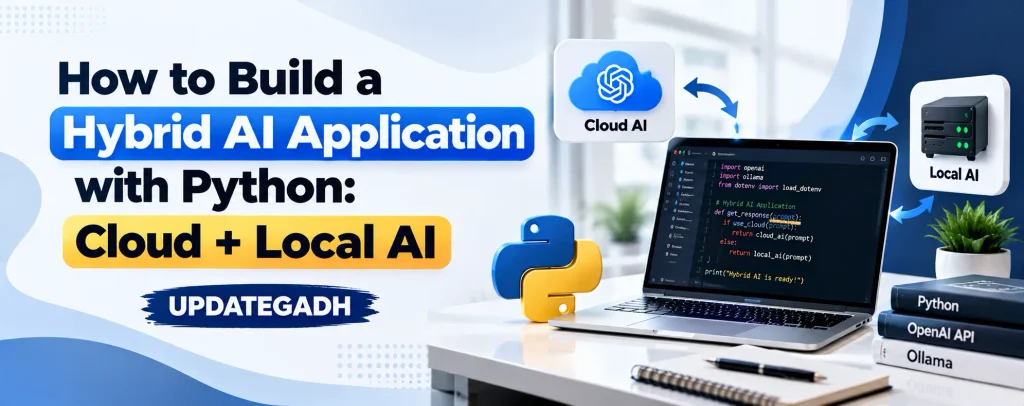
Artificial intelligence applications are no longer limited to a single model or provider. A modern Python application can combine cloud AI with a locally running model and decide which one should handle a particular request. This approach is known as a hybrid AI architecture.
In this tutorial, we will build a simple Hybrid AI Application with Python that can route requests between a cloud AI service and a local AI model running through Ollama. The goal is to understand the architecture and create a practical foundation that can be extended into chatbots, coding assistants, document tools, customer-support systems, and other AI applications.
Table of Contents
Why Build a Hybrid AI Application?
Cloud AI services are useful when an application needs access to powerful hosted models, while local AI can be useful when you want more control over where inference happens. A hybrid design allows developers to use both approaches instead of making the entire application depend on only one environment.
For example, a simple question can be processed by a local model, while a request that needs a stronger cloud model can be sent to the cloud provider. Routing can also be based on data sensitivity, task complexity, availability, latency, or application rules.
Ollama provides a local API and Python library for integrating local models into Python applications. It also provides an OpenAI-compatible API interface, allowing applications to use familiar client patterns with locally served models.
Project Overview
| Project Details | Information |
|---|---|
| Project Name | Hybrid AI Application with Python |
| Language | Python |
| AI Architecture | Cloud AI + Local AI |
| Local AI Runtime | Ollama |
| Cloud AI | OpenAI API |
| Interface | Command-Line Interface |
| Developer | UPDATEGADH |
Available Features
- Cloud AI integration
- Local AI model integration
- Automatic provider selection
- Keyword-based AI routing
- Cloud fallback support
- Environment variable configuration
- Command-line AI interaction
- Expandable hybrid AI architecture
How the Hybrid Architecture Works
The application contains four simple layers:
- User Input: The user enters a question or task.
- Router: Python checks the request and decides whether it should use the local or cloud model.
- AI Provider: The selected provider generates the response.
- Output: The application displays the result.
For a real production system, the router can be much more advanced. It can classify requests according to privacy requirements, token usage, model capability, network availability, or business rules. A hybrid routing layer can therefore become the central decision point between your application and different inference providers.
Requirements
Before starting, install Python and make sure pip is available. You also need Ollama for local model execution and a cloud AI API key for cloud requests.
For the local model, install Ollama and pull a model that your computer can run. Ollama supports running models locally and provides a Python library for application integration.
Installation Guide
Step 1: Create a Project Folder
Open VS Code and create a folder named:
hybrid-ai-pythonOpen the terminal and create a virtual environment:
python -m venv venvActivate it on Windows:
venv\Scripts\activateStep 2: Install Required Packages
Install the required Python packages:
pip install openai ollama python-dotenvThe official OpenAI Python SDK can be installed using pip, and the Ollama Python library is also available through pip.
Step 3: Configure Ollama
After installing Ollama, start the Ollama service and download a suitable local model. For example:
ollama pull gemma4The exact model should match your computer’s available CPU, RAM, and GPU resources.
Step 4: Create the Environment File
Create a file named:
.envAdd your cloud API key:
OPENAI_API_KEY=your_api_key_hereNever publish your real API key inside source code or upload it to a public repository.
Create the Python Application
Create a file named app.py. The following example uses a simple routing rule. Requests containing selected keywords are sent to the cloud model, while other requests are processed locally.
import os
from dotenv import load_dotenv
from openai import OpenAI
from ollama import chat

load_dotenv()

cloud_client = OpenAI(
    api_key=os.getenv("OPENAI_API_KEY")
)

LOCAL_MODEL = "gemma4"
CLOUD_MODEL = "gpt-6-luna"

def use_cloud(prompt):
    response = cloud_client.responses.create(
        model=CLOUD_MODEL,
        input=prompt
    )
    return response.output_text

def use_local(prompt):
    response = chat(
        model=LOCAL_MODEL,
        messages=[
            {
                "role": "user",
                "content": prompt
            }
        ]
    )
    return response.message.content

def choose_provider(prompt):
    cloud_keywords = [
        "complex",
        "advanced",
        "analyze deeply",
        "write production code"
    ]

    prompt_lower = prompt.lower()

    for keyword in cloud_keywords:
        if keyword in prompt_lower:
            return "cloud"

    return "local"

def main():
    print("Hybrid AI Application")
    print("Type 'exit' to close the application.")

    while True:
        prompt = input("\nYou: ")

        if prompt.lower() == "exit":
            break

        provider = choose_provider(prompt)

        try:
            if provider == "cloud":
                answer = use_cloud(prompt)
                print("\nProvider: Cloud AI")
            else:
                answer = use_local(prompt)
                print("\nProvider: Local AI")

            print("AI:", answer)

        except Exception as error:
            print("Error:", error)

if __name__ == "__main__":
    main()
How the Code Works
The load_dotenv() function loads the API key from the .env file. The OpenAI client is used for cloud requests, while the Ollama chat function communicates with the local model.
The choose_provider() function is the routing layer. It converts the user’s prompt to lowercase and checks whether it contains one of the defined cloud keywords. If a keyword is found, the application selects the cloud provider. Otherwise, it uses the local model.
This is intentionally simple so students can understand the complete workflow. In a larger application, the router could use a classifier, request metadata, privacy rules, model health checks, token estimates, or a dedicated routing service.
Run the Application
Make sure Ollama is running and the selected local model is available. Then execute:
python app.pyYou can test a normal prompt such as:
Explain Python dictionaries.The application can route this type of request to the local model.
Then test a request such as:
Analyze deeply how a scalable AI application should handle model routing.Because the prompt contains a configured routing keyword, the application sends it to the cloud provider.
Adding Automatic Fallback
A useful improvement is to add fallback logic. If the cloud request fails because of a temporary network problem or API issue, the application can try the local model instead.
try:
    return use_cloud(prompt)
except Exception:
    return use_local(prompt)
The opposite direction can also be implemented when a local model is unavailable. In a production system, fallback rules should be designed carefully so sensitive information is not accidentally transferred to a cloud service.
Improving the Router
A production-ready hybrid AI system can consider several factors:
- Privacy: Keep sensitive or confidential requests on local infrastructure when the application requirements allow it.
- Complexity: Send tasks that require stronger model capabilities to a suitable cloud model.
- Latency: Use the provider that can respond within the required time.
- Availability: Switch providers when one service becomes unavailable.
- Cost: Use local inference for suitable workloads and reserve cloud inference for tasks that need it.
- Model specialization: Use different models for coding, reasoning, summarization, vision, or embeddings when appropriate.
These rules can be combined into a scoring or policy-based router.
Complete Advance AI Topics: Click Here
SQL Tutorial: Click Here
YT:- DecodeIT
Security Considerations
A hybrid AI application must treat API keys, user prompts, uploaded documents, and model outputs carefully. Keep cloud credentials in environment variables instead of hard-coding them in Python files.
The routing layer should also define which data is permitted to leave the local environment. A privacy rule should be evaluated before sending a request to a cloud model. Logging should avoid storing sensitive prompts or credentials unless the application’s security and compliance requirements explicitly allow it.
Benefits of a Hybrid AI Architecture
A cloud + local design gives developers flexibility. Local models can provide an offline or locally controlled processing path, while cloud models can provide access to hosted AI capabilities when required. The application can therefore choose an appropriate execution path instead of treating every request identically.
Project Use Cases
The same architecture can be extended into a customer-support chatbot, coding assistant, private document assistant, AI study tool, business automation system, content assistant, or internal knowledge application.
For example, an organization could keep internal classification or preprocessing local and send only approved tasks to a cloud model. Another application could use a local model for routine requests and a cloud model for complex tasks.
Conclusion
Building a Hybrid AI Application with Python is a practical way to understand how modern AI systems can combine different inference environments. Instead of choosing only cloud AI or only local AI, developers can create a routing layer that decides how each request should be processed.
The project uses Python, Ollama, and a cloud AI API to demonstrate the core idea. The keyword-based router can later be expanded with privacy policies, health checks, cost controls, request classification, fallback mechanisms, and specialized models.
Keywords: How to Build a Hybrid AI Application with Python: Cloud + Local AI, Hybrid AI Application Python, Cloud AI Python, Local AI Python, Ollama Python, Python AI Project, Hybrid AI Architecture, Local LLM Python