Human Resource Management System Project in PHP
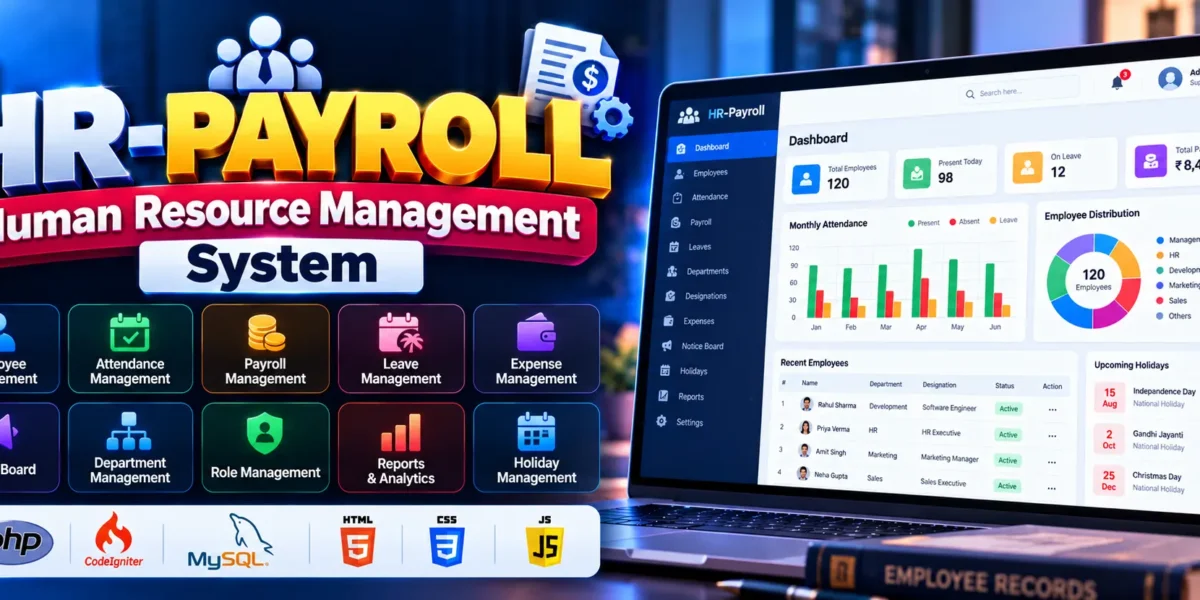
The HR-Payroll Human Resource Management System is a web-based application developed using PHP and the CodeIgniter framework with MySQL as its database. It helps organizations manage employee records, attendance, payroll, leave requests, expenses, and other human resource activities from a centralized platform.
This project is suitable for BCA, MCA, and computer science students who want practical experience building a business management application. It demonstrates how HR operations can be organized digitally while reducing repetitive manual work and improving record management.
Complete Advance AI Topics: Click Here
Real Time Projects on YouTube:- DecodeIT
What Is the Human Resource Management System?
The Human Resource Management System is an application that combines employee administration, attendance tracking, payroll processing, and leave management in one platform. It provides separate access levels for super administrators, administrators, and employees.
Using PHP, CodeIgniter, and MySQL, the project demonstrates how employee information and organizational activities can be managed through a structured web application.
Project Overview
| Project Details | Description |
|---|---|
| Project Name | Human Resource Management System |
| Language/s Used | PHP, HTML, CSS, JavaScript |
| Framework | CodeIgniter |
| Database | MySQL |
| Project Type | Web Application |
What Are the Available Features?
The project includes modules for managing employee information, payroll, attendance, leave requests, organizational records, and reports. The available features include:
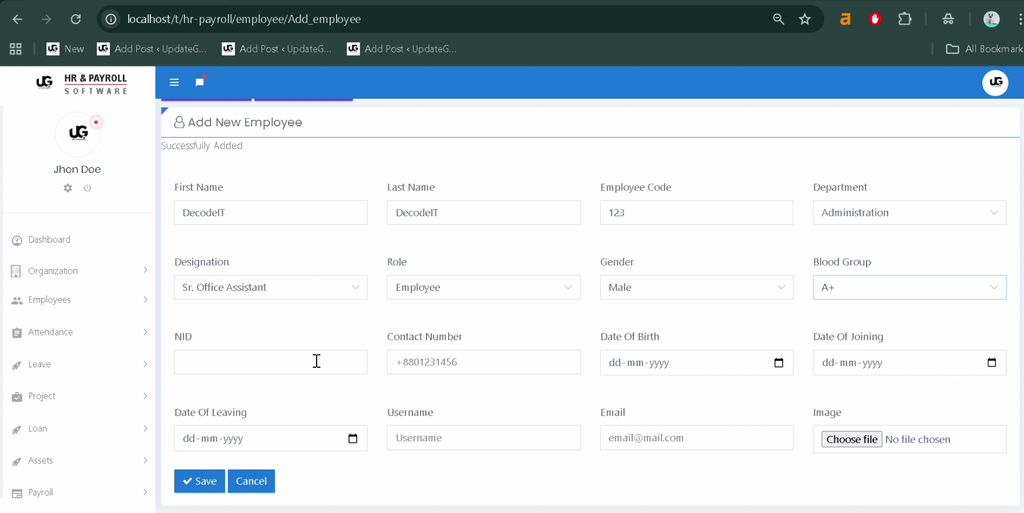
- Employee Management: Add, update, delete, and block employee records.
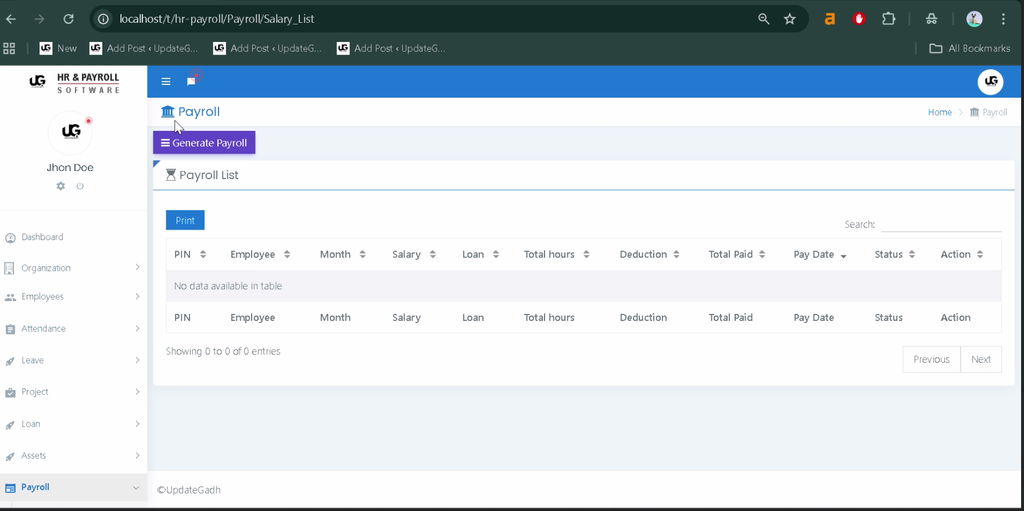
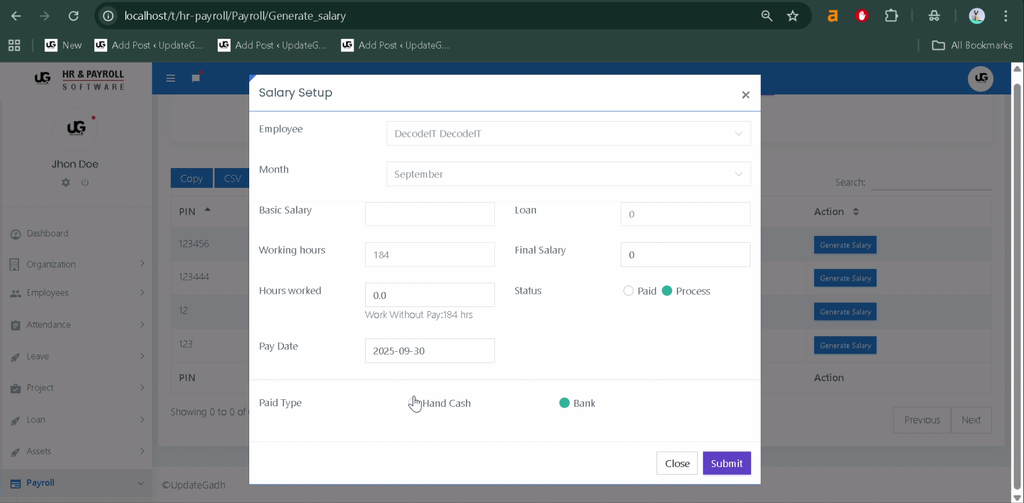
- Payroll Management: Manage salary processing and generate payroll reports.
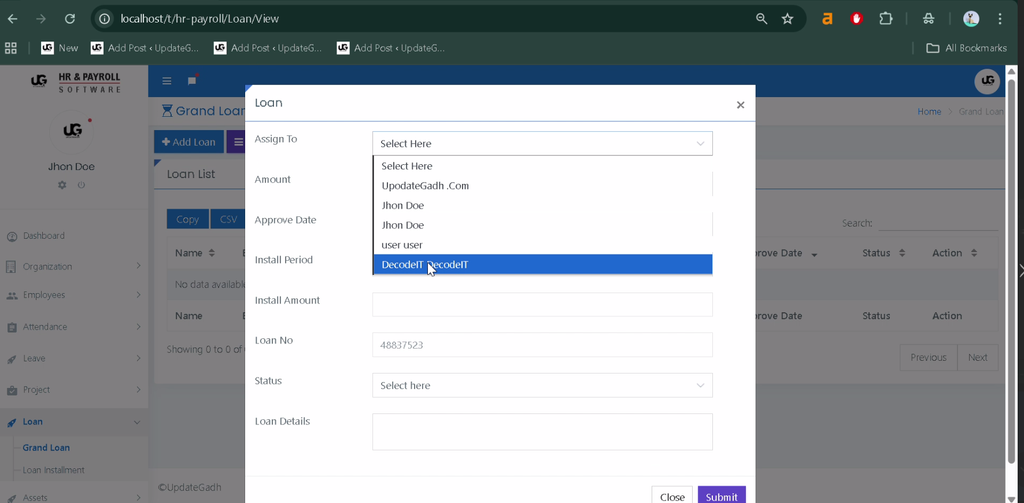
- Bonus, Loan, Deduction, and Provident Fund Management: Maintain employee-related financial components.
- Salary Templates: Create monthly salary templates for employee categories.
- Attendance Management: Record employee attendance and generate attendance reports.
- Clock-In and Clock-Out: Track employee working hours.
- Leave Management: Create leave categories, manage leave quotas, and approve or reject applications.
- Time Change Requests: Review employee requests for attendance time corrections.
- Department and Designation Management: Organize departments and employee designations.
- Role Management: Provide separate access for admins, and employees.
- Training and Awards: Manage employee training information and awards.
- Notice Board and Announcements: Publish organizational updates and notices.
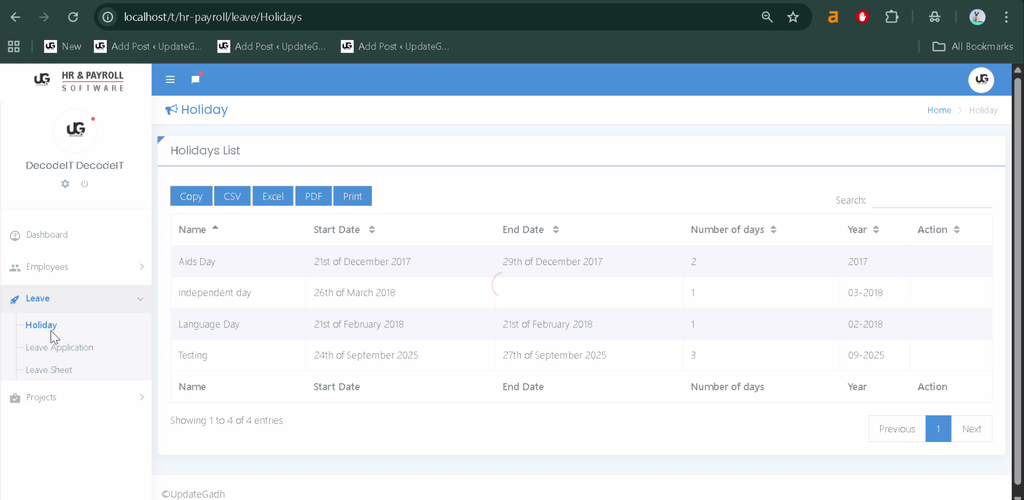
- Holiday Management: Maintain company holiday information.
- Expense Management: Record expenses and generate payment reports.
- Invoice and Billing Management: Manage estimates, invoices, and related records.
- Team and Task Management: Organize teams, assign permissions, and track tasks.
- File Preview and Comments: Preview files and add comments for collaboration.
- Reports and Export: Print or export available reports.
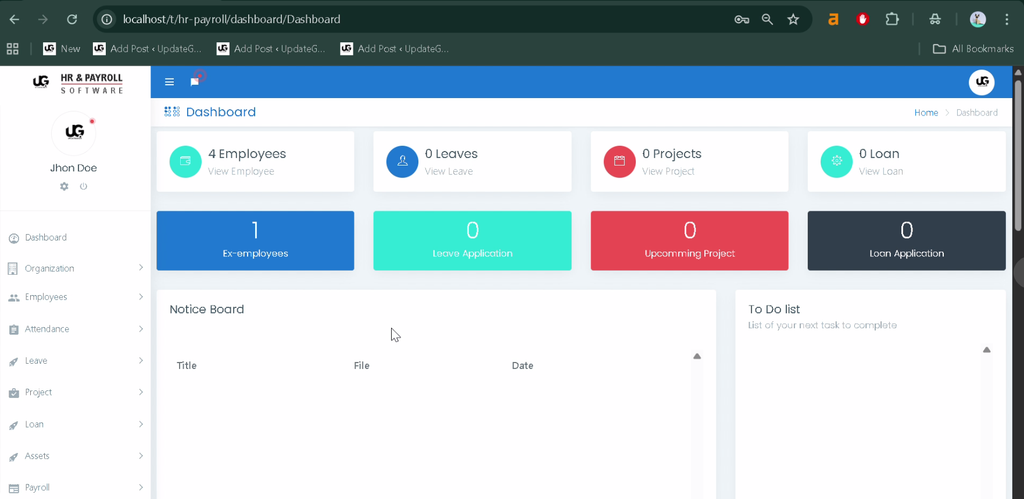
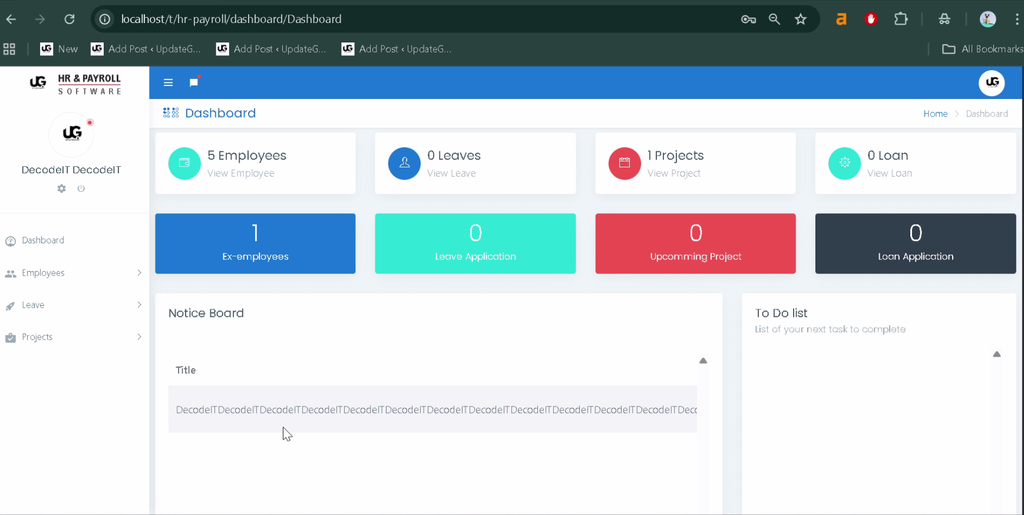
- Dashboard: View statistics and information related to HR activities.
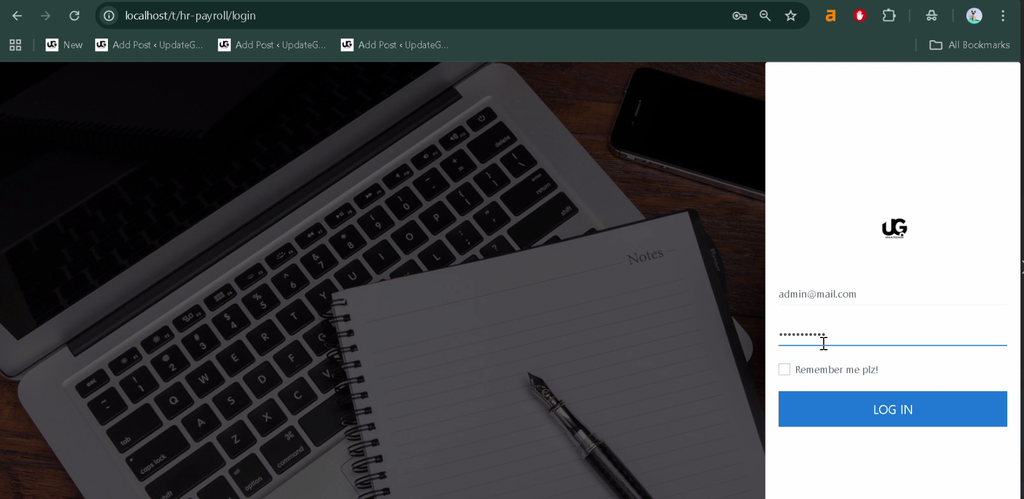
- Authentication: Provide login access for different user roles.
Which Technologies Are Used in This Project?
The project uses PHP and CodeIgniter for application development, MySQL for data storage, and standard web technologies for the user interface.
- PHP: Handles server-side application logic.
- CodeIgniter: Provides the framework for organizing application components.
- MySQL: Stores employee, attendance, payroll, and related records.
- HTML: Structures web pages.
- CSS: Styles the application interface.
- JavaScript: Supports client-side interactions.
What Software and Tools Are Required?
To run the project locally, prepare a PHP and MySQL environment and open the source code in Visual Studio Code.
- XAMPP with Apache and MySQL
- Visual Studio Code
- Composer, if required by the project dependencies
- A modern web browser
- The project source code and its supplied SQL database file
How to Download
The complete package is available so you can run, study, and submit it with confidence. It includes:
- Full Source Code
- Project Report
- Synopsis
- PPT Presentation
Screenshot
How to Install and Run the Project in VS Code?
Follow these steps to configure the Human Resource Management System project locally. The exact configuration may vary depending on the supplied CodeIgniter version and source files.
Step 1: Start the Required Services
Install XAMPP, open its control panel, and start Apache and MySQL.
Step 2: Extract the Project
Extract the project folder into the XAMPP web root, usually:
C:\xampp\htdocs\Human Resource Management SystemStep 3: Open the Project in VS Code
Open the extracted folder in Visual Studio Code. Alternatively, run this command in a terminal:
code C:\xampp\htdocs\Human Resource Management SystemStep 4: Create the Database
Open phpMyAdmin, create a database named hr_payroll, and select it.
CREATE DATABASE hr_payroll;Step 5: Import the SQL File
Import the SQL file supplied with the project through phpMyAdmin. If the source code does not include a database file, check the project documentation for the correct schema.
Step 6: Configure the Database Connection
For a CodeIgniter project that uses the traditional configuration structure, open:
application/config/database.phpUpdate the database connection settings to match your local MySQL configuration. For example:
'hostname' => 'localhost',
'username' => 'root',
'password' => '',
'database' => 'hr_payroll',
Use the actual configuration file and database settings required by the supplied project. Newer CodeIgniter versions may use a different configuration structure.
Step 7: Open the Application
After saving the configuration, ensure Apache and MySQL are running. Open the project using its configured local URL, commonly:
http://localhost/Human-Resource-Management-SystemIf the application does not open, check the CodeIgniter base URL, rewrite settings, database credentials, and project-specific installation instructions.
How Does the System Work for Different Users?
The application provides three user roles, each with different responsibilities and access permissions.
Super Admin
- Oversees system operations and user access.
- Manages administrators, employees, departments, and permissions.
- Reviews payroll, attendance, and financial reports.
Admin
- Manages employee records and attendance.
- Processes leave requests and payroll-related settings.
- Maintains salary templates, holidays, notices, and announcements.
Employee
- Records attendance and submits time correction requests.
- Applies for leave and views available salary slips.
- Checks notices, announcements, training details, and awards.
What Are the Benefits of This Project for Students?
This project helps students understand how a real-world business application combines multiple modules with a shared database. It provides practical learning opportunities in PHP development, CodeIgniter application structure, MySQL database management, authentication, and role-based access.
Students can also study how reporting, payroll records, and employee workflows are connected. These concepts are useful for academic submissions and for understanding enterprise and HR management software.
Frequently Asked Questions
1. Which programming language is used in this Human Resource Management System project?
The project primarily uses PHP, along with HTML, CSS, JavaScript, and the CodeIgniter framework.
2. Which database is used?
MySQL is used to store employee records and other HR-related information.
3. Which user roles are available?
The documented roles are Super Admin, Admin, and Employee.
4. Can the project run in Visual Studio Code?
Yes. VS Code can be used to edit the source code, while XAMPP or another compatible PHP and MySQL environment runs the application locally.
5. Is this project suitable for BCA and MCA students?
Yes. It is a useful academic project for learning PHP, CodeIgniter, database integration, employee management, and payroll workflows.
Final Thoughts
The HR-Payroll Human Resource Management System demonstrates how employee administration, payroll, attendance, leave management, and organizational reporting can be combined into one web application. For students, it offers practical experience with PHP, CodeIgniter, and MySQL while illustrating common requirements of workplace management software.
Before deploying the application, verify its framework version, database schema, security configuration, and payroll calculations against the supplied source code.
Keywords: HR-Payroll Human Resource Management System, human resource management system in PHP and MySQL, HR payroll project PHP, employee management system PHP, CodeIgniter HRM project, payroll management system project