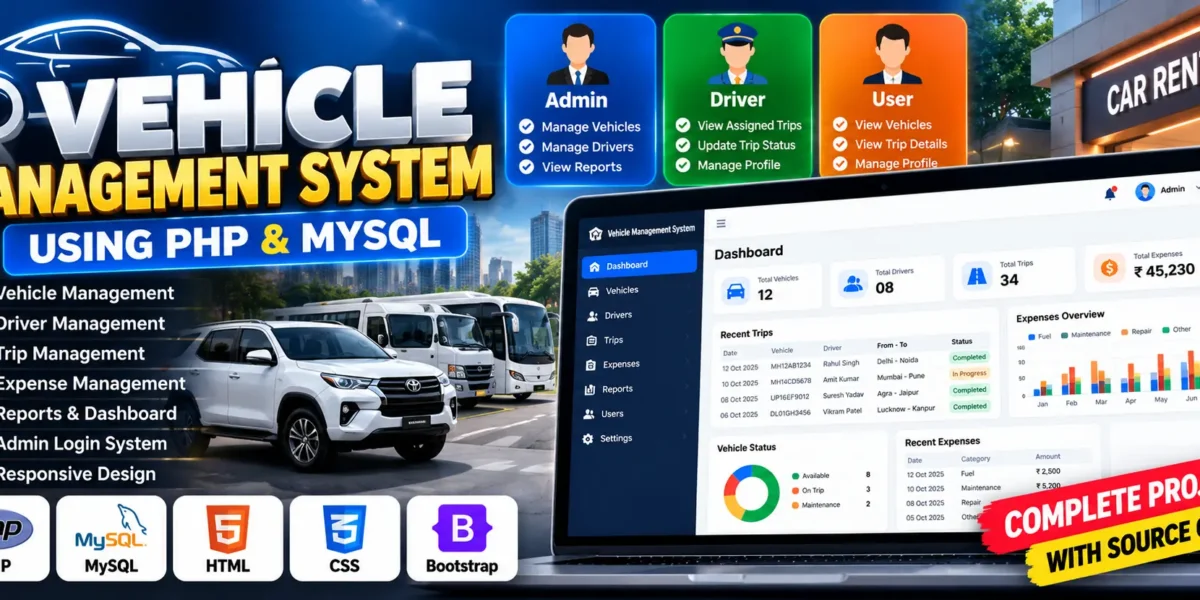
Vehicle Management System Using PHP and MySQL
The Vehicle Management System (VMS) is a web-based application developed using PHP, MySQL, HTML, CSS, and Bootstrap. It is designed to help car rental businesses manage vehicles, drivers, trips, and operational expenses through a centralized platform.
Managing vehicle records manually can be time-consuming and difficult to maintain. This project simplifies routine operations by providing dedicated modules for adding vehicles, assigning drivers, recording trips, and tracking expenses. It also includes an administrative dashboard for monitoring important business information.
For students, this project provides practical experience in PHP development, database connectivity, authentication, CRUD operations, and responsive web design. It demonstrates how a database-driven application can support the daily activities of a vehicle rental business.
Complete Advance AI Topics: Click Here
Real Time Projects on YouTube:- DecodeIT
What Is a Vehicle Management System?
A Vehicle Management System is a web application that helps organize vehicle-related business operations. It allows administrators to maintain vehicle and driver records, manage trip information, and record expenses in a centralized MySQL database.
Project Overview
| Project Details | Description |
|---|---|
| Project Name | Vehicle Management System |
| Languages Used | PHP, HTML, CSS, JavaScript |
| Framework and Styling | Bootstrap |
| Database | MySQL |
| Type | Web Application |
Project Description
The Vehicle Management System provides an administrative interface for handling common vehicle rental operations. Administrators can maintain vehicle details, manage driver information, record trips, and track operational expenses.
PHP handles server-side operations, while MySQL stores the application records. HTML, CSS, and Bootstrap support the user interface, helping organize the different modules into a manageable web application.
Available Features
1. Admin Login Panel
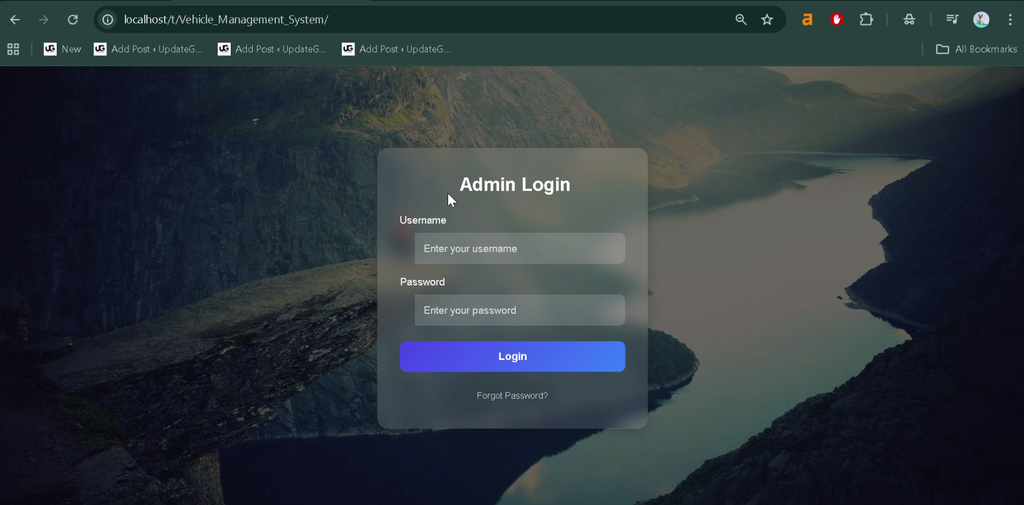
The system provides an administrator login interface for accessing the management modules. Authentication helps restrict access to authorized users.
2. Vehicle Management
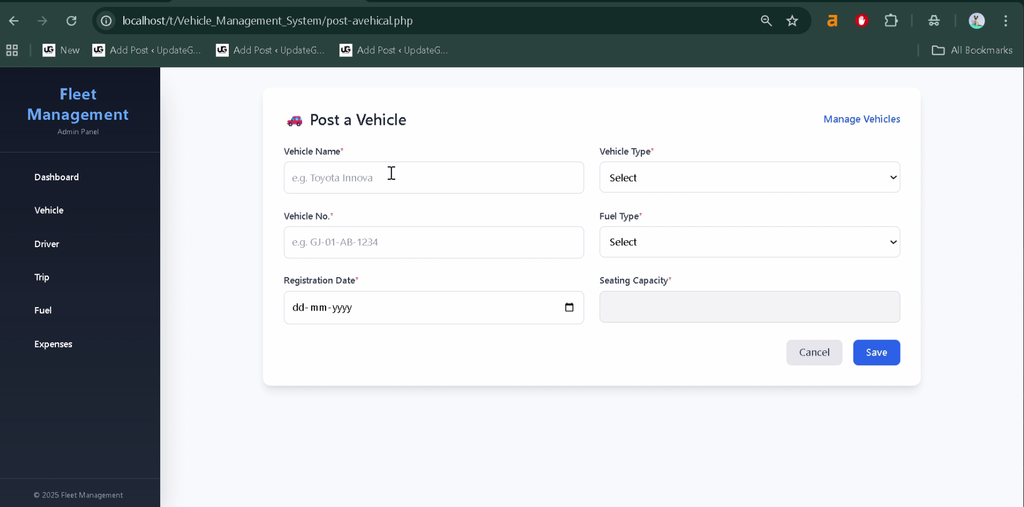
Administrators can add, update, and delete vehicle records, including vehicle models, numbers, and registration details.
3. Driver Management
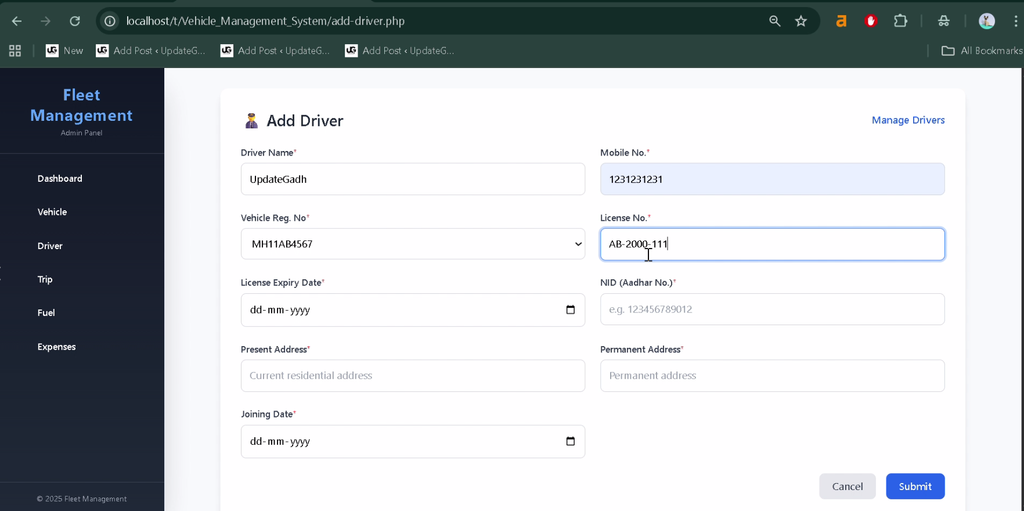
The driver module allows administrators to add driver information, maintain contact details, manage shift timings, and assign vehicles to drivers.
4. Trip Management
Administrators can create and maintain trip records containing information such as assigned drivers, vehicles, starting points, destinations, distances, and trip duration.
5. Expense Management
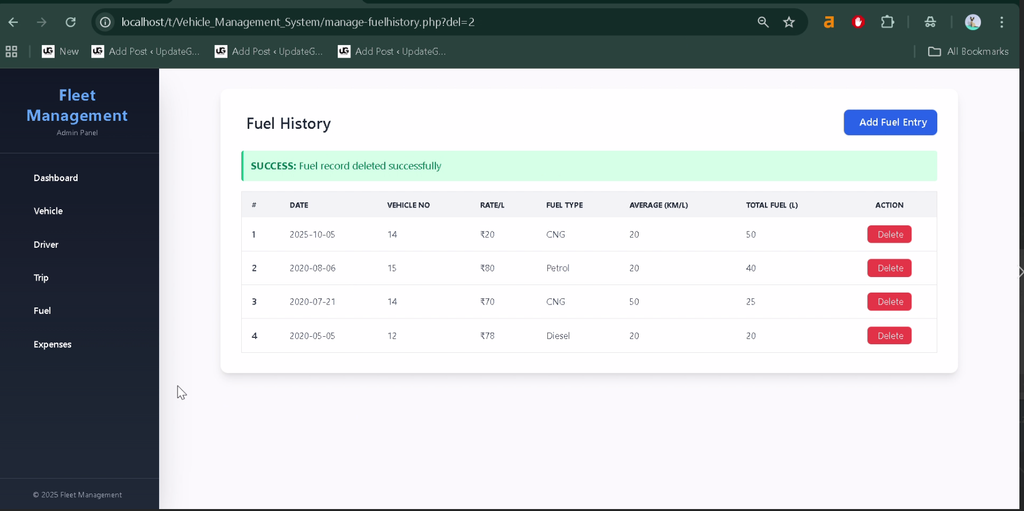
The expense module records vehicle-related costs, including fuel, maintenance, and repairs. These records help administrators review operational spending.
6. Registration and Password Change
The project includes an administrator registration facility and password-change functionality for account management.
7. Dashboard Overview
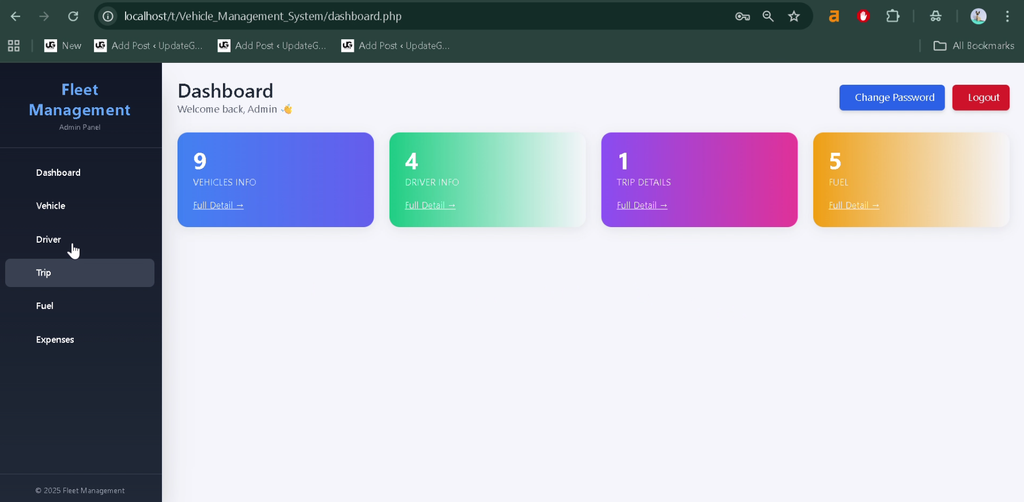
The dashboard provides a summary of important records, including vehicles, drivers, trips, and expenses, helping administrators monitor operations from one place.
8. Logout System
The logout functionality allows administrators to end their sessions after completing their work.
Each file supports a particular part of the application, making the project easier for students to explore and understand.
Technology Stack
- PHP: Handles server-side logic and application operations.
- MySQL: Stores vehicle, driver, trip, and expense records.
- HTML: Structures the web pages.
- CSS: Styles the interface.
- Bootstrap: Supports responsive layouts and interface components.
- JavaScript: Provides client-side interactivity.
- XAMPP: Provides the local Apache and MySQL environment.
Software and Tools Required
- XAMPP
- Visual Studio Code
- Web Browser
How to Download
The complete package is available so you can run, study, and submit it with confidence. It includes:
- Full Source Code
- Project Report
- Synopsis
- PPT Presentation
Screenshot
How to Install and Run the Vehicle Management System in VS Code?
Follow the steps below to configure the database and run the project locally using XAMPP.
Step 1: Install the Required Software
Install XAMPP and Visual Studio Code on your computer.
Step 2: Extract the Project
Extract the project archive and rename the folder to vehicle_management_system, if required. Move it into the XAMPP htdocs directory.
C:\xampp\htdocs\vehicle_management_systemStep 3: Open the Project in VS Code
Open Visual Studio Code, select File → Open Folder, and choose the project directory.
Step 4: Start XAMPP Services
Open the XAMPP Control Panel and start both Apache and MySQL.
Step 5: Create the Database
Open phpMyAdmin in your browser and create a database named carrental. Import the supplied carrental.sql file into that database to create the required tables and import any included sample data.
Step 6: Configure the Database Connection
Open includes/config.php and verify that the database connection settings match your local environment.
<?php
$dbuser = 'root';
$dbpass = '';
$dbname = 'carrental';
$host = 'localhost';

try {
    $dbh = new PDO(
        "mysql:host=$host;dbname=$dbname",
        $dbuser,
        $dbpass
    );
} catch (PDOException $e) {
    exit("Error: " . $e->getMessage());
}
?>
If your MySQL installation uses a password, update $dbpass accordingly.
Step 7: Run the Project
Open your browser and enter the local project URL:
http://localhost/vehicle_management_system/If you used a different folder name, replace vehicle_management_system in the URL with your actual project folder name. The application should display its entry or login page if the setup is correct.
How to Use the Vehicle Management System?
1. Admin Login
Log in through the administrative interface to access the available management modules.
2. Managing Vehicles
Use the vehicle management section to add new vehicles, update registration details, and remove records when required.
3. Managing Drivers
Add driver details, maintain contact information, manage shift timings, and assign vehicles according to business requirements.
4. Managing Trips
Create trip records with vehicle and driver information, route details, distance, and duration. Review or update the stored trip information through the trip management section.
5. Managing Expenses
Record fuel, repair, maintenance, and other vehicle-related expenses. Review the saved entries to understand operational spending.
6. Monitoring the Dashboard
Use the dashboard to review the available summaries of vehicles, drivers, trips, and expenses.
Why Is This Project Useful for Students?
- PHP Development: Practice building server-side web applications.
- MySQL Integration: Learn to store and retrieve structured data.
- CRUD Operations: Understand how records are created, displayed, updated, and deleted.
- Authentication: Explore login, password management, and session-based access.
- Responsive Design: Understand how Bootstrap supports web interface layouts.
- Practical Application: Explore how software can help car rental companies and fleet operators organize their records.
Frequently Asked Questions
1. What is the Vehicle Management System project?
It is a web application for managing vehicles, drivers, trips, and operational expenses using PHP and MySQL.
2. Which technologies are used in this project?
The project uses PHP, MySQL, HTML, CSS, JavaScript, and Bootstrap.
3. Which database is required?
The project uses MySQL, with the database named carrental in the provided setup instructions.
4. How can I run the project locally?
Place the project folder in XAMPP’s htdocs directory, start Apache and MySQL, import carrental.sql, configure the database connection, and open the local project URL.
5. Who can use a Vehicle Management System?
It can be adapted for car rental businesses, corporate vehicle operations, travel agencies, and organizations that maintain vehicle fleets.
Final Thoughts
The Vehicle Management System is a useful academic project for students learning PHP and MySQL. It brings together vehicle records, driver management, trip tracking, and expense management in one web application.
Keywords: Vehicle Management System, vehicle management system project in PHP, vehicle management system source code, vehicle service management system project in PHP, vehicle management system using PHP and MySQL, car rental system project in PHP, vehicle management project report, vehicle management system project documentation