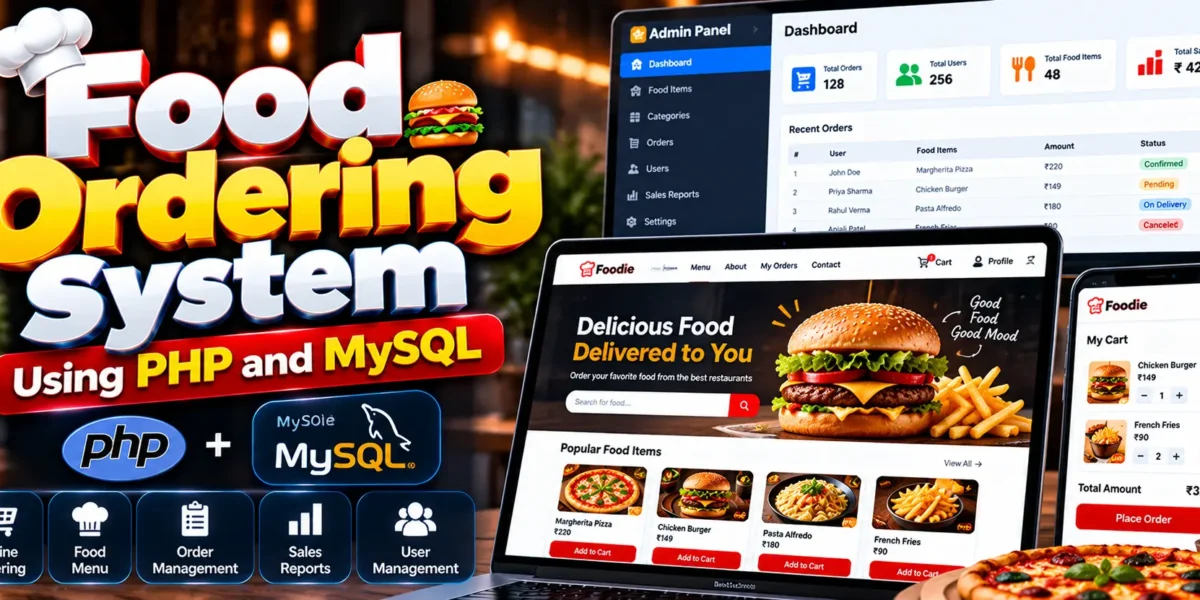
Food Ordering System Using PHP and MySQL
The Food Ordering System Using PHP and MySQL is a web-based application that allows customers to browse food items, add products to a shopping cart, place orders online, and view their order history. The project uses PHP for backend functionality and MySQL for database management. It includes separate admin and user modules for managing food categories, menu items, orders, customer accounts, and sales reports.
This project helps students understand how an online food ordering website works, including database connectivity, shopping cart operations, order processing, and interaction between administrators and customers.
Complete Advance AI Topics: Click Here
Real Time Projects on YouTube:- DecodeIT
What Is the Food Ordering System Project?
A Food Ordering System is a web application that enables customers to select food items from an online menu and place orders through a website. The administrator manages food categories, menu items, customer information, orders, and sales reports through the admin module.
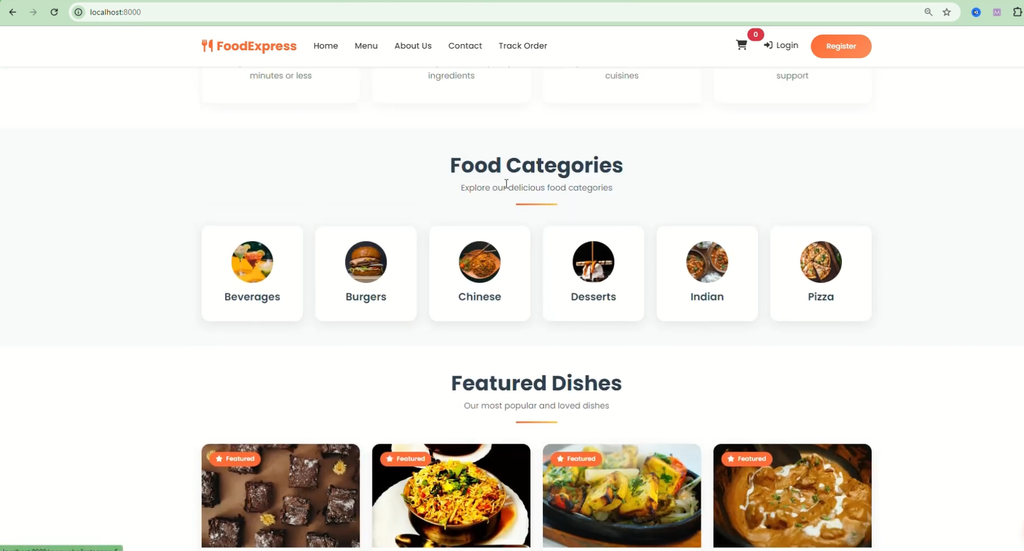
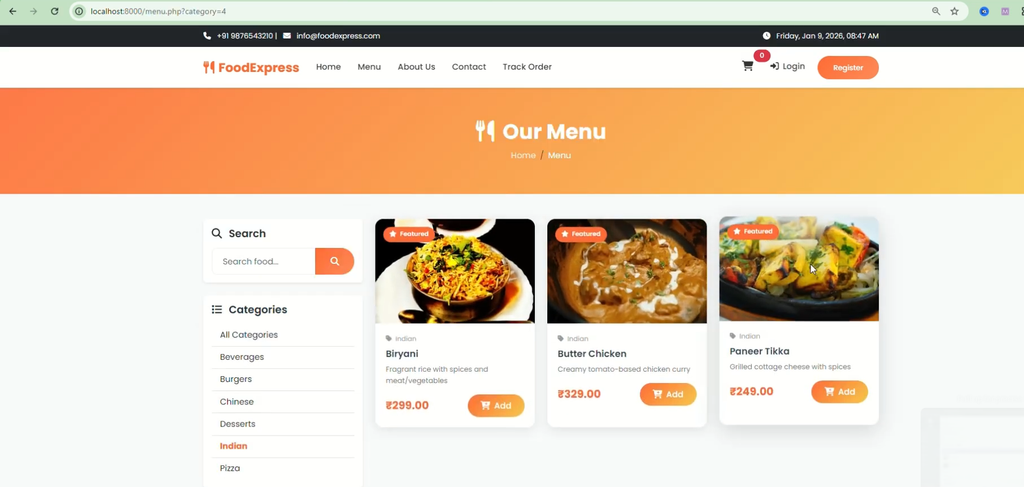
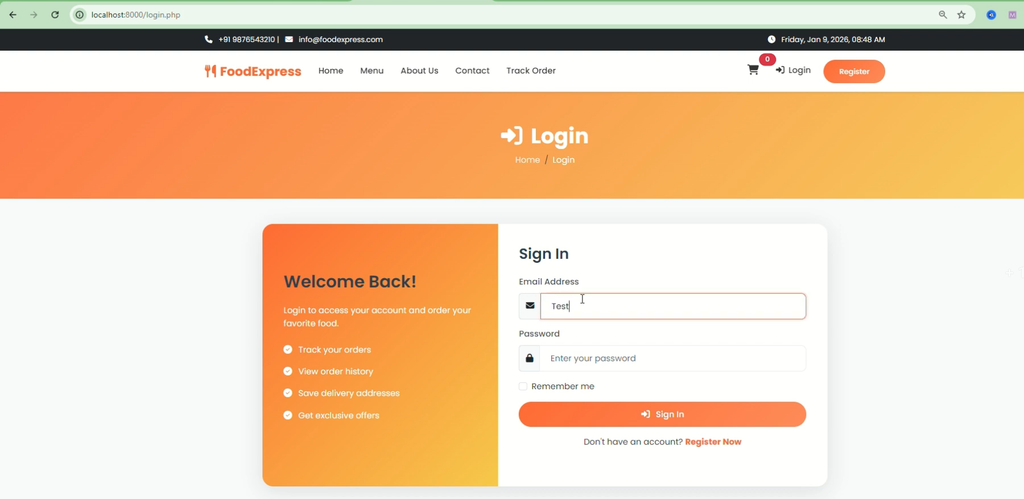
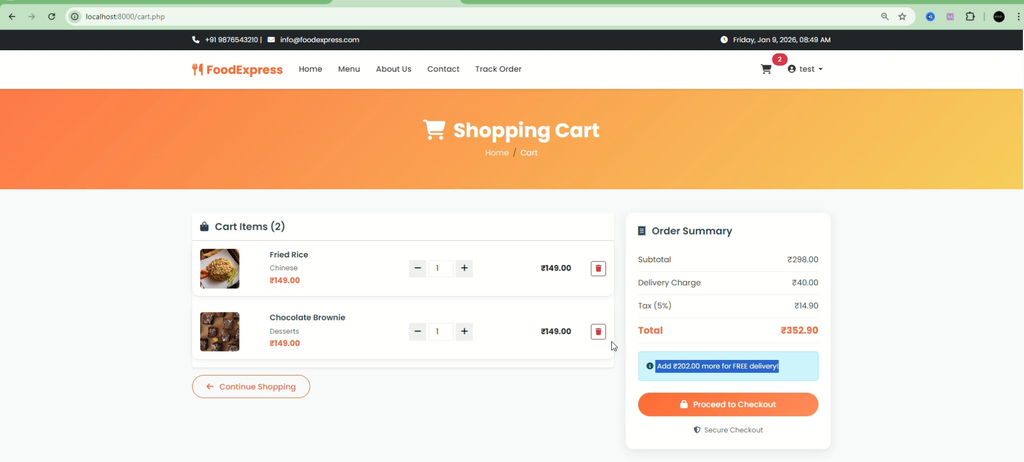
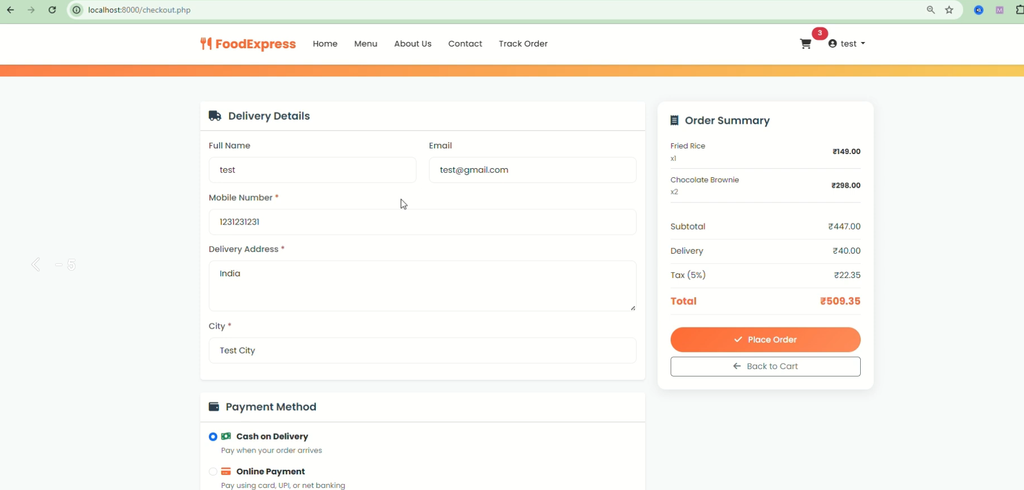
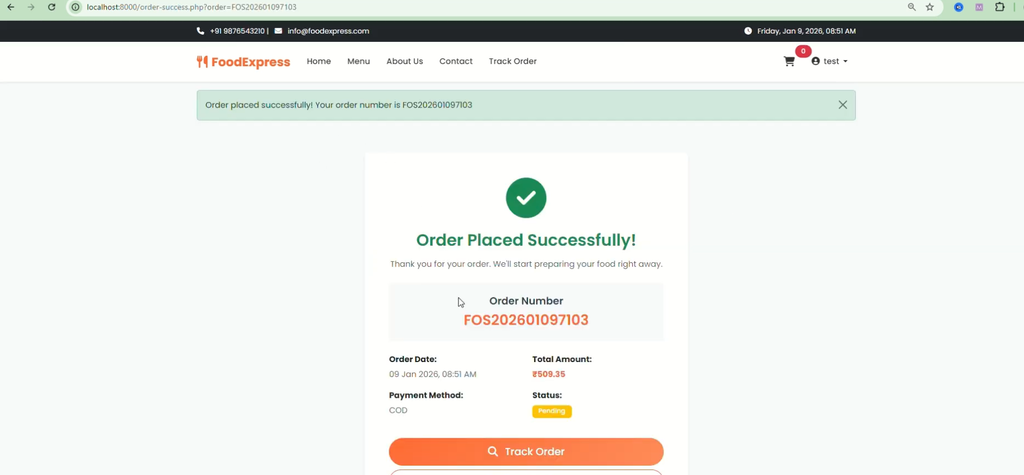
The user module provides food browsing, cart management, online ordering, order cancellation, invoice downloads, profile management, and order history. Users also receive email notifications when their order status changes.
Features of Food Ordering System Using PHP and MySQL
1. Admin Module
The admin module provides the functionality required to manage food items, users, orders, and sales information.
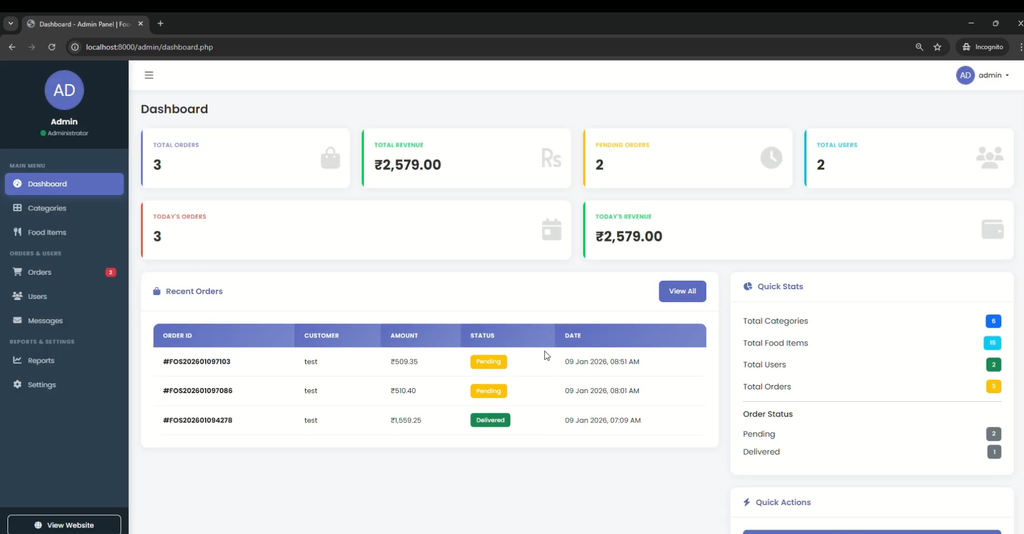
- Dashboard: View total orders and order statuses, including confirmed, pending, and canceled orders.
- User Management: View and update registered user information.
- Food Category Management: Add, update, and delete food categories.
- Food Menu Management: Manage food menu items.
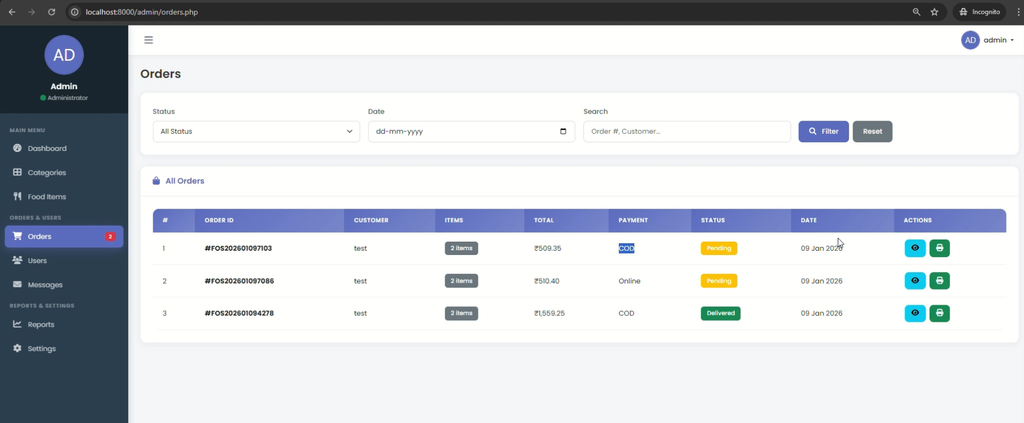
- Order Search: Search for orders using their order numbers.
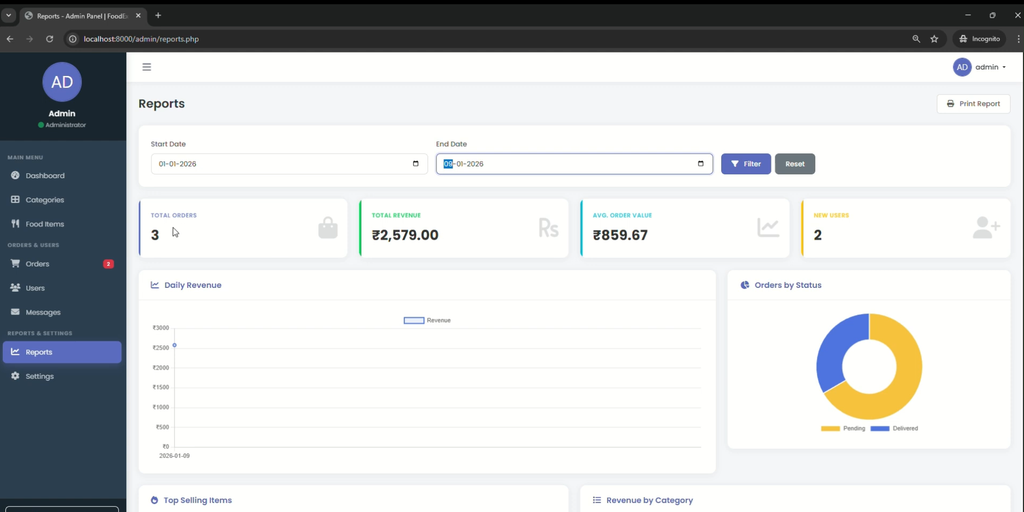
- Sales Reports: View sales reports by date and other available details.
- Order Management: View all orders and update their statuses.
- Admin Profile: Update administrator profile information.
2. User Module
The user module allows customers to browse the available menu, manage their cart, place orders, and access their account details.
- View Food Items: Browse available food items from the menu.
- Shopping Cart: Add food items to the cart and remove items when needed.
- Online Ordering: Place food orders through the website.
- Order Cancellation: Cancel orders through the user module.
- Invoice Download: Download an invoice for each order.
- Order History: View previous orders at any time.
- Profile Management: Update profile details and passwords through the My Account section.
- Email Notifications: Receive email notifications when order statuses change.
Technologies Used
| Component | Technology |
|---|---|
| Backend | PHP |
| Database | MySQL |
| Frontend | HTML, CSS, JavaScript, AJAX, jQuery |
| Local Development Server | XAMPP, WAMP, LAMP, or MAMP |
How to Download
The complete package is available so you can run, study, and submit it with confidence. It includes:
- Full Source Code
- Project Report
- Synopsis
- PPT Presentation
Demo Video
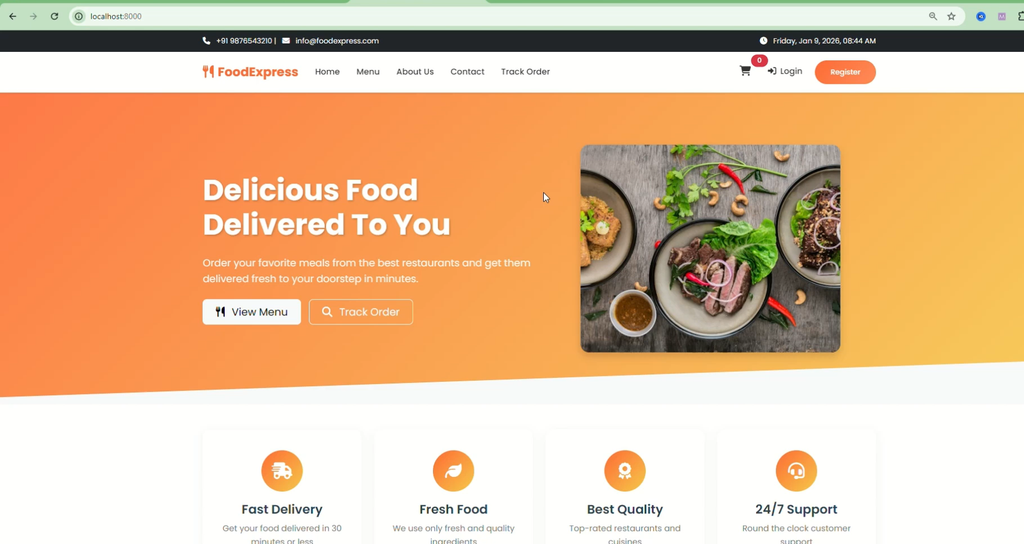
Screenshot
How to Run Food Ordering System Using PHP and MySQL in VS Code
Follow these steps to set up the project locally. The project requires a compatible PHP environment and a MySQL database.
Step 1: Install the Required Software
Install Visual Studio Code and a local server environment such as XAMPP, which provides PHP and MySQL.
Step 2: Extract the Project
Extract the project ZIP file and open the extracted project folder in Visual Studio Code.
Step 3: Start Apache and MySQL
Open the XAMPP Control Panel and start the Apache and MySQL services.
Step 4: Copy the Project Folder
Copy the project folder into the XAMPP web directory, usually:
C:\xampp\htdocs\Step 5: Create the Database
Open phpMyAdmin in your browser:
http://localhost/phpmyadmin/Create the database required by the project and import the SQL database file supplied with the project, if available.
Step 6: Configure the Database Connection
Open the project’s database configuration file and check the database name, username, password, and host. Update these values to match your local MySQL configuration.
Step 7: Run the Application
Open the browser and visit the project folder through localhost. For example, if the folder is named food-ordering-system, use:
http://localhost/food-ordering-system/Replace the example folder name with the actual project folder name. The exact database filename, configuration file, and default login credentials depend on the supplied project files.
Why Should Students Build This Project?
- Learn how PHP connects with a MySQL database.
- Understand the workflow of online food ordering.
- Practice shopping cart and order management functionality.
- Learn how administrators and customers interact with a web application.
- Understand how frontend technologies connect with backend logic.
- Gain practical experience in database-driven web development.
Frequently Asked Questions (FAQs)
1. What is Food Ordering System Using PHP and MySQL?
It is a web-based application that allows customers to browse food items, add them to a cart, place orders online, and view order history. Administrators manage menus, users, orders, and sales reports.
2. Which technologies are used in this project?
The project uses PHP, MySQL, HTML, CSS, JavaScript, AJAX, and jQuery. A local server environment such as XAMPP, WAMP, LAMP, or MAMP can be used.
3. What features are available in the admin module?
The admin module includes a dashboard, user management, food category management, food menu management, order search, order status updates, sales reports, and admin profile management.
4. Can customers download invoices and view order history?
Yes. The user module provides invoice downloads for orders and allows customers to view their order history.
5. How can I run the Food Ordering System project locally?
Install a compatible PHP environment, start Apache and MySQL, place the project in the web directory, configure the database, import the supplied SQL file if available, and open the project through localhost.
Conclusion
The Food Ordering System Using PHP and MySQL demonstrates essential functions of an online food ordering website. Its admin module manages menus, categories, users, orders, and sales reports, while its user module supports food browsing, cart management, order placement, invoices, notifications, and order history.
This project provides students with practical experience in PHP backend development, MySQL database management, and building a database-driven web application.