
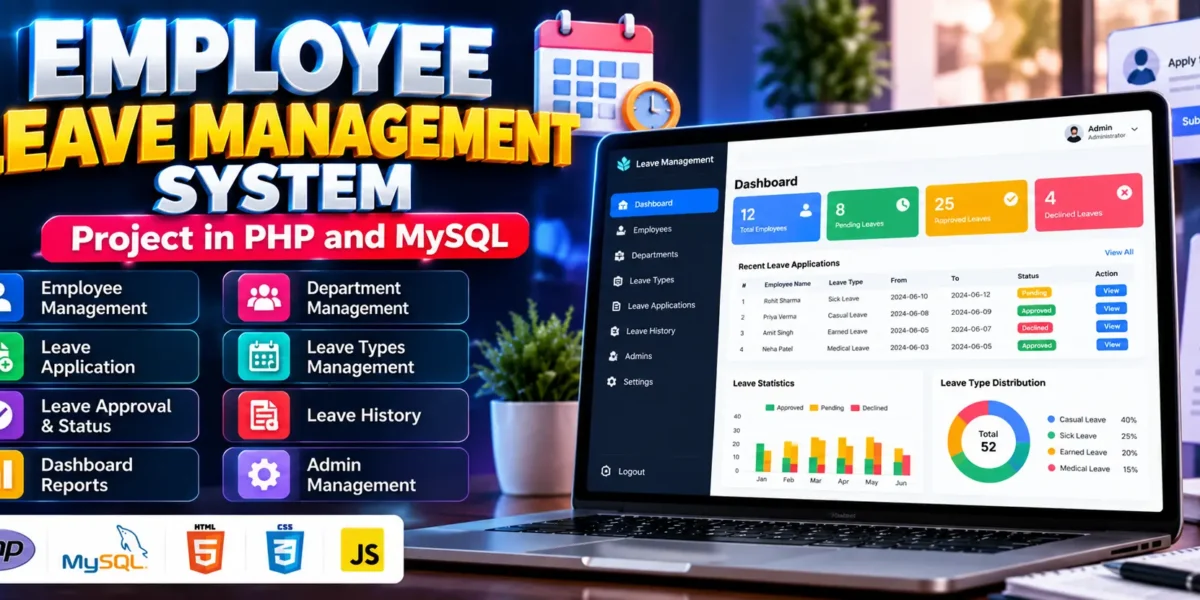
Employee Leave Management System in PHP and MySQL
The Employee Leave Management System in PHP and MySQL is a web-based application designed to simplify employee leave requests and approval workflows. It helps organizations manage employee records, departments, leave types, and leave applications through a centralized platform.
Developed using PHP, MySQL, JavaScript, and HTML and CSS, this project provides separate functionalities for administrators and employees. It is suitable for BCA, MCA, and other computer application students who want practical experience with database management, authentication, CRUD operations, and role-based access.
Complete Advance AI Topics: Click Here
Real Time Projects on YouTube:- DecodeIT
What Is an Employee Leave Management System?
An Employee Leave Management System is a web application that allows employees to submit leave applications and administrators to review and manage those requests. It reduces manual paperwork and helps maintain organized records of approved, declined, and pending leave applications.
The system provides tools for managing departments, employee information, leave categories, administrator accounts, and leave histories. These features demonstrate how organizations can digitize routine HR activities.
What Are the Project Details?
The project uses PHP for backend processing, MySQL for database management, and JavaScript, HTML, and CSS for the user interface. It demonstrates how a database-driven application can manage employee leave workflows.
| Project Details | Description |
|---|---|
| Project Name | Employee Leave Management System |
| Languages Used | PHP, JavaScript, HTML, CSS |
| Database | MySQL |
| Project Type | Web Application |
How Does the Employee Leave Management System Work?
The system allows employees to submit leave applications and track their status, while administrators manage employee records and process leave requests. The dashboard displays important statistics about pending, approved, and declined applications.
PHP processes application requests and communicates with MySQL to store and retrieve information. Employees and administrators access the functions available to their respective roles through the web interface.
What Features Are Available in the Employee Leave Management System?
The project includes employee registration and login, administrator login, dashboard statistics, department and employee management, leave type configuration, leave applications, approval workflows, leave history, administrator management, and password recovery.
1. Employee Registration and Login
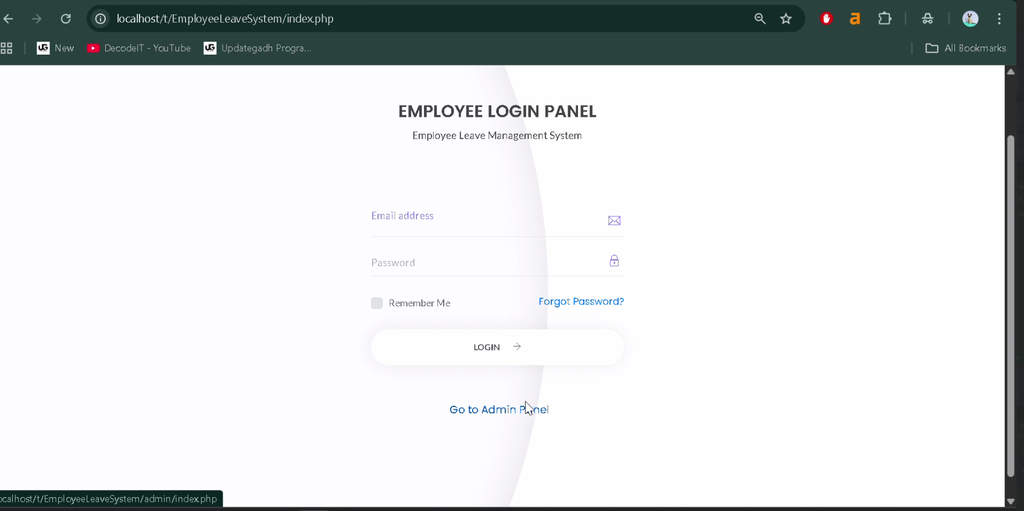
Employees can register and log in to access the application. Authentication helps restrict access to authorized accounts and provides access to employee-specific functions.
2. Admin Login
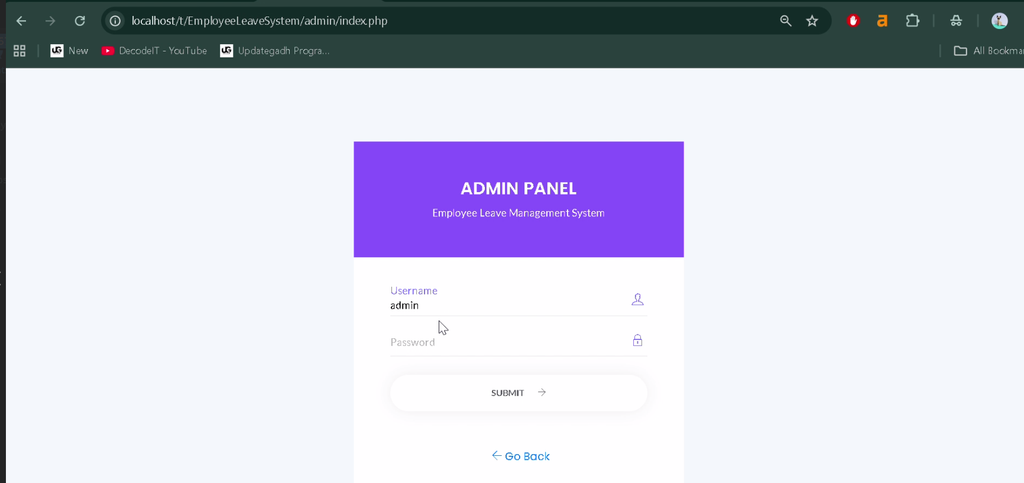
Administrators have a separate login panel for managing departments, employees, leave types, applications, and other administrative functions.
3. Dashboard Statistics
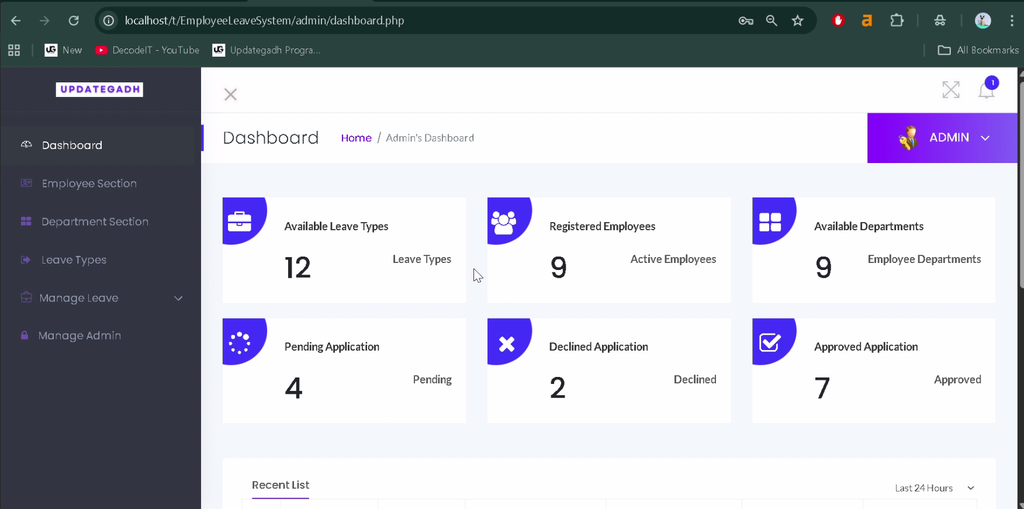
The dashboard displays an overview of pending, approved, and declined leave applications. These statistics help administrators monitor the status of leave requests.
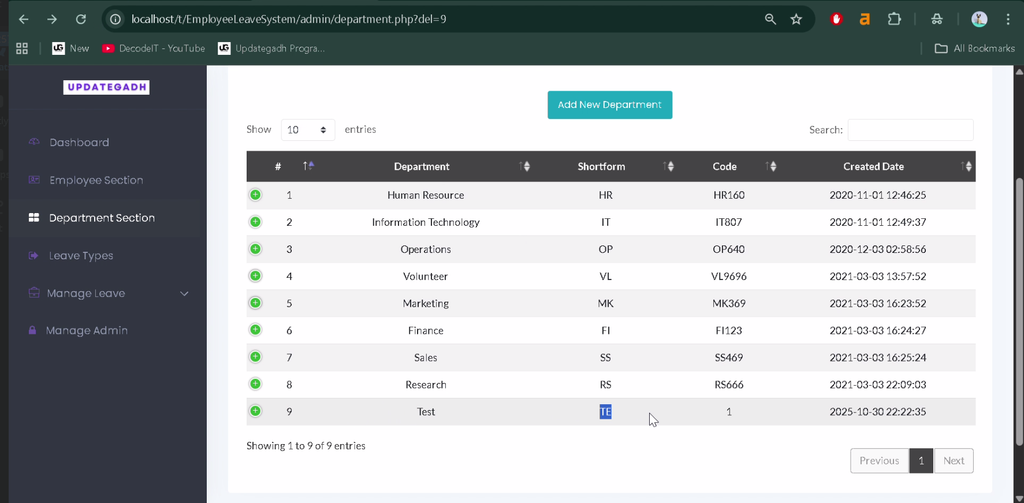
4. Department Management
Administrators can add, edit, and delete department records to keep organizational information organized and up to date.
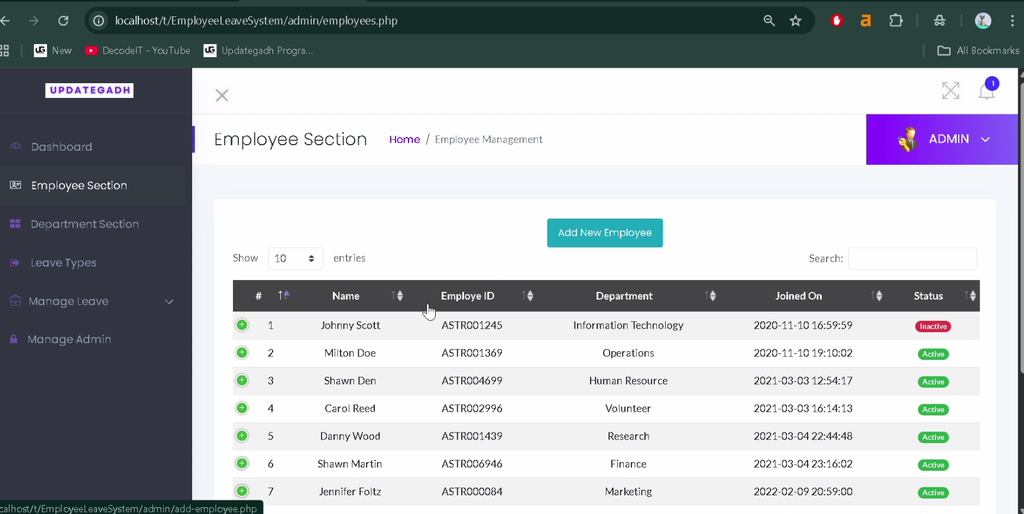
5. Employee Management
The employee management module allows administrators to create, update, and remove employee records, including names, roles, and login details.
6. Leave Types Management
Administrators can define different leave categories, such as sick leave and casual leave, according to organizational requirements.
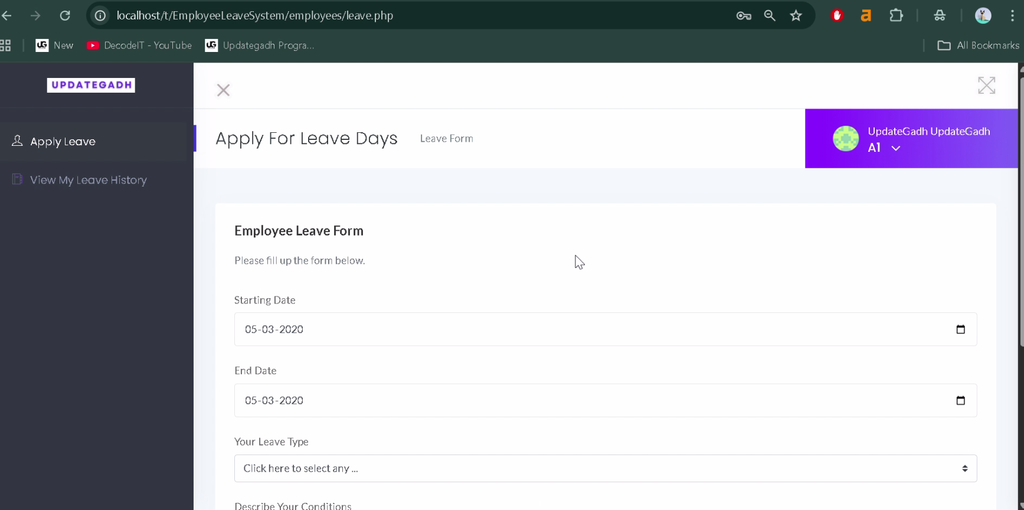
7. Apply for Leave
Employees can submit leave applications by providing details such as leave dates, leave type, and reason. This makes the application process easier to manage digitally.
8. Leave Approval and Decline
Administrators can review submitted requests and approve or decline them, or keep them pending for further review. This creates a structured leave approval workflow.
9. Leave History
Employees and administrators can track leave application histories and review whether requests are pending, approved, or declined.
10. Admin Management
The system allows administrators to add or remove administrator accounts, helping distribute leave management responsibilities among authorized staff.
11. Password Recovery
The password recovery feature helps users regain access when they forget their login credentials. The exact recovery workflow depends on the implementation supplied with the project.
How to Download
The complete package is available so you can run, study, and submit it with confidence. It includes:
- Full Source Code
- Project Report
- Synopsis
- PPT Presentation
Screenshot
How to Install the Employee Leave Management System in VS Code?
You can run the project locally using XAMPP, Visual Studio Code, and a web browser. The installation process involves extracting the project, importing its database, and checking the database connection settings.
Step 1: Install the Required Software
Install the following tools before starting:
- XAMPP Server for Apache and MySQL.
- Visual Studio Code for editing project files.
- Web Browser
Step 2: Extract the Project Files
Extract EmployeeLeaveSystem.zip into the XAMPP htdocs directory. The example folder path is:
C:\xampp\htdocs\EmployeeLeaveSystemStep 3: Start Apache and MySQL
Open the XAMPP Control Panel and start Apache and MySQL. Both services must be running to access the PHP application and its database.
Step 4: Create and Import the Database
Open phpMyAdmin at the following local address:
http://localhost/phpmyadminCreate a database named employeeleavedb. You can also create it by executing:
CREATE DATABASE employeeleavedb;Import the SQL file provided with the project from:
EmployeeLeaveSystem/DATABASE FILE/employeeleavedb.sqlStep 5: Configure the Database Connection
Locate the database connection file, usually named config.php or stored within the admin folder. Verify that the connection settings match your local MySQL configuration.
<?php
$servername = "localhost";
$username   = "root";
$password   = "";
$database   = "employeeleavedb";

$conn = mysqli_connect(
    $servername,
    $username,
    $password,
    $database
);

if (!$conn) {
    die("Connection failed: " . mysqli_connect_error());
}
?>
Step 6: Run the Project
Open your browser and visit the following local URL, assuming the extracted folder is named EmployeeLeaveSystem:
http://localhost/EmployeeLeaveSystem/If the database configuration and project files are correct, the application should open locally.
How to Use the Employee Leave Management System?
The application has two main roles: Admin and Employee. Each role provides functions for managing leave applications and maintaining the relevant records.
Employee Role
Employees can use the system to manage their leave requests and account information.
- Log in using their credentials.
- View available leave types.
- Submit leave applications with the required details.
- Track request status through Leave History.
- Update their profile and manage login credentials using the available options.
Admin Role
Administrators manage organizational records and oversee the leave approval process.
- Manage departments and employee information.
- Create and manage leave categories.
- Review pending leave applications.
- Approve or decline requests, or keep them pending.
- Monitor leave statistics through the dashboard.
- Add or manage other administrator accounts.
Why Is This Project Useful for Students?
The Employee Leave Management System is a practical learning project for students interested in PHP and MySQL development. It combines database operations, authentication, role-based access, and workflow management in a real-world organizational scenario.
- PHP and MySQL: Learn backend development and database connectivity.
- CRUD Operations: Practice creating, viewing, updating, and deleting records.
- Authentication: Understand login and registration workflows.
- Role-Based Access: Explore separate functions for administrators and employees.
- Workflow Management: Learn how leave applications move through approval stages.
- Academic Practice: Use the project to understand how HR-related web applications are structured.
Frequently Asked Questions (FAQs)
1. Which technologies are used in the Employee Leave Management System?
The project uses PHP, MySQL, JavaScript, HTML, and CSS.
2. What are the main roles in this project?
The two main roles are Admin and Employee, each with different functions for managing leave requests and records.
3. What database is required for this project?
The project uses MySQL, with the database named employeeleavedb in the provided installation instructions.
4. Can I run the project using XAMPP and VS Code?
Yes. You can edit the project in VS Code and run it locally using XAMPP after importing the database and configuring the connection settings.
5. Is this project suitable for BCA students?
Yes. It is suitable for BCA, MCA, and other computer application students who want practical experience with PHP, MySQL, CRUD operations, authentication, and role-based web applications.
Final Thoughts
The Employee Leave Management System Project in PHP and MySQL demonstrates how organizations can manage employee leave requests through a centralized web application. Its employee management, department management, leave application, and approval features provide practical examples of database-driven development.



![E-Learning Management System (LMS) [Udemy Clone ]](https://updategadh.com/wp-content/uploads/2026/05/auto-thumb-8366-800x450.webp)