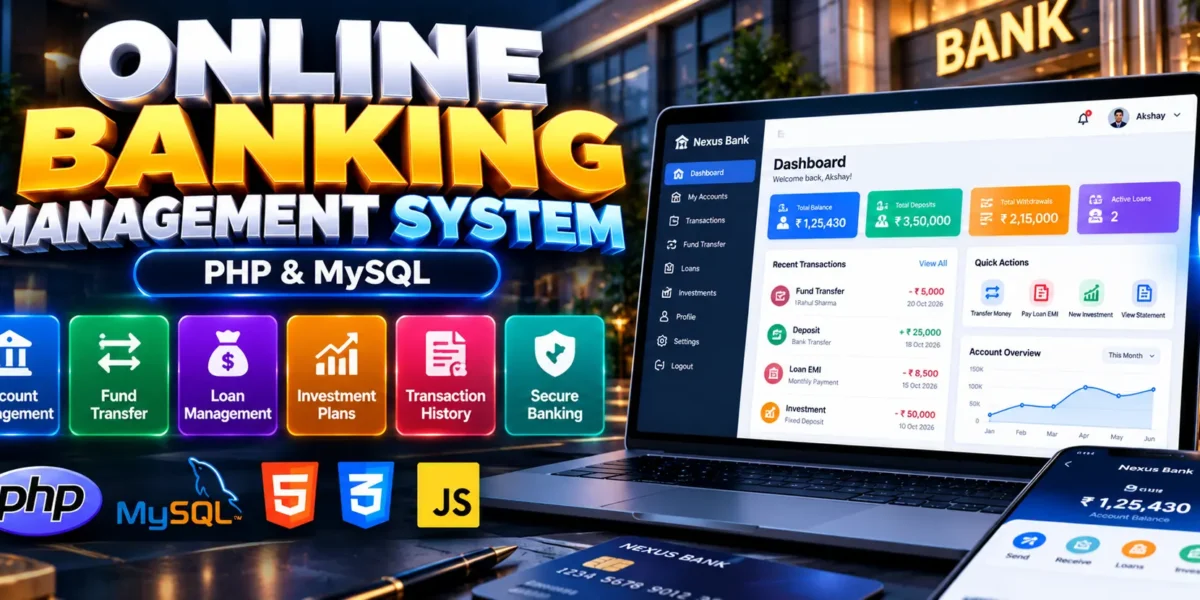
Online Banking Management System Using PHP and MySQL
The Online Banking Management System Using PHP and MySQL, also known as Online Banking Management System, is a web-based application designed to simulate essential banking operations. Developed using PHP, MySQL, HTML, CSS, and JavaScript, the project provides features for bank account management, deposits, withdrawals, fund transfers, loan processing, and investment tracking.
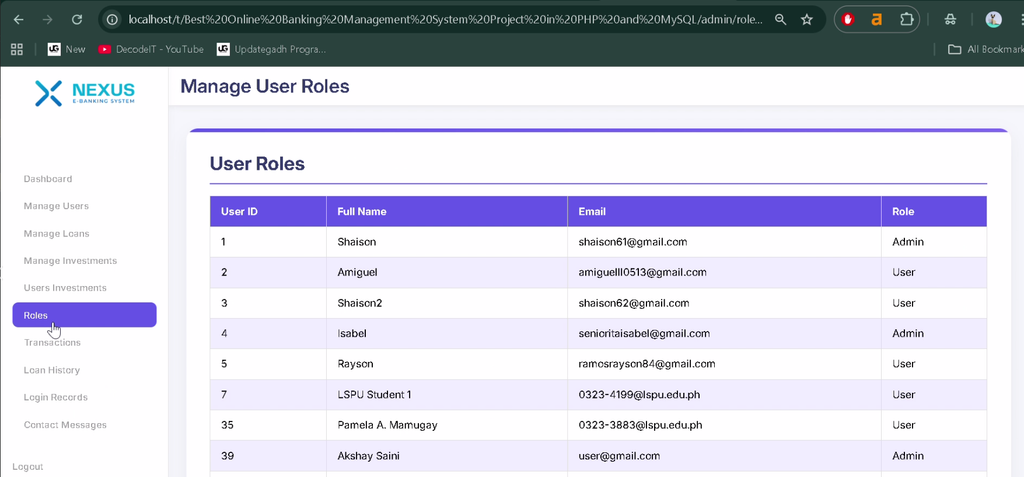
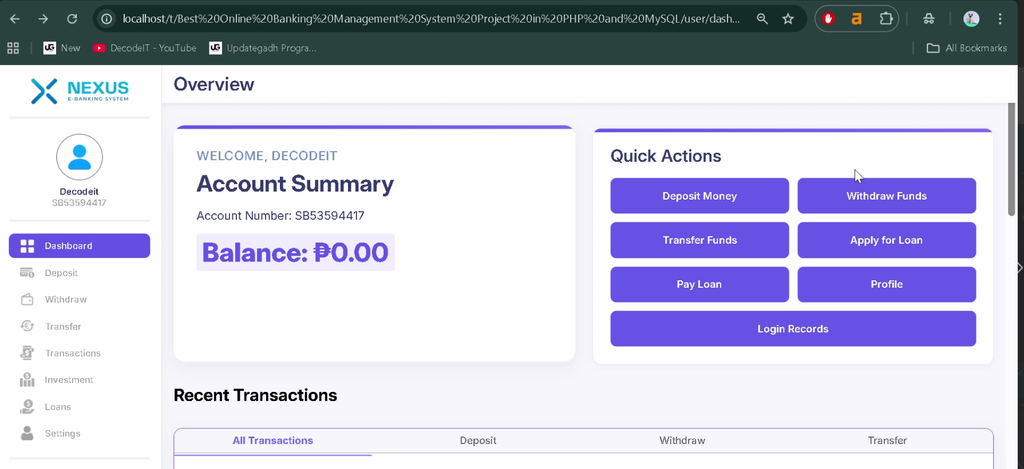
The application separates customer and administrator functions through role-based access. Customers can manage their accounts, review transaction history, apply for loans, and explore investment plans, while administrators can manage users, review loan applications, configure investment plans, and generate transaction reports.
Complete Advance AI Topics: Click Here
Real Time Projects on YouTube:- DecodeIT
What Is an Online Banking Management System?
An Online Banking Management System is a web application that organizes banking-related operations through a digital interface. The Online Banking Management System demonstrates account management, transaction processing, loan applications, investment plans, and user security features using PHP and MySQL.
Project Overview
| Project Details | Description |
|---|---|
| Project Name | Online Banking Management System |
| Language/s Used | PHP, HTML, CSS, JavaScript |
| Database | MySQL |
| Type | Web-Based Banking Application |
What Are the Available Features of the Online Banking Management System?
The project includes customer banking operations, loan and investment management, transaction records, account security features, and administrative controls.
1. Bank Account Management
Users can create and manage bank accounts, update personal information, and check account balances through the application.
2. Deposit, Withdrawal, and Fund Transfer
The system supports basic banking operations, including depositing money, withdrawing funds, and transferring amounts between accounts. Validation is used to help prevent transaction errors.
3. Transaction History and PDF Receipts
Users can review their transaction history and download PDF receipts for financial records. Transaction information is stored in the database for future reference.
4. Loan Application Management
Customers can apply for loans and track application approval status. The system also provides access to loan-related information, including repayment terms.
5. Investment Plan Management
Users can invest in available plans and monitor investment maturity dates and potential returns. The available investment options are configured by administrators.
6. OTP and Email Verification
The project includes OTP and email confirmation features for login and sensitive transaction verification, adding an additional authentication step.
7. Profile and Account Security
Users can manage their profile information, change passwords, and access available account security settings.
8. User and Account Administration
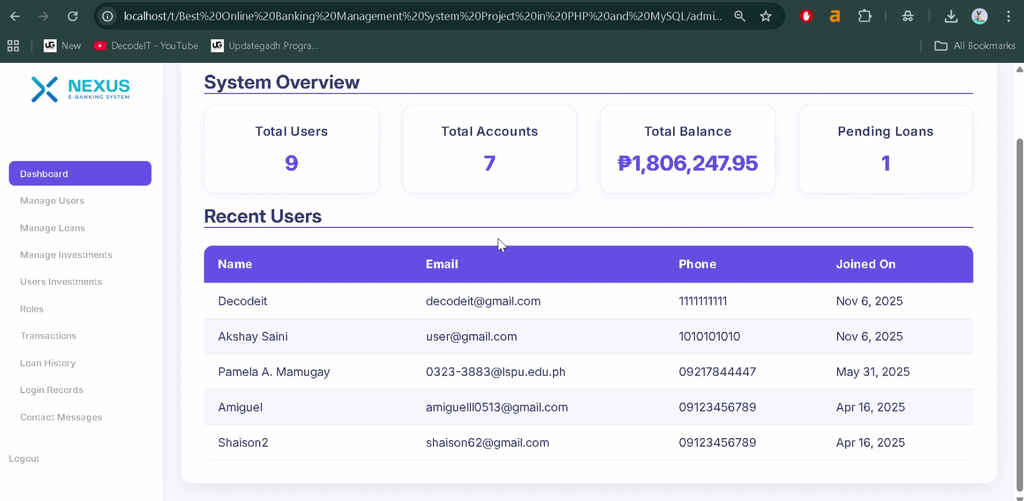
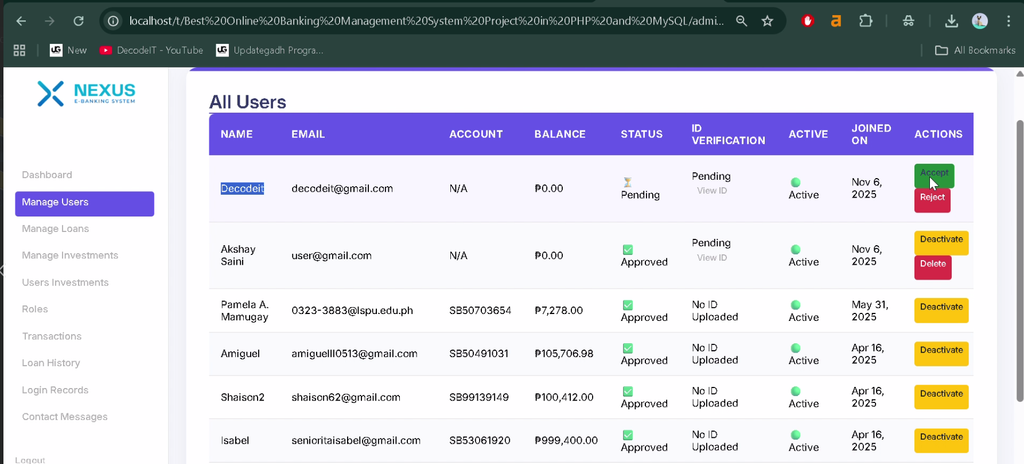
Administrators can manage registered users, account details, loan applications, investment records, and related activities through the administrative interface.
9. Loan Approval and Rejection
Administrators can review loan applications and approve or reject requests according to the application’s loan processing workflow.
10. Investment Plan Configuration
Administrators can create and configure investment plans, including their duration, maturity terms, and return rates.
11. Transaction Reports
The system allows administrators to view and generate transaction reports for reviewing financial activity across the application.
12. Login Activity Monitoring
Administrators can review login activity records to identify unusual or potentially suspicious access patterns.
13. Role-Based Access Control
The application separates customer and administrator permissions to restrict access to the functions assigned to each role.
How Do the User Roles Work?
The Online Banking Management System provides two main roles: User and Admin. Each role has its own set of banking and administrative responsibilities.
User Role
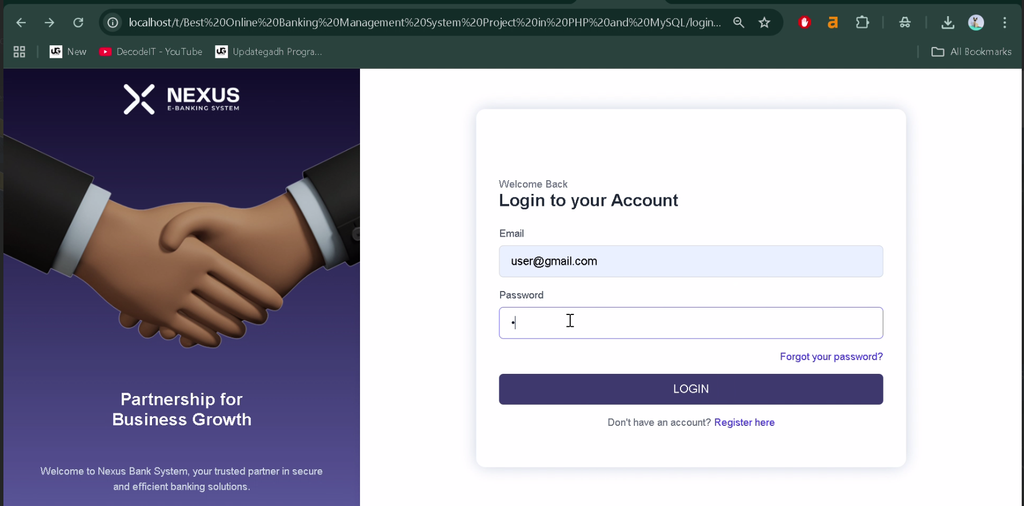
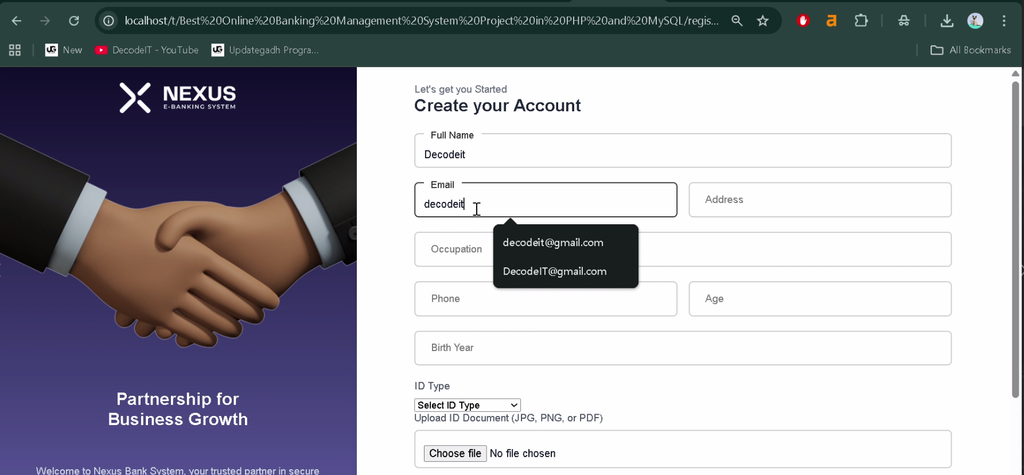
- Register and log in with the available verification process.
- Create and manage bank accounts.
- Deposit, withdraw, and transfer funds.
- View transaction history and download PDF receipts.
- Apply for loans and track application status.
- Explore investment plans and monitor maturity dates.
- Manage profile and account security settings.
Admin Role
- Manage registered users and bank accounts.
- Review and process loan applications.
- Create and manage investment plans.
- View and generate transaction reports.
- Monitor login records and suspicious activity.
- Manage access through role-based permissions.
Which Technologies Are Used in This Project?
The project combines PHP and MySQL for backend processing and data storage with HTML, CSS, and JavaScript for the user interface.
| Technology | Purpose |
|---|---|
| PHP | Server-side processing |
| MySQL | Database management |
| HTML | Webpage structure |
| CSS | Interface styling |
| JavaScript | Client-side interactions |
| XAMPP or WAMP | Local PHP and MySQL environment |
What Software Is Required to Run the Project?
To run the project locally, you need a PHP and MySQL environment, a code editor, and a web browser.
- XAMPP or WAMP with Apache, PHP, and MySQL
- Visual Studio Code
- Web Browser
How to Download
The complete package is available so you can run, study, and submit it with confidence. It includes:
- Full Source Code
- Project Report
- Synopsis
- PPT Presentation
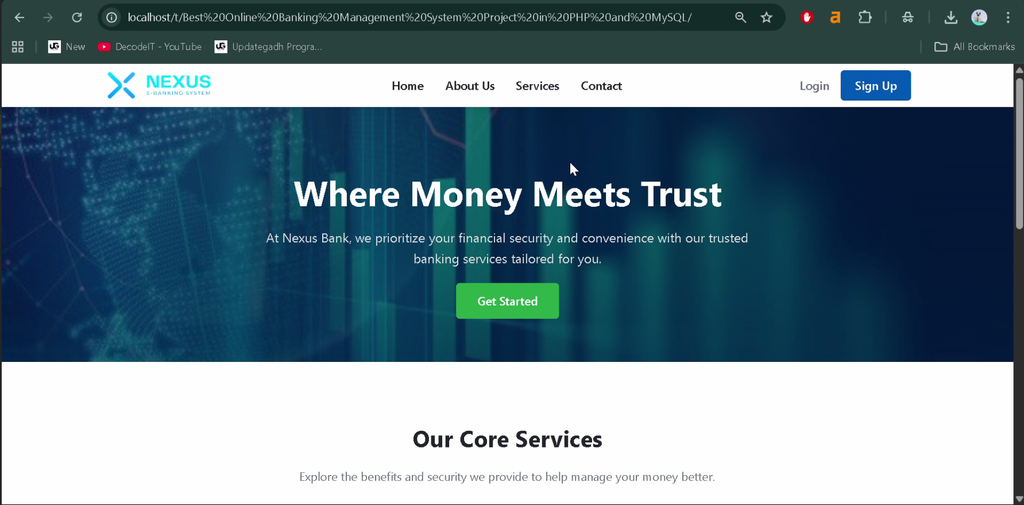
Screenshot
How to Install the Online Banking Management System in VS Code?
Follow these steps to configure the Online Banking Management System using a local PHP server and MySQL database.
Step 1: Install the Required Software
Install XAMPP or WAMP and Visual Studio Code on your computer.
Step 2: Extract the Project
Extract the project folder into the XAMPP htdocs directory. For example:
C:\xampp\htdocs\Online Banking Management System Using PHP and MySQLStep 3: Start Apache and MySQL
Open the XAMPP Control Panel and start the Apache and MySQL services.
Step 4: Create and Import the Database
Open phpMyAdmin, create a database named nexus_bank, and import the SQL file provided with the project. The SQL file may be located in the project’s database directory.
Step 5: Configure the Database Connection
Open the project’s database configuration file, such as config.php or db_connect.php, and verify the connection settings. An example using MySQLi is:
<?php
$host = "localhost";
$user = "root";
$pass = "";
$db = "nexus_bank";

$conn = new mysqli($host, $user, $pass, $db);

if ($conn->connect_error) {
    die("Connection failed: " . $conn->connect_error);
}
?>
Use the actual configuration file and connection method supplied with your project. Update the database name, username, or password if your local setup differs.
Step 6: Run the Project
Ensure Apache and MySQL are running, then open the project through its local XAMPP URL using the extracted folder name. The exact page depends on the project’s directory structure.
Why Is This Project Useful for Students?
The Online Banking Management System provides practical experience with PHP and MySQL integration, database-driven applications, account management, transaction workflows, authentication, and role-based access control.
BCA, MCA, and computer science students can use the project to study how different modules work together, from managing account records to processing loan requests and generating transaction reports. It also introduces important concepts related to validation and the handling of sensitive financial information.
Frequently Asked Questions
1. Which programming language is used in this project?
The project uses PHP, HTML, CSS, and JavaScript.
2. Which database does the Online Banking Management System use?
The project uses MySQL to store banking-related records.
3. Can users apply for loans?
Yes. Users can submit loan applications and track their approval status.
4. Can users download transaction receipts?
Yes. The listed features include downloadable PDF transaction receipts.
5. Is this connected to a real bank?
The project is described as a banking simulation for learning. The supplied information does not indicate integration with real banking networks or financial services.
Final Thoughts
The Online Banking Management System using PHP and MySQL provides an educational example of how banking-related functions can be organized within a web application. Account management, transactions, loan processing, investment plans, and administrative reports help demonstrate the connection between frontend interfaces and backend database operations.
Online Banking Management System, Online Banking Management System, PHP MySQL Project, Bank Management System, Banking Web Application, BCA Project, MCA Project, UPDATEGADH,Online Banking Management System Using, Online Banking Management System Using, banking management system use case diagram, online banking management system use case diagram, online banking system using java, online banking system using html, online banking system using jsp, online banking system using asp net