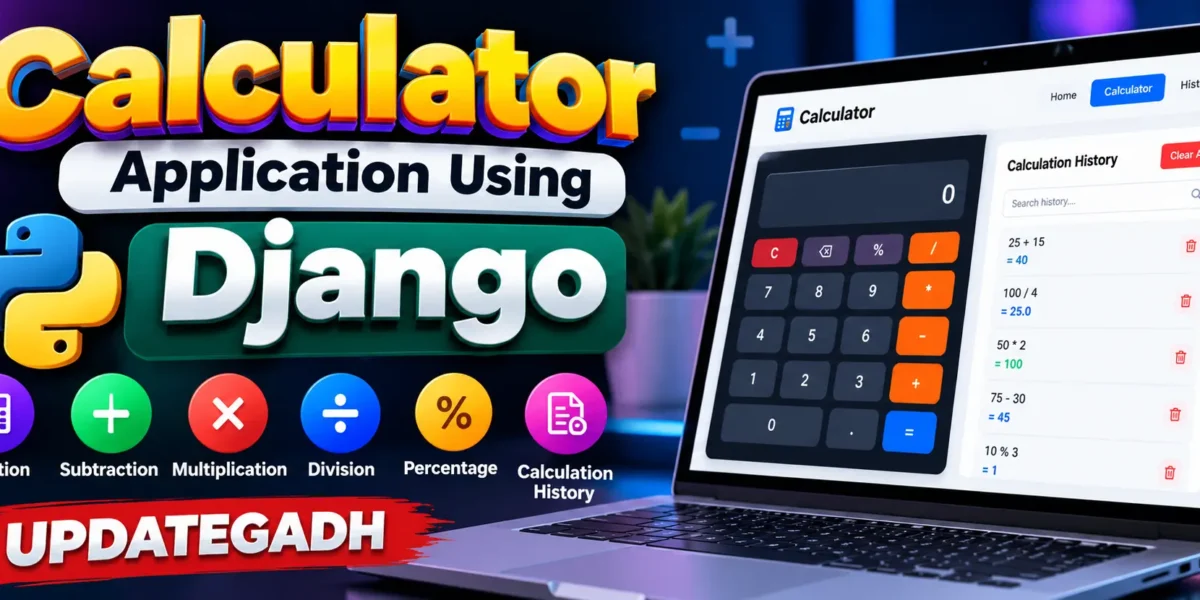
Calculator Application Using Django
The Calculator Application Using Django is a practical web application designed to perform common arithmetic calculations through a clean and responsive browser interface. The project supports addition, subtraction, multiplication, division, percentage-based calculations, decimal values, clearing the display, and deleting the last entered character. A Django backend handles calculation requests and stores completed calculations in an SQLite database, making the project more suitable for a medium-level college submission than a calculator that works only inside the browser.
The interface uses a focused calculator workspace. Users can enter values through the on-screen keypad or use their computer keyboard. After a calculation is completed, the result is returned to the interface and the calculation is stored in the history module. The project demonstrates frontend interaction and backend data handling while remaining understandable for students.
Complete Advance AI Topics: Click Here
Real Time Projects on YouTube:- DecodeIT
Project Overview
| Project Name | Technology Used |
|---|---|
| Calculator Application Using Django | HTML, CSS, JavaScript, Python, Django |
| Database | SQLite |
| Type | Web Application |
Project Introduction
Calculators are among the simplest examples of interactive software, but they can also demonstrate several important web-development concepts. This project uses the calculator idea to connect a browser-based user interface with a Django application. The frontend collects the arithmetic expression, JavaScript manages keypad interaction, and the Django backend validates and evaluates the expression before returning the result. Completed calculations are saved so that users can review them later.
The project remains focused and avoids unrelated modules or complicated architecture. It provides a clear workflow from entering an expression to receiving a result and reviewing previous calculations. This makes it suitable for students studying HTML, CSS, JavaScript, Python, Django routing, views, models, templates, and SQLite database operations.
Key Features
- User-friendly calculator interface: The main page provides a keypad and a large display area for expressions and results.
- Arithmetic operations: Users can perform addition, subtraction, multiplication, and division.
- Percentage/modulo support: The keypad also provides the percentage operator for additional basic arithmetic use.
- Decimal values: Decimal numbers can be entered when a calculation requires fractional values.
- Clear and erase functions: AC clears the current expression, while DEL removes the most recently entered character.
- Keyboard support: Numbers and supported operators can be entered directly from a computer keyboard. Enter calculates, Backspace removes a character, and Escape clears the expression.
- Calculation history: Completed calculations are stored in SQLite with their expression, result, and creation time.
- History search: Users can search saved expressions or results.
- History management: Individual calculations can be deleted, or the complete history can be cleared.
- Django administration: Stored calculation records can also be managed through the Django admin interface.
- Responsive layout: The interface adjusts for desktop and smaller screens.
User Workflow
The application follows a workflow. A user opens the calculator page and enters an expression using the keypad or keyboard. When the equals button is selected, JavaScript sends the expression to the Django calculation endpoint. The server validates the expression and performs the permitted arithmetic operation. The result is returned to the browser without requiring a complete page reload. When successful, the expression and result are saved as a calculation record.
The user can then continue another calculation or open the History page. The History page lists saved records with their expressions, results, and timestamps. A search field can filter the records, while the delete controls allow individual entries to be removed. A separate clear-history action removes all stored calculation records.
Download complete source code
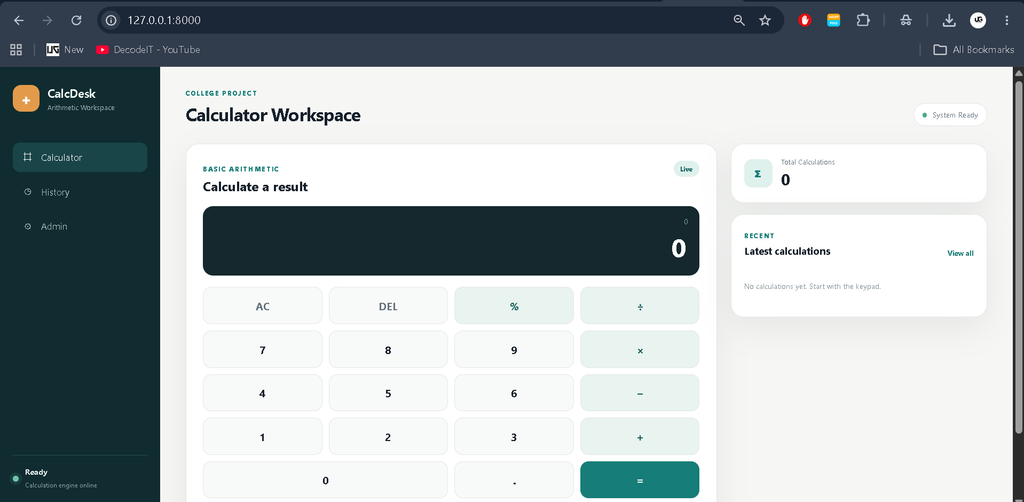
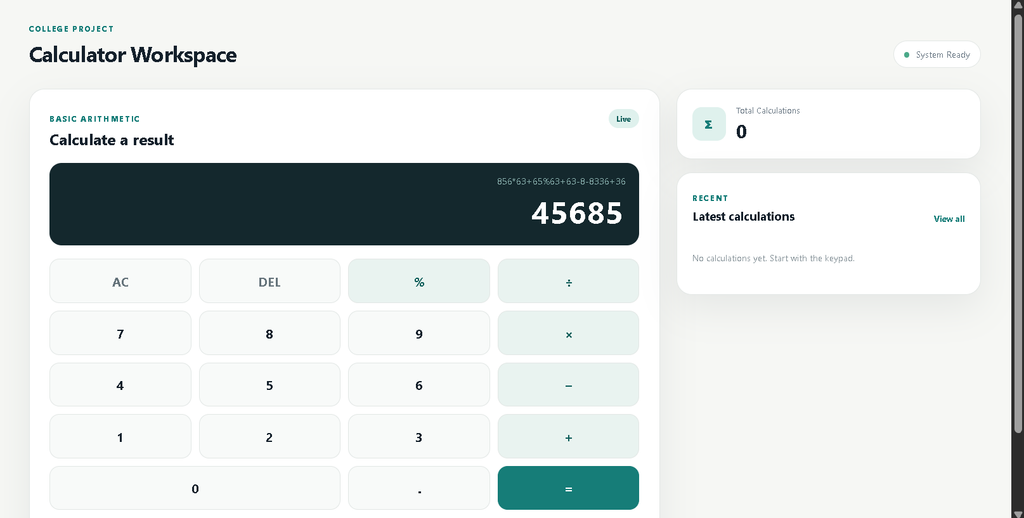
Screenshot
Project Modules
Calculator Module
The calculator module is the primary part of the application. It contains the display, keypad, operation buttons, clear and delete controls, and recent-calculation area. JavaScript manages the interactive keypad and communicates with the Django backend when the user requests a calculation.
Calculation Processing
The Django backend receives the expression through a POST request. Instead of directly executing arbitrary Python code, the project parses the expression and permits only selected arithmetic syntax. Supported binary operations include addition, subtraction, multiplication, division, modulo, and exponentiation with a restricted range. Invalid expressions and division by zero are rejected with an appropriate message.
Calculation History
The history module stores successful calculations using a Django model. Each record contains the expression, result, and creation timestamp. The module provides search, individual deletion, and clear-all functionality. These features introduce useful database CRUD concepts without making the project unnecessarily large.
Admin Module
Django’s built-in administration interface is configured for the Calculation model. An administrator can search records, filter them by creation date, and review stored expressions and results.
Technology Stack
- HTML: Builds the structure of the calculator, history page, navigation, forms, and tables.
- CSS: Provides the responsive professional interface, calculator keypad, panels, buttons, tables, and mobile layout.
- JavaScript: Handles keypad interaction, keyboard shortcuts, display updates, validation feedback, and asynchronous calculation requests.
- Python: Provides the application logic and server-side calculation processing.
- Django: Manages URL routing, views, templates, models, administration, CSRF protection, and database communication.
- SQLite: Stores completed calculation history without requiring a separate database server.
Installation and Setup
First, extract the project folder and open it in Visual Studio Code or another Python-supported editor. Create and activate a virtual environment so that the Django dependency remains isolated from other Python projects.
python -m venv venvOn Windows, activate the environment with:
venv\Scripts\activateInstall the required dependency:
pip install -r requirements.txtNext, create the SQLite database tables by running the Django migration command:
python manage.py migrateStart the development server:
python manage.py runserverOpen the local Django address shown in the terminal, normally http://127.0.0.1:8000/. The calculator workspace should appear in the browser. The project does not require a separate MySQL server because SQLite is configured as the default database.
Usage
Use the number buttons to enter values and select an arithmetic operator between them. Press the equals button to calculate the expression. For example, a user can enter a simple addition, multiplication, subtraction, or division expression and immediately receive the result. The AC button resets the current input, while DEL removes the last character. Keyboard users can enter supported symbols directly and use Enter for calculation.
After a successful calculation, open the History section from the sidebar to review saved results. Use the search field to locate an expression or result. Individual entries can be deleted when they are no longer needed, and the clear-history option can remove the complete stored history.
Frequently Asked Questions
1. Does the project require MySQL?
No. The project uses SQLite, so no separate database server is required.
2. Can the calculator perform addition, subtraction, multiplication, and division?
Yes. These are the primary arithmetic operations supported by the application.
3. Can users use a keyboard instead of the buttons?
Yes. Numbers and supported arithmetic operators can be entered through the keyboard, with Enter used to calculate.
4. Are calculations saved?
Successful calculations are saved in the SQLite database and displayed in the History section.
5. Can history entries be removed?
Yes. The project supports individual deletion as well as clearing the complete calculation history.
Future Scope
- Add scientific calculator operations such as square root, trigonometric functions, and logarithms.
- Introduce optional user accounts so each user can maintain a separate calculation history.
- Add export functionality for calculation history in a suitable file format.
- Provide additional accessibility options and configurable calculator preferences.
Conclusion
The Calculator Application Using Django provides a practical example of how a simple arithmetic concept can be developed into a complete web-based college project. It combines a responsive HTML and CSS interface with JavaScript interaction, Django backend processing, and SQLite data storage. The project includes the core calculator operations described in the original concept while adding connected history management and safe server-side evaluation to create a more complete application workflow. Because the structure remains focused and understandable, students can study individual components and see how frontend actions, Django views, models, templates, and database records work together in a real project.
Keywords:
Calculator Application
Calculator Application – Google Search
calculator application for windows
calculator application download
calculator application in java
calculator applications uil
calculator applications uil practice test
calculator application lock
ilr calculator application
ethiopian salary calculator application
citizenship application calculator