ATM Simulator Using Python
Introduction
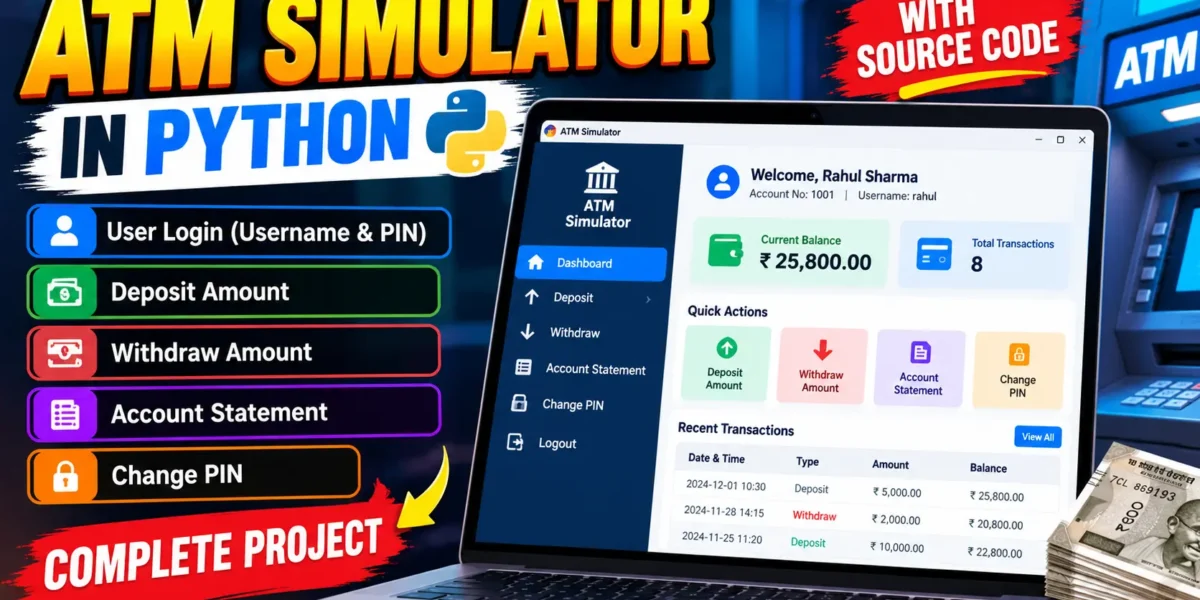
The ATM Simulator in Python is a desktop-based banking practice application that demonstrates how common ATM operations can be organized into a connected software workflow. Instead of limiting the project to a few console inputs, this version provides a clean graphical interface where a user can sign in with a username and PIN, view account information, check transaction history, deposit money, withdraw money, and change the PIN. The project is designed as a medium-level college application, so the implementation remains understandable while still demonstrating authentication, database operations, validation, transaction management, and a professional user interface.
The application uses Python with Tkinter for the interface and SQLite for local data storage. Both technologies are available with standard Python installations, so the project does not require a separate database server. A small dashboard gives the signed-in user a clear overview of the account and quick access to the main ATM services.
Table of Contents
Complete Advance AI Topics: Click Here
Real Time Projects on YouTube:- DecodeIT
Project Overview
| Project Name | ATM Simulator |
|---|---|
| Language Used | Python |
| Interface | Tkinter Desktop UI |
| Database | SQLite |
Available Features
- Username and PIN based sign in.
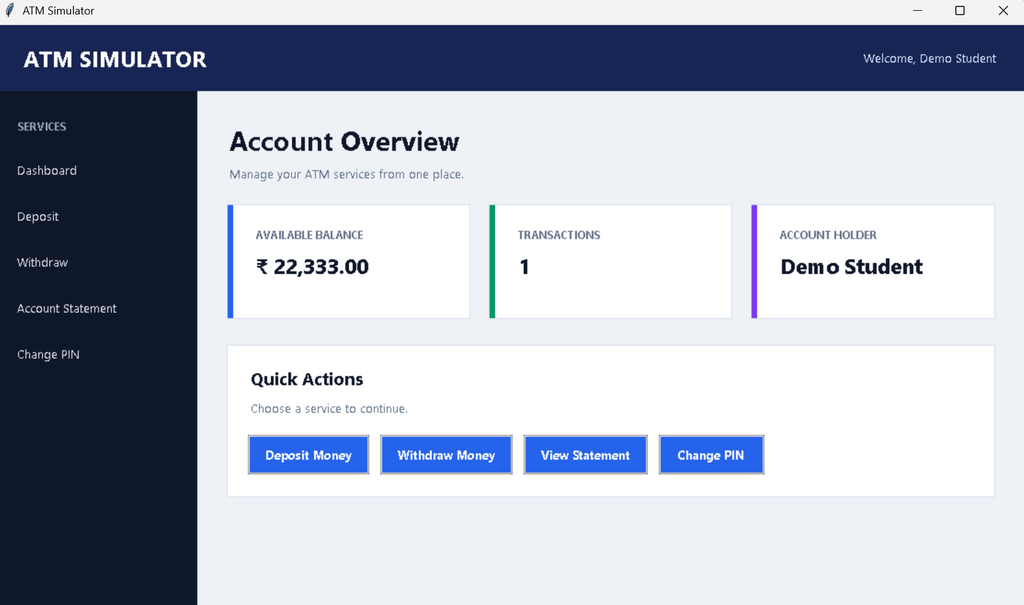
- Dashboard showing the current account balance.
- Deposit amount functionality.
- Withdrawal functionality with balance validation.
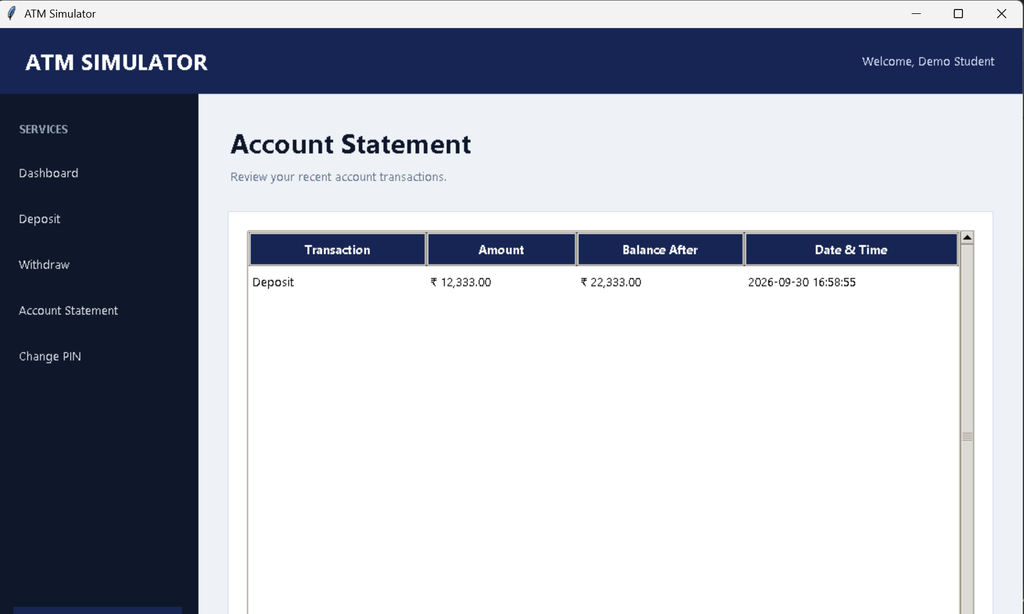
- Account statement with transaction history.
- PIN change facility with confirmation.
- Input validation and user-friendly error messages.
- Logout option for ending the current session.
- SQLite database storage for account and transaction records.
Technology Used
Python is used for the application logic, Tkinter provides the graphical interface, and SQLite stores account and transaction information. The project uses Python’s built-in sqlite3 module, which means there is no need to configure MySQL or another external database server. The interface uses Tkinter and themed widgets to create a structured ATM dashboard with navigation buttons, information cards, forms, and tables.
Project Modules
Login Module
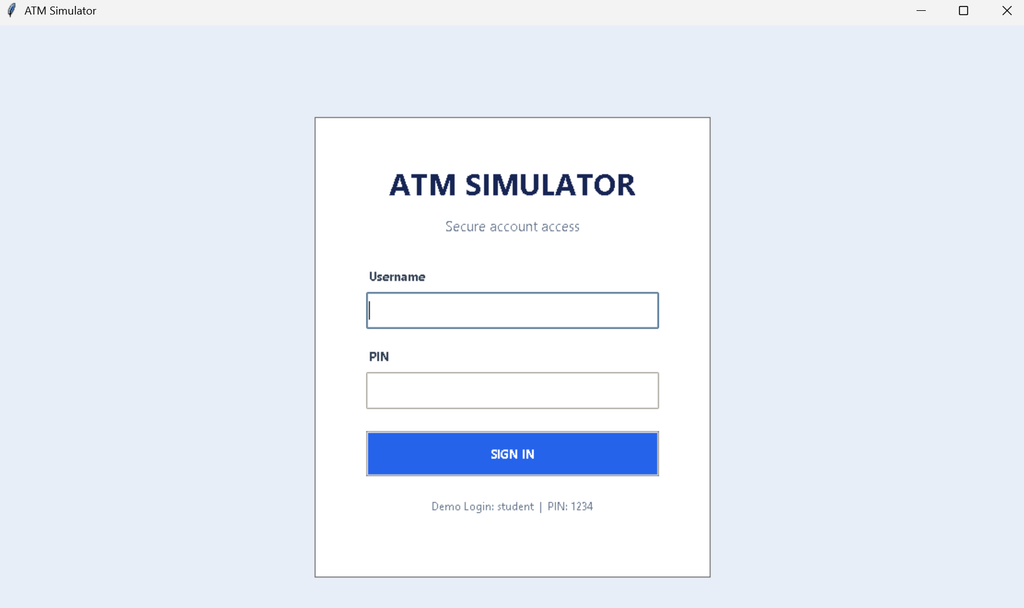
The login screen accepts a username and PIN. The entered details are checked against the account information stored in SQLite. A valid login opens the user’s dashboard, while incorrect credentials produce a clear validation message without exposing stored account information.
Dashboard Module
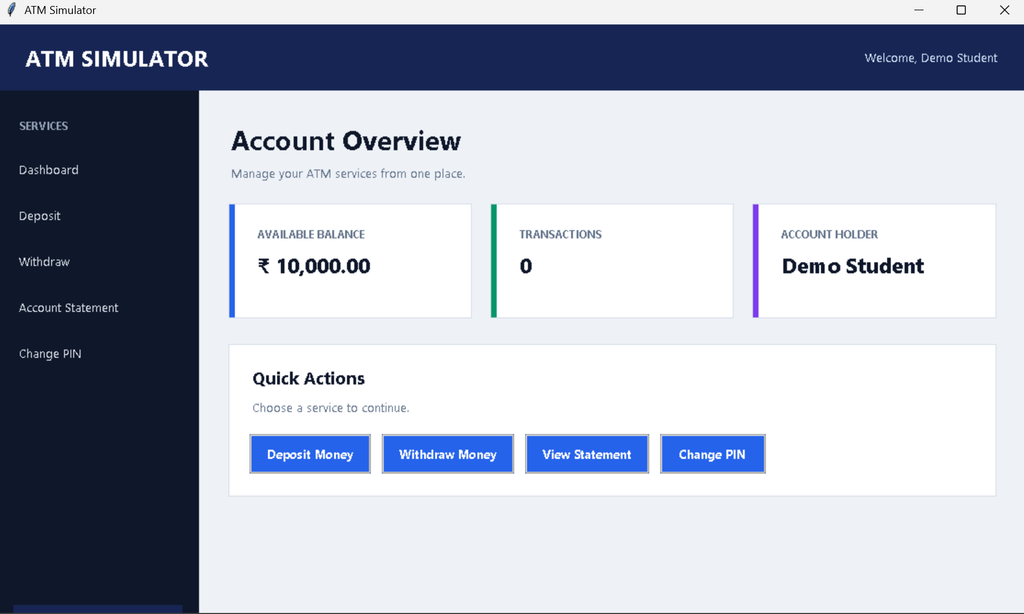
After authentication, the dashboard displays the account holder’s name, current balance, and transaction-related information. Navigation controls allow the user to open the deposit, withdrawal, statement, and PIN change sections. A sidebar provides a consistent way to move between services and log out.
Deposit Module
The deposit screen accepts a positive amount and updates the account balance after validation. Each successful deposit is also recorded as a transaction so that it can appear later in the account statement.
Withdrawal Module
The withdrawal screen checks that the amount is valid and that sufficient funds are available. The balance is reduced only after the validation succeeds. Every completed withdrawal is stored in the transaction history with its date and transaction type.
Account Statement
The statement section presents recent transaction records in a table. Users can review deposits and withdrawals along with the amount and transaction date. This keeps the original account-statement feature while making it easier to read than plain terminal output.
Change PIN
The PIN change form asks for the current PIN and a new PIN. The new value must satisfy the application’s validation rules and the user must confirm it before the database is updated. This prevents accidental changes caused by mismatched input.
Download complete source code
Screenshot
Project Structure
The project can be kept simple with a small structure that is easy to submit and explain during a college demonstration. The main file contains the Tkinter interface, authentication workflow, database helper functions, transaction processing, and validation logic. A local SQLite database file is generated automatically when the program starts. This arrangement avoids unnecessary setup while still keeping the application organized into reusable functions. During a project presentation, students can explain the application in three layers: the interface collects user input, the Python logic validates and processes the request, and SQLite stores the resulting account or transaction data.
Important Project Note
This application is an educational ATM simulation and should not be treated as real banking software. The local PIN and account data are intended for demonstration purposes only. A production banking system would require substantially stronger security, regulated infrastructure, protected credentials, auditing, and additional controls. For a college project, however, this implementation provides a useful practical example of how authentication and financial-style transactions can be connected to a database-driven desktop interface.
How the System Works
The application starts by creating the required SQLite tables and inserting a sample account when the database is first initialized. The user then reaches the login screen. After successful authentication, the application stores the logged-in account identifier in the current session and loads the dashboard.
When a financial operation is completed, the application updates the account balance and creates a corresponding transaction record. This provides a simple relationship between the account and its activity. When the user opens the statement page, the stored records are retrieved from SQLite and displayed in reverse chronological order. Logging out clears the active session and returns the user to the login screen.
Installation and Setup
First, install Python on the computer and verify the installation from a terminal:
python --versionCreate a project folder and save the main program as atm_simulator.py. No external Python package is required because Tkinter and SQLite are included with standard Python distributions on typical desktop installations.
Run the application from the project directory with:
python atm_simulator.pyOn the first launch, the program automatically creates an SQLite database file and prepares a sample account. The demonstration login details are shown on the login screen so the project can be tested immediately.
How to Use the Application
Enter the sample username and PIN to sign in. Once the dashboard opens, select a service from the sidebar. For a deposit, enter a positive amount and submit it. For a withdrawal, enter an amount that does not exceed the available balance. Open Account Statement to review stored transactions. To change the PIN, enter the existing PIN, provide a new valid PIN, and confirm it. Select Logout when the session is finished.
Validation and Error Handling
The project checks empty fields, numeric amounts, positive transaction values, sufficient balance, valid PIN values, and matching confirmation fields. These checks are important because banking-style applications should not accept invalid transaction data. Database operations are also handled through controlled functions so that common user mistakes result in readable messages instead of application crashes.
Frequently Asked Questions
1. Which programming language is used?
The application is developed using Python.
2. Which database does the project use?
It uses SQLite, a lightweight database included with Python through the sqlite3 module.
3. Is an internet connection required?
No. The project is designed as a local desktop application and does not depend on an online service.
4. Can the account statement be viewed?
Yes. The Account Statement section displays the stored deposit and withdrawal records.
5. Can the PIN be changed?
Yes. A logged-in user can change the existing PIN after passing the validation checks.
Future Scope
- Add support for multiple customer accounts and an administrator module.
- Introduce account-number based login in addition to the username.
- Add printable transaction statements and simple monthly summaries.
- Provide configurable transaction limits for withdrawals and deposits.
- Add more detailed audit information for account activities.
Conclusion
The ATM Simulator in Python is a practical college project that combines a graphical interface, authentication, database storage, transaction processing, and validation in one connected application. It keeps the original ATM functionality at the center while presenting those functions through a more organized desktop experience. The project is suitable for students learning Python because its modules can be understood independently, while the complete workflow demonstrates how interface code, business logic, and database operations work together. It can also serve as a foundation for future improvements without requiring an unnecessarily complex architecture.
Keywords:
ATM Simulator in Python, ATM Machine Project in Python, ATM Program in Python, ATM Simulation Python Project, Python ATM Project, ATM Management System in Python, ATM Project Source Code, ATM Simulator Python Source Code, ATM Machine Python Program, Python Banking Project, ATM Desktop Application Python, ATM System Using Python, ATM Project for Students, Python College Project, Python Mini Project, Python GUI Project, Tkinter ATM Project, ATM Simulator Using Tkinter, Python SQLite Project, ATM Management System Using Python and SQLite, Banking Management System Python, Python ATM Application,ATM Simulator in Python with Source Code How to Create ATM Simulator in Python ATM Machine Project in Python Using Tkinter ATM Management System Project in Python ATM Program in Python Using Functions ATM Simulator Using Python and SQLite ATM Project for College Students Python ATM Simulator Complete Project ATM Machine Simulation Using Python ATM Banking System Python Project ATM Simulator Python GUI Project ATM Program in Python with Database ATM Management System Using Tkinter and SQLite ATM Simulator Project Source Code in Python,ATM Simulator Using Python,ATM Simulator