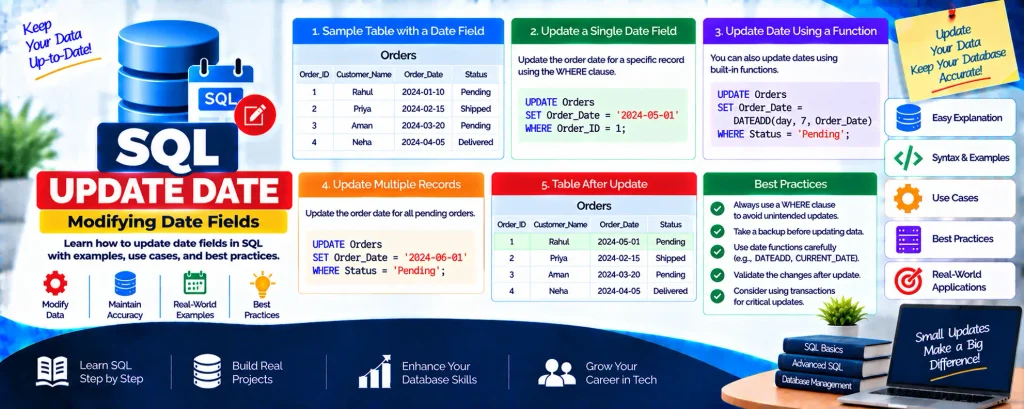
SQL UPDATE DATE: Modifying Date Fields
Updating a date or datetime field is a common task when managing records that include timestamps. This guide shows you exactly how to use the UPDATE statement to change date and time values safely.
Complete Advance AI Topics: Click Here
SQL Tutorial: Click Here
Syntax
UPDATE Table_Name
SET Column_Name = 'YYYY-MM-DD HH:MM:SS'
WHERE Id = value;
Example: Update an Employee Joining Date
UPDATE EmployeeRecords
SET JoiningDate = '2024-02-20 08:45:00'
WHERE Id = 1;
Update to the Current Date/Time
-- MySQL
UPDATE EmployeeRecords SET JoiningDate = NOW() WHERE Id = 1;

-- SQL Server
UPDATE EmployeeRecords SET JoiningDate = GETDATE() WHERE Id = 1;

-- Standard SQL
UPDATE EmployeeRecords SET JoiningDate = CURRENT_TIMESTAMP WHERE Id = 1;
Add or Subtract Days from a Date
-- MySQL: extend by 30 days
UPDATE EmployeeRecords
SET JoiningDate = DATE_ADD(JoiningDate, INTERVAL 30 DAY)
WHERE Id = 1;
Important Notes
- SQL appends
00:00:00when no time is provided to a DATETIME column. - The
WHEREclause is critical ÔÇö without it, every row gets updated. - Always run a
SELECTwith the same WHERE first to preview the affected rows.
Download New Real Time Projects:- Click here
Complete Advance AI topics:-
Conclusion
Updating date fields in SQL is simple with a clear SET column = value pattern. Use NOW(), GETDATE(), or CURRENT_TIMESTAMP for current time, and always include a precise WHERE clause. For more SQL tutorials, stay connected with .
update date in sql w3schools
update sql date format dd/mm/yyyy
sql server update datetime automatically
sql set datetime to specific date
update date in sql oracle
mysql update datetime
sql update date example
sql update date now