Skip to content
  • SiteMap
  • Our Services
  • Frequently Asked Questions (FAQ)
  • Support
  • About Us

UpdateGadh

Update Your Skills.

  • Home
  • Projects
    •  Blockchain projects
    • Python Project
    • Data Science
    •  Ai projects
    • Machine Learning
    • PHP Project
    • React Projects
    • Java Project
    • SpringBoot
    • JSP Projects
    • Java Script Projects
    • Code Snippet
    • Free Projects
  • Tutorials
    • Ai
    • Machine Learning
    • Advance Python
    • Advance SQL
    • DBMS Tutorial
    • Data Analyst
    • Deep Learning Tutorial
    • Data Science
    • Nodejs Tutorial
  • Blog
  • Contact us
  • Toggle search form
SQL OR Condition in SQL Queries

SQL OR Condition in SQL Queries

Posted on February 4, 2025February 4, 2025 By Rishabh saini No Comments on SQL OR Condition in SQL Queries

SQL OR Condition in SQL Queries

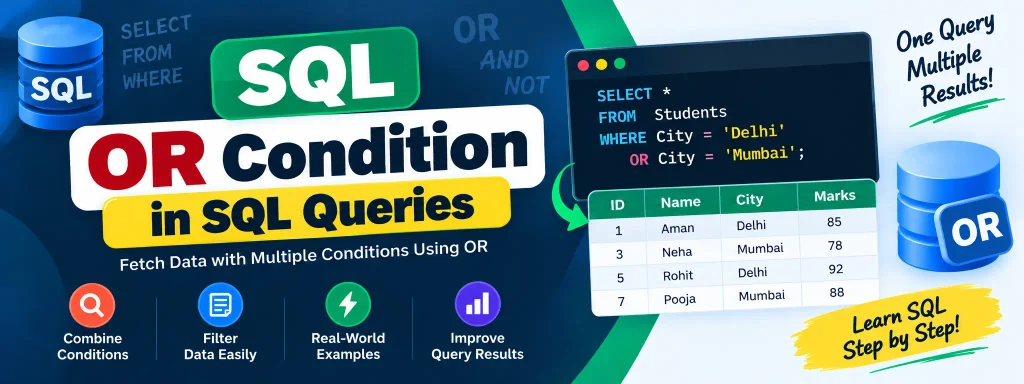
The SQL OR condition is a powerful operator used in SQL queries to fetch records when at least one of the specified conditions is met. It can be used in various SQL statements, such as SELECT, INSERT, UPDATE, and DELETE. This operator is particularly useful when filtering data based on multiple criteria.

Complete Python Course with Advance topics:-Click Here
SQL Tutorial :-Click Here

SQL OR Syntax

SELECT columns FROM table_name WHERE condition_1 OR condition_2;

Understanding SQL OR with Examples

To better understand the SQL OR condition, consider the following emp table:

IDFirst_NameLast_NameDepartmentLocation
1RajeshSharmaHRDelhi
2PoojaVermaITMumbai
3ArjunThakurITKolkata
4NishaGuptaITKolkata
5VikramSinghMarketingPune
6SimranMehtaFinanceBangalore
7AnjaliKapoorFinanceBangalore

SQL OR Condition with SELECT Statement

Example 1: Fetch Employees from IT Department or Located in Kolkata

SELECT * FROM emp WHERE Department = "IT" OR Location = "Kolkata";

Result:

IDFirst_NameLast_NameDepartmentLocation
2PoojaVermaITMumbai
3ArjunThakurITKolkata
4NishaGuptaITKolkata

Explanation: The query retrieves all records where the Department is IT or Location is Kolkata.

Example 2: Fetch Employees from Marketing Department or Located in Noida

SELECT * FROM emp WHERE Department = "Marketing" OR Location = "Noida";

Result:

IDFirst_NameLast_NameDepartmentLocation
5VikramSinghMarketingPune
7AnjaliKapoorFinanceBangalore

Explanation: The query retrieves all employees who belong to the Marketing department or are located in Noida.

SQL OR Condition with UPDATE Statement

Example 1: Change the location of marketing employees whose last name is “Thakur” to “Chennai.”

UPDATE emp SET Location = "Chennai" WHERE Department = "Marketing" OR Last_Name = "Thakur";

Updated Table:

IDFirst_NameLast_NameDepartmentLocation
1RajeshSharmaHRDelhi
2PoojaVermaITMumbai
3ArjunThakurITChennai
4NishaGuptaITKolkata
5VikramSinghMarketingChennai
6SimranMehtaFinanceBangalore
7AnjaliKapoorFinanceBangalore

Explanation: Since the condition is based on an OR operator, employees either in Marketing or with the last name ‘Thakur’ got their location updated to Chennai.

Example 2: Change the Department to ‘HR’ for Finance Employees whose First Name is ‘Anjali’

UPDATE emp SET Department = "HR" WHERE Department = "Finance" OR First_Name = "Anjali";

Updated Table:

IDFirst_NameLast_NameDepartmentLocation
1RajeshSharmaHRDelhi
2PoojaVermaITMumbai
3ArjunThakurITChennai
4NishaGuptaITKolkata
5VikramSinghMarketingChennai
6SimranMehtaHRBangalore
7AnjaliKapoorHRBangalore

Explanation: Employees in Finance or those whose first name is Anjali had their department changed to HR.

SQL OR Condition with DELETE Statement

Example 1: Delete Employees whose Last Name is ‘Kapoor’ or Located in Bangalore

DELETE FROM emp WHERE Last_Name = "Kapoor" OR Location = "Bangalore";

Updated Table:

IDFirst_NameLast_NameDepartmentLocation
1RajeshSharmaHRDelhi
2PoojaVermaITMumbai
3ArjunThakurITChennai
4NishaGuptaITKolkata
5VikramSinghMarketingChennai

Explanation: Since Kapoor and employees in Bangalore meet the OR condition, those records were deleted.

Example 2: Delete Employees from Marketing Department or Located in Chennai

DELETE FROM emp WHERE Department = "Marketing" OR Location = "Chennai";

Final Updated Table:

IDFirst_NameLast_NameDepartmentLocation
1RajeshSharmaHRDelhi
2PoojaVermaITMumbai
4NishaGuptaITKolkata

Explanation: Since employees from Marketing and those located in Chennai met the OR condition, they were deleted.

Download New Real Time Projects :-Click here
Complete Advance AI topics:- CLICK HERE

Conclusion

The SQL OR condition provides flexibility when filtering records in SQL queries. Whether using SELECT, UPDATE, or DELETE statements, the OR operator ensures that data is retrieved, modified, or removed when at least one condition is met. This makes it a powerful tool in database management and decision-making processes.

Stay tuned to UpdateGadh for more SQL tutorials and database management tips!


sql where multiple conditions
multiple if condition in sql select query
sql case when multiple conditions
having clause in sql
sql if statement
joins in sql
case statement in sql
sql conditional select
sql condition in sql queries w3schools
sql condition in sql queries oracle
SQL OR Condition in SQL Queries

Post Views: 489
SQL Tutorial Tags:how to write queries in sql, how to write sql queries, learn sql queries, normalization in dbms, practice sql queries, practice sql queries using joins, rank function in sql, solving sql queries, sql basic queries, sql join queries, sql queries, sql queries using joins, sql queries using window function, sql questions asked in interview, subqueries in sql, what is normalization in dbms, window function in sql, window function sql queries

Post navigation

Previous Post: How to Plot a Graph in Python
Next Post: Smart Chess AI with Python

More Related Articles

SQL INSERT Multiple Rows SQL INSERT Multiple Rows: A Time-Saving Technique SQL Tutorial
SQL DELETE DUPLICATE ROWS SQL DELETE DUPLICATE ROWS SQL Tutorial
SQL SELECT IN Operator SQL SELECT IN Operator SQL Tutorial

Leave a Reply Cancel reply

Your email address will not be published. Required fields are marked *

You may also like

  1. Understanding the SQL DELETE Statement and Its Variants
  2. SQL SELECT TOP Clause: A Comprehensive Guide
  3. SQL WITH Clause
  4. SQL UPDATE with JOIN
  5. Understanding SQL CROSS JOIN with Examples
  6. IN vs EXISTS in SQL: A Complete Guide

Most Viewed Posts

  1. Top Large Language Models in 2025
  2. Online Shopping System using PHP, MySQL with Free Source Code
  3. login form in php and mysql , Step-by-Step with Free Source Code
  4. Flipkart Clone using PHP And MYSQL Free Source Code
  5. News Portal Project in PHP and MySql Free Source Code
  6. User Login & Registration System Using PHP and MySQL Free Code
  7. Top 10 Final Year Project Ideas in Python
  8. Blog Site In PHP And MYSQL With Source Code || Best Project
  9. Online Bike Rental Management System Using PHP and MySQL
  10. E learning Website in php with Free source code
  • AI
  • ASP.NET
  • Blockchain
  • ChatCPT
  • code Snippets
  • Collage Projects
  • Data Science Project
  • Data Science Tutorial
  • DBMS Tutorial
  • Deep Learning Tutorial
  • Final Year Projects
  • Free Projects
  • How to
  • html
  • Interview Question
  • Java Notes
  • Java Project
  • Java Script Notes
  • JAVASCRIPT
  • Javascript Project
  • JSP JAVA(J2EE)
  • Machine Learning Project
  • Machine Learning Tutorial
  • MySQL Tutorial
  • Node.js Tutorial
  • PHP Project
  • Portfolio
  • Python
  • Python Interview Question
  • Python Projects
  • PythonFreeProject
  • React Free Project
  • React Projects
  • Spring boot
  • SQL Tutorial
  • TOP 10
  • Uncategorized
  • Agentic RAG AI System Using Python – Complete Final Year Project Guide
  • AI-Powered Online Examination System with Face Detection Using PHP & MySQL
  • Real-Time Medical Queue & Appointment System with Django
  • Online Examination System in PHP with Source Code
  • AI Chatbot for College and Hospital

Most Viewed Posts

  • Top Large Language Models in 2025 (8,632)
  • Online Shopping System using PHP, MySQL with Free Source Code (5,252)
  • login form in php and mysql , Step-by-Step with Free Source Code (4,913)

Copyright © 2026 UpdateGadh.

Powered by PressBook Green WordPress theme