
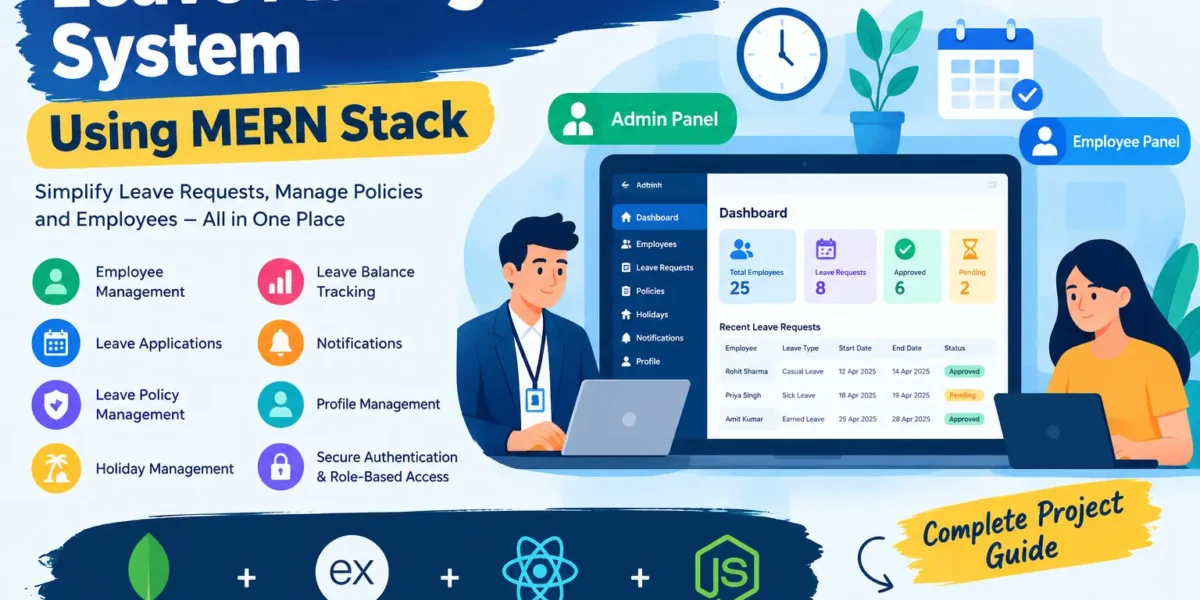
The Leave Management System Using MERN Stack is a full-stack web application designed to simplify employee leave requests, approvals, employee records, and leave policy management. It provides separate Admin and Employee panels to manage leave-related activities through a centralized platform.
Developed using MongoDB, Express.js, React.js, and Node.js, this project demonstrates how frontend interfaces, backend APIs, and database operations work together. It is a practical project for students who want to learn full-stack web development and understand employee leave management workflows.
Complete Advance AI Topics: Click Here
Real Time Projects on YouTube:- DecodeIT
Project Overview
| Project Detail | Description |
|---|---|
| Project Name | Leave Management System Using MERN Stack |
| Languages and Technologies | JavaScript, React.js, Express.js, Node.js |
| Database | MongoDB |
| Project Type | Full-Stack Web Application |
| User Roles | Admin and Employee |
Available Features
1. Authentication and Role-Based Access
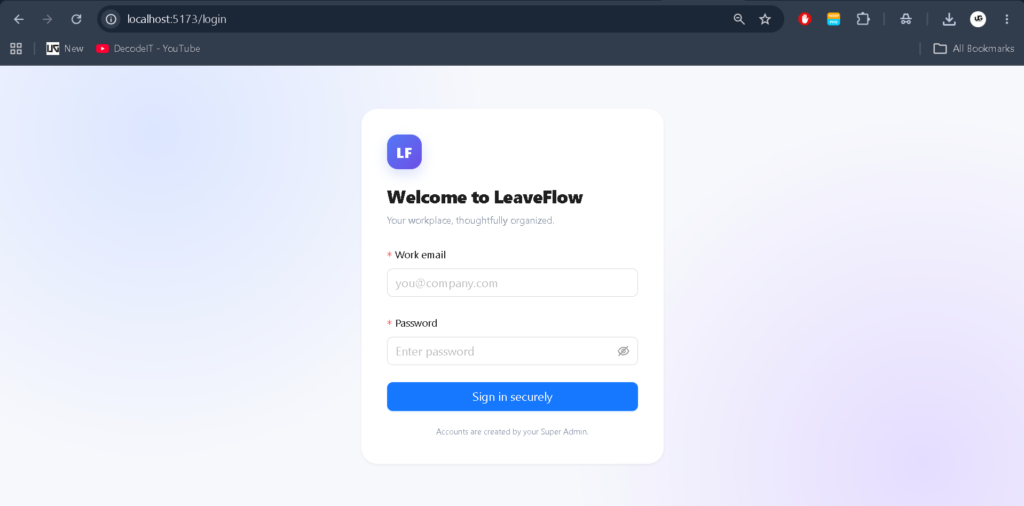
The application provides authentication functionality to control access. Admin and Employee roles have different responsibilities, with protected routes helping restrict access to appropriate modules.
2. Admin Dashboard
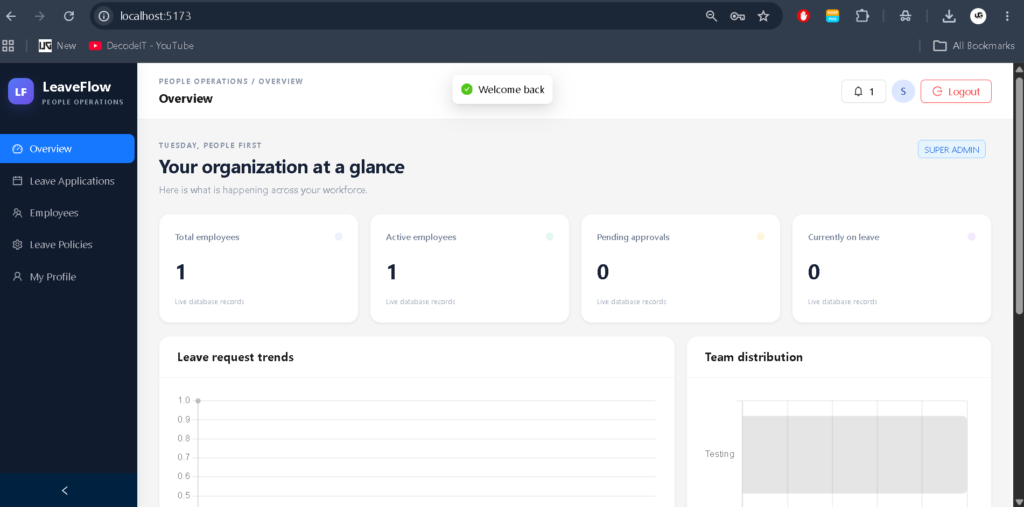
The Admin Dashboard provides centralized access to employee and leave management functionality. Administrators can review relevant information and manage available application modules.
3. Employee Management
Administrators can maintain employee-related records through the employee management module. Organized employee information helps associate leave applications with the correct users.
4. Leave Application Management
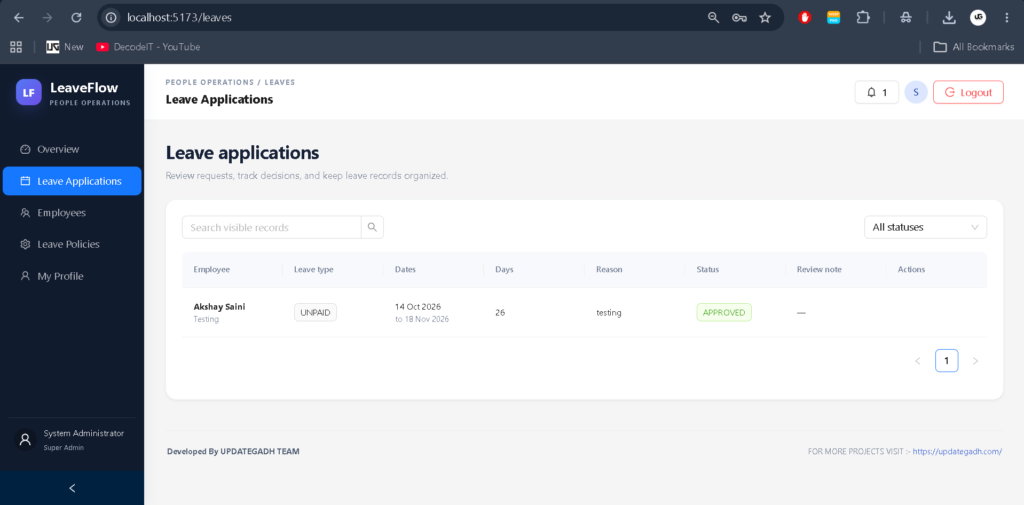
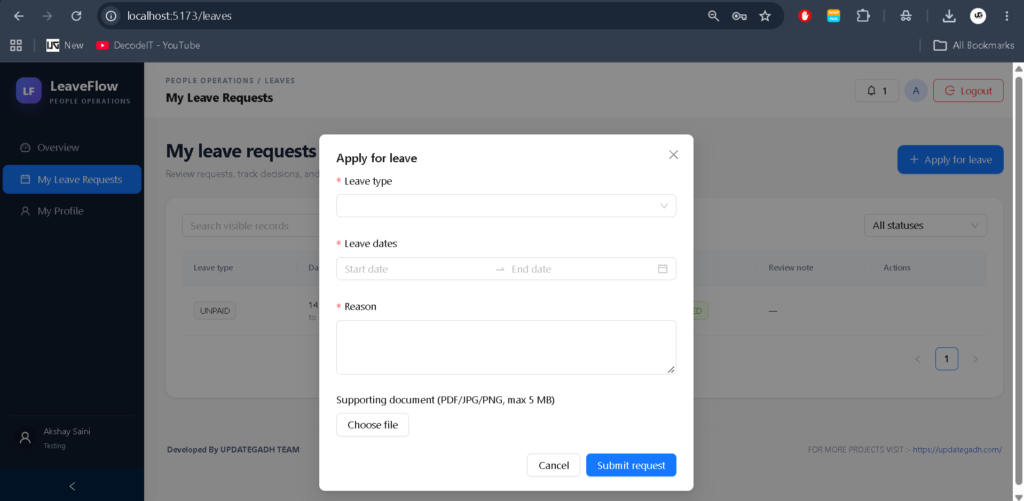
Employees can submit leave applications, while administrators can review requests and manage their status through the application’s approval workflow.
5. Leave Policy Management
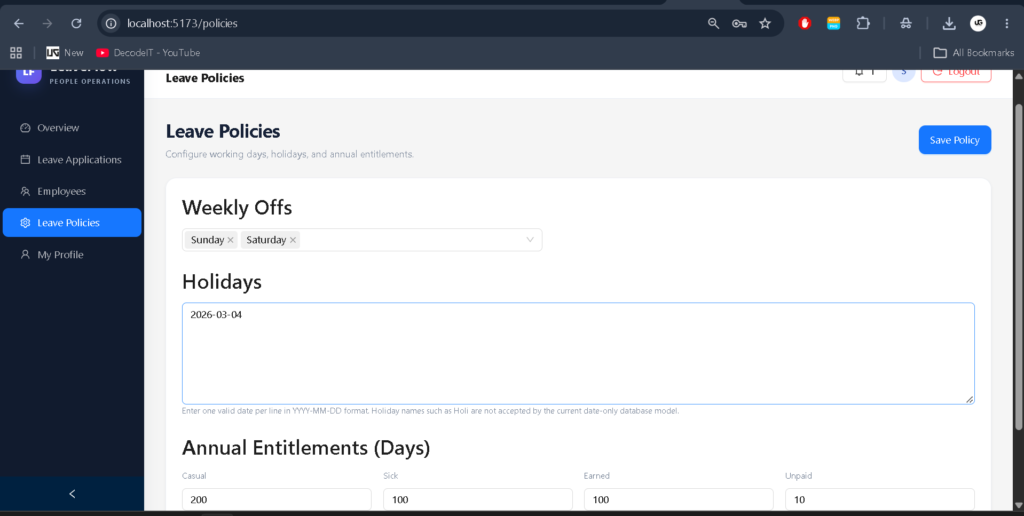
Administrators can configure leave categories and their limits, including Casual Leave, Sick Leave, Earned Leave, and Unpaid Leave, according to the available policy settings.
6. Leave Balance Tracking
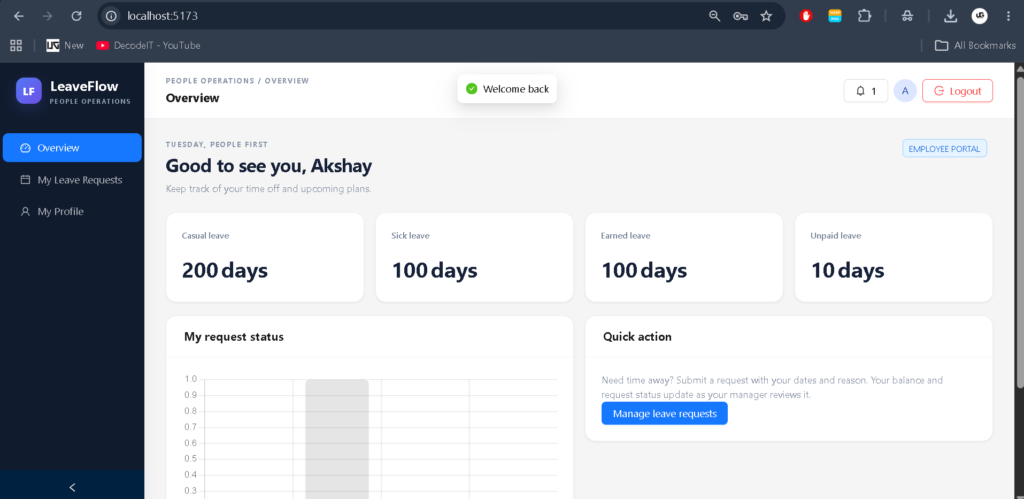
The employee dashboard provides leave balance information. Accurate calculations require the application to use applicable policy settings and relevant leave records consistently.
7. Holiday Management
The policy module supports holiday information. Holiday dates must follow the date format expected by the backend to avoid database validation errors.
8. Notifications
The application includes a notification module for managing leave-related updates according to the implemented workflow.
9. Profile Management
Users can access profile-related functionality where available in their respective panels.
Technology Stack
- MongoDB: Stores employee accounts, leave requests, policies, notifications, and related records.
- Express.js: Handles backend routing and API requests.
- React.js: Builds interactive Admin and Employee interfaces.
- Node.js: Runs the server-side JavaScript application.
- JavaScript: Supports frontend interactions and backend application logic.
Software and Tools Required
- Visual Studio Code
- Node.js and npm
- MongoDB or a configured MongoDB connection
- A modern web browser
- The extracted project source code
How to Download
The complete package is available so you can run, study, and submit it with confidence. It includes:
- Full Source Code
Screenshot
Installation Guide for VS Code
Step 1: Install Node.js
Install a Node.js version compatible with the project’s dependencies. Verify the installation using the terminal.
node --version
npm --version
Step 2: Open the Project
Extract the project ZIP file, open Visual Studio Code, and select the project folder through File > Open Folder.
Step 3: Install Backend Dependencies
Open a terminal in the backend directory and install the required packages.
cd backend
npm install
Step 4: Configure MongoDB
Locate the database configuration or environment file used by the backend. Configure a valid MongoDB connection string in the expected location. Keep database credentials and secret keys private.
Step 5: Install Frontend Dependencies
Open another terminal and navigate to the frontend directory.
cd frontend
npm install
Step 6: Start the Application
Check the scripts in the backend and frontend package.json files. Start each application using its configured development command. If the directory defines a dev script, run:
npm run devRun the command separately in each required directory. Open the frontend URL displayed in the terminal to access the application.
Usage Guide
Admin Role
The administrator can access the administrative interface to manage employee records, review leave requests, configure leave policies, and maintain holiday information where these functions are available.
Employee Role
Employees can access their panel to submit leave applications, review request status, and check their leave balance according to the application’s configured functionality.
Project Benefits
- Demonstrates practical full-stack development using the MERN stack.
- Helps students understand REST APIs and database integration.
- Introduces role-based access and leave approval workflows.
- Provides a foundation for developing employee management applications.
Future Enhancements
Possible enhancements include email alerts, calendar integration, downloadable leave reports, attendance integration, and more detailed analytics. These features should be added and tested before being presented as available functionality.
Final Thoughts
From a student’s perspective, the Leave Management System Using MERN Stack is a useful project for understanding how a complete web application operates. It combines React interfaces, Express APIs, Node.js server-side logic, and MongoDB data storage in a practical employee management scenario. Students can use the project to practise programming, database integration, validation, and application testing.
Frequently Asked Questions
1. What is a Leave Management System?
It is an application that helps manage employee leave requests, approvals, and leave-related records.
2. Which technologies are used in this project?
The project uses MongoDB, Express.js, React.js, and Node.js.
3. Which user roles are included?
The project is organized around Admin and Employee roles.
4. Can administrators change leave limits?
The policy management module supports configuring leave categories and their limits. The employee dashboard must use the updated policy values for consistent results.
5. Can this project be extended?
Yes. Features such as calendar integration, email alerts, and downloadable reports can be considered as future enhancements.
Keywords: Leave Management System Using MERN Stack, MERN Stack Leave Management Project, Employee Leave Management System, React Leave Management System, MongoDB Project, Node.js Project, Full-Stack Project,leave management system project leave management system github leave management system mern stack github employee leave management system mern stack github leave management system spring boot github leave management system project using java leave management system php github leave management system er diagram leave management system using mern github leave management system using mern stack github leave management system using mern stack leave management system using mern stack example
employee management system using mern, employee management system using react js, employee management system using reactjs, employee management system, employee management system in react, employee task management system, employee management system react, employee management system in react js, employee management system next js, employee attendance management system, employee management system project, employee management system next.js, node express employee management system employee management system using mern based web application github employee management system using mern based web application example employee management system using mern based web application node js
[…] Leave Management System Using MERN Stack :- Click Here […]