
Introduction
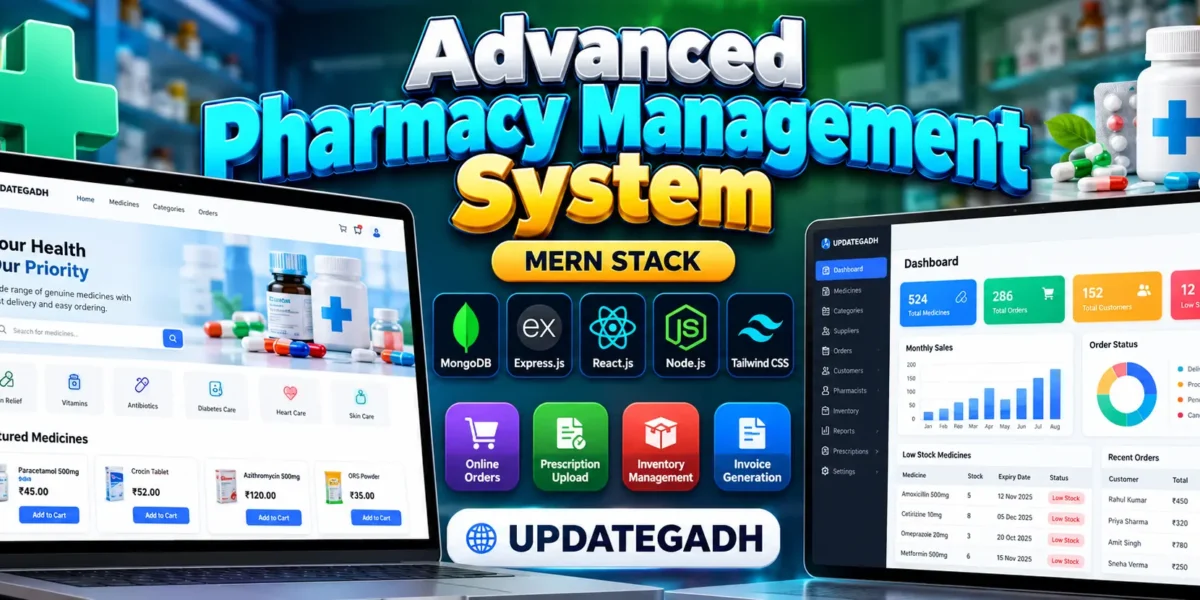
The Pharmacy Management System Using MERN Stack is a web-based application developed using the MERN Stack: MongoDB, Express.js, React.js, and Node.js, with Tailwind CSS for responsive user interface design. The project helps manage pharmacy operations such as medicine records, stock availability, customer orders, supplier information, prescription reviews, and sales reports through a centralized platform.
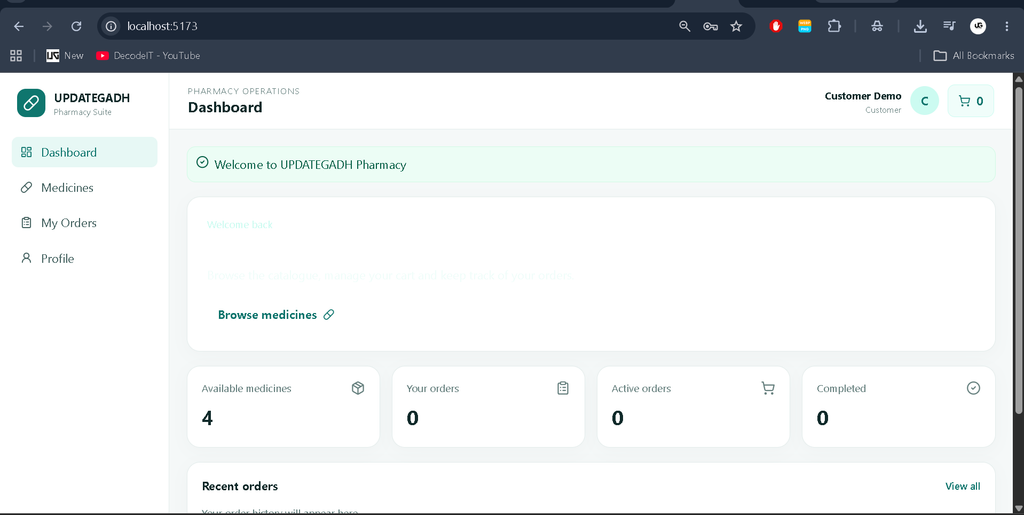
The system provides separate interfaces for administrators, pharmacists, and customers. Customers can browse medicines, add products to their shopping cart, place orders, and track order status. Authorized staff can manage medicine inventory, review prescriptions, update orders, and monitor pharmacy operations. This project is suitable for students and developers who want to understand full-stack web development through a practical pharmacy management application.
Project Overview
| Project Detail | Description |
|---|---|
| Project Name | Advanced Pharmacy Management System |
| Frontend | React.js, Tailwind CSS |
| Backend | Node.js, Express.js |
| Database | MongoDB |
| Authentication | JWT and bcrypt password hashing |
| Application Type | Full-Stack Web Application |
| User Roles | Admin, Pharmacist, Customer |
Complete Advance AI Topics: Click Here
Real Time Projects on YouTube:- DecodeIT
Available Features
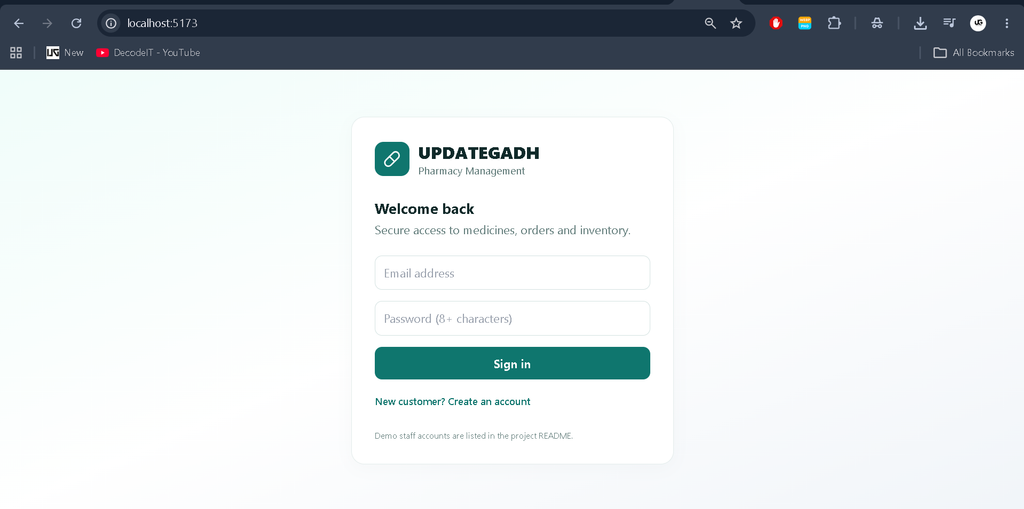
1. User Registration and Authentication
Customers can create accounts and sign in using their credentials. JWT-based authentication protects restricted API endpoints, while password hashing helps protect stored passwords. Users can also update their profile information.
2. Medicine Catalogue
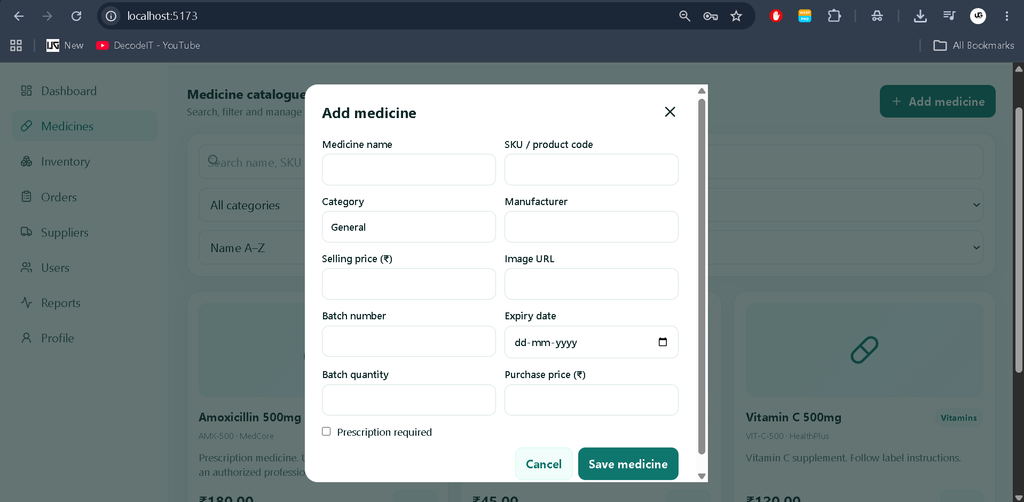
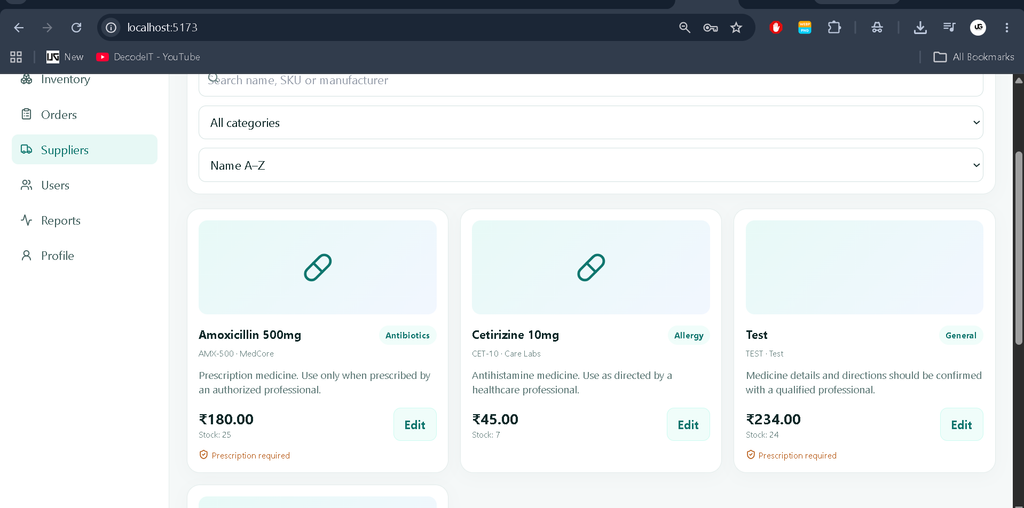
The medicine catalogue stores product names, SKU codes, categories, manufacturers, descriptions, prices, images, and prescription requirements. Search, category filters, and price sorting help users find medicines.
3. Shopping Cart and Order Management
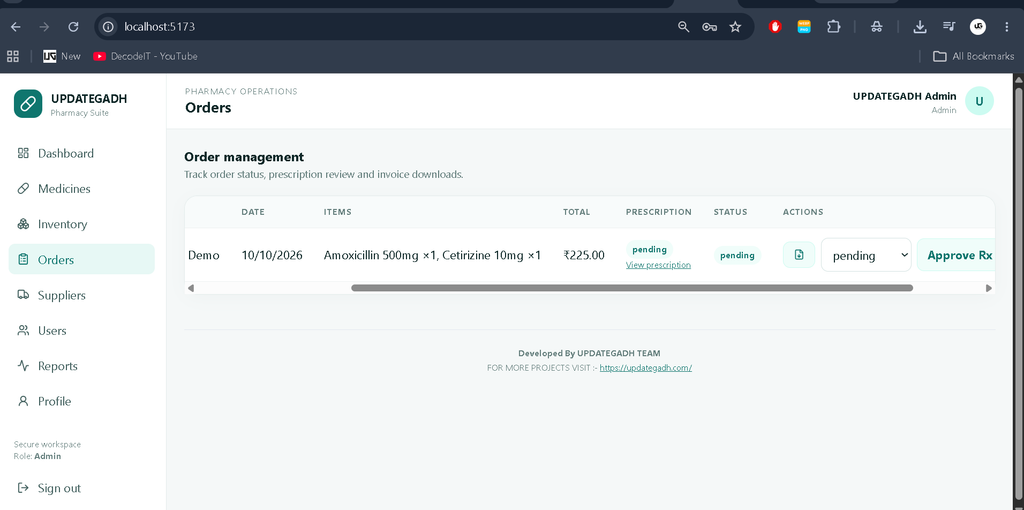
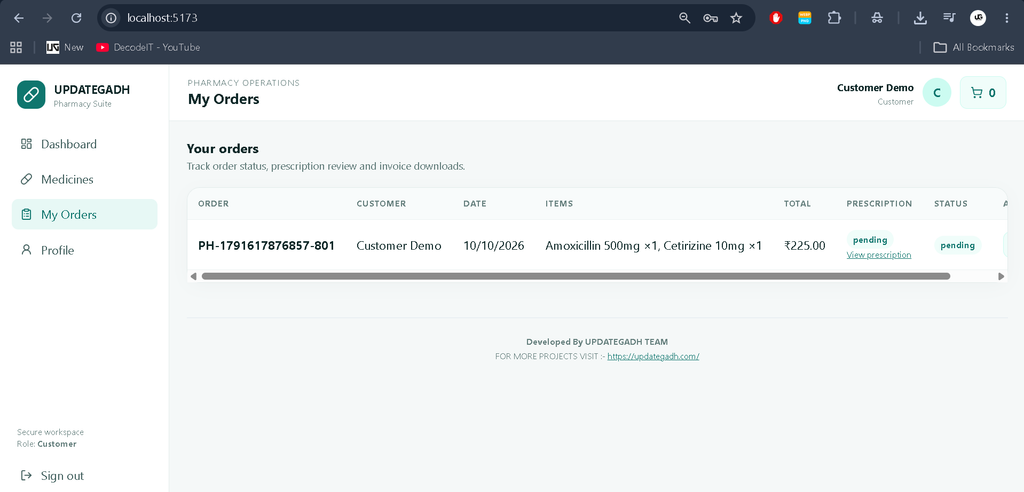
Customers can add medicines to their cart, specify quantities, provide a shipping address, and place orders. The application maintains order history and supports order status tracking and invoice downloads.
4. Inventory and Batch Management
Medicine records contain batch numbers, expiry dates, quantities, and purchase prices. The application checks available unexpired stock before accepting orders and deducts quantities from eligible batches. Staff can add medicines and update inventory records.
5. Low-Stock and Expiry Alerts
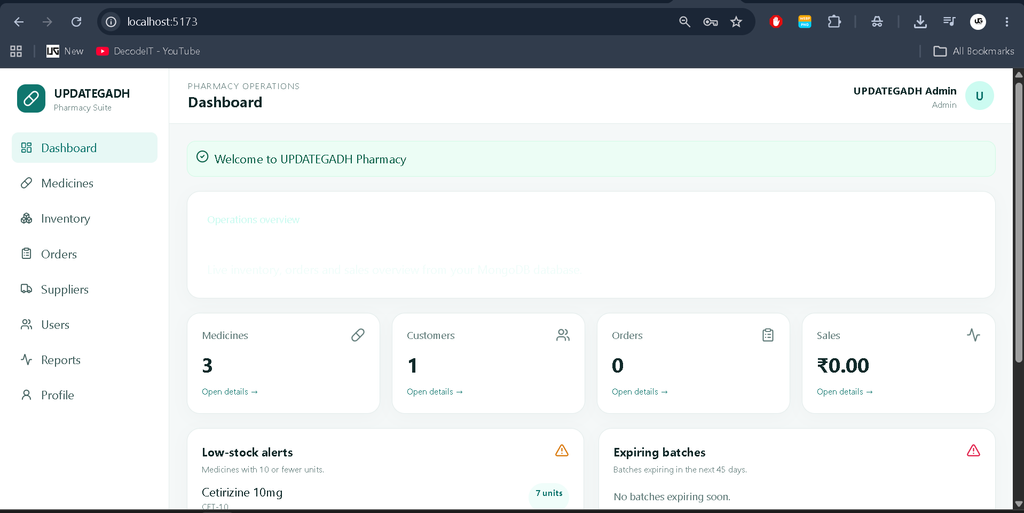
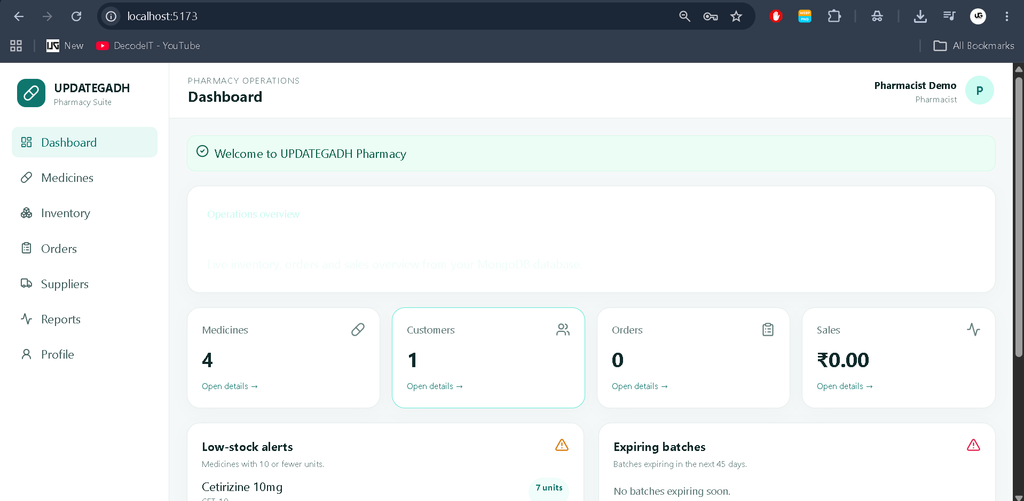
The dashboard identifies medicines with low stock and displays batches approaching their expiry dates. These alerts help pharmacy staff identify inventory that may require attention.
6. Prescription Management
Customers can upload prescription documents in supported PDF or image formats for prescription-required medicines. Authorized staff can review submitted prescriptions and update their approval status.
7. Supplier Management
Administrators and pharmacists can maintain supplier contact information, including supplier names, contact persons, email addresses, phone numbers, and addresses.
8. Admin Dashboard and Reports
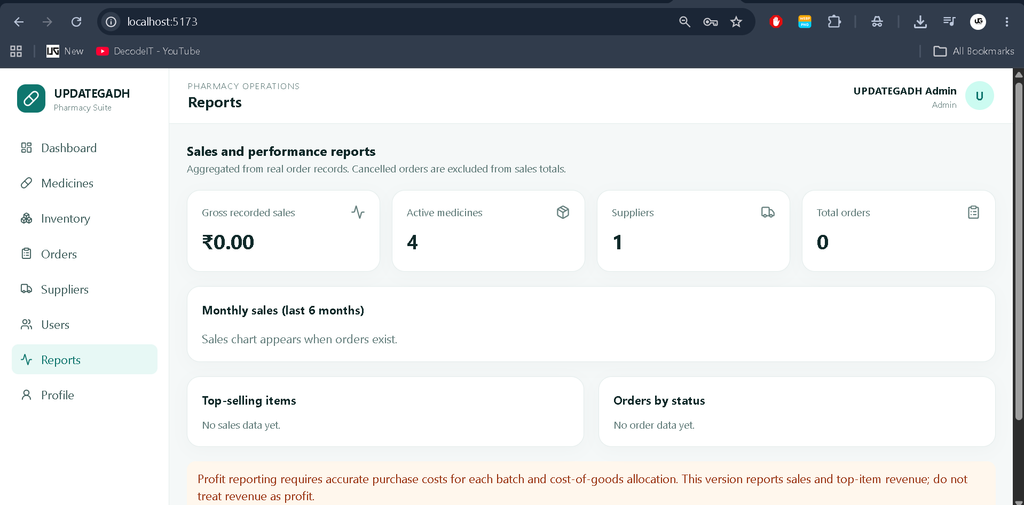
The dashboard retrieves statistics from MongoDB, including medicine counts, customer counts, order counts, and recorded sales. Reports include monthly sales summaries, top-selling items, and order status totals.
9. PDF Invoices and Email Notifications
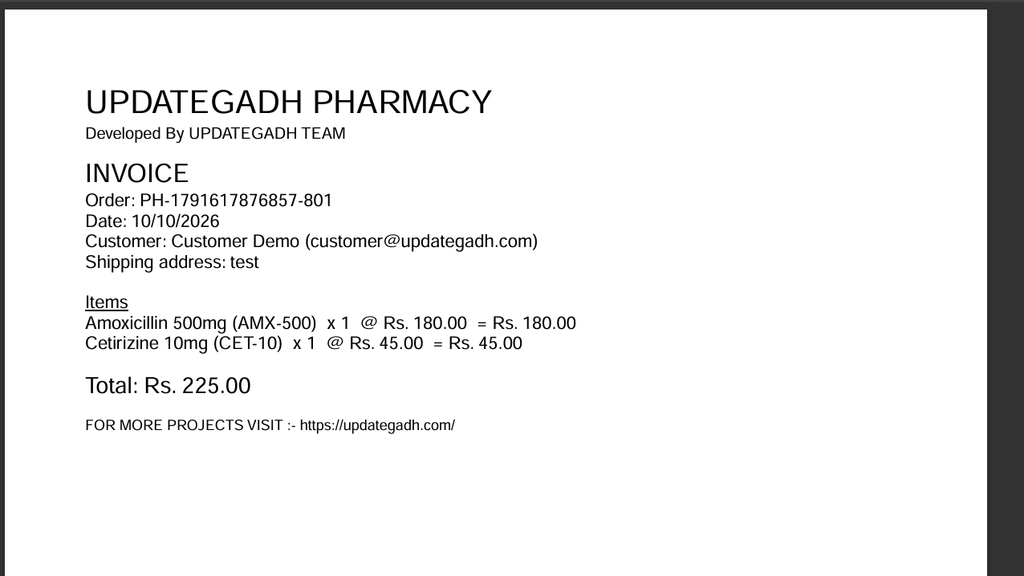
The system generates downloadable PDF invoices containing order details, customer information, purchased items, and totals. Email notifications can be enabled by configuring SMTP settings.
Technology Stack
- MongoDB: Stores user, medicine, supplier, and order records.
- Express.js: Handles REST API routes and server-side requests.
- React.js: Builds interactive user interfaces and dashboards.
- Node.js: Runs the backend application.
- Tailwind CSS: Provides responsive styling and layouts.
- JWT and bcrypt: Support authentication and password security.
Software and Tools Required
- Node.js and npm
- MongoDB installed locally or a MongoDB Atlas database
- Visual Studio Code
- A modern web browser
How to Download
The complete package is available so you can run, study, and submit it with confidence. It includes:
- Full Source Code
Screenshot
Installation Guide
Step 1: Extract and Open the Project
Extract the project ZIP file and open the pharmacy-management-mern folder in Visual Studio Code.
Step 2: Configure the Backend
Open a terminal and execute:
cd backend
npm install
Copy .env.example to .env. Configure the MongoDB connection and replace the sample JWT secret with a strong random secret.
Step 3: Seed the Database
Ensure MongoDB is running, then execute:
npm run seedStep 4: Start the Backend Server
npm run devThe API normally runs at http://localhost:5000.
Step 5: Install and Run the Frontend
Open another terminal and execute:
cd frontend
npm install
npm run dev
Open the Vite URL displayed in the terminal, usually http://localhost:5173.
Usage
- Admin: Manage medicines, suppliers, users, orders, inventory, and reports.
- Pharmacist: Manage medicine records, review prescriptions, process orders, and monitor stock.
- Customer: Browse the catalogue, manage a shopping cart, place orders, update profile details, and download invoices.
Project Benefits
- Centralizes pharmacy records and daily operations.
- Improves visibility into medicine stock and batch expiry dates.
- Provides role-based access to relevant application functions.
- Demonstrates REST API development and MongoDB data modelling.
- Offers a responsive interface for desktop and mobile screens.
Future Enhancements
- Integrate a secure online payment gateway.
- Implement purchase-order workflows and detailed supplier transaction records.
- Add cost-of-goods calculations and verified profit reports.
- Introduce automated scheduled expiry notifications and enhanced reporting.
- Move prescription storage to secure cloud storage with controlled access.
Frequently Asked Questions (FAQs)
1. Which technologies are used in this project?
The project uses MongoDB, Express.js, React.js, Node.js, and Tailwind CSS, along with JWT authentication and bcrypt password hashing.
2. Which user roles are available?
The application supports three roles: administrator, pharmacist, and customer. Access to protected operations depends on the assigned role.
3. Does the system track medicine expiry dates?
Yes. Medicine batches store expiry dates, and the dashboard identifies batches approaching expiry as well as medicines with low stock.
4. Can customers upload prescriptions?
Yes. Customers can upload PDF, JPG, or PNG prescription files up to 5 MB. Authorized staff can review and update prescription status. Production deployments should use secure document storage and appropriate access controls.
5. Does checkout process online payments?
No. The current project records orders but does not charge customers through an online payment gateway. A payment provider must be integrated separately to enable online payments.
Final Thoughts
The Advanced Pharmacy Management System using the MERN Stack demonstrates how modern web technologies can be combined to manage medicine catalogues, inventory, orders, suppliers, prescriptions, and reports. It provides a practical learning experience in frontend development, backend APIs, database modelling, and authentication. Students can use the project to understand full-stack application development and extend its functionality according to their academic requirements.
Keywords: Advanced Pharmacy Management System, Pharmacy Management System MERN Stack, Pharmacy Management Project, MERN Stack Project, Medicine Inventory Management System, Pharmacy Software Project, MongoDB React Node.js Project Pharmacy Management System Pharmacy Management System pharmacy management system project pharmacy management system project with source code pharmacy management system project in python pharmacy management system github pharmacy management system er diagram pharmacy management system project github pharmacy management system ui design pharmacy management system images pharmacy management system use case diagram

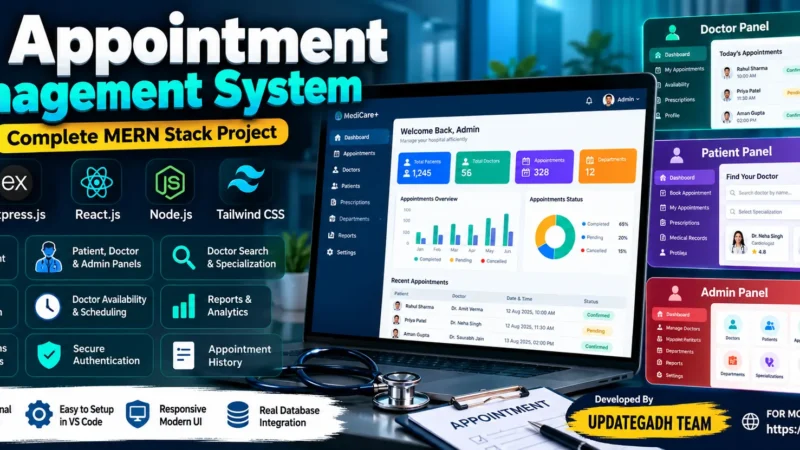
[…] Pharmacy Management System Using MERN Stack :- Click Here […]