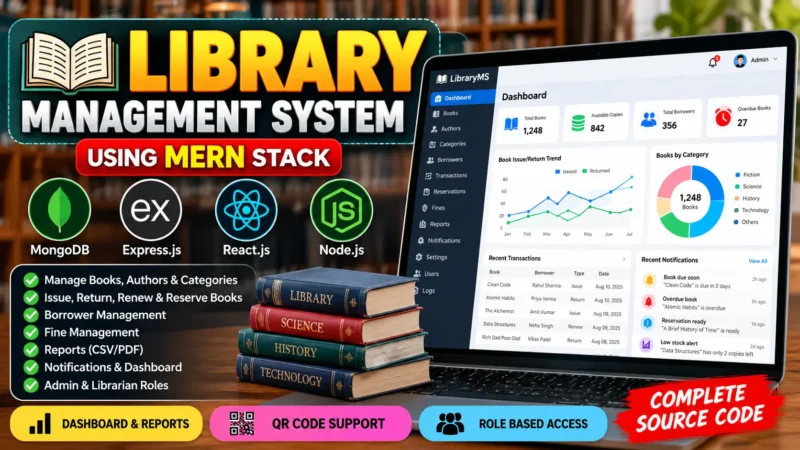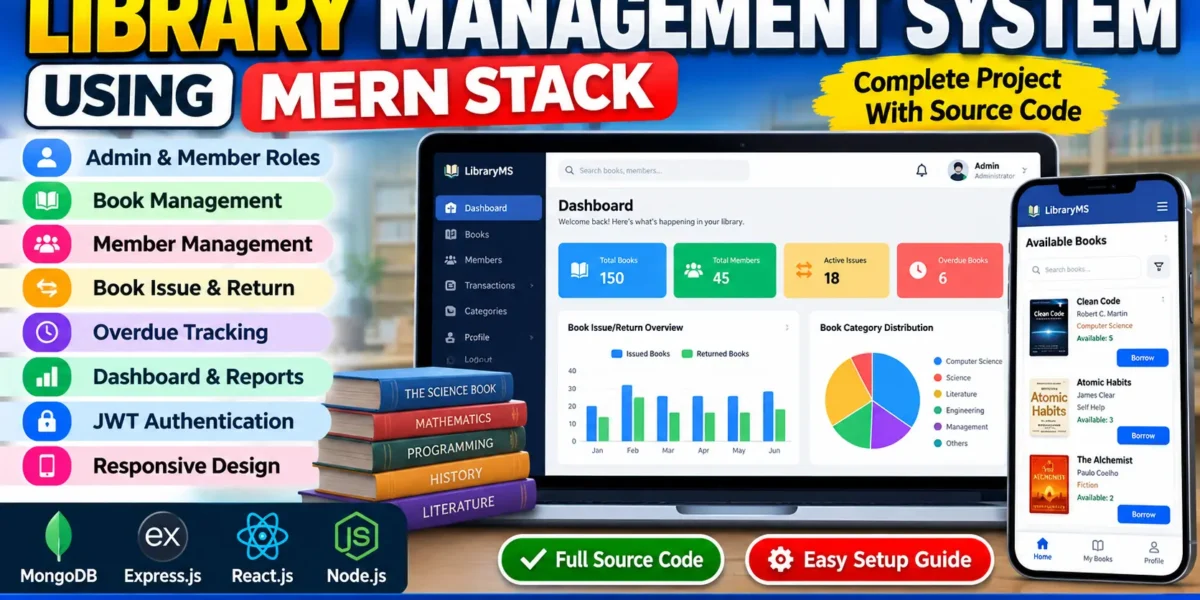
The Library Management System Using MERN Stack is a web-based application designed to simplify and digitalize everyday library operations. It provides a centralized platform where administrators can manage books, members, and borrowing transactions, while members can browse the book catalog and track their issued books.
This project is developed using MongoDB, Express.js, React.js, and Node.js. It includes separate Admin and Member roles, JWT-based authentication, book availability management, and a responsive user interface. The system helps reduce manual recordkeeping and makes library operations more organized and efficient.
Complete Advance AI Topics: Click Here
Real Time Projects on YouTube:- DecodeIT
Project Overview
| Project Name | Library Management System Using MERN Stack |
| Language/s Used | JavaScript, HTML, CSS |
| Framework/Database | React.js, Node.js, Express.js, MongoDB |
| Type | Web-Based Management System |
Available Features
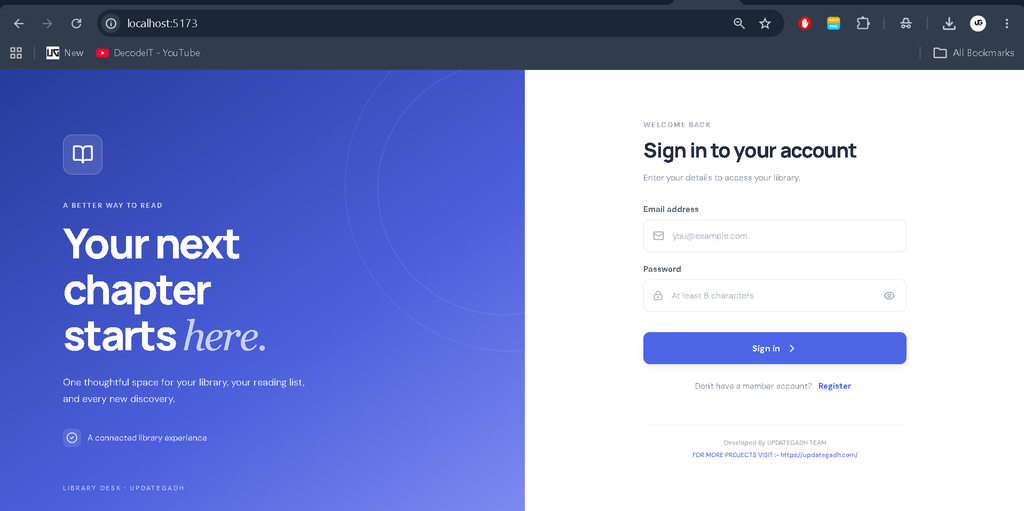
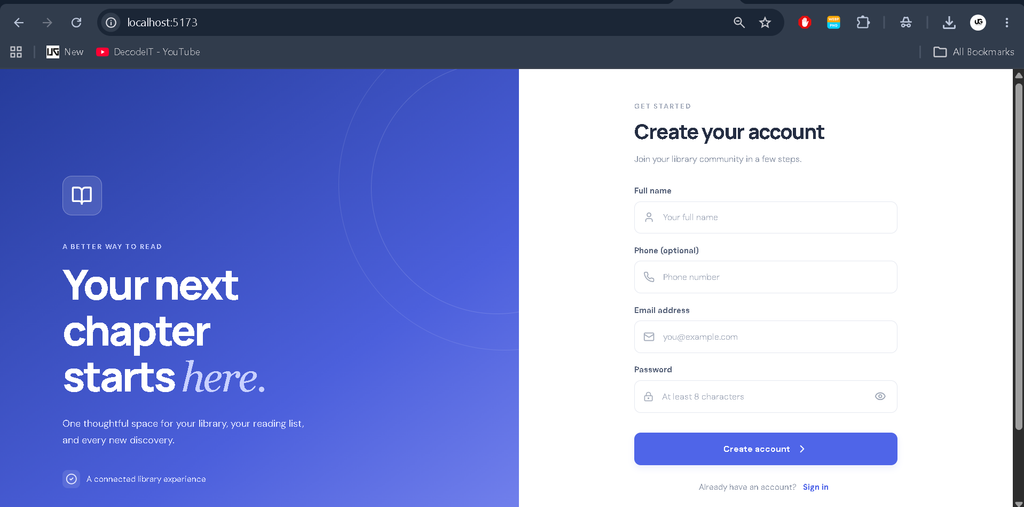
- User Authentication: Secure login and member registration with JWT authentication and role-based access.
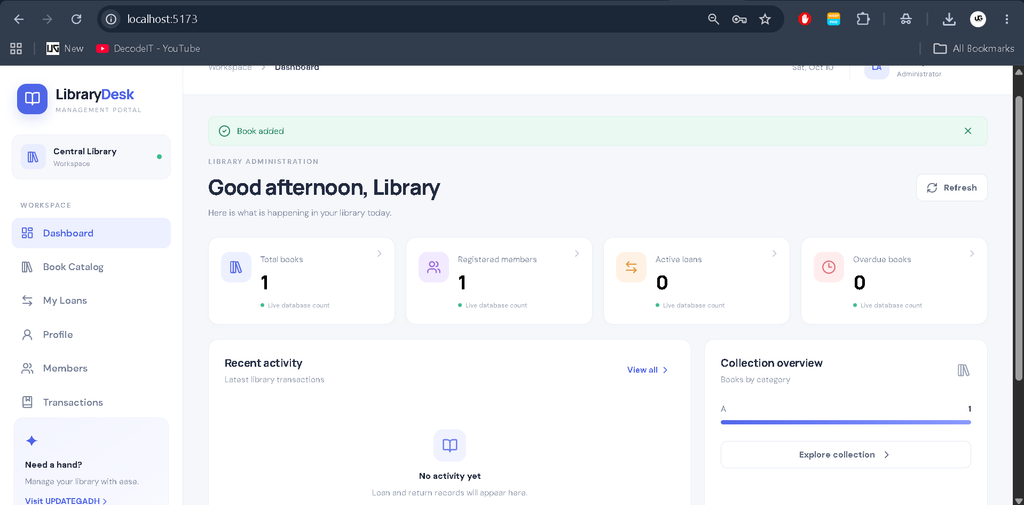
- Admin Dashboard: View library statistics, manage books and members, and monitor borrowing activities.
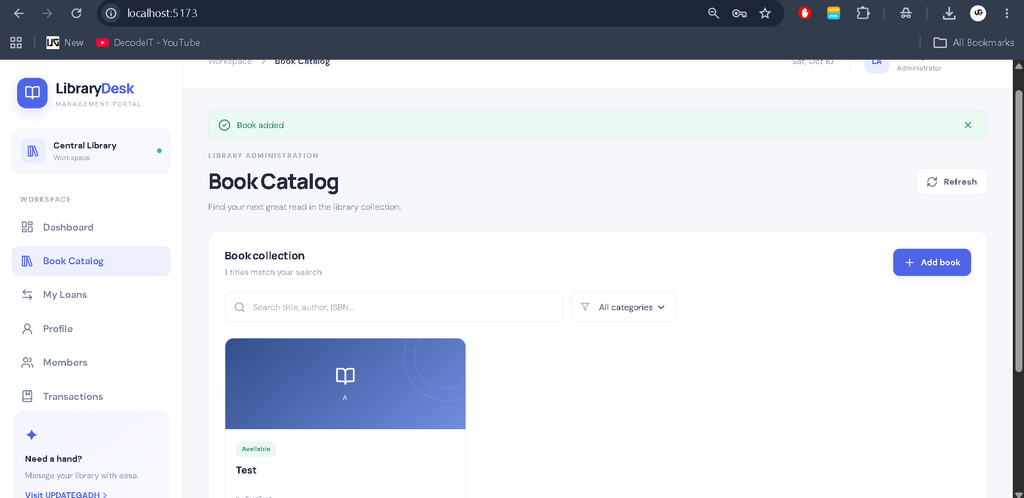
- Book Management: Add, update, delete, search, and categorize books with title, author, ISBN, quantity, and availability information.
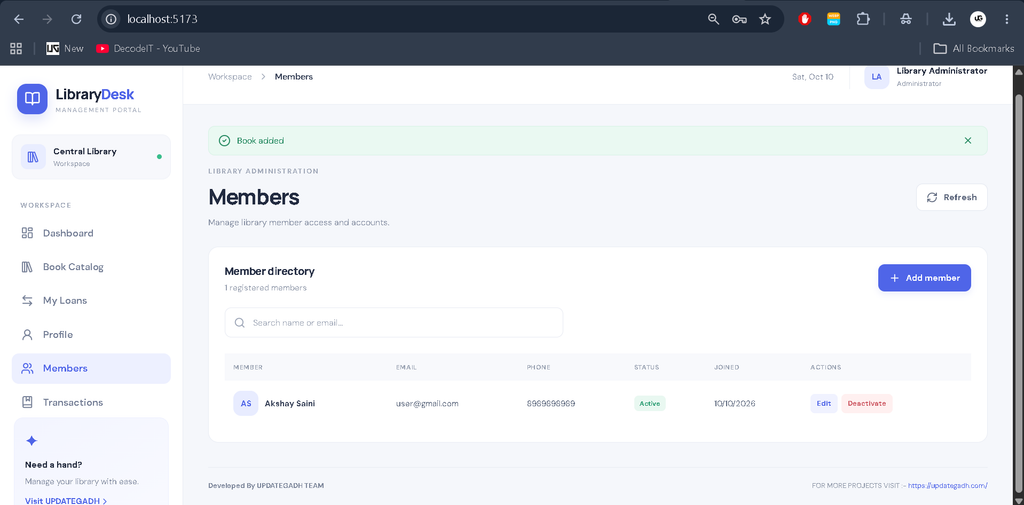
- Member Management: Create member accounts, update member details, and deactivate accounts when necessary.
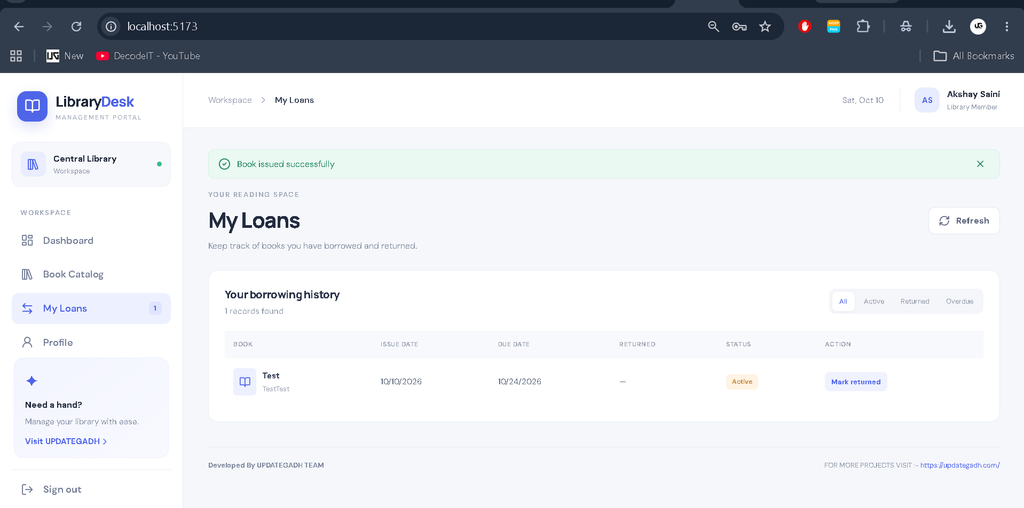
- Book Issue and Return: Record borrowing and returning activities, including issue dates, due dates, and return dates.
- Availability Tracking: Automatically update available book copies when books are issued or returned.
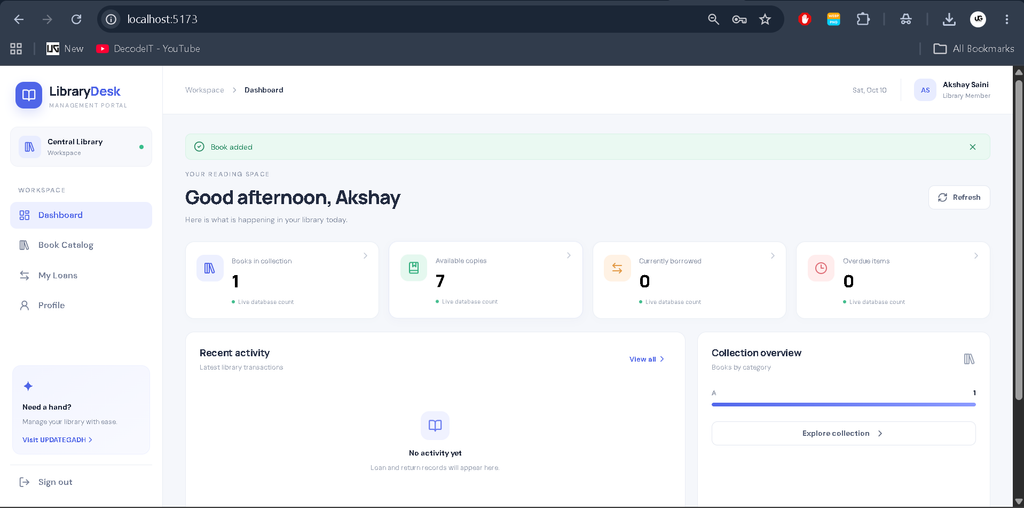
- Member Dashboard: Browse the catalog, search books, borrow available titles, and view current loans and previous transactions.
- Overdue Tracking: Identify active loans whose due dates have passed.
- Transaction History: View active and completed borrowing records.
- Profile Management: View account information and update personal details.
- Responsive Interface: Use the management system on desktop and mobile screens.
- Input Validation: Validate requests and handle errors such as unavailable books, duplicate ISBNs, and invalid transactions.
Technology Stack
- Frontend: React.js, JavaScript, CSS, Vite
- Backend: Node.js and Express.js
- Database: MongoDB
- ODM: Mongoose
- Authentication: JSON Web Token (JWT) and bcrypt password hashing
- API: REST API
- Development Environment: Visual Studio Code
Software Requirements
- Node.js and npm
- MongoDB Community Server or MongoDB Atlas
- Visual Studio Code
- A modern web browser
- Internet access for installing dependencies
How to Download
The complete package is available so you can run, study, and submit it with confidence. It includes:
- Full Source Code
Screenshot
Installation Guide for VS Code
Follow these steps to install and run the Library Management System on your computer.
Step 1: Extract the Project
Download and extract the project ZIP file. Open the extracted project folder in Visual Studio Code.
Step 2: Configure the Backend
Open the VS Code terminal and navigate to the backend directory.
cd backendCreate the environment configuration file.
copy .env.example .envOpen the .env file and configure the MongoDB connection and administrator credentials.
PORT=5000
MONGO_URI=mongodb://127.0.0.1:27017/library_management
JWT_SECRET=replace_with_a_long_random_secret
JWT_EXPIRES_IN=1d
CLIENT_URL=http://localhost:5173
LOAN_DAYS=14
ADMIN_NAME=Library Administrator
ADMIN_EMAIL=admin@example.com
ADMIN_PASSWORD=ChangeThisPassword123!
Replace the example JWT secret and administrator password with secure values. Make sure MongoDB is running before starting the backend.
Step 3: Install Backend Dependencies
npm installStep 4: Create the Admin Account
Run the following command from the backend directory to create the administrator account using the configured environment variables.
npm run create-adminUse the configured administrator email and password to sign in. Member registration does not provide administrator privileges.
Step 5: Start the Backend Server
npm run devThe backend API will normally run at http://localhost:5000.
Step 6: Install Frontend Dependencies
Open a second terminal in VS Code and navigate to the frontend directory.
cd frontend
npm install
Step 7: Start the Frontend
npm run devOpen the local URL displayed by Vite, normally http://localhost:5173, in your browser. Keep both frontend and backend terminals running while using the application.
How to Use the Project
Admin Role
The administrator can sign in using the account created during setup. The Admin Dashboard provides access to book management, member management, library statistics, and transaction records. Administrators can add new books, update existing records, adjust quantities, deactivate members, and monitor active or overdue loans.
Member Role
Members can register for an account and sign in to the application. They can browse the available book catalog, search by book details, borrow available books, and view their current loans and previous transactions. Members can also check due dates, identify overdue books, and update their profile information.
Project Benefits
- Reduces manual book and member recordkeeping.
- Provides centralized management of library information.
- Improves tracking of borrowed, returned, and overdue books.
- Helps prevent borrowing when no copies are available.
- Separates administrative operations from member activities.
- Provides practical experience with full-stack MERN development.
Frequently Asked Questions (FAQs)
1. What is a Library Management System Using MERN Stack?
It is a web application developed using MongoDB, Express.js, React.js, and Node.js to manage library books, members, and borrowing transactions.
2. What are the main roles in this project?
The system has two roles: Admin and Member. Administrators manage books, members, and transactions, while members browse books and manage their borrowing records.
3. Which database is used in this project?
MongoDB is used to store user accounts, book records, and book issue and return transactions through Mongoose models.
4. How do I create the administrator account?
Configure the administrator details in the backend .env file and run npm run create-admin from the backend directory.
5. How do I run the Library Management System?
Install the backend and frontend dependencies separately, configure MongoDB, start the backend using npm run dev, and run the frontend using npm run dev in a second terminal.
Final Thoughts
The Library Management System Using MERN Stack is a useful full-stack development project for students who want practical experience with React.js, Node.js, Express.js, and MongoDB. It demonstrates how authentication, role-based access, CRUD operations, and borrowing workflows can work together in a single application. From a student’s perspective, this project is a valuable way to understand how a real-world management system is structured and developed.
Library Management System Using MERN Library Management System Using MERN library management system using mern stack library management system using mern stack github library management system project using mern stack library management system mern stack github library management system mern stack library management system mern library management system mern github library management system example library management system using mern github