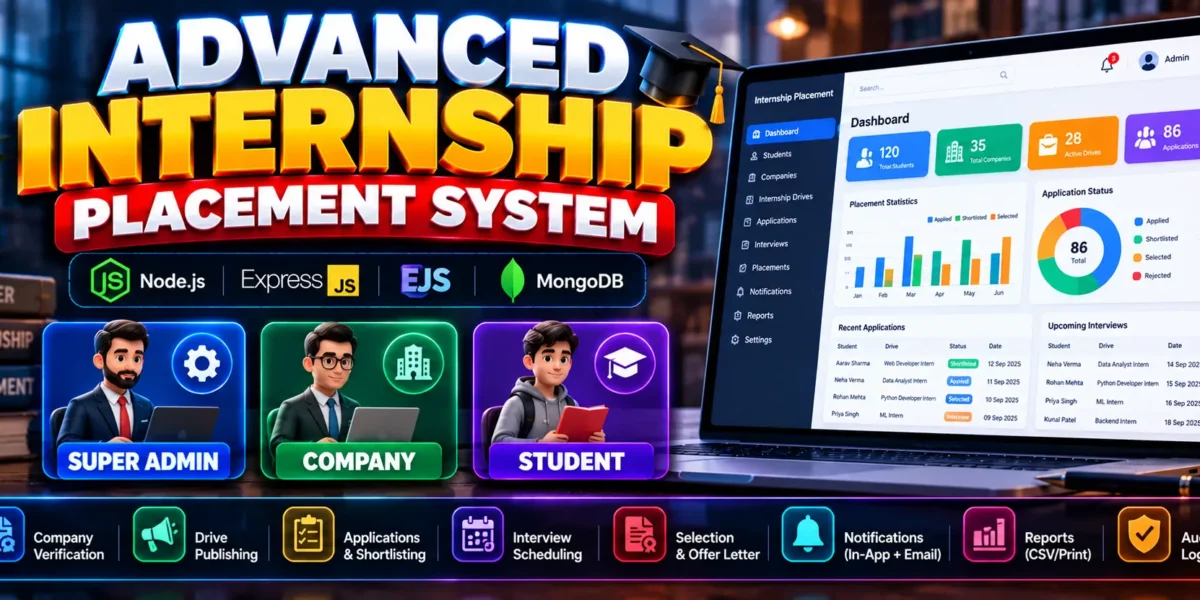
The Advanced Internship Placement System is a web-based application built with Node.js, Express.js, EJS, Bootstrap 5, MongoDB, and Mongoose. It provides separate panels for Super Admin, Company, and Student users to manage internship drives, eligibility-based applications, interviews, selections, and placement confirmation.
The project includes company verification, application tracking, notifications, reports, CSV export, and audit logs to support the complete internship placement workflow.
Complete Advance AI Topics: Click Here
Real Time Projects on YouTube:- DecodeIT
What Is an Advanced Internship Placement System?
An Advanced Internship Placement System manages internship opportunities and placement activities through a centralized application. It connects administrators, companies, and students through role-based dashboards and a structured application process.
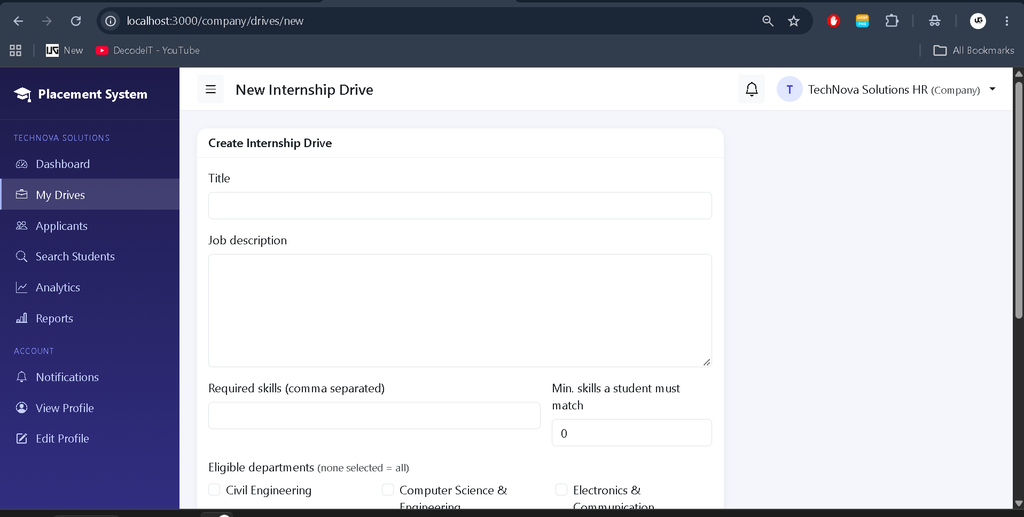
Administrators manage companies, students, departments, and eligibility rules. Companies publish internship drives and evaluate applicants, while students apply for eligible opportunities and track their progress.
What Are the Project Details?
This project uses a JavaScript-based backend and MongoDB database to manage internship and placement records.
| Project Details | Description |
|---|---|
| Project Name | Advanced Internship Placement System |
| Languages Used | JavaScript, HTML, CSS |
| Frameworks and Technologies | Node.js, Express.js, EJS, Bootstrap 5 |
| Database | MongoDB |
| ODM | Mongoose |
| Project Type | Web-Based Management System |
| User Roles | Super Admin, Company, Student |
What Are the Available Features?
The application provides role-based dashboards, eligibility validation, interview management, notifications, reporting, and security controls.
1. Super Admin Panel
- Dashboard and student management with CSV import.
- Company approval, rejection, and suspension.
- Department and eligibility rule management.
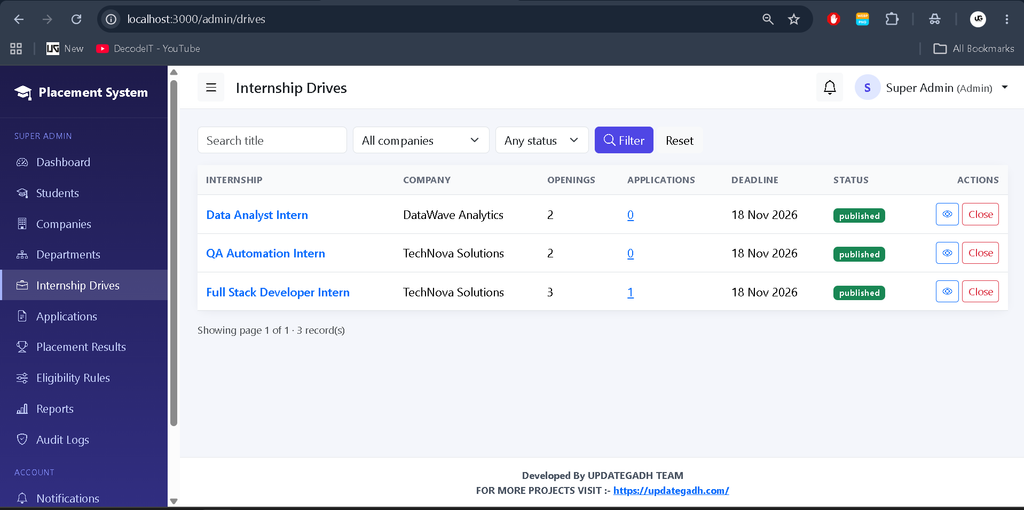
- Internship drive and application management.
- Placement records and audit logs.
2. Company Panel
- Create, publish, and close internship drives.
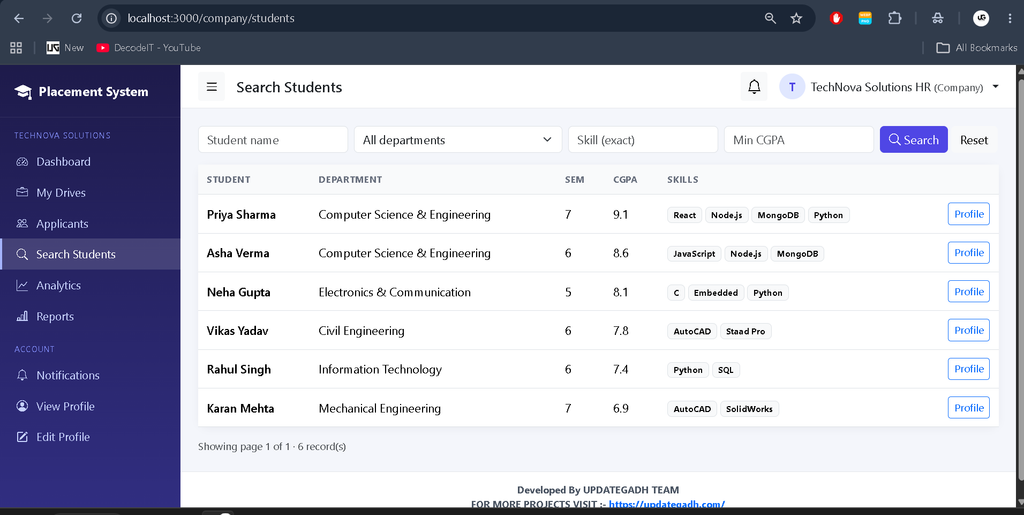
- Manage applicants and search student records.
- Schedule interviews and submit feedback.
- Shortlist applicants and record selections.
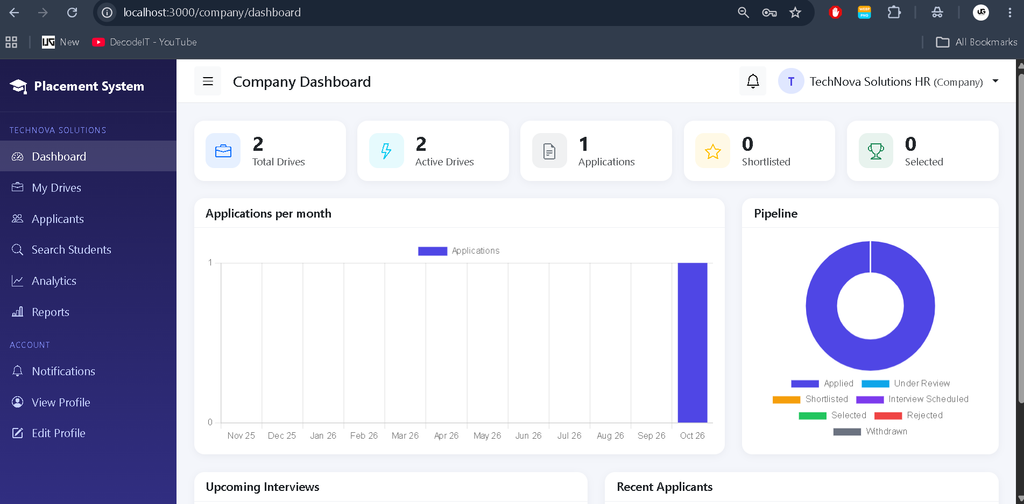
- View analytics and hiring history.
3. Student Panel
- Browse and filter internship opportunities.
- Check eligibility before applying.
- Submit or withdraw applications.
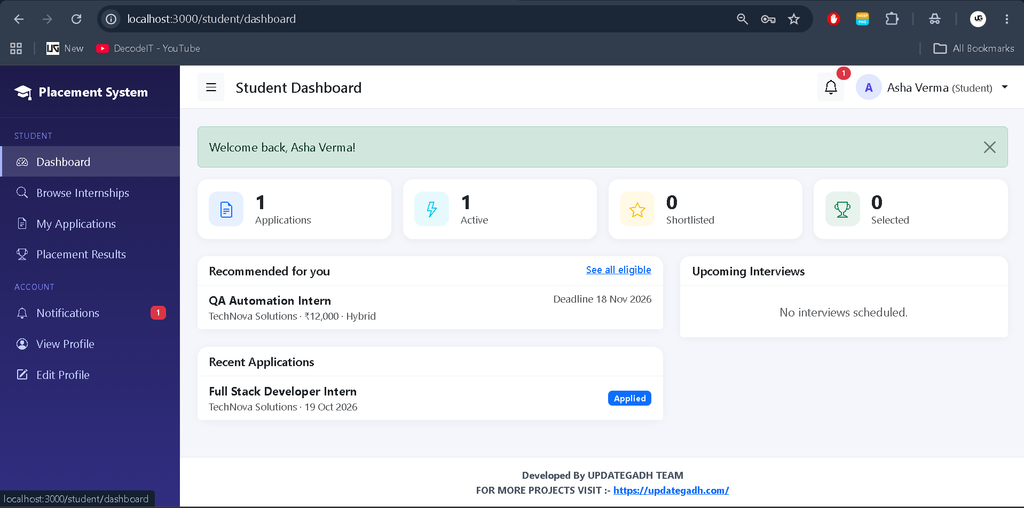
- Track application status and view results.
- Access selection letters and confirm offers.
- View and edit profiles and change passwords.
4. Eligibility and Application Management
- Department, CGPA, and semester range checks.
- Required skill matching and resume availability checks.
- Maximum active application limits.
- Duplicate application prevention.
- Application status history and deadline enforcement.
5. Notifications and Reports
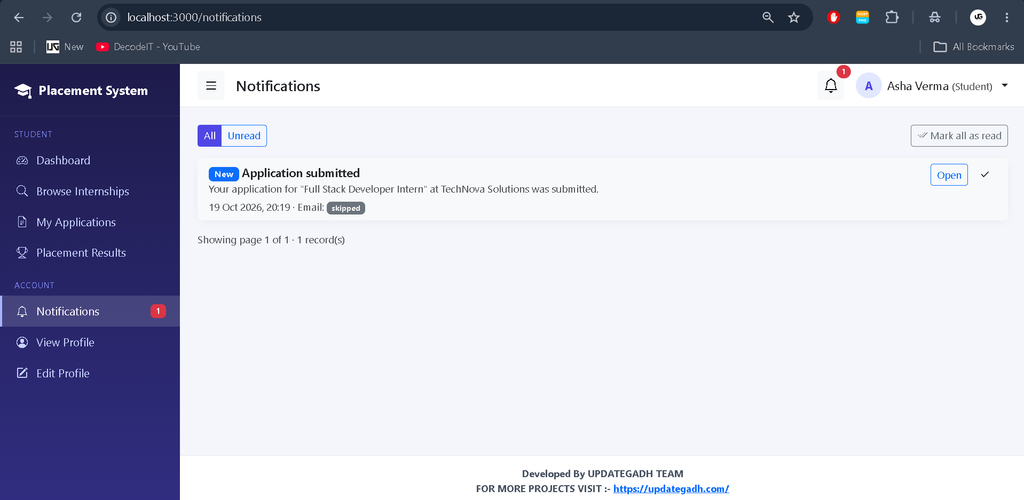
- In-app notifications with read and unread status.
- Optional email notifications using Nodemailer.
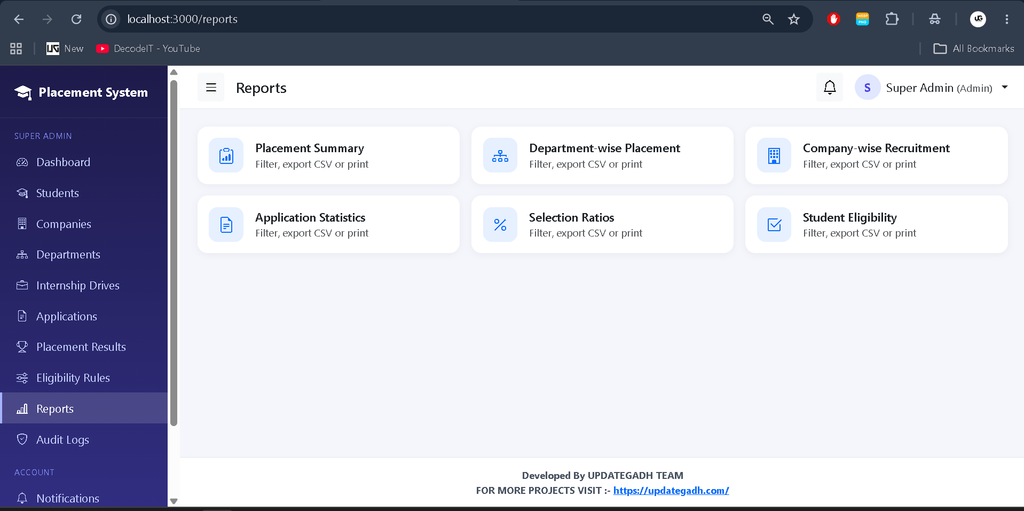
- Department, company, application, selection, eligibility, and summary reports.
- Date filters, search, CSV export, and printing.
6. Security Features
- Password hashing using bcrypt.
- JWT authentication with an HTTP-only cookie.
- Role-based permissions and request validation.
- Helmet security headers and rate-limited login and registration.
- Permission-checked resume access and upload restrictions.
- Company ownership checks and CSV formula-injection protection.
Which Technologies Are Used in This Project?
The project combines server-side JavaScript, dynamic templates, a document database, and responsive frontend components.
- Node.js: Runs the server-side JavaScript application.
- Express.js: Handles routing, requests, and middleware.
- EJS: Renders dynamic web pages.
- Bootstrap 5: Supports responsive user interfaces.
- MongoDB: Stores application and placement data.
- Mongoose: Manages database models and operations.
- Nodemailer: Supports configurable email notifications.
- JWT and bcrypt: Support authentication and password security.
What Software and Tools Are Required?
Install the required runtime, database, and code editor before running the project.
- Node.js 18 or later
- MongoDB Community 6/7 or MongoDB Atlas
- Visual Studio Code
- Web Browser
How to Download
The complete package is available so you can run, study, and submit it with confidence. It includes:
- Full Source Code
- Project Report
- Synopsis
- PPT Presentation
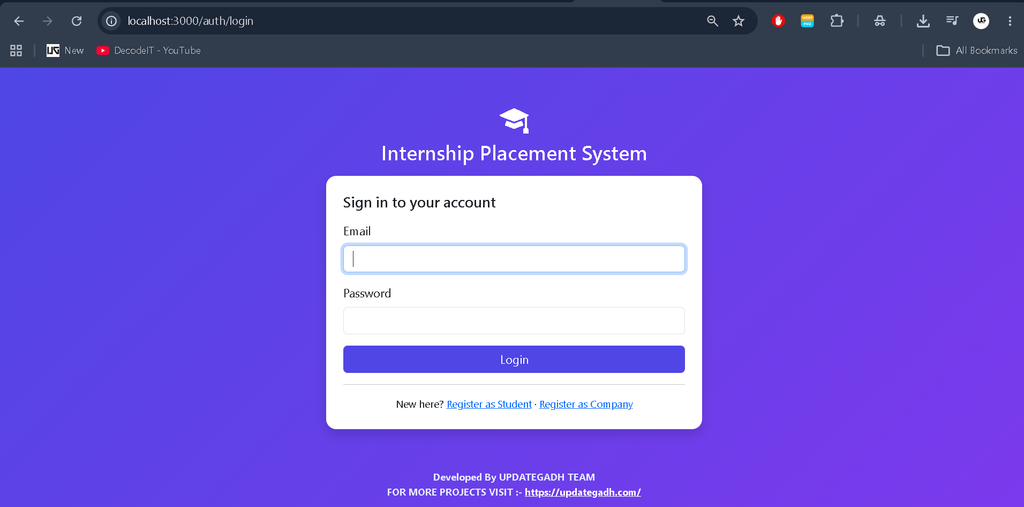
Screenshot
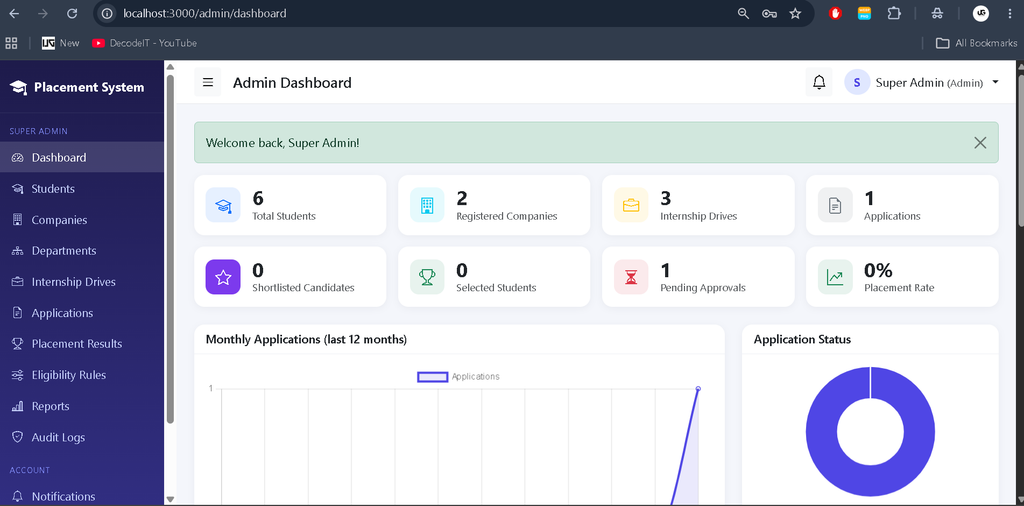
How to Install and Run the Project in VS Code?
To run the application locally, install its dependencies, configure MongoDB and environment variables, create the admin account, and start the server.
Step 1: Open the Project
Extract the project ZIP file, open its folder in Visual Studio Code, and open Terminal > New Terminal.
Step 2: Install Dependencies
npm installStep 3: Create the Environment File
For Windows PowerShell:
copy .env.example .envFor macOS, Linux, or Git Bash:
cp .env.example .envStep 4: Configure Environment Variables
Open the .env file and configure MONGODB_URI and a long, random JWT_SECRET. Set ADMIN_NAME, ADMIN_EMAIL, and ADMIN_PASSWORD. Configure SMTP variables if email notifications are required.
Step 5: Configure MongoDB
Start the local MongoDB service or configure a MongoDB Atlas connection string. A local connection string can use:
mongodb://127.0.0.1:27017/internship_placementStep 6: Create the Admin Account
npm run create-adminStep 7: Load Demo Data (Optional)
npm run seedStep 8: Start the Application
npm startOpen the application at http://localhost:3000.
For development with automatic restarts, run:
npm run devStep 9: Test the Workflow (Optional)
npm run test:workflowThis command runs workflow checks against a temporary test database that is dropped afterward.
How Does Each User Role Work?
Each role has specific responsibilities within the placement workflow.
- Super Admin: Manages students, companies, departments, eligibility rules, internship drives, applications, placements, and audit logs.
- Company: Publishes internship drives, reviews applicants, schedules interviews, submits feedback, and records selections.
- Student: Browses opportunities, checks eligibility, applies for internships, tracks progress, views results, and confirms offers.
What Are the Benefits of This Project for Students?
This project helps students understand how a multi-role web application manages records, permissions, and business workflows.
It provides practical experience with Node.js, Express.js, MongoDB, authentication, eligibility validation, interview workflows, notifications, file permissions, and report generation.
Frequently Asked Questions
1. Which technologies are used in this project?
The project uses Node.js, Express.js, EJS, Bootstrap 5, MongoDB, and Mongoose.
2. How many user roles are available?
The application supports Super Admin, Company, and Student roles.
3. Does the system check student eligibility?
Yes. It supports department, CGPA, semester range, required skill, resume availability, and active application limit checks.
4. Can companies schedule interviews?
Yes. Companies can schedule interviews, submit feedback, manage applicants, and record selections.
5. Does the system support reports?
Yes. It provides department, company, application, selection, eligibility, and summary reports with search, date filters, CSV export, and printing.
Final Thoughts
The Advanced Internship Placement System provides a centralized way to manage internship opportunities and placement activities. Its three user roles, eligibility checks, interview workflow, notifications, and reports make it a practical project for learning full-stack web development.
Keywords: Advanced Internship Placement System, Internship Placement System Using Node.js, Placement Management System, Node.js Project, MongoDB Project, Internship Management System,Internship Placement System,internship placement system
rp internship placement system
sp internship placement system
singapore polytechnic internship placement system
internship and community service placement icsp system
internship placement companies
what is an internship placement
is internship necessary for placement