Restaurant Management System Using MERN Stack
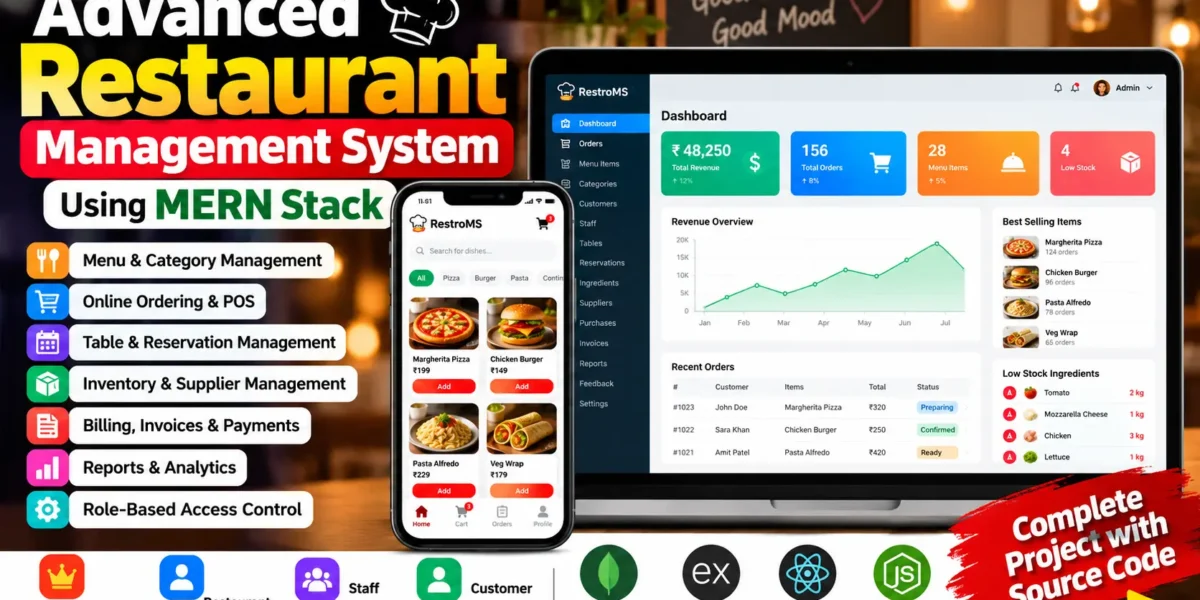
The Restaurant Management System Using MERN Stack is a full-stack web application designed to manage restaurant operations through a centralized dashboard. It includes menu management, online ordering, point-of-sale operations, table reservations, inventory tracking, billing, and reports.
Built with React, Vite, Tailwind CSS, Node.js, Express.js, and MongoDB, the application supports four separate user roles: Super Admin, Restaurant Admin, Staff, and Customer. JWT authentication, password hashing, and role-based permissions help control access to different modules.
Complete Advance AI Topics: Click Here
Real Time Projects on YouTube:- DecodeIT
Project Overview
| Project Details | Description |
|---|---|
| Project Name | Advanced Restaurant Management System |
| Language/s Used | JavaScript |
| Frontend | React, Vite, Tailwind CSS |
| Backend | Node.js, Express.js |
| Database | MongoDB with Mongoose |
| Authentication | JWT and bcryptjs |
| Project Type | Full-Stack Web Application |
| User Roles | Super Admin, Restaurant Admin, Staff, Customer |
Available Features
1. Super Admin Panel
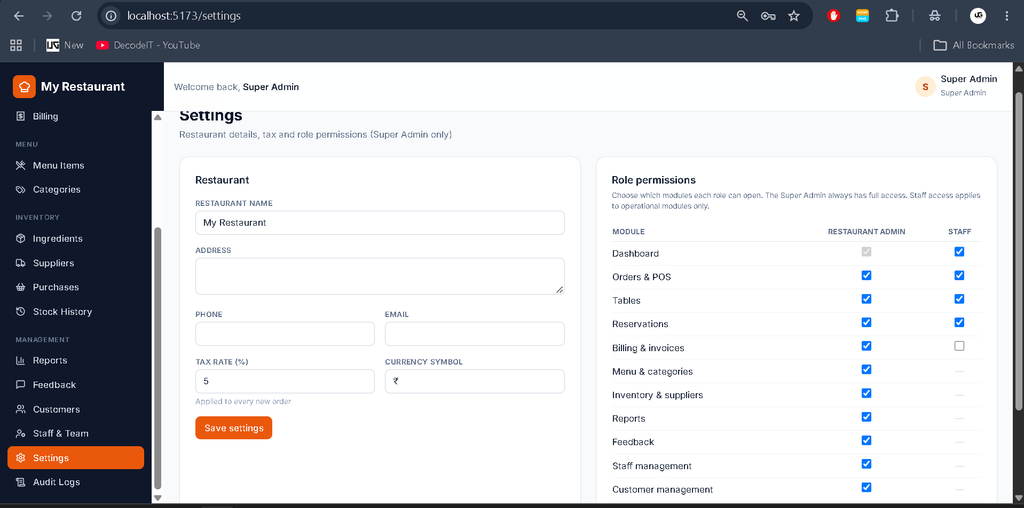
- Permission Matrix: Configure module access for administrative roles.
- Restaurant Settings: Manage application settings and tax configuration.
- Audit Logs: Review recorded administrative activities.
- Administrative Access: Access system configuration and permitted management modules.
2. Restaurant Admin Panel
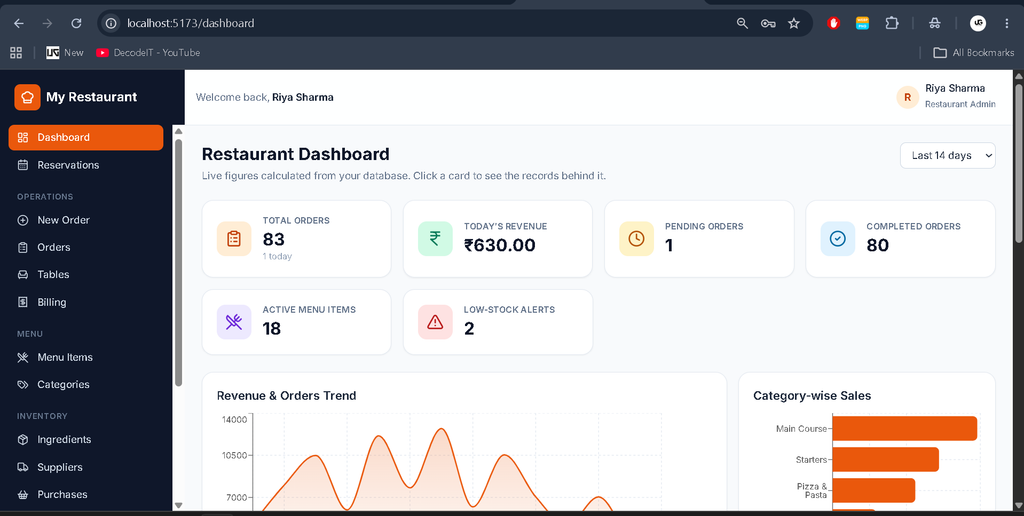
- Dashboard: View revenue, orders, best-selling dishes, low-stock alerts, charts, and customer feedback.
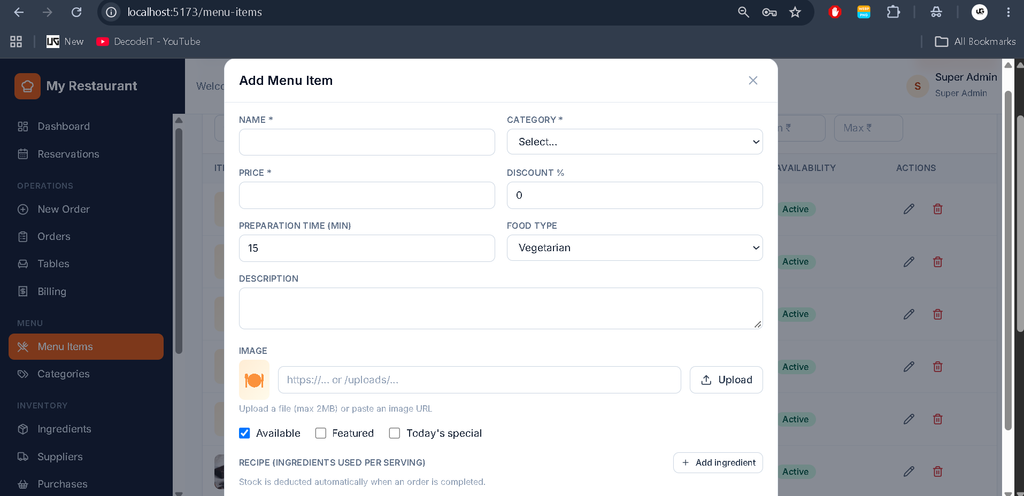
- Menu Management: Manage food items, images, prices, discounts, specials, availability, and recipes.
- Category Management: Organize menu items into categories.
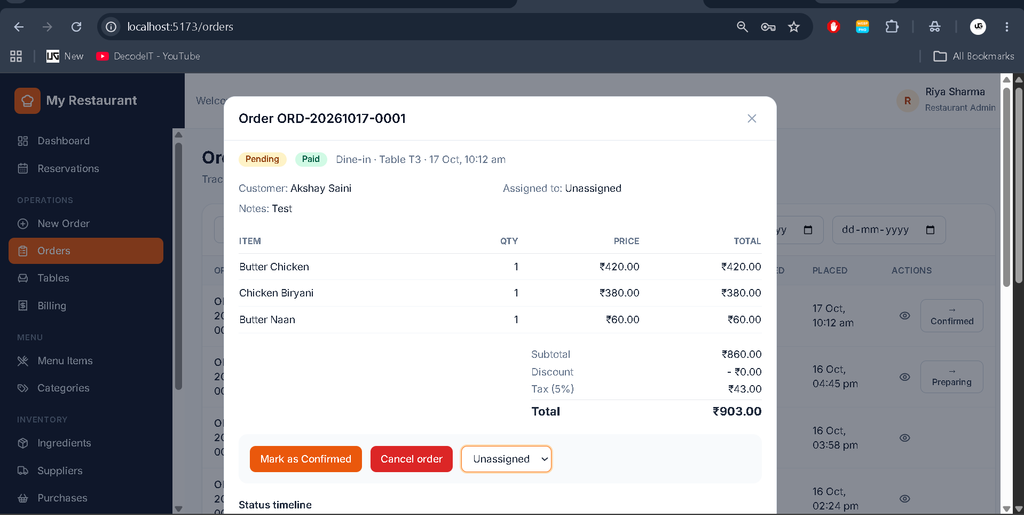
- Order Management: Monitor orders and manage their workflow.
- Inventory Management: Track ingredients, stock levels, and stock movements.
- Supplier and Purchase Management: Maintain supplier records and record purchases.
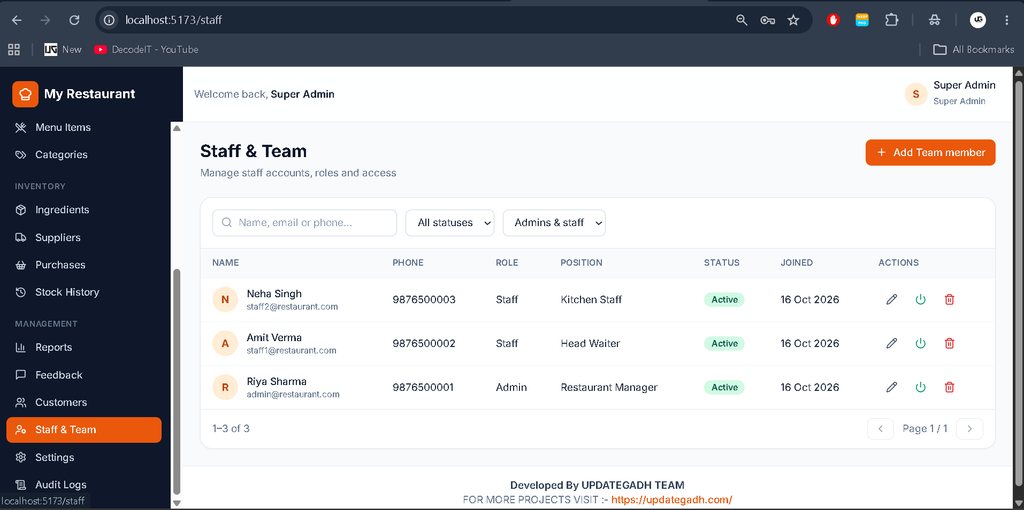
- Staff Management: Manage staff accounts and permitted access.
- Customer Management: Access customer records.
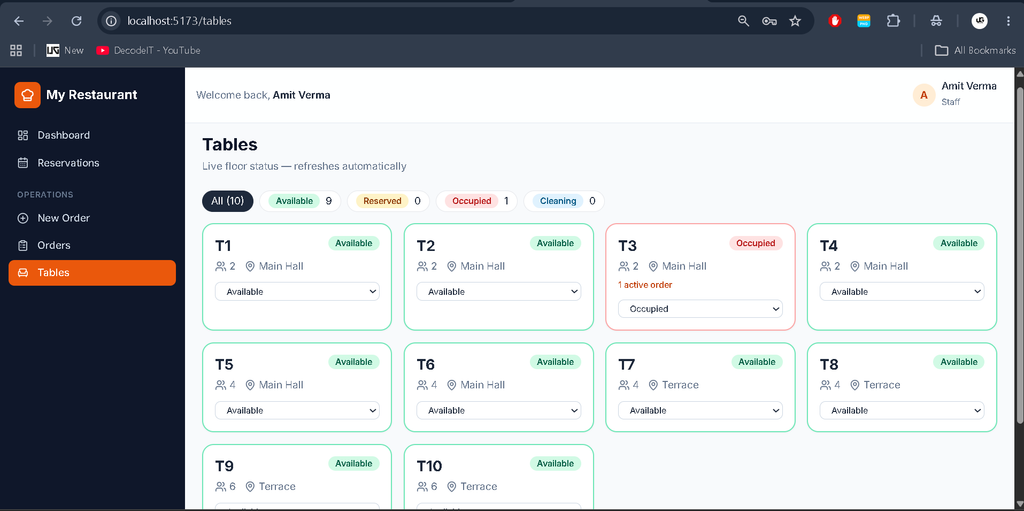
- Table and Reservation Management: Manage tables, bookings, and availability.
- Billing and Invoices: Access printable invoices and payment records.
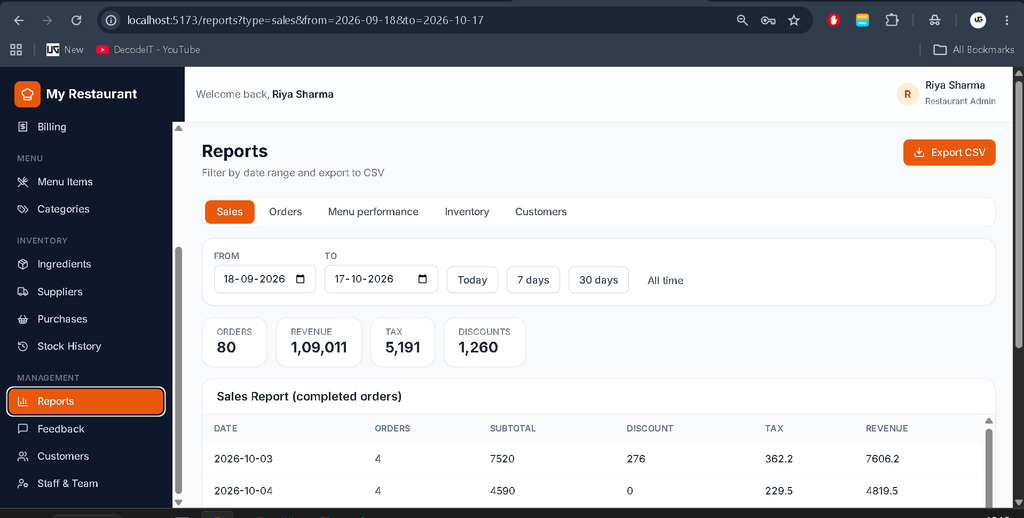
- Reports and Analytics: Review business reports and export supported data to CSV.
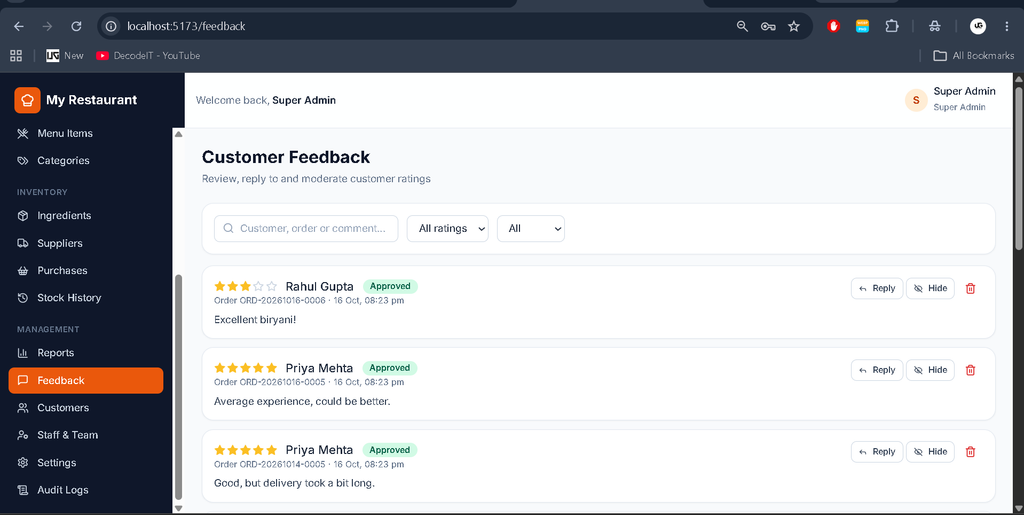
- Feedback Management: Review and moderate customer feedback.
3. Staff Panel
- Point of Sale (POS): Process restaurant orders through the POS interface.
- Order Processing: Handle orders and update permitted statuses.
- Table Management: Work with table assignments and availability.
- Billing Access: Access invoice functions according to assigned permissions.
- Profile Management: View and update personal profile information.
4. Customer Panel
- Menu Browsing: Explore dishes using search and category filters.
- Shopping Cart: Add food items and adjust quantities.
- Checkout: Submit food orders through the customer interface.
- Order Tracking: View order statuses and previous orders.
- Reservations: Book available restaurant tables.
- Reviews and Feedback: Submit ratings and comments.
- Profile Management: Manage personal account details.
5. Inventory and Billing Controls
- Recipe-Based Stock Deduction: Deduct ingredients when an order becomes Completed.
- Stock Validation: Block completion when required ingredients are insufficient.
- Automatic Pricing: Calculate subtotals, applicable discounts, taxes, and totals on the server.
- Table Status Updates: Move completed dine-in tables to Cleaning and release tables when orders are cancelled.
- Simulated Payments: Demonstrate payment and refund workflows without a configured real payment gateway.
Technology Stack
- Frontend: React, Vite, Tailwind CSS, React Router.
- Backend: Node.js and Express.js REST API.
- Database: MongoDB and Mongoose.
- Security: JWT, bcryptjs, Helmet, CORS, rate limiting, and input sanitization.
- Tools: Visual Studio Code, npm, and MongoDB.
How to Download
The complete package is available so you can run, study, and submit it with confidence. It includes:
- Full Source Code
- Project Report
- Synopsis
- PPT Presentation
Screenshot
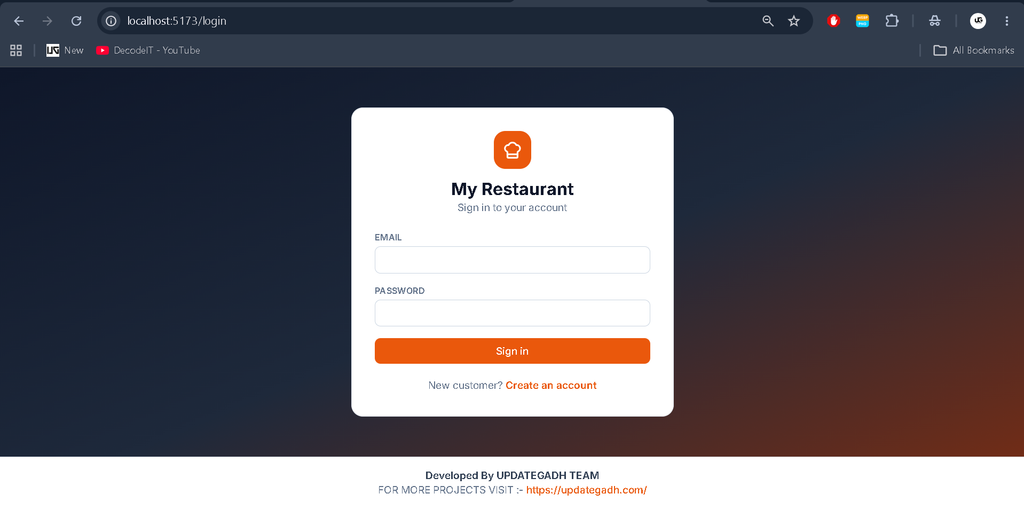
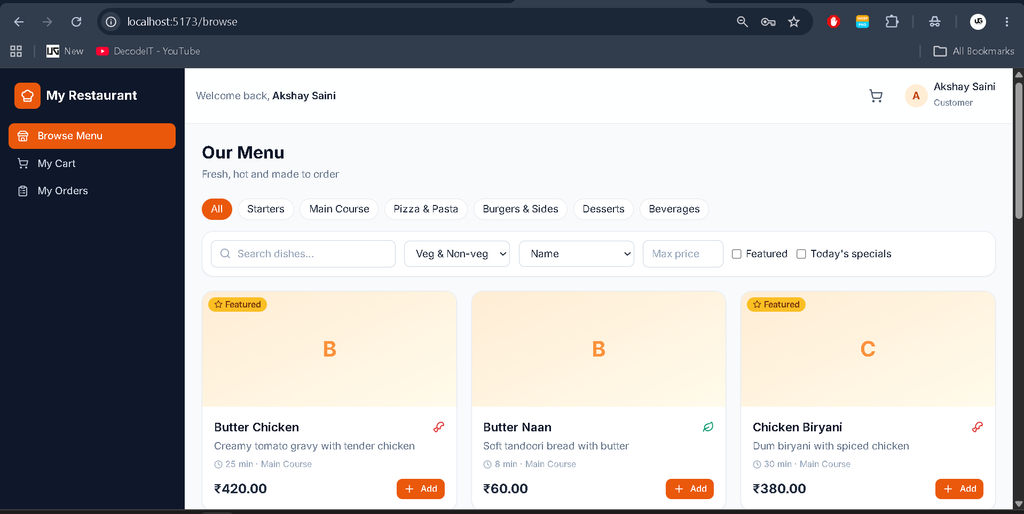
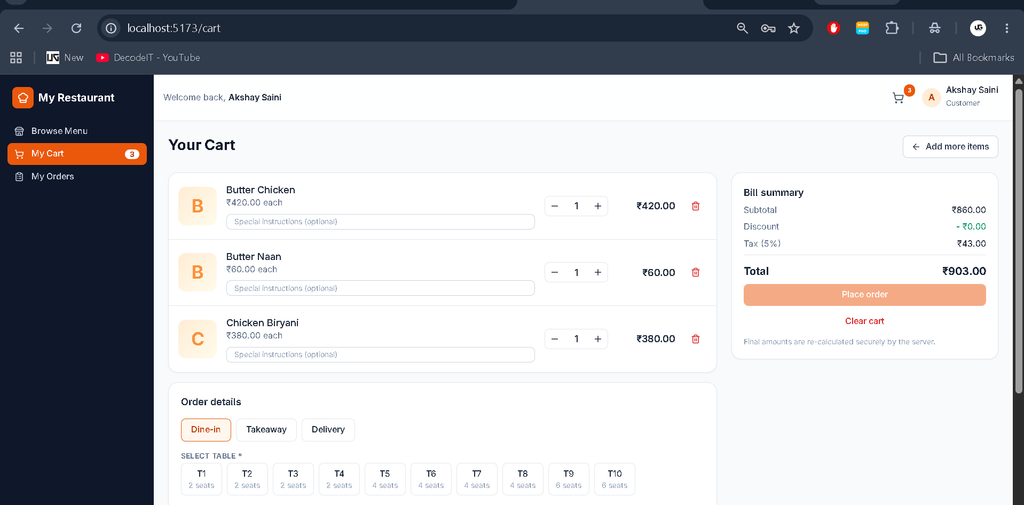
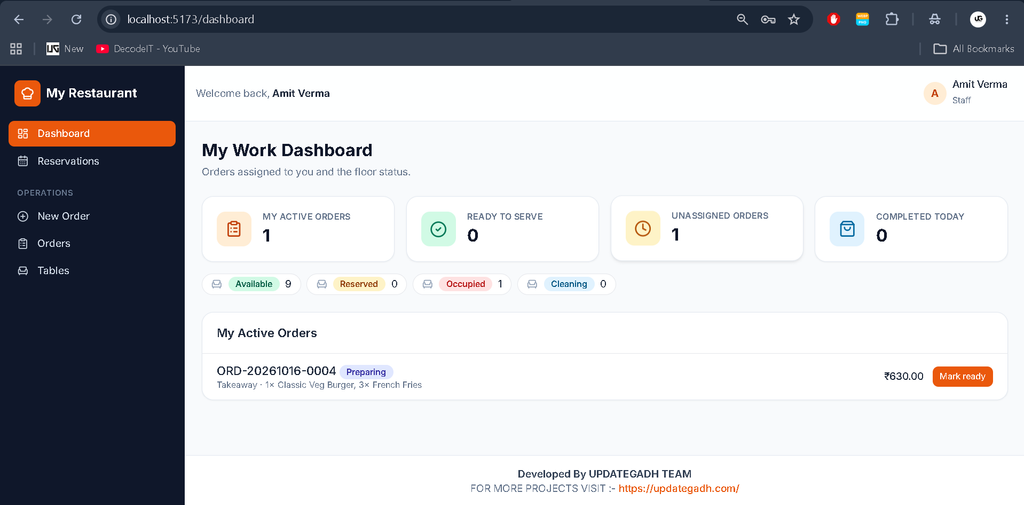
Installation Guide in VS Code
Step 1: Install Requirements
Install Node.js 18 or later, npm 9 or later, Visual Studio Code, and MongoDB 6 or later. MongoDB Atlas is an alternative to a local database.
Step 2: Open the Project
Extract the ZIP file and open the project folder.
cd Restaurant Management System Using MERN Stack
code .
Step 3: Install Dependencies
Open two terminals.
Backend:
cd server
npm install
Frontend:
cd client
npm install
Step 4: Configure Environment Variables
From the server directory, create the environment file.
copy .env.example .envConfigure MONGO_URI, JWT_SECRET, SUPERADMIN_EMAIL, and SUPERADMIN_PASSWORD in server/.env. On Linux or macOS, use cp .env.example .env.
Step 5: Initialize the Database
Run these commands from the server directory.
npm run init
npm run seed
The seed command is optional and inserts demonstration data. It refuses to seed a database that already contains data. The force option resets and reseeds the database, so use it carefully.
Step 6: Start the Application
Run the backend in one terminal.
cd server
npm run dev
Run the frontend in another terminal.
cd client
npm run dev
Open http://localhost:5173 in your browser. The backend API runs on port 5000.
Demo Login Credentials
| Role | Password | |
|---|---|---|
| Super Admin | Configured SUPERADMIN_EMAIL | Configured SUPERADMIN_PASSWORD |
| Restaurant Admin | admin@restaurant.com | Admin@123 |
| Staff | staff1@restaurant.com | Staff@123 |
| Customer | customer1@example.com | Customer@123 |
Demo accounts are available after seeding. Change demonstration passwords before deployment.
Project Benefits
This project is useful for college students to learn full-stack web development, API integration, database management, authentication, and real-world restaurant operations. It is a practical choice for BCA, MCA, and computer science students looking for a college or final-year project.
Frequently Asked Questions
1. Which technologies are used?
React, Vite, Tailwind CSS, Node.js, Express.js, MongoDB, and Mongoose.
2. How many user panels are available?
Four: Super Admin, Restaurant Admin, Staff, and Customer.
3. Does the system support online ordering?
Yes. Customers can browse dishes, add items to a cart, check out, and track orders.
4. Are real payments supported?
Payments are simulated by default. A real payment gateway requires separate integration.
5. Can the project run locally?
Yes. Configure MongoDB, install dependencies, initialize the database, start both servers, and open the frontend URL.
Final Thoughts
The Advanced Restaurant Management System Using MERN Stack is a practical project for learning modern web development. Its four role-based panels bring menu management, ordering, inventory, reservations, billing, and reporting together in one application.
Keywords: Advanced Restaurant Management System (MERN), Restaurant Management System MERN Stack, Restaurant Management Project, React Restaurant Management System, Node.js Restaurant Project,Restaurant Management System, Restaurant Management System, restaurant management system project in java, restaurant management system project in python, restaurant management system project, restaurant management system project in python class 12 pdf, restaurant management system github, restaurant management system website, restaurant management system UI design, restaurant management system ER diagram, restaurant management system excel free download