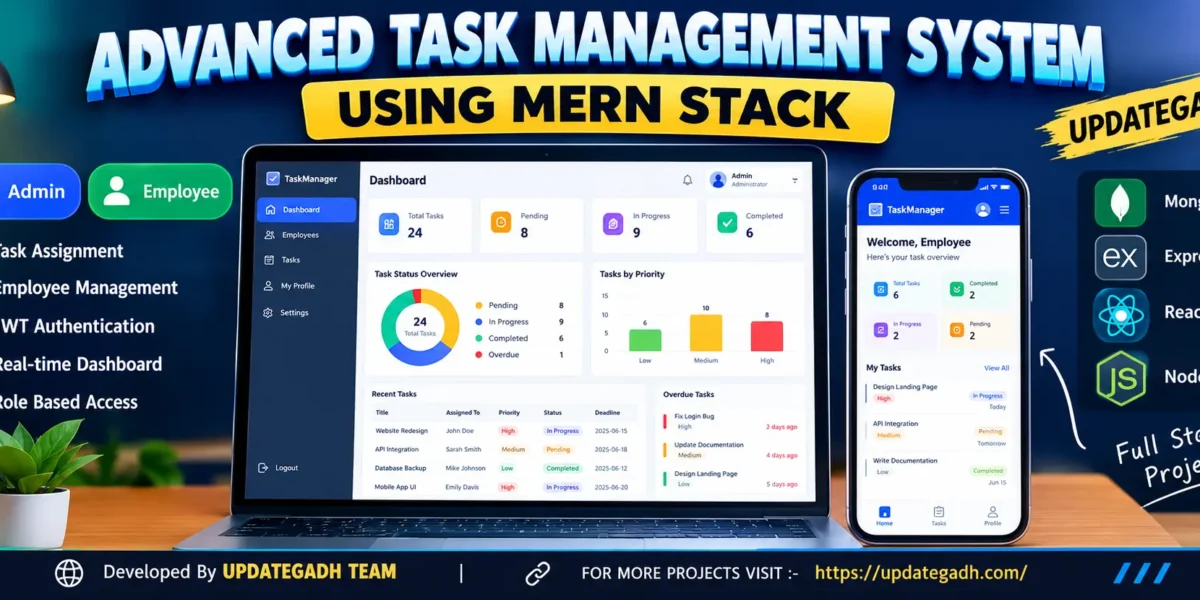
The Advanced Task Management System Using MERN Stack is a web-based application designed to help organizations manage employees, assign tasks, monitor progress, and improve workplace productivity. The system provides separate dashboards for Admin and Employee users, allowing each role to access the features relevant to their responsibilities.
Developed using MongoDB, Express.js, React.js, and Node.js, this project demonstrates how a modern task management application can organize daily work through a responsive interface, role-based access control, task tracking, and real-time database-driven statistics.
Complete Advance AI Topics: Click Here
Real Time Projects on YouTube:- DecodeIT
Project Overview
| Project Details | Description |
|---|---|
| Project Name | Advanced Task Management System |
| Frontend | React.js, CSS |
| Backend | Node.js, Express.js |
| Database | MongoDB |
| Authentication | JWT Authentication |
| Project Type | Full-Stack Web Application |
| User Roles | Admin and Employee |
Available Features
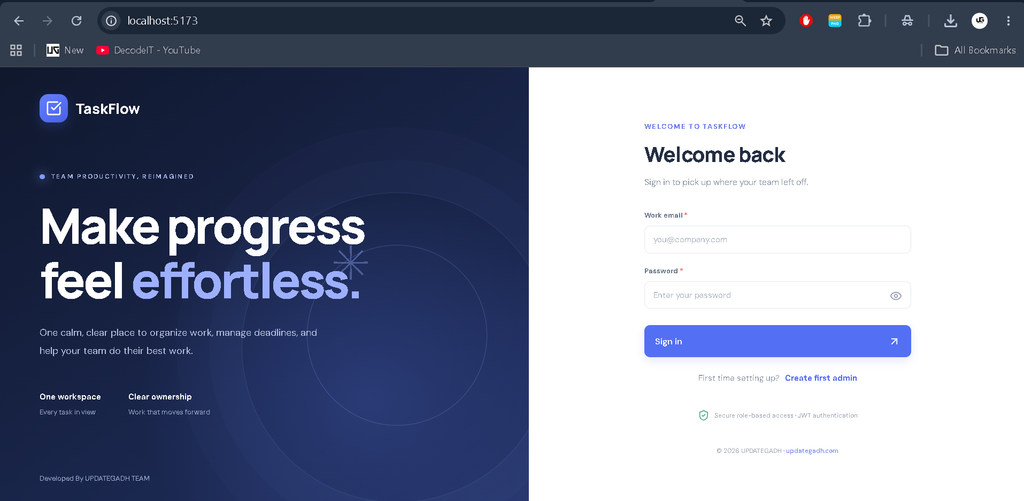
1. User Authentication and Profile Management
The system provides secure authentication using JSON Web Tokens (JWT). Passwords are stored using secure hashing, while role-based authorization restricts access to protected pages and API operations.
- Secure login and initial Admin account setup.
- Role-based access for Admin and Employee users.
- Protected routes and secure logout.
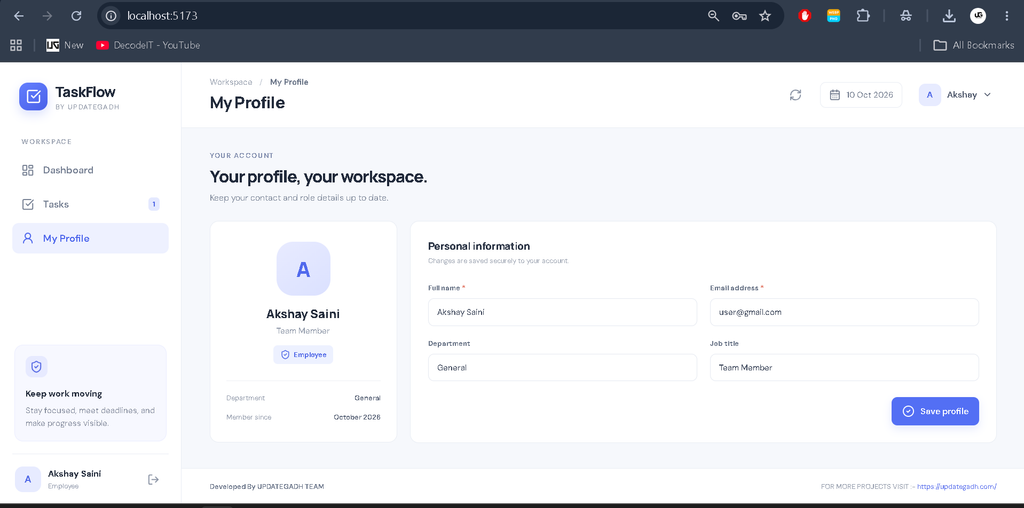
- View and edit personal profile information.
2. Admin Dashboard
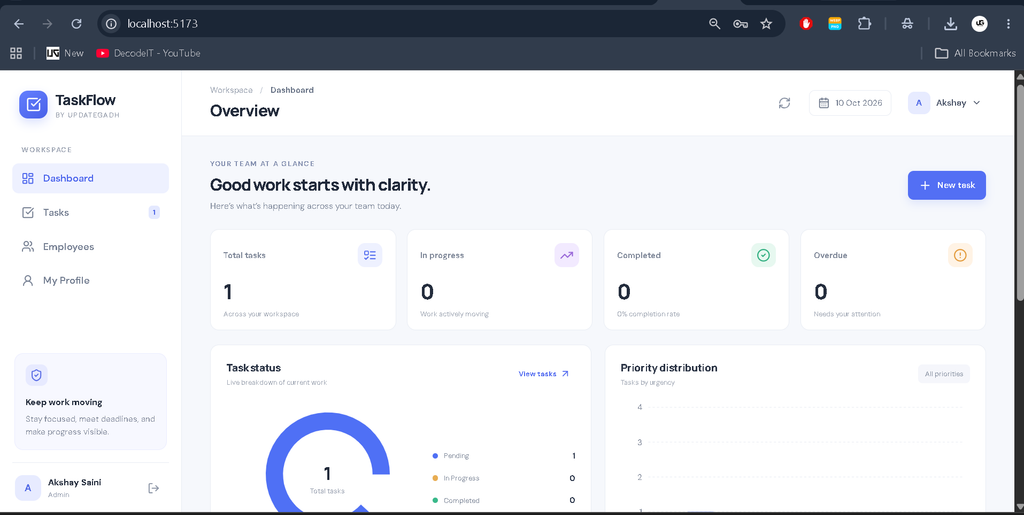
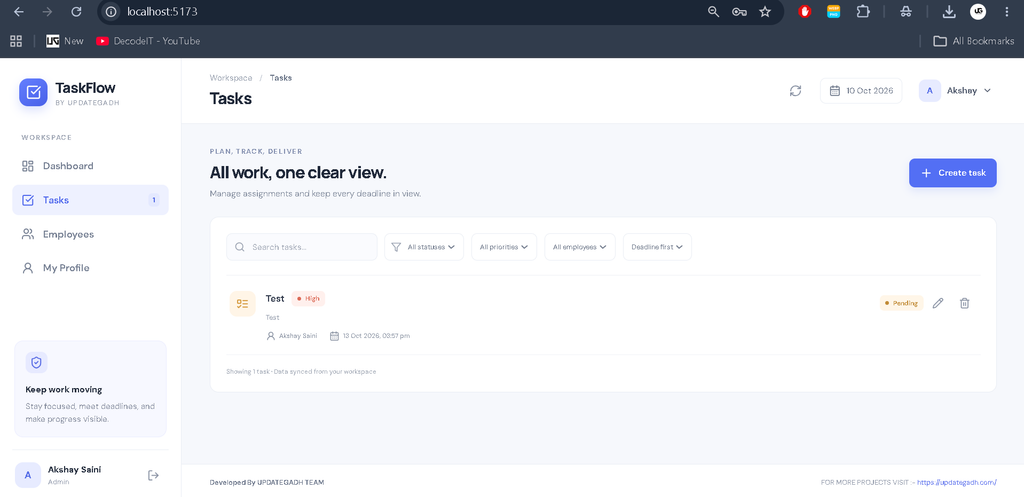
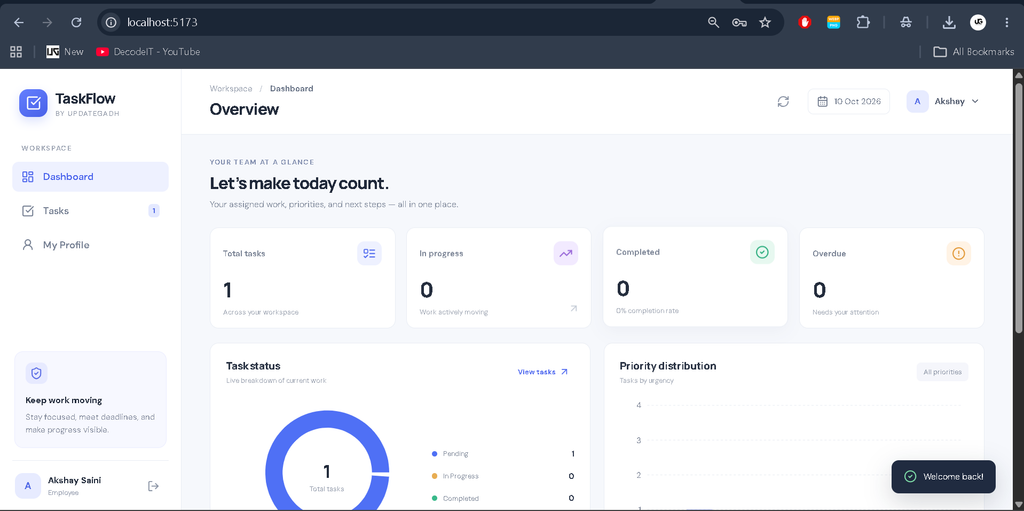
The Admin dashboard provides a centralized interface for managing employees and tasks. It displays task statistics, charts, and workload information to help administrators monitor work progress.
- View task counts by status.
- Identify overdue tasks.
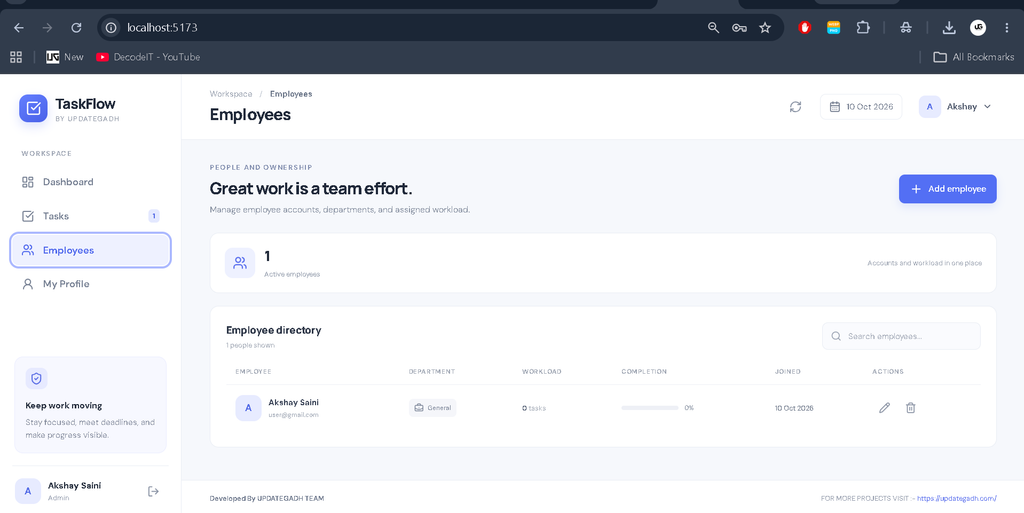
- Manage employee accounts.
- Create, assign, update, and delete tasks.
- Monitor employee workloads and task completion rates.
- Search, filter, and sort employees and tasks.
3. Employee Dashboard
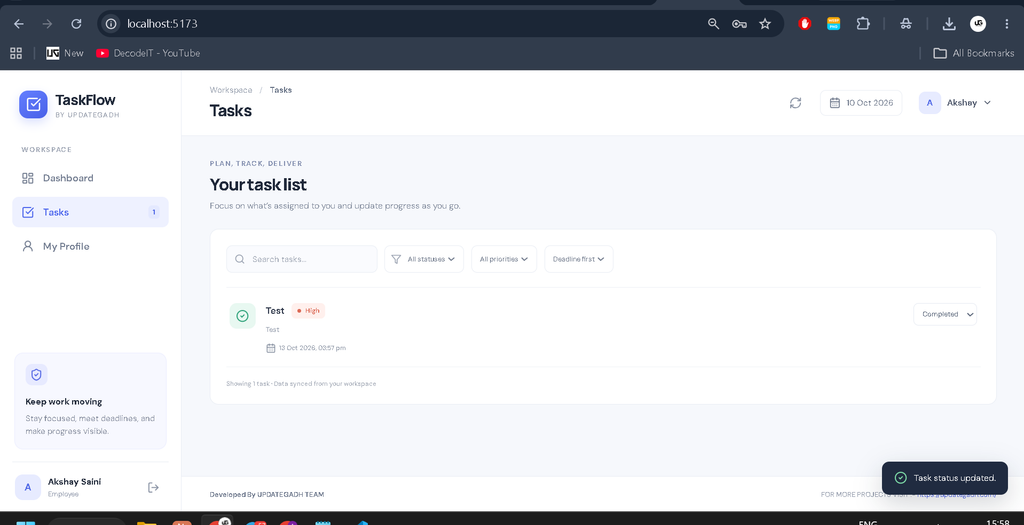
Employees can access their assigned tasks through a dedicated dashboard. The interface helps them understand task requirements, check deadlines, and update progress without accessing administrative functions.
- View tasks assigned to the logged-in employee.
- Read task descriptions and deadlines.
- Check task priorities.
- Update task status to Pending, In Progress, or Completed.
- Filter tasks by status and priority.
- View personal task statistics and profile information.
4. Task Management
The task management module allows administrators to organize work by storing the information required for each task.
- Task title and description.
- Assigned employee.
- Low, Medium, and High priority levels.
- Task deadline and status.
- Creation and modification timestamps.
- Automatic identification of overdue tasks.
- Validation and authorization for task updates.
5. Database-Driven Statistics
Dashboard statistics and charts use MongoDB records instead of fixed demonstration values. Task information can be organized by status, priority, deadline, and assigned employee, making it easier to understand work distribution and completion progress.
Technology Stack
- React.js: Builds the interactive frontend and dashboard interfaces.
- Node.js: Runs the server-side JavaScript environment.
- Express.js: Handles REST API routes, requests, and responses.
- MongoDB: Stores user accounts and task records.
- JWT: Supports authenticated requests and role-based access.
- CSS: Provides responsive styling for different screen sizes.
Software and Tools Required
- Visual Studio Code
- Node.js and npm
- MongoDB Community Server or another accessible MongoDB deployment
- A modern web browser
- MongoDB connection string and environment configuration
How to Download
The complete package is available so you can run, study, and submit it with confidence. It includes:
- Full Source Code
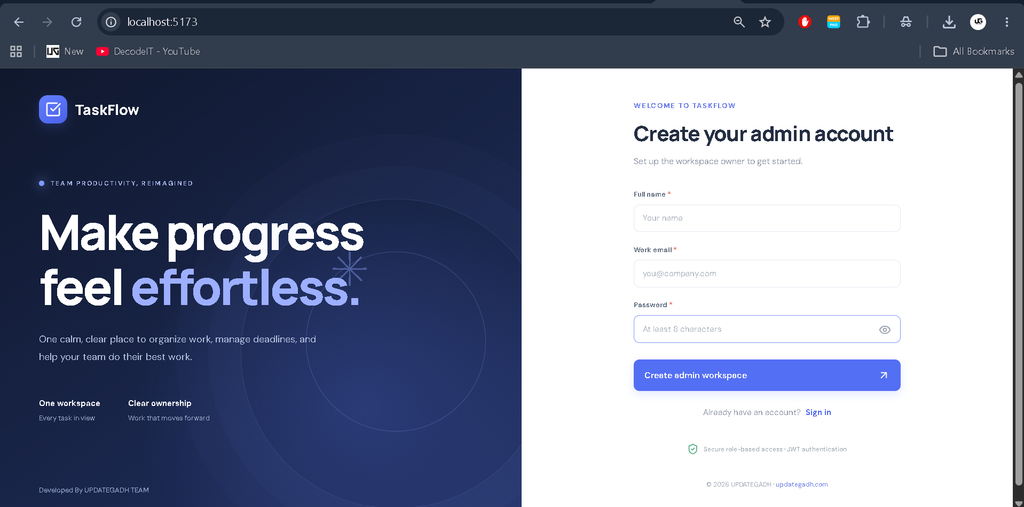
Screenshot
Project Setup and Installation Guide
Step 1: Extract the Project
Download the project ZIP file, extract it, and open the Task Management System Using MERN Stack folder in Visual Studio Code.
Step 2: Configure MongoDB
Start your MongoDB service or prepare a valid MongoDB connection string. The application needs database access to store users and tasks and generate dashboard statistics.
Step 3: Configure Environment Variables
Open the backend folder and copy .env.example to a new file named .env. Add the required database connection string, a strong JWT secret, and the other environment values specified in the example file.
Never share your actual JWT secret or database credentials publicly.
Step 4: Install Dependencies
Open the terminal in the project root directory and run:
npm install
npm run install:all
Wait until the installation process finishes. If npm reports an error, check your Node.js version, internet connection, and package configuration.
Step 5: Start the Application
Run the following command from the project root:
npm run devWhen both servers start successfully, open the application using these addresses:
- Frontend: http://localhost:5173
- Backend API: http://localhost:5000/api
- API Health Check: http://localhost:5000/api/health
Step 6: Create the First Admin Account
Open the frontend and use the initial Admin setup option. Enter the required name, email address, and password. According to the project setup, the initial Admin creation endpoint becomes unavailable after an account has been created.
After creating the Admin account, sign in and add employee accounts. You can then create tasks, assign employees, set deadlines, and monitor task progress.
Usage of the System
Admin Usage
The Admin signs in to manage employees, create and assign tasks, review task statuses, identify overdue work, and analyze employee workloads through dashboard statistics.
Employee Usage
Employees sign in with their accounts to view assigned tasks, check priorities and deadlines, update task progress, and manage their profile information.
Project Benefits
- Organizes tasks in a centralized application.
- Separates administrative and employee responsibilities.
- Improves visibility into deadlines and task progress.
- Demonstrates full-stack development with the MERN stack.
- Provides practical experience with REST APIs, authentication, CRUD operations, and MongoDB.
- Supports responsive access through modern web browsers.
Frequently Asked Questions (FAQs)
1. What is the Advanced Task Management System?
It is a full-stack web application that helps administrators assign work, manage employees, track deadlines, and monitor task completion.
2. Which technologies are used in this project?
The project uses MongoDB, Express.js, React.js, and Node.js, with JWT authentication and CSS-based responsive styling.
3. What are the available user roles?
The application supports two roles: Admin and Employee. Admins manage employees and tasks, while employees manage the progress of their assigned tasks.
4. How are overdue tasks identified?
The application identifies tasks whose deadlines have passed and whose status is not Completed. This helps administrators review delayed work.
5. How can I run the project in VS Code?
Install Node.js, configure MongoDB and the backend environment variables, install dependencies, and run npm run dev from the project root. Follow the README instructions if any additional setup is required.
Conclusion
The Advanced Task Management System Using MERN Stack is a practical project for learning full-stack web development and task workflow management. It combines employee administration, task assignment, progress tracking, authentication, and database-driven reporting in one application.
Task Management System Using MERN Stack Task Management System Using MERN Stack project management tool using mern stack github task management system project in mern stack task management system mern stack github project management system mern stack github mern stack job description what is mern stack used fo task management system mern stack task management system using mern task management using mern stack,Task Management System