
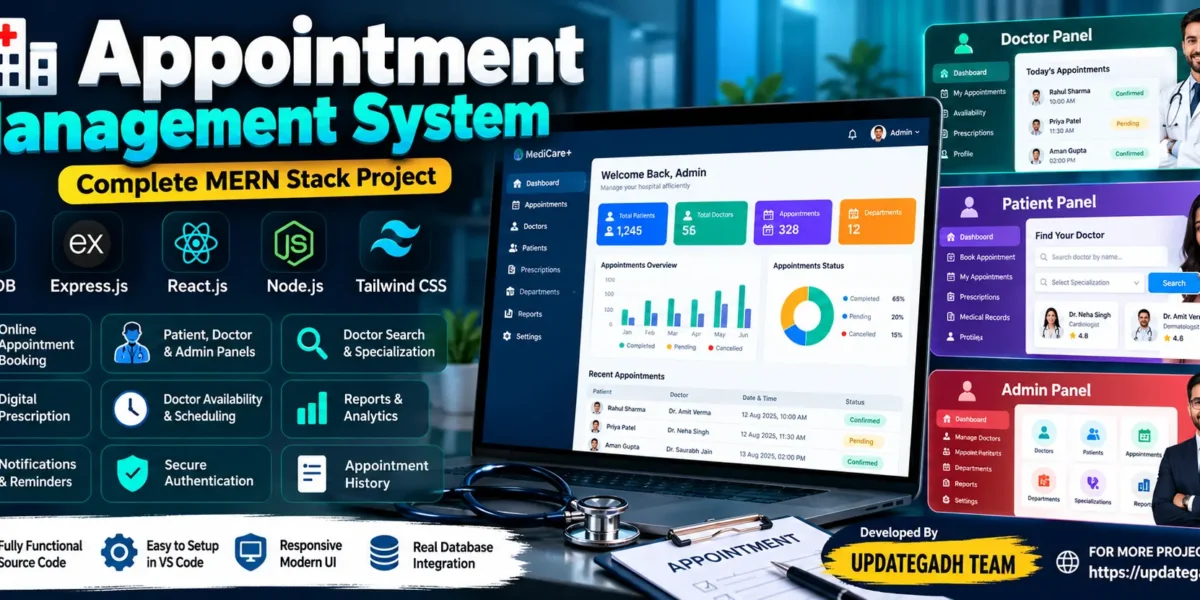
Appointment Management System Using MERN Stack
The Appointment Management System is a web-based application developed using the MERN Stack to simplify appointment booking and scheduling. The system provides separate panels for patients, doctors, and administrators, allowing users to manage appointments, doctor availability, patient information, and prescriptions through a centralized platform.
Built with MongoDB, Express.js, React.js, Node.js, and Tailwind CSS, this project demonstrates how modern web technologies can be used to develop an organized appointment management application. Patients can search for doctors and book appointments, doctors can manage their schedules and prescriptions, and administrators can manage users, appointments, departments, and reports.
Project Overview
| Project Details | Description |
|---|---|
| Project Name | Appointment Management System |
| Language/s Used | JavaScript |
| Framework | React.js, Express.js, Tailwind CSS |
| Backend | Node.js, Express.js |
| Database | MongoDB |
| Project Type | Full-Stack Web Application |
Complete Advance AI Topics: Click Here
Real Time Projects on YouTube:- DecodeIT
Available Features
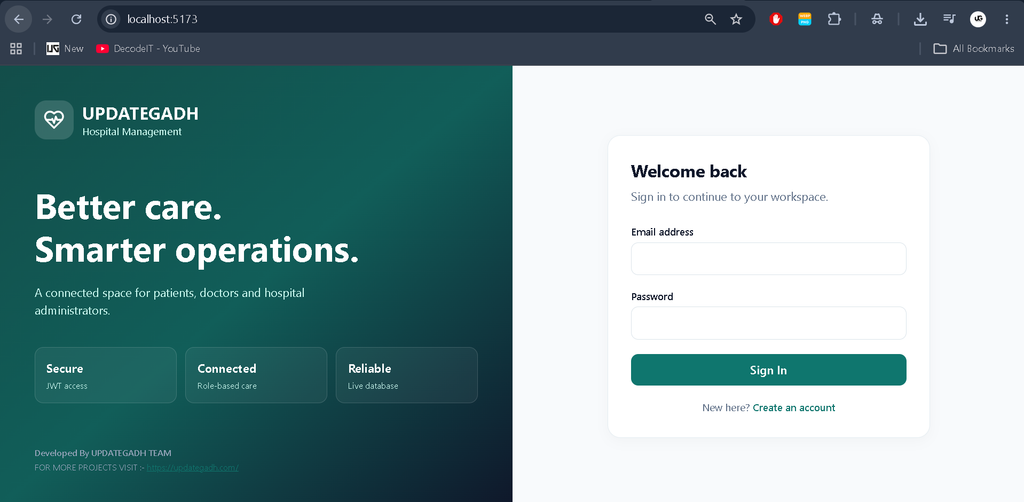
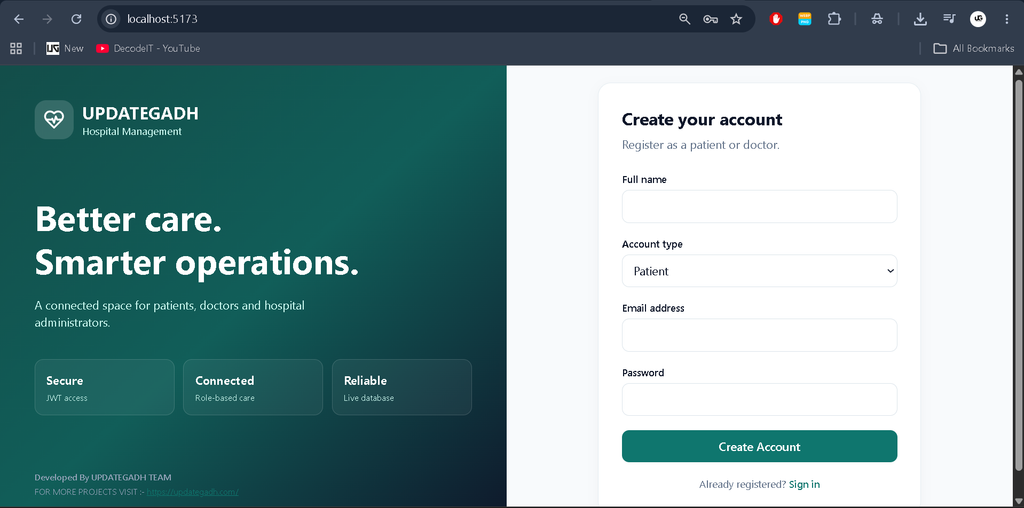
- Secure registration, login, and profile management.
- Separate patient, doctor, and administrator panels.
- Doctor search by name and specialization.
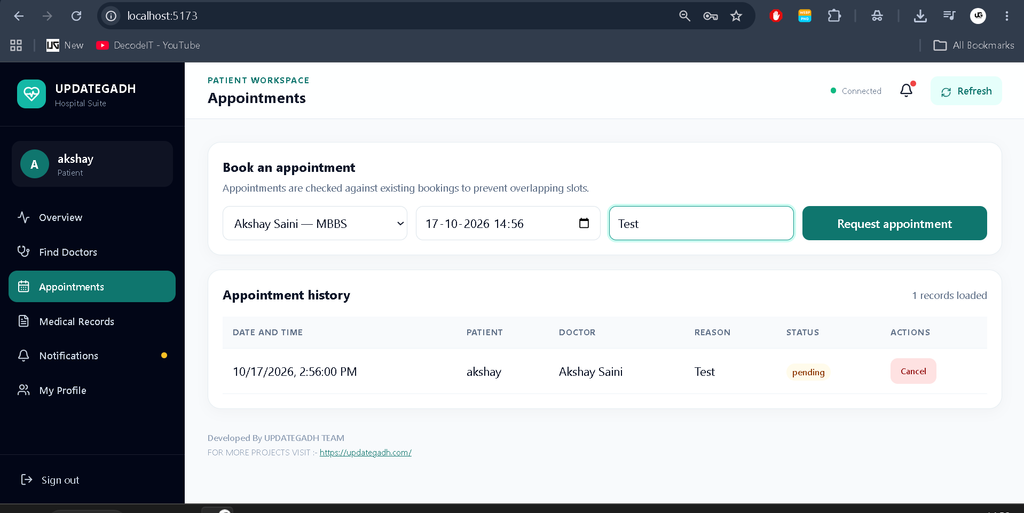
- Online appointment booking and cancellation.
- Doctor availability and schedule management.
- Appointment status tracking and history.
- Patient medical history and records.
- Prescription creation and management.
- Digital prescription downloads.
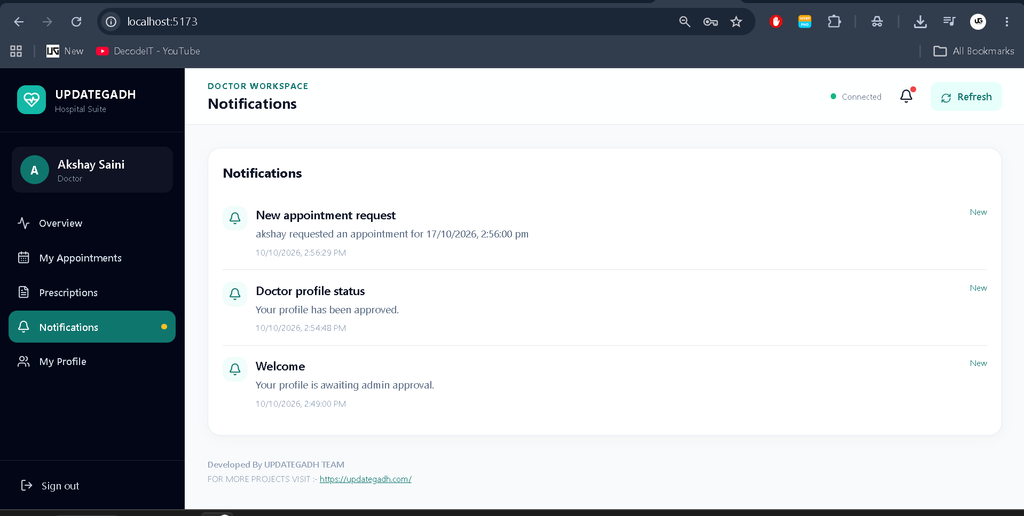
- Patient and doctor notifications.
- Search, filters, and pagination.
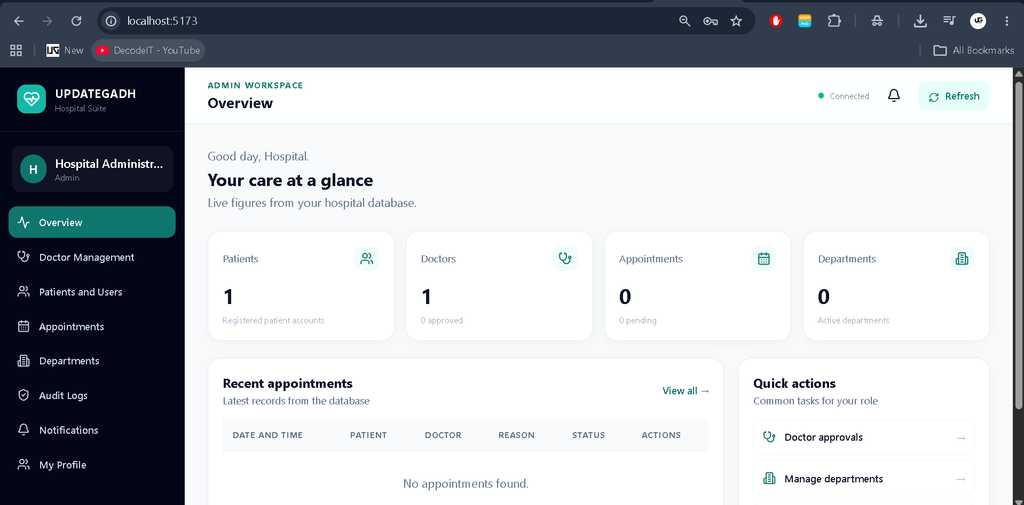
- Admin dashboard with real database statistics.
- Patient and doctor management.
- Doctor approval, account blocking, and unblocking.
- Specialization, department, and hospital service management.
- System activity monitoring, reports, charts, and analytics.
- Real-time appointment updates.
- Double-booking prevention and schedule conflict detection.
- Role-based access control and medical record permissions.
- PDF prescription and appointment receipt generation.
- Email notifications and automated appointment reminders.
- Audit logs for sensitive record changes.
Patient Panel
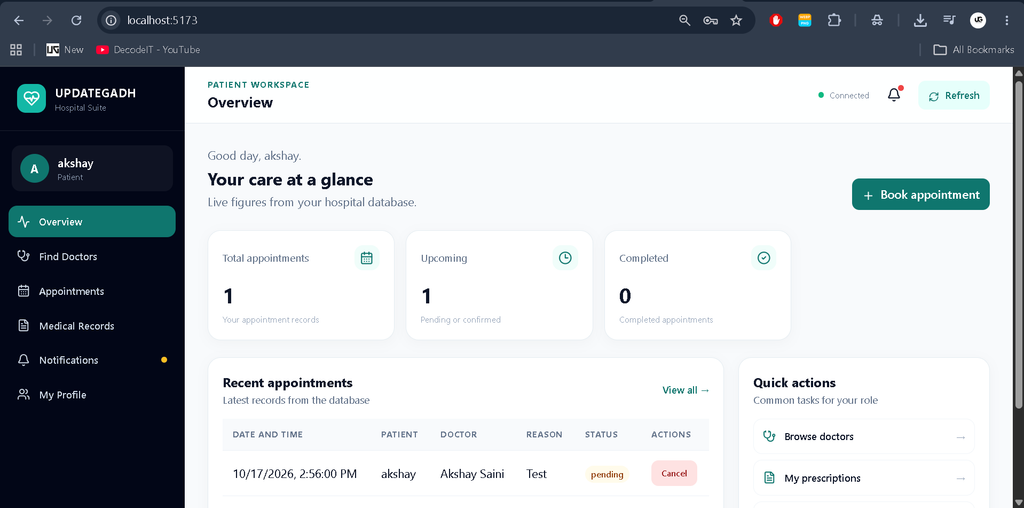
The patient panel allows users to browse doctors, search by specialization, and book appointments according to doctor availability. Patients can view upcoming appointments, cancel eligible bookings, track appointment status, and access their appointment history. The panel also supports profile management and access to authorized medical records and prescriptions.
Doctor Panel
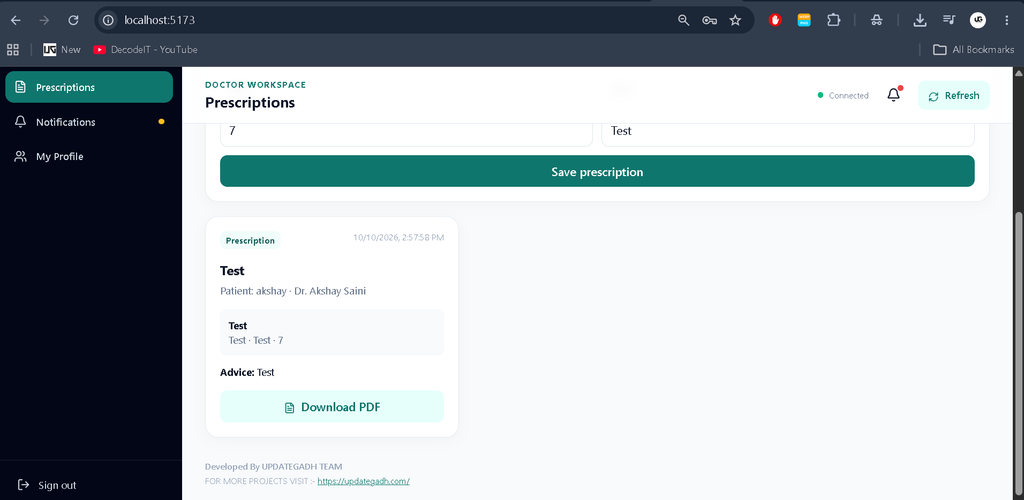
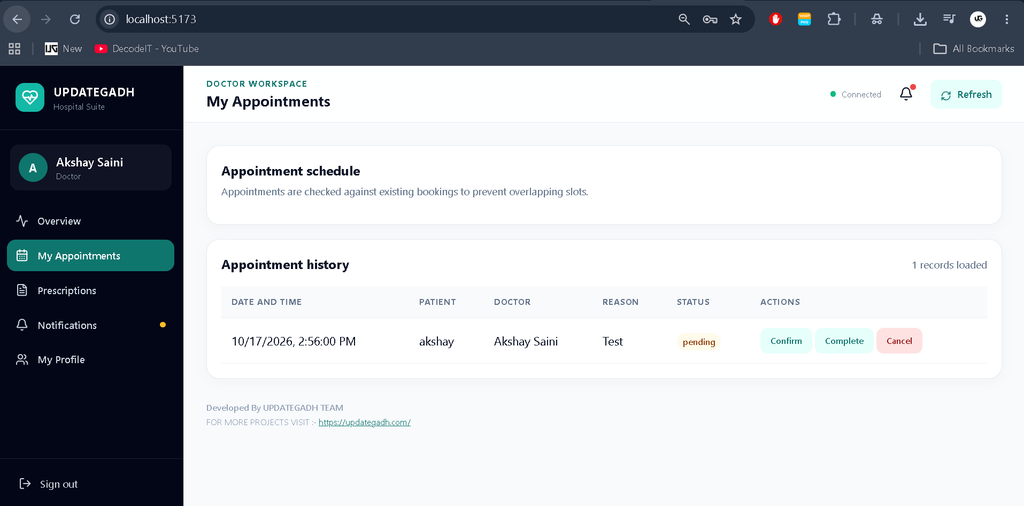
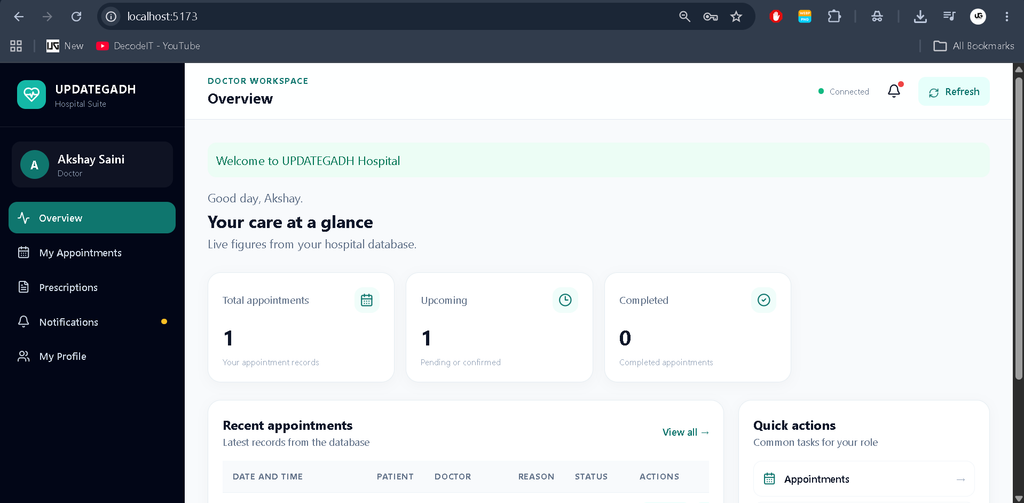
The doctor panel provides a dedicated dashboard for managing appointments and working schedules. Doctors can update their availability, view assigned appointments, access authorized patient records, create and update prescriptions, and mark appointments as completed. Profile management allows doctors to maintain their account information.
Admin Panel
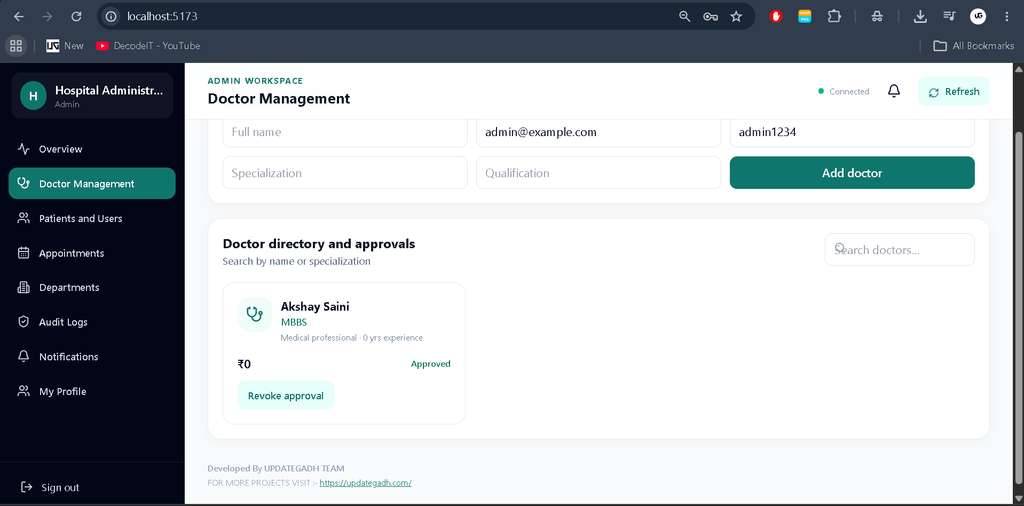
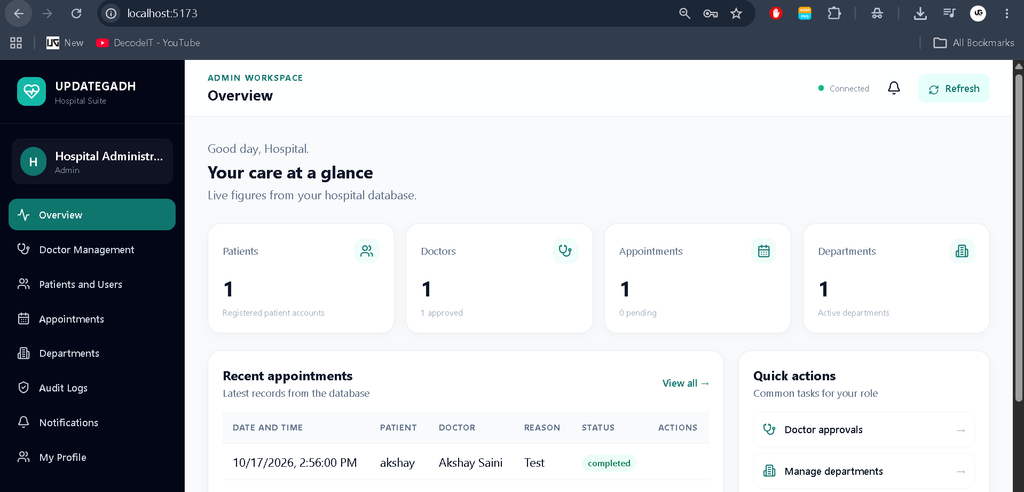
The admin panel provides centralized control over the appointment management application. Administrators can manage patients and doctors, approve doctor accounts, block or unblock users, manage specializations and departments, and monitor appointments. Reports, charts, and analytics help administrators review system activity and understand application usage through database-driven information.
Advanced Features
Appointment Conflict Prevention
The application is designed to prevent double booking and detect doctor schedule conflicts before confirming appointments.
Authentication and Access Control
JWT authentication, password hashing, protected API routes, and role-based permissions help restrict access to authorized users and resources.
Notifications and Reminders
The system includes patient and doctor notifications, email notification support, and automated appointment reminders to help users stay informed about scheduled appointments.
Digital Documents and Audit Logs
Prescription and appointment receipt generation provides digital documentation. Audit logs support tracking sensitive changes made within the application.
Technology Stack
- MongoDB: Stores application data, including users, doctors, appointments, prescriptions, and medical records.
- Express.js: Provides backend routing, REST APIs, and request processing.
- React.js: Builds interactive dashboards and user interfaces.
- Node.js: Runs the server-side application and handles API requests.
- Tailwind CSS: Provides responsive styling and consistent interface components.
- JWT: Supports token-based authentication.
- bcrypt: Supports secure password hashing.
Software Requirements
- Node.js and npm
- MongoDB Community Server or MongoDB Atlas
- Visual Studio Code
- Modern web browser
- Internet connection for installing dependencies
How to Download
The complete package is available so you can run, study, and submit it with confidence. It includes:
- Full Source Code
- Project Report
- Synopsis
- PPT Presentation
Screenshot
Installation Guide in VS Code
Step 1: Extract the Project
Extract the project ZIP file and open the main project folder in Visual Studio Code.
Step 2: Install Backend Dependencies
Open the VS Code terminal and execute:
cd backend
npm install
Step 3: Configure Environment Variables
Copy the provided backend environment example to a file named .env. Configure the MongoDB connection string, JWT secret, frontend URL, and administrator credentials according to the project’s configuration.
Step 4: Start the Backend Server
npm run devKeep the backend terminal running while using the application.
Step 5: Install and Start the Frontend
Open another terminal in VS Code and execute:
cd frontend
npm install
npm run dev
Open the local development URL displayed in the terminal to access the frontend.
Step 6: Configure the Administrator Account
If the project includes the administrator seed script, first configure the required administrator credentials in the backend environment file. Then run the following command from the backend directory:
npm run seed:adminUse the configured administrator credentials to access the admin panel.
How to Use the Application
- Patient: Register, log in, search for doctors, book appointments, view appointment status, and access authorized records.
- Doctor: Log in, manage availability, review assigned appointments, update appointment status, and manage prescriptions.
- Administrator: Manage patients, doctors, departments, specializations, appointments, and system reports.
Project Benefits
- Organizes appointment scheduling and tracking.
- Reduces manual work involved in managing bookings.
- Provides dedicated interfaces for patients, doctors, and administrators.
- Helps organize patient records and prescriptions.
- Demonstrates practical knowledge of MERN Stack development.
- Provides experience with REST APIs, database models, authentication, and responsive design.
Frequently Asked Questions
1. What is an Appointment Management System?
It is a web-based application that helps users schedule, manage, cancel, and track appointments through a centralized system.
2. Which technologies are used in this project?
The project uses MongoDB, Express.js, React.js, Node.js, and Tailwind CSS.
3. Does the application provide separate user panels?
Yes, it is designed with separate patient, doctor, and administrator panels with role-specific functionality.
4. Can patients download prescriptions?
Yes, digital prescription downloads are included in the specified project requirements.
5. Can the project run in Visual Studio Code?
Yes, the project can be configured in VS Code by installing its dependencies, configuring environment variables, connecting MongoDB, and starting the backend and frontend servers.
Final Thoughts
The Appointment Management System using MERN Stack is a practical full-stack web development project for students interested in appointment scheduling and healthcare applications. It brings together user management, doctor availability, appointment tracking, medical records, prescriptions, and administrative operations in one platform. It also provides hands-on experience with modern JavaScript technologies and database-driven application development.
Keywords: Appointment Management System, Appointment Management System Using MERN Stack, Doctor Appointment Booking System, MERN Stack Project, React.js Project, MongoDB Project, Node.js Project,Appointment Management System Appointment Management System appointment management system for property registration appointment management system ams appointment management system project appointment management system github appointment management system in hospital appointment management system ams canada appointment management system delhi appointment scheduling system appointment scheduling system for healthcare
[…] Appointment Management System Using MERN Stack :- Click here […]