Quiz Management System Using MERN Stack
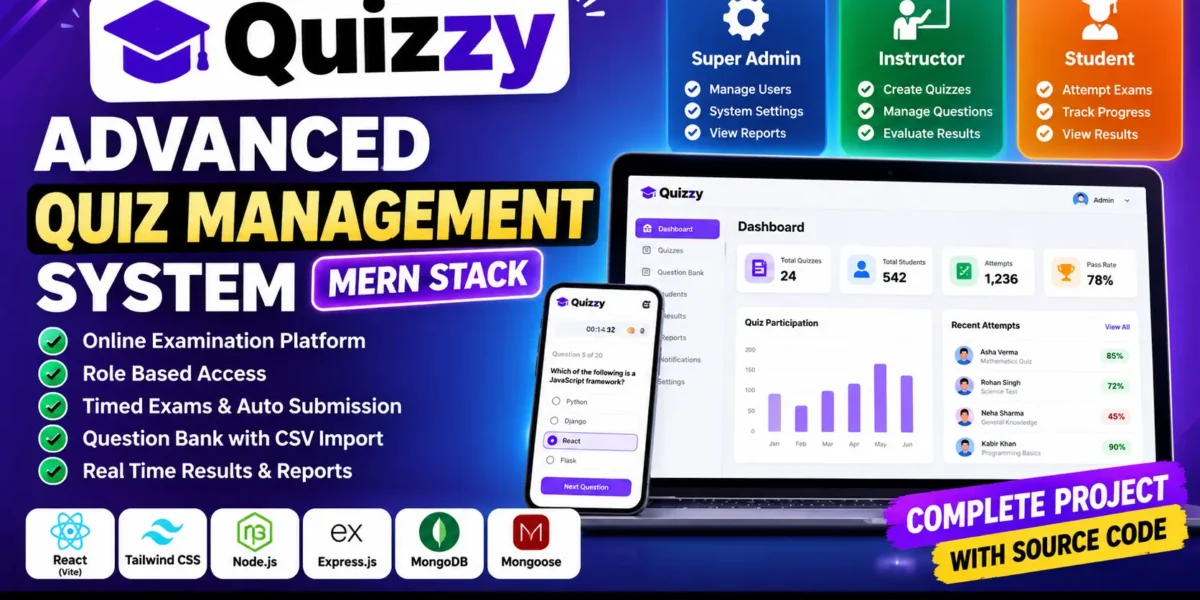
Quiz Management System is an advanced online examination and quiz management system developed using React, Vite, Tailwind CSS, Node.js, Express.js, MongoDB, and Mongoose. It provides separate dashboards for Super Admin, Instructor, and Student users to manage quizzes, question banks, examinations, scoring, results, and reports.
The system includes JWT authentication, role-based access control, timed examinations, automatic scoring, question shuffling, negative marking, notifications, leaderboards, and CSV reporting. It is designed to demonstrate how a complete online examination platform can be developed using the MERN stack.
Complete Advance AI Topics: Click Here
Real Time Projects on YouTube:- DecodeIT
What Is Quiz Management System Using MERN Stack?
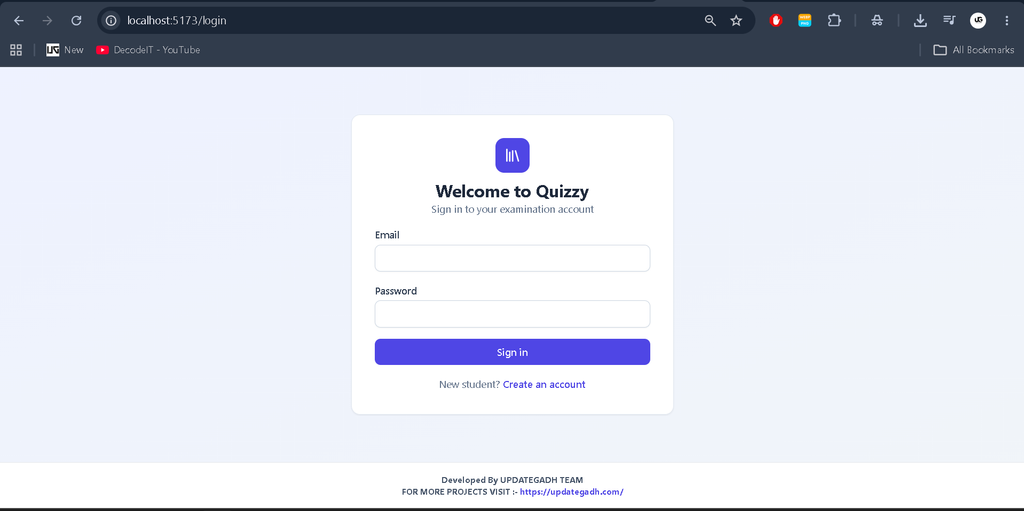
Quiz Management System is a web-based examination platform that allows instructors to create quizzes, manage questions, evaluate student performance, and publish results. Students can attempt scheduled examinations, save their progress, and review results according to quiz settings.
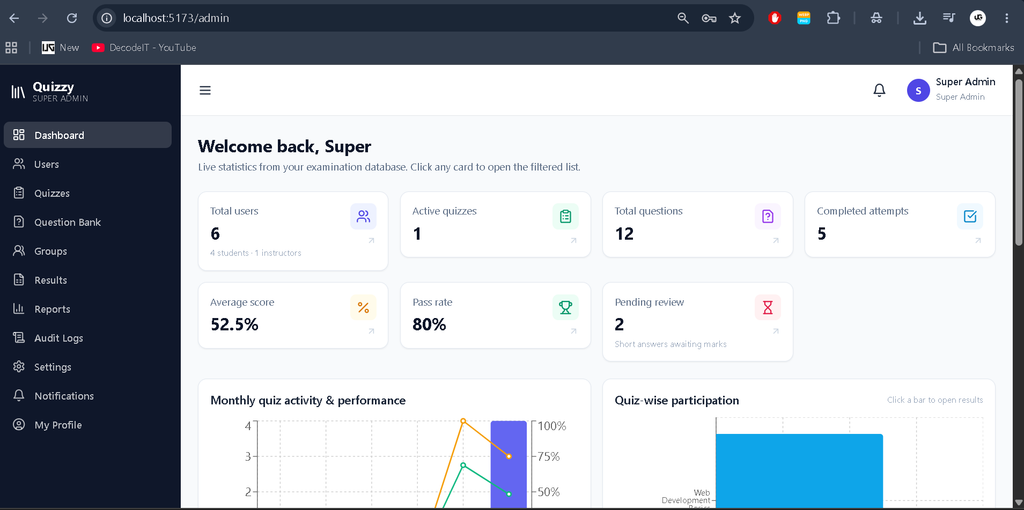
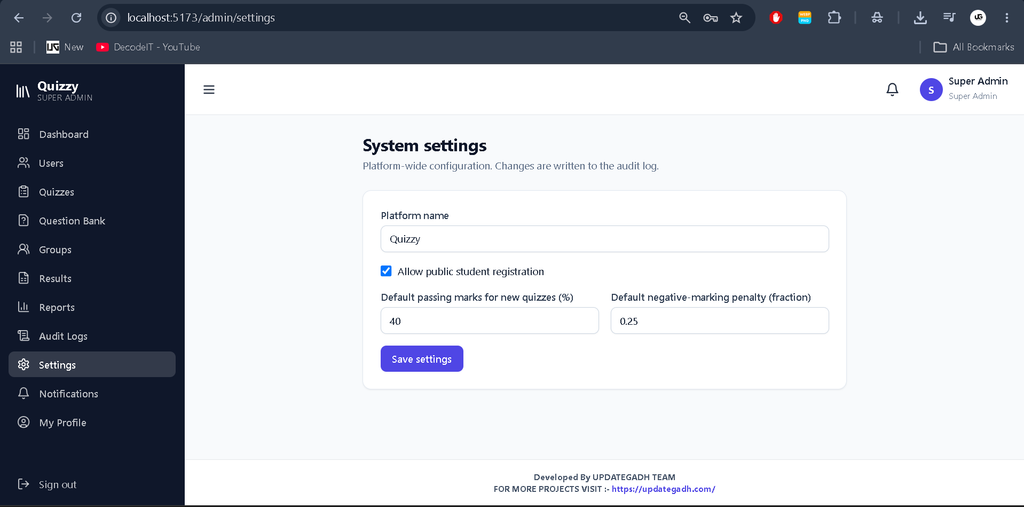
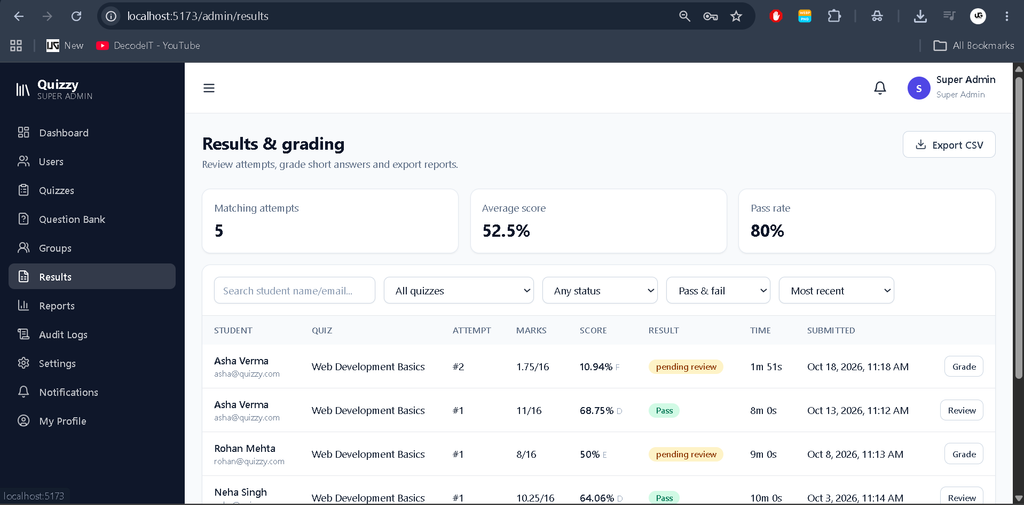
Super Admin users manage accounts, application settings, and system activities through a dedicated dashboard.
What Are the Project Details?
Quiz Management System uses a React frontend and a Node.js backend connected to MongoDB for storing users, quizzes, questions, attempts, and related records.
| Project Details | Description |
|---|---|
| Project Name | Quiz Management System |
| Frontend | React, Vite, Tailwind CSS |
| Backend | Node.js, Express.js |
| Database | MongoDB |
| ODM | Mongoose |
| Authentication | JWT and bcrypt |
| Project Type | Online Examination and Quiz Management System |
| User Roles | Super Admin, Instructor, Student |
What Are the Available Features?
Quiz Management System provides examination management, question creation, student assessment, result processing, notifications, and administrative reporting through separate role-based panels.
1. Super Admin Panel
- Dashboard with real database statistics and performance charts.
- User management, account suspension, and activation.
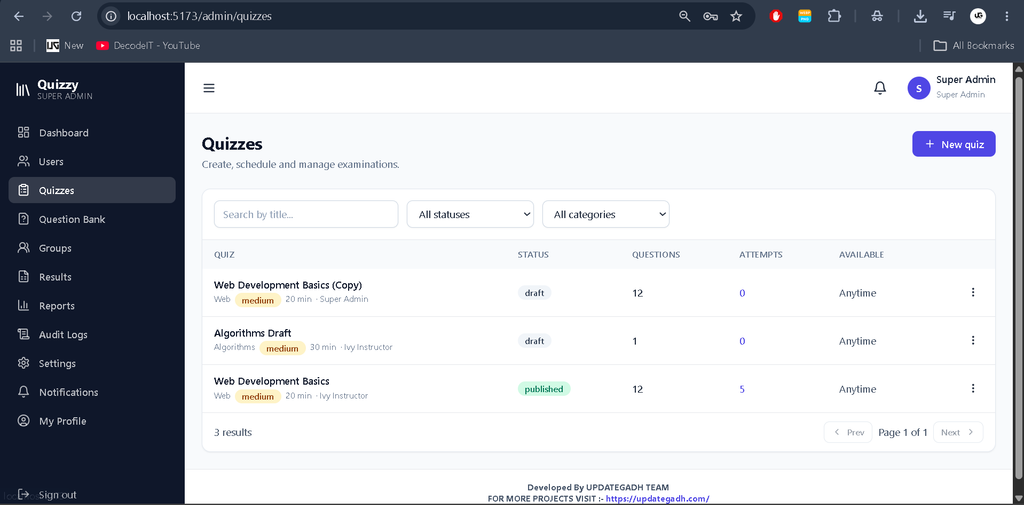
- Quiz, question, settings, and activity management.
- Audit logs and administrative reports.
- Dashboard KPI cards linked to relevant filtered modules.
2. Instructor Panel
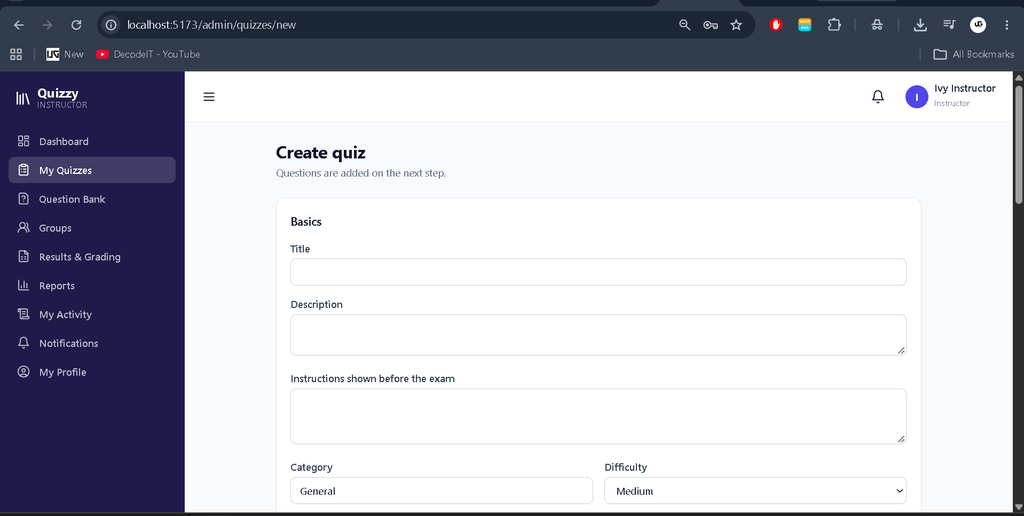
- Create, edit, duplicate, publish, unpublish, close, archive, and delete quizzes.
- Manage quiz dates, duration, passing percentage, and attempt limits.
- Create and reuse question banks.
- Assign quizzes to students and groups.
- Review results and manually grade short-answer questions.
3. Student Panel
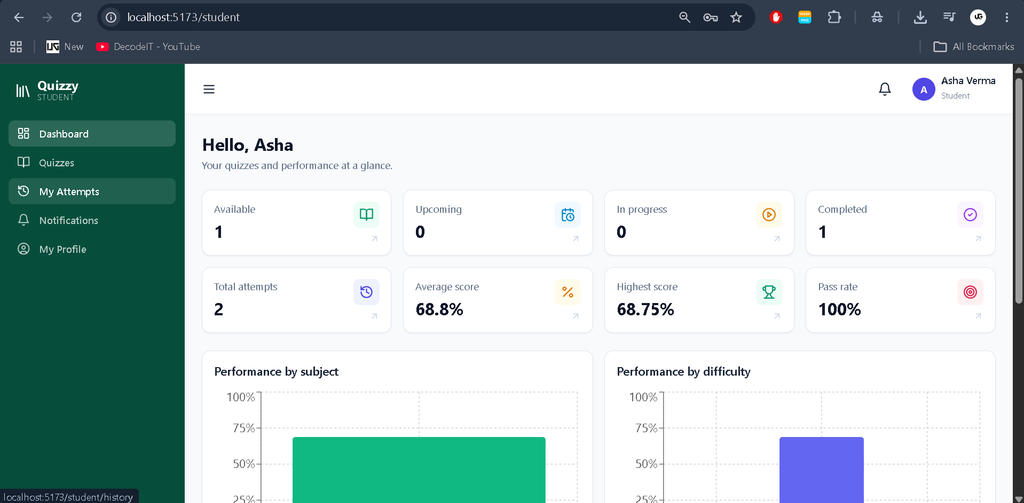
- View available, upcoming, in-progress, and completed quizzes.
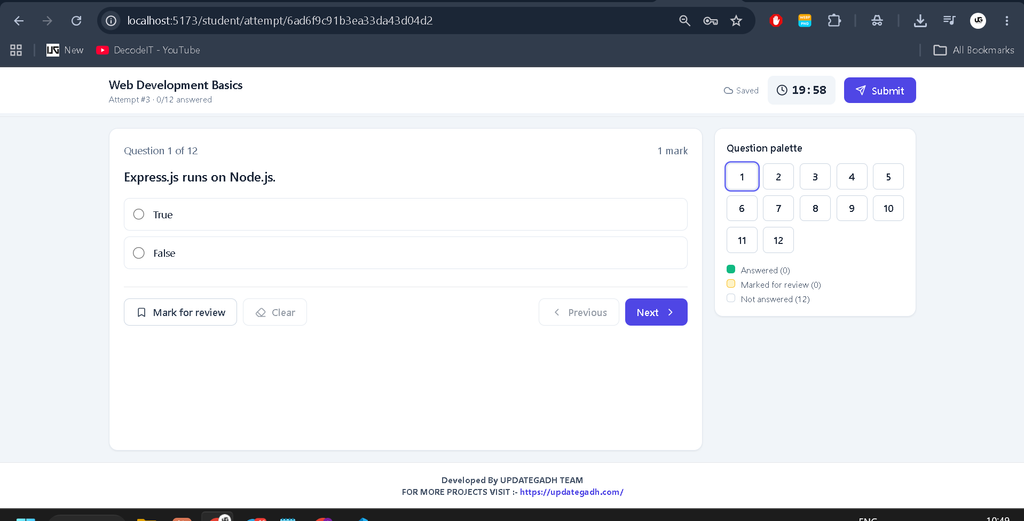
- Attempt timed examinations with a question palette and progress tracking.
- Save answers automatically and restore progress after refreshing.
- Mark questions for review and submit examinations.
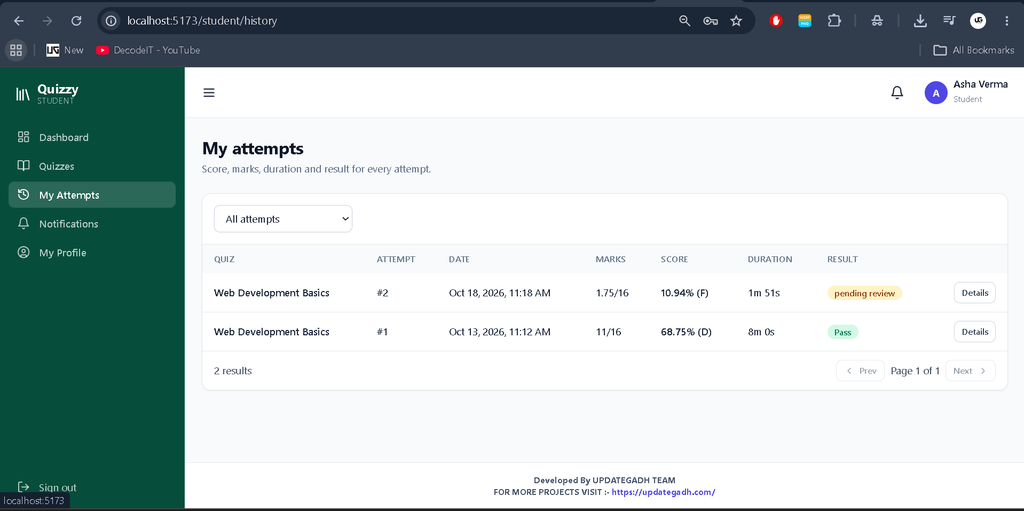
- View attempt history, results, and permitted answer explanations.
- View dashboard statistics and performance charts.
4. Question Bank and Exam Engine
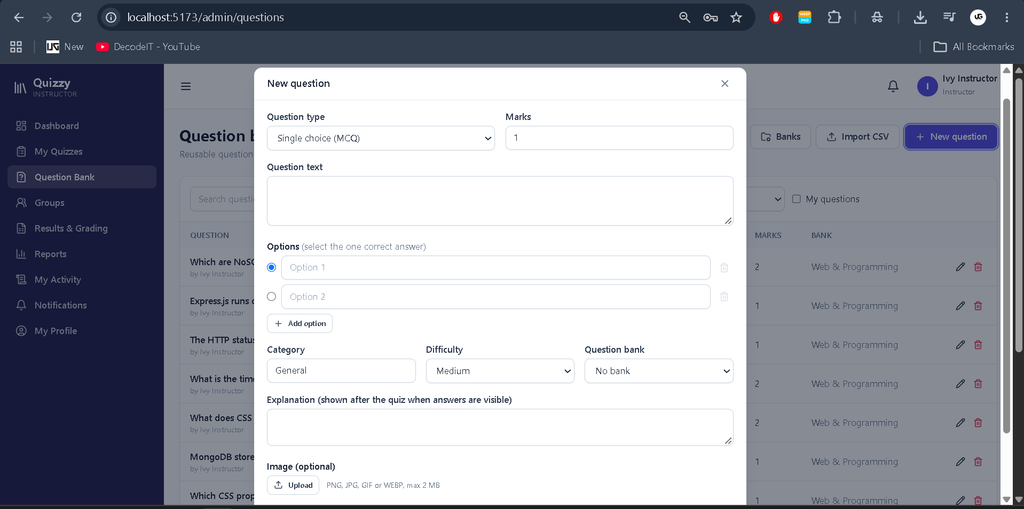
- Single-choice, multiple-select, true/false, short-answer, and fill-in-the-blank questions.
- Question categories, difficulty levels, marks, explanations, and image uploads.
- CSV question import with validation and per-row errors.
- Random question selection and question and option shuffling.
- Server-controlled timers, automatic submission, and duplicate-submission protection.
- Negative marking and configurable grading rules.
5. Results, Reports, and Notifications
- Automatic scoring on the server using stored correct answers.
- Percentages, pass/fail status, grades, and leaderboards.
- Quiz-wise and student-wise reports.
- CSV export with formula-injection protection and printable reports.
- Notifications for new quizzes, upcoming examinations, deadlines, and published results.
- Read/unread status and notification preferences.
- Audit records for important administrative and examination activities.
How Does the Quiz Management SystemExamination System Work?
The examination workflow begins when an instructor creates a quiz and adds questions from the question bank. The instructor can configure the schedule, duration, passing percentage, attempt limits, and student or group assignments before publishing it.
Students open an available quiz and answer questions within the permitted time. The system saves progress, enforces attempt limits, and calculates scores on the server. Short answers that do not match accepted answers can be sent for manual evaluation, with provisional totals while review is pending.
How Does Quiz Management System Protect Examination Integrity?
Quiz Management System uses server-side validation and scoring rules to reduce manipulation of examination results. Correct answers are not included in the student-facing examination payload, and the server calculates scores using stored question data.
- Server-controlled timers and attempt limits.
- Atomic submission handling to prevent duplicate finalization.
- Restrictions on editing questions after attempts exist.
- Validation of uploaded files and imported CSV data.
- Role-based route permissions and rate-limited authentication.
- Audit logs for important changes and result updates.
The supplied project description notes that JWT tokens are stored in localStorage. Stricter production deployments may move authentication to HTTP-only cookies with appropriate CSRF protection.
Which Technologies Are Used in Quiz Management System?
The project combines modern frontend tools with a JavaScript backend and a document-oriented database.
- React: Builds interactive user interfaces.
- Vite: Provides frontend development and production build tooling.
- Tailwind CSS: Styles responsive application layouts.
- Node.js: Runs server-side JavaScript.
- Express.js: Handles API routes and middleware.
- MongoDB: Stores users, quizzes, questions, attempts, and other records.
- Mongoose: Defines database models and manages database operations.
- JWT and bcrypt: Support authentication and password hashing.
What Software and Tools Are Required?
Prepare the development environment before installing the frontend and backend dependencies.
- Node.js 18 or newer
- MongoDB 4.4 or newer, or MongoDB Atlas
- Visual Studio Code
- Web Browser
How to Download
The complete package is available so you can run, study, and submit it with confidence.
Screenshot
How to Install and Run Quiz Management System in VS Code?
Quiz Management System requires separate setup for the server and client. Open the project folder in Visual Studio Code and use two terminals to run both applications.
Step 1: Install Backend Dependencies
In the first terminal, run:
cd server
npm install
Step 2: Configure Environment Variables
Create the backend environment file.
Windows PowerShell:
copy .env.example .envmacOS, Linux, or Git Bash:
cp .env.example .envSet MONGO_URI and a strong, random JWT_SECRET in server/.env. Ensure MongoDB is running or configure your Atlas connection string.
Step 3: Load Demo Data (Optional)
From the server directory, run:
npm run seedStep 4: Start the Backend
npm run devThe API runs at http://localhost:5000.
Step 5: Install Frontend Dependencies
Open a second terminal and run:
cd client
npm install
Step 6: Start the Frontend
npm run devOpen http://localhost:5173 in your web browser.
Step 7: Run Tests (Optional)
To run the backend unit tests, open another terminal and execute:
cd server
npm test
What Are the Benefits of Quiz Management System for Students?
Quiz Management System is useful for learning how a full-stack examination platform manages authentication, question banks, timed tests, automated evaluation, and reporting.
Students can explore React development, REST APIs, database modeling, role-based permissions, server-side scoring, CSV processing, and examination workflow management through one integrated project.
Frequently Asked Questions
1. Which technologies are used in Quiz Management System?
Quiz Management System uses React, Vite, Tailwind CSS, Node.js, Express.js, MongoDB, and Mongoose.
2. Which user roles are available?
The system supports Super Admin, Instructor, and Student roles.
3. Does Quiz Management Systemautomatically calculate examination scores?
Yes. The server calculates scores using stored correct answers. Some short answers may require manual evaluation.
4. Can instructors import questions using CSV?
Yes. The question bank supports validated CSV imports with row-level error reporting.
5. Does Quiz Management System support timed examinations?
Yes. It includes server-controlled timers, automatic submission, attempt limits, autosave, and progress restoration.
Final Thoughts
Quiz Management System Using MERN Stack demonstrates how an online examination platform can manage users, quizzes, questions, timed attempts, scoring, and reports in one application. Its role-based dashboards and examination integrity controls make it a useful project for students exploring full-stack MERN development.