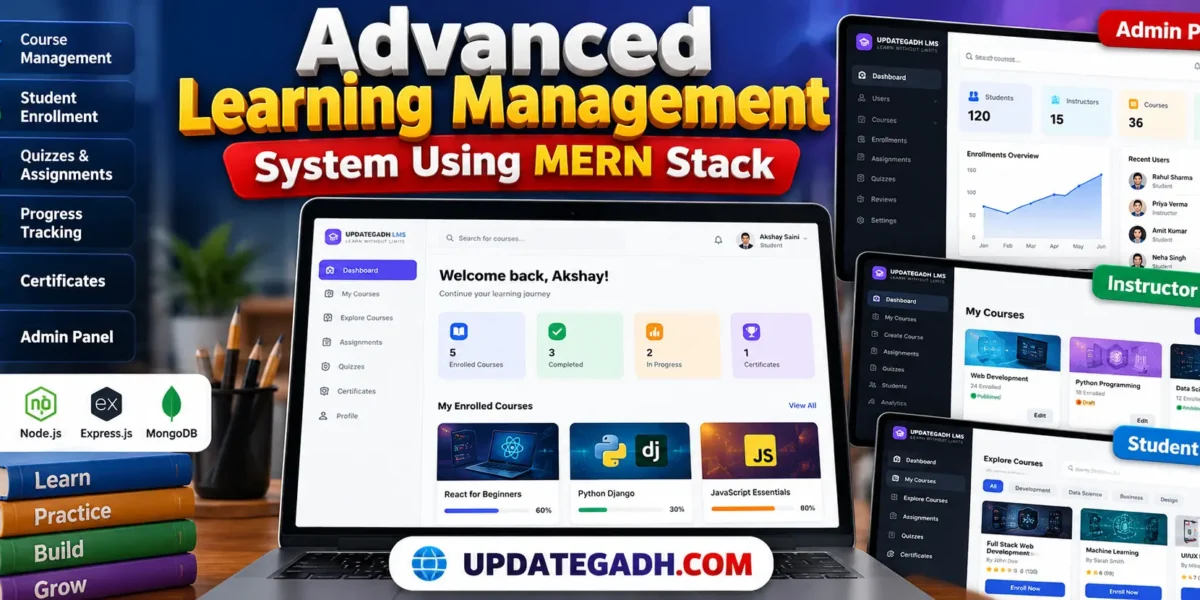
The Advanced Learning Management System using MERN Stack is a web-based application designed to manage online courses, student enrollments, learning progress, assessments, and educational content from a centralized platform. It provides separate workspaces for students, instructors, and administrators, helping organize the online learning process efficiently.
This project is developed using React.js, Node.js, Express.js, MongoDB, and Tailwind CSS. It includes authentication, role-based access control, course management, lesson progress tracking, quiz evaluation, assignment submissions, grading APIs, and database-driven dashboards. The responsive interface provides a foundation for building and managing an online learning platform.
Project Overview
| Project Detail | Description |
|---|---|
| Project Name | Advanced Learning Management System |
| Frontend | React.js, HTML5, Tailwind CSS |
| Backend | Node.js, Express.js |
| Database | MongoDB |
| Authentication | JWT and bcrypt password hashing |
| Project Type | Full-Stack Web Application |
Complete Advance AI Topics: Click Here
Real Time Projects on YouTube:- DecodeIT
Available Features
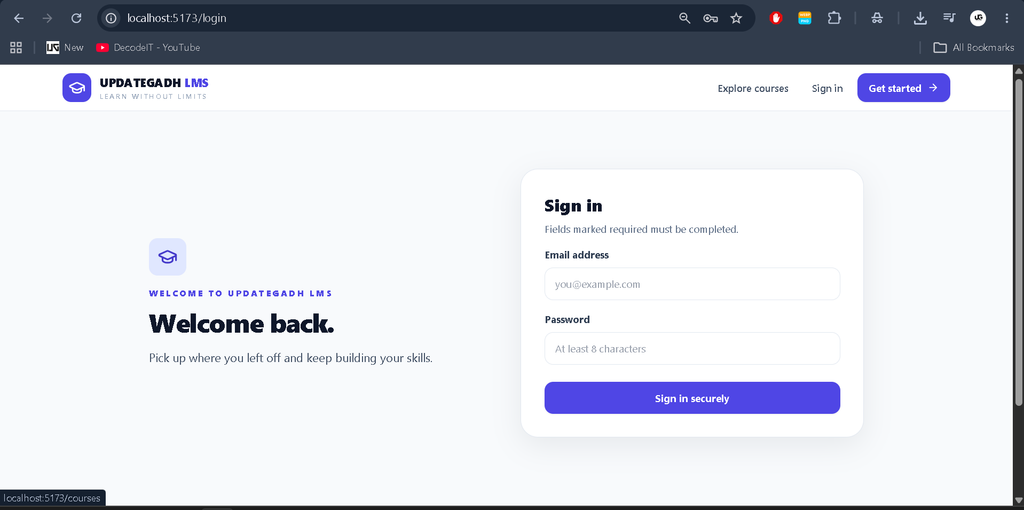
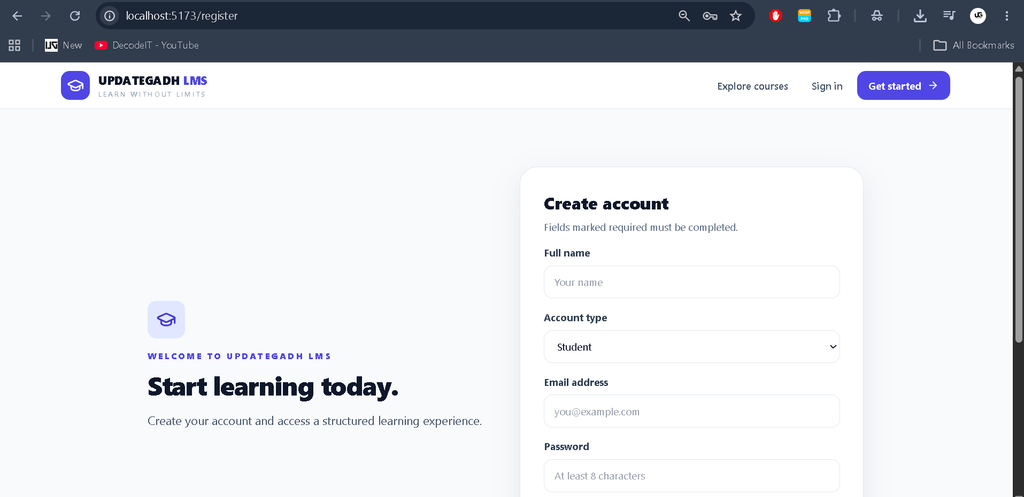
- Authentication and Authorization: Registration, login, JWT authentication, password hashing, and role-based access for students, instructors, and administrators.
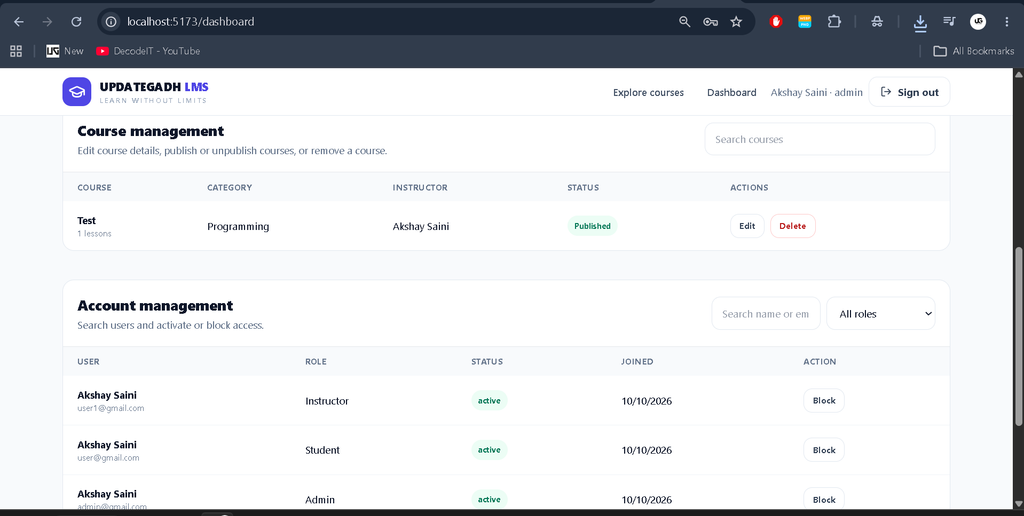
- Course Management: Create, view, update, delete, and publish courses through the available REST APIs.
- Course Categories and Search: Browse published courses, search course titles and descriptions, and filter by category and level.
- Student Enrollment: Store course enrollments in MongoDB and associate students with their selected courses.
- Learning Progress: Record completed lessons and calculate progress using completed lessons and the course curriculum.
- Quiz Evaluation: Submit quiz answers, calculate scores automatically, and determine whether the configured passing mark has been reached.
- Assignment Management: Create assignments, accept submission links, and provide grading and feedback through the available APIs.
- Course Reviews: Store student ratings and comments and calculate course rating statistics.
- PDF Certificates: Generate a course completion certificate when the configured lesson-completion requirements are satisfied.
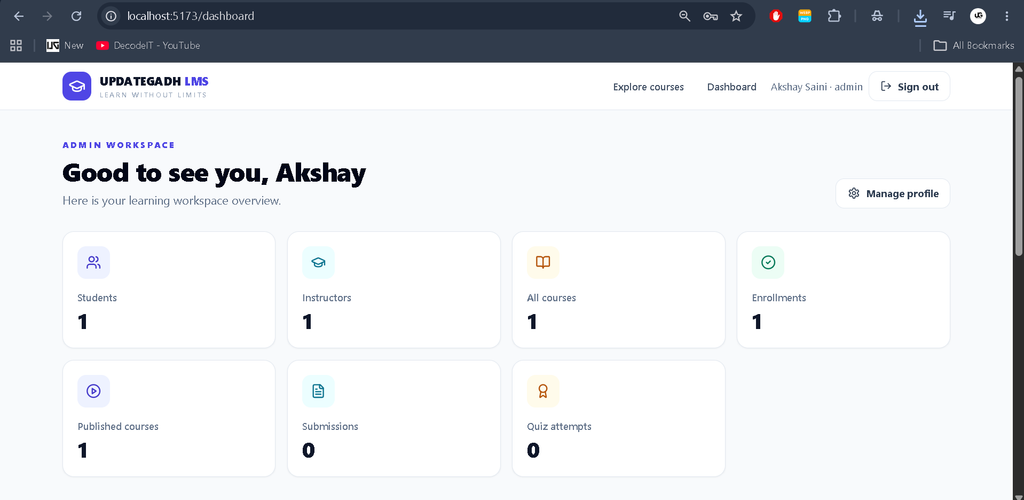
- Admin Dashboard: Display database-derived counts for students, instructors, courses, enrollments, submissions, and quiz attempts.
- Account Management: Search users, filter by role, and activate or block accounts from the admin interface.
- Profile Management: Update profile information, including the user’s display name and biography.
Student Panel
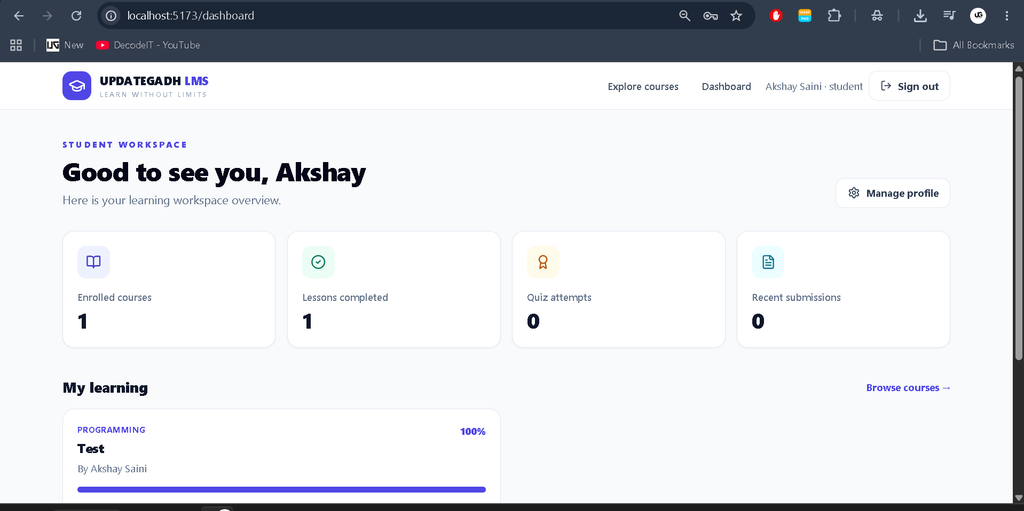
The student workspace provides access to enrolled courses and learning activities. Students can browse the course catalogue, open course details, access available lesson and material URLs, mark lessons complete, and view their recorded learning progress. The dashboard also displays enrollment information, recent quiz attempts, and assignment submissions.
Students can use the available quiz, assignment, and certificate APIs as part of the learning workflow. The current starter does not yet provide a complete interface for every assessment feature, so additional frontend work may be required.
Instructor Panel
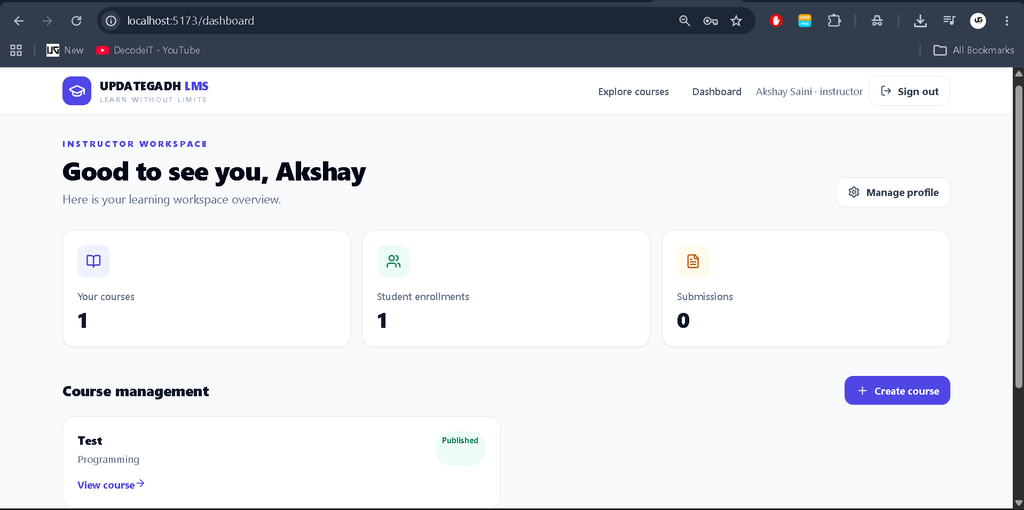
The instructor workspace supports course creation and displays course information, enrollment totals, and submission counts. Instructors can define course titles, descriptions, categories, difficulty levels, and lesson titles. They can also create quizzes and assignments and use the backend endpoints to review submissions and assign grades with feedback.
The initial interface provides basic course creation and course listing. Complete editing controls, video and material upload workflows, advanced analytics, and full assessment-management screens require further development.
Admin Panel
The administrator dashboard retrieves statistics directly from MongoDB instead of relying on hard-coded demonstration values. It includes counts for registered students, instructors, courses, published courses, enrollments, submissions, and quiz attempts.
Administrators can search registered accounts, filter users by role, and block or reactivate accounts. The backend also supports course management operations with appropriate authorization checks. Additional administration screens for activity logs, report exports, system settings, and review moderation are not fully implemented in the starter interface.
Technology Stack
- React.js: Builds reusable interface components and interactive pages.
- Tailwind CSS: Provides responsive styling and consistent layouts.
- Node.js: Runs the backend JavaScript environment.
- Express.js: Provides REST API routes and request handling.
- MongoDB: Stores user accounts, courses, enrollments, quizzes, assignments, submissions, and reviews.
- Mongoose: Defines database schemas and relationships between records.
- JWT: Secures authenticated API requests using signed tokens.
- bcryptjs: Hashes passwords before storing them.
- PDFKit: Generates PDF completion certificates.
- Vite: Runs the frontend development server and builds the React application.
Software Requirements
- Node.js 20 or a compatible supported version
- MongoDB Community Server or MongoDB Atlas
- Visual Studio Code
- A modern web browser
- Internet access for installing npm dependencies
Download complete source code
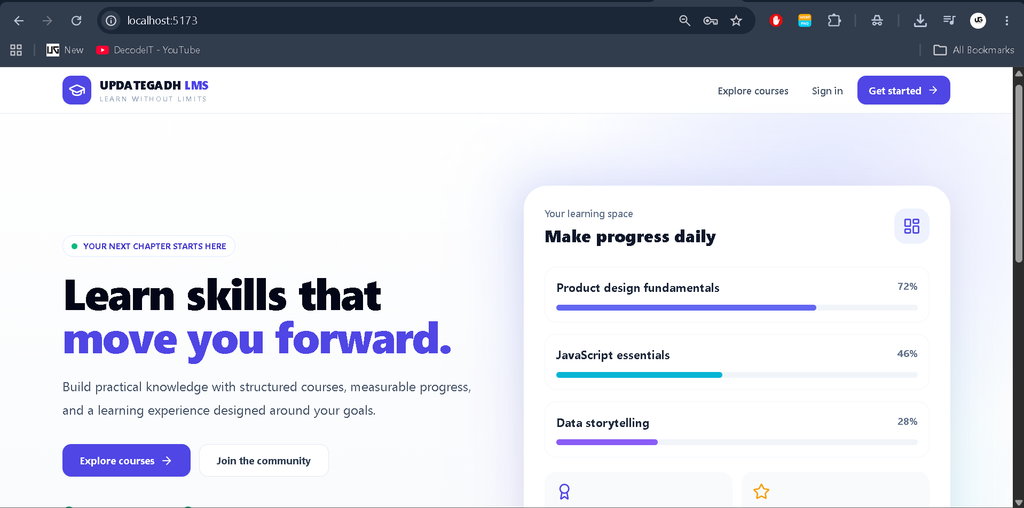
Screenshot
Installation Guide for VS Code
Step 1: Extract the Project
Extract the project ZIP file and open the extracted updategadh-advanced-lms folder in Visual Studio Code. The project contains separate server and client directories.
Step 2: Configure the Backend
Open a terminal in VS Code and execute:
cd server
npm install
Copy .env.example to a new file named .env. Configure the following environment variables:
PORT=5000
MONGO_URI=mongodb://127.0.0.1:27017/updategadh_lms
JWT_SECRET=replace_with_a_long_random_secret
CLIENT_URL=http://localhost:5173
Ensure MongoDB is running and the connection string points to the correct database. Replace the JWT secret with a long, unpredictable value.
Step 3: Start the Backend Server
npm run devThe API should start at http://localhost:5000 when the database connection succeeds.
Step 4: Install Frontend Dependencies
Open another terminal in VS Code and execute:
cd client
npm install
npm run dev
Open http://localhost:5173 in your browser to access the application.
Step 5: Create an Administrator Account
First, register an account through the application. Then open a terminal in the server directory and execute the following command using the registered email address:
npm run make-admin -- admin@example.comThe existing account will be assigned the administrator role if it is found in the configured MongoDB database. If the script reports that the user was not found, verify the registered email and database connection.
How to Use the Application
- Register as a student or instructor and sign in.
- Browse published courses and explore their descriptions and lessons.
- Use an instructor account to create courses and configure lessons.
- Use a student account to enroll in published courses and record completed lessons.
- Use the available APIs for quiz attempts, assignment submissions, and grading.
- Sign in as an administrator to review database statistics and manage user accounts.
Project Benefits
This project demonstrates full-stack development, REST API design, MongoDB schema modeling, password security, role-based authorization, and responsive React interface development. It is suitable for students who want to study how frontend components communicate with backend services and how learning records are stored and retrieved.
Frequently Asked Questions
1. Which technologies are used in this LMS project?
The project uses React.js, Node.js, Express.js, MongoDB, Mongoose, Tailwind CSS, JWT, and bcryptjs.
2. Can students and instructors use separate accounts?
Yes. Registration supports student and instructor roles, while the administrator role is assigned using the backend make-admin script.
3. Does the project store data in MongoDB?
Yes. User accounts, courses, enrollments, quiz attempts, submissions, and reviews are stored in MongoDB.
4. Can the application generate completion certificates?
Yes. A PDF certificate endpoint is included and checks whether the enrolled student has completed the course lessons before generating the certificate.
5. Is every advanced feature ready to use through the interface?
No. The project includes several working backend endpoints and core interface screens, but some advanced workflows and administration features require additional implementation and testing.
Final Thoughts
The Advanced Learning Management System using MERN Stack provides a foundation for developing an online education platform with separate user roles, course management, student enrollment, progress tracking, assessment APIs, and administrator statistics. Students can use it to understand full-stack application development, while developers can extend the project with complete file uploads, richer assessment interfaces, notifications, analytics, and additional management tools.
Keywords: Advanced Learning Management System Using MERN Stack, MERN LMS Project, Learning Management System Project, React LMS, Node.js LMS, MongoDB LMS, Online Learning Platform, Student Management System,Learning Management System Using Learning Management System Using learning management system use case diagram learning management system uselearning management system in hindi learning management system in nepal learning management system in india learning management system with ai learning management system in school learning management system in uk learning management system in the philippines