E-furniture Using MERN Stack Project with Source Code
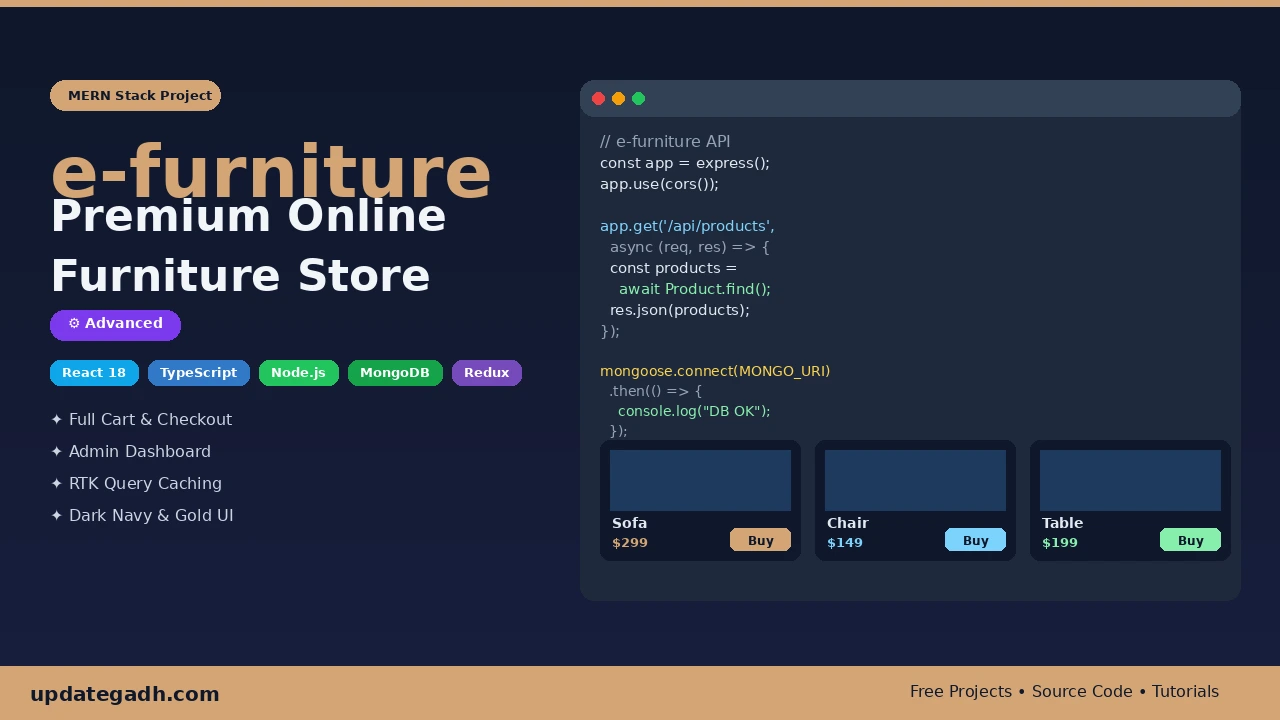
Building a full-stack e-commerce application is one of the best ways to stand out in your final year viva, impress placement recruiters, and prove you can ship real-world software. The e-furniture MERN Stack Project with Source Code | React + Node.js + MongoDB project covers everything from React 18 with TypeScript on the frontend to a Node.js + Express + MongoDB REST API on the backend giving you hands-on experience with Redux Toolkit, RTK Query, JWT-based auth, admin dashboards, and a production-ready dark navy & gold design system. Whether you are a BCA, MCA, or B.Tech CS/IT student, this project will tick every box your examiner asks about.
Complete Advance AI Topics: Click Here
Real Time Projects on YouTube:- DecodeIT
Project Overview
| Project Name | e-furniture Premium Online Furniture Store |
| Tech Stack | React 18, TypeScript, Node.js, Express, MongoDB, Redux Toolkit |
| Difficulty Level | Advanced |
| Best Suited For | BCA Final Year, MCA, B.Tech CS/IT |
| Database | MongoDB with Mongoose ODM |
| Frontend Library | Material UI v5 (MUI) |
| State Management | Redux Toolkit + RTK Query + Redux Persist |
| Authentication | Email & Password (bcrypt hashed) |
| Design Theme | Dark Navy (#0F172A) & Warm Gold (#D4A574) |
| Source Code | Available for Download (link below) |
Key Features
- Complete E-Commerce Flow Product browsing with category filters and search, product quick-view modal, add-to-cart with quantity controls, wishlist, and a full multi-step checkout (shipping address payment method order summary).
- JWT User Authentication Secure sign-up and login with bcrypt password hashing; protected routes for both customers and admins using React Router v6 guards.
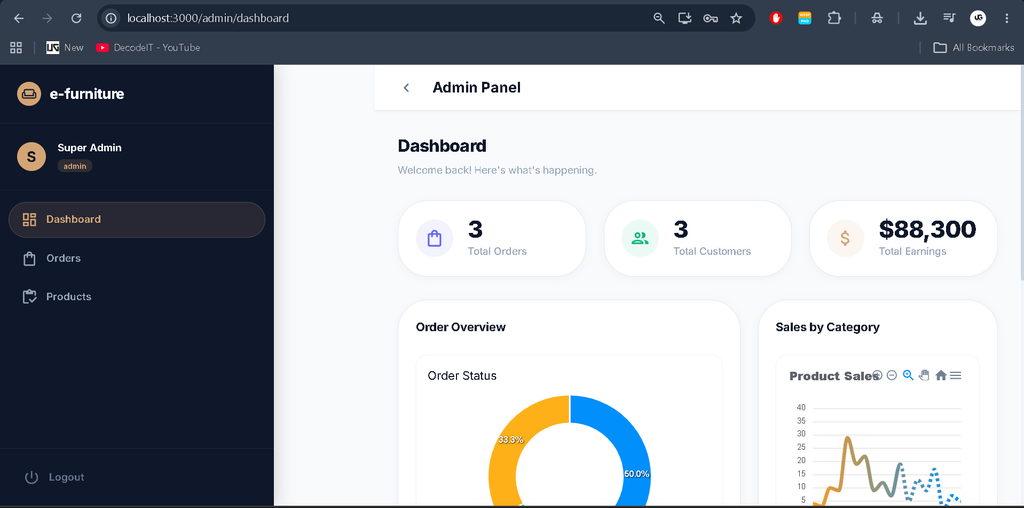
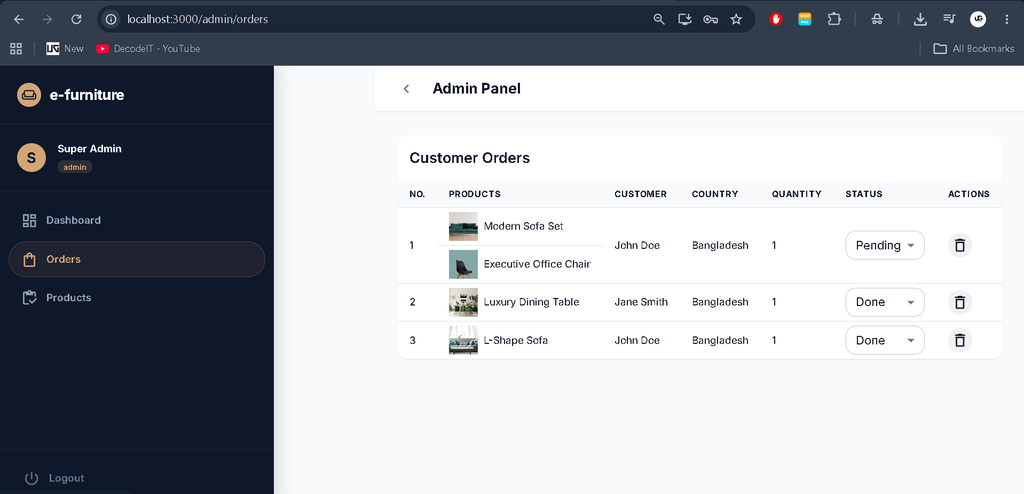
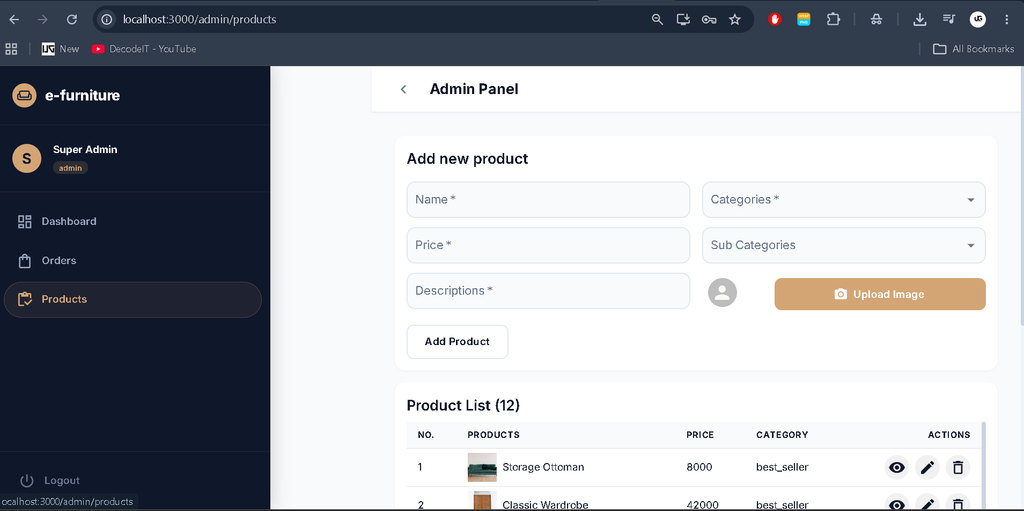
- Admin Dashboard Sales statistics, revenue charts, order management (view, update status, delete), product CRUD, and user management all behind a role-based admin panel.
- RTK Query with Auto-Caching All API calls are handled through Redux Toolkit Query, eliminating boilerplate and providing automatic background refetching and cache invalidation.
- Redux Persist Cart and wishlist state survive page refreshes and browser restarts, giving users a seamless shopping experience.
- Responsive Design Fully optimised for mobile, tablet, and desktop using MUI’s responsive grid system and Swiper.js touch-friendly carousels.
- Code Splitting React Lazy + Suspense used throughout the route definitions, ensuring fast initial load times even as the app scales.
- Blog & About Pages Interior design articles section and company story page, making this feel like a real production website rather than a student demo.
Technologies Used
| Layer | Technology | Purpose |
|---|---|---|
| UI Framework | React 18 | Component-based UI with hooks and lazy loading |
| Type Safety | TypeScript 5 | Static typing across all components and API types |
| Component Library | Material UI v5 | Pre-built accessible components with custom dark/gold theme |
| State Management | Redux Toolkit | Global cart, wishlist, auth, and shipping state |
| Data Fetching | RTK Query | API integration with caching, loading states, and auto-invalidation |
| Routing | React Router v6 | Client-side routing with protected and nested routes |
| Carousels | Swiper.js v8 | Hero section and category carousels with touch support |
| Notifications | Notistack | Snackbar alerts for cart actions, errors, and success messages |
| SEO | React Helmet | Dynamic page titles per route |
| Runtime | Node.js | Server-side JavaScript runtime |
| Web Framework | Express.js | REST API routing, middleware, and CORS handling |
| Database | MongoDB | NoSQL document storage for products, users, and orders |
| ODM | Mongoose | Schema modelling, validation, and query building |
| Security | bcrypt | Password hashing before storage |
| Config | dotenv | Environment variable management for both frontend and backend |
How to Download
The complete package is available so you can run, study, and submit it with confidence. It includes:
- Full Source Code
- Project Report
- Synopsis
- PPT Presentation
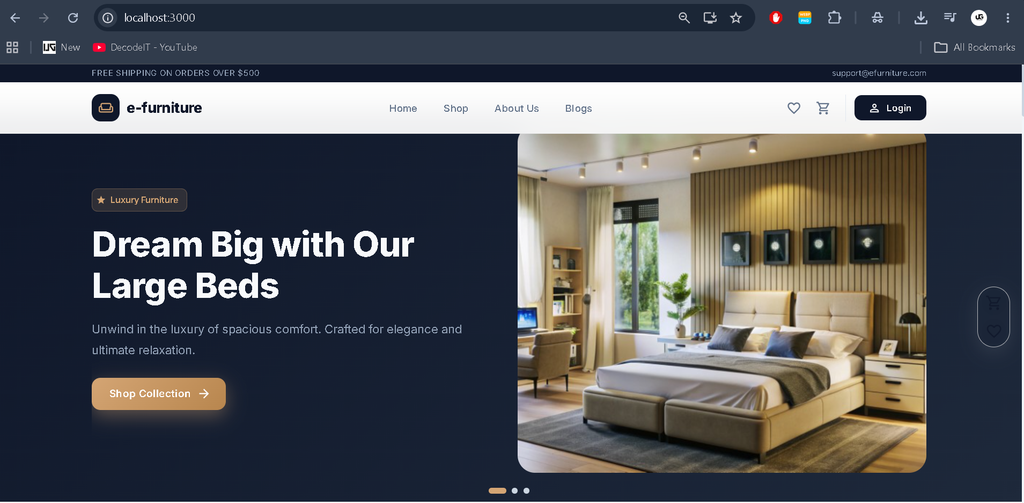
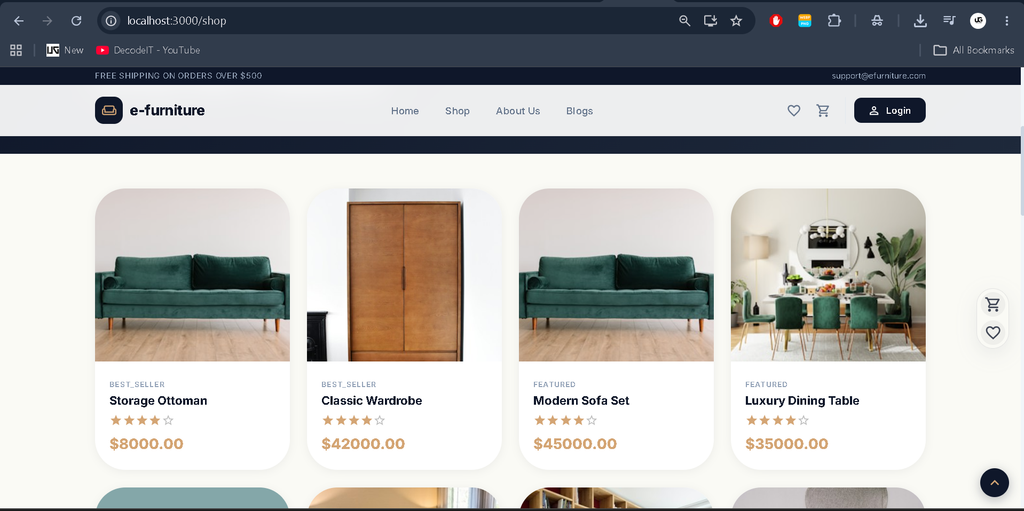
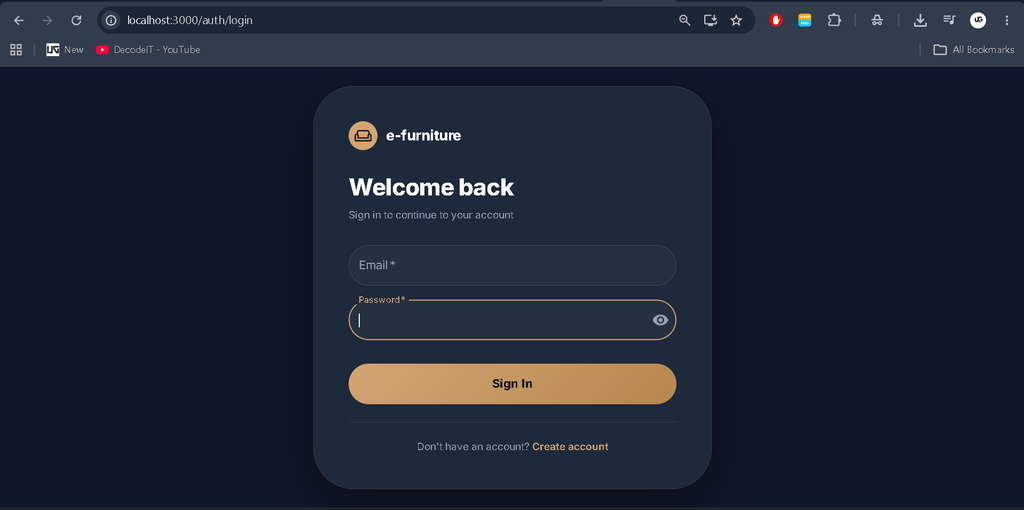
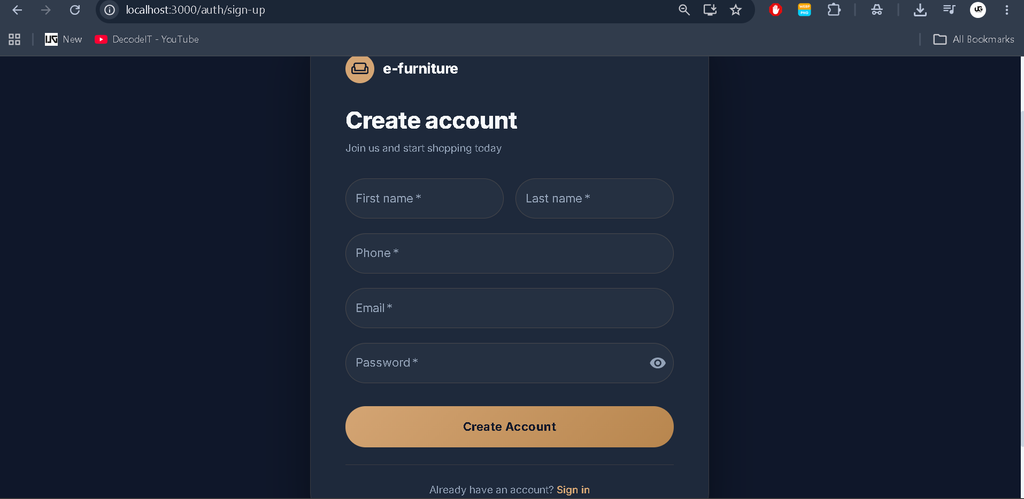
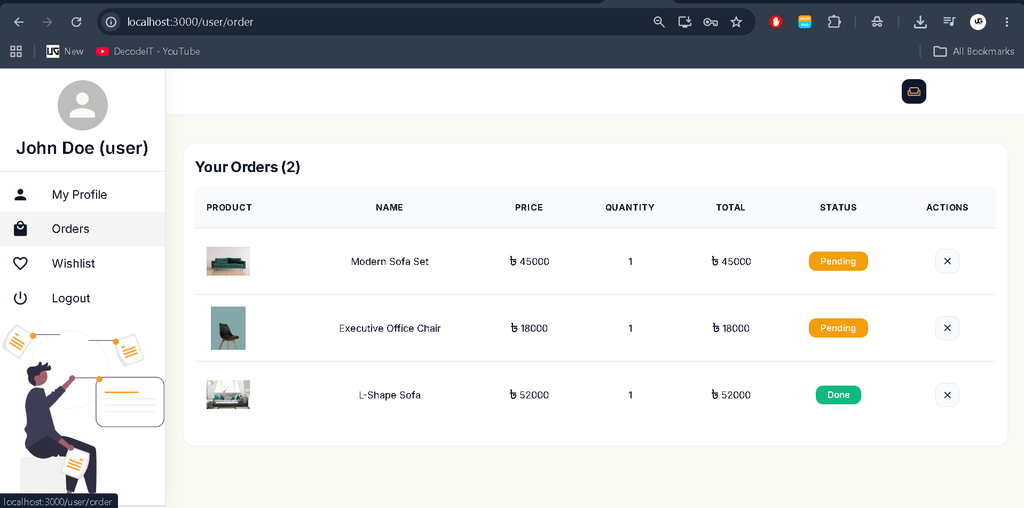
Screenshot
How to Run the Project
Step 1 Install Prerequisites
Make sure your machine has Node.js v18+, npm v9+, and a running MongoDB Community Server before continuing.
node -v        # v18 or higher
npm -v         # v9 or higher
mongod --version
Step 2 Clone the File into vs code
Step 3 Set Up Environment Variables
Create a .env.local file in the project root for the frontend:
REACT_APP_BASE_URL=Create a server/.env file for the backend:
PORT=5000
MONGO_URI=mongodb://127.0.0.1:27017/e-furniture
Step 4 Install Dependencies
# Backend
cd server
npm install

# Frontend (from project root)
cd ..
npm install --legacy-peer-deps
Step 5 Seed the Database
Run this once to populate MongoDB with 12 sample products, 3 users (1 admin + 2 regular), and 3 sample orders.
cd server
node seed.js
# Expected output: MongoDB connected  |  Database seeded successfully!
Step 6 Start the Backend
cd server
node index.js
# Backend runs at:
Step 7 Start the Frontend
cd e-furniture
npm start
# App opens at:
Step 8 Login with Demo Credentials
| Role | Password | |
|---|---|---|
| Admin | super.admin@gmail.com | @super123 |
| User | john@gmail.com | user123 |
| User | jane@gmail.com | user123 |
API Endpoints
Base URL:
| Method | Endpoint | Description |
|---|---|---|
| POST | /sign-up | Register a new user account |
| POST | /login | Login and retrieve user data |
| GET | /products | Fetch all products |
| GET | /products/filter/:category | Fetch products by category slug |
| POST | /products | Create a new product (admin) |
| PUT | /products/:id | Update a product by ID (admin) |
| DELETE | /products/:id | Delete a product by ID (admin) |
| GET | /orders | Get all orders (admin only) |
| GET | /orders/:email | Get order history for a user |
| GET | /order/:status | Filter orders by status |
| POST | /order | Place a new order |
| PUT | /order/:id | Update order status (admin) |
| DELETE | /order/:id | Delete an order (admin) |
| GET | /users | Get all registered users (admin) |
| GET | /users/:id | Get single user profile |
| PUT | /users/:id | Update user profile details |
| DELETE | /users/:id | Delete a user account |
| GET | / | API health check |
How It Works
1. User Authentication Flow
- User submits email and password on the sign-up or login page.
- The frontend sends a POST request via RTK Query to
/api/sign-upor/api/login. - Express receives the request and bcrypt hashes the password (on sign-up) or compares it (on login).
- The user object is returned and stored in the Redux
authSlicepersisted by Redux Persist. - React Router v6 protected routes read the auth state and redirect unauthenticated users away from private pages.
2. Product Browsing & Cart
- The Shop page mounts and RTK Query fires a GET request to
/api/products(or a category-filtered URL). - Results are cached in the RTK Query cache no duplicate network calls on revisit.
- Clicking “Add to Cart” dispatches an action to
cartSliceand Notistack fires a success snackbar. - Cart state is serialised to localStorage by Redux Persist, so it survives page refreshes.
- Quantity controls dispatch increment/decrement actions directly to the slice.
3. Checkout & Order Placement
- The multi-step checkout reads shipping details from
shippingSlice(also persisted). - On final confirmation, RTK Query fires a POST to
/api/orderwith cart, shipping, and payment data. - Mongoose saves the order document with status “Pending” linked to the user’s email.
- The cart is cleared from Redux state and the user is shown an order confirmation screen.
- Order history is fetched per user via GET
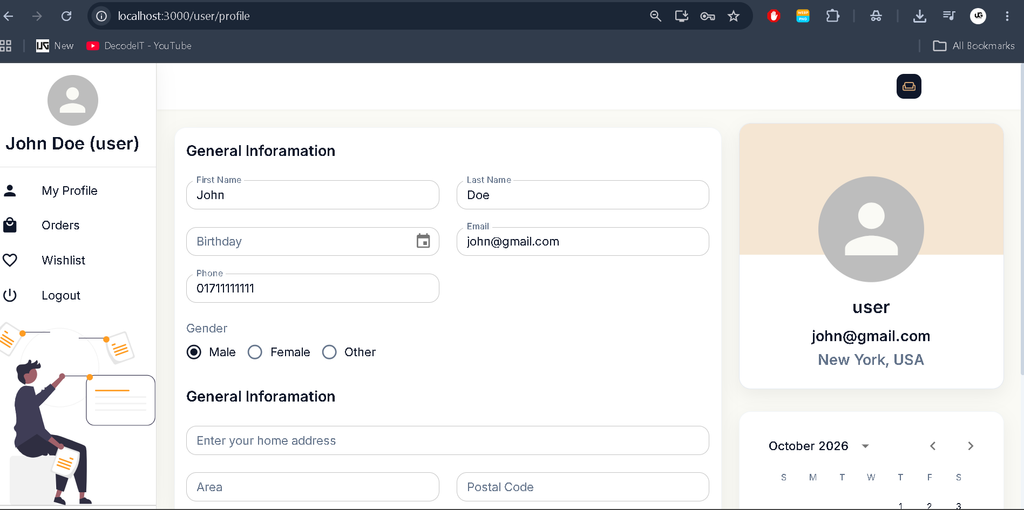
/api/orders/:emailon the profile page.
4. Admin Panel Workflow
- Admin logs in the
user_type: "admin"field in MongoDB identifies the role. - React Router protected route checks the Redux auth state and allows access to
/admin/dashboard. - The dashboard fetches all orders and users via RTK Query in parallel stats render from the aggregated data.
- Admins update order status via PUT
/api/order/:idthe RTK Query cache is invalidated and the table re-renders automatically. - Product management supports full CRUD create, update, and delete operations hit their respective Express endpoints.
Why This is a Great Final Year Project
- Covers the full MERN stack you can answer questions on React, Node.js, Express, and MongoDB all from one project.
- Real-world architecture RTK Query, Redux Persist, code splitting, and protected routes mirror what actual production teams build.
- Role-based access control admin vs customer roles is a concept every interviewer asks about.
- Professional UI the custom MUI dark navy & gold theme looks like a real product, not a tutorial clone.
- Complete REST API 17 documented endpoints give you real backend interview material.
- Scalable project structure feature-based folder organisation shows you understand how teams organise large codebases.
- TypeScript throughout the frontend typed components, API responses, and Redux state are increasingly required in industry jobs.
SEO Details
| Post Title | e-furniture MERN Stack Project with Source Code 2025 | React + Node.js + MongoDB |
| SEO Slug | e-furniture-mern-stack-project-source-code-2025 |
| Focus Keyword | e-furniture MERN stack project source code |
| Meta Description | Download e-furniture MERN stack project with source code 2025. React 18, TypeScript, Node.js, MongoDB. Perfect BCA & B.Tech final year project. |
| Category | React Projects / MERN Stack |
| Tags | MERN stack project, React project source code, Node.js project, MongoDB project, e-commerce project source code, final year project 2025, BCA project, B.Tech CS project, Redux Toolkit project, TypeScript React project |
e commerce website using mern stack github mern stack e commerce project with source code
mern stack e commerce project report pdfmern ecommerce project with source code githubmern stack ecommerce template freefurniture ecommerce website githubfull stack e commerce website source code githubmern ecommerce with admin panel github e mern stack mern stack example projects mern stack projects mern stack project with stripe mern stack examples github,E-Furniture Using MERN Stack, E-Furniture MERN Stack Project, Furniture E-Commerce Website, MERN Stack E-Commerce Project, Online Furniture Store Project, React Furniture Store, React 18 TypeScript Project, Node.js E-Commerce Project, Express.js Furniture Website, MongoDB E-Commerce Application, Redux Toolkit Project, RTK Query Project, Material UI React Project, Shopping Cart and Wishlist, Online Order Management System, E-Commerce Admin Dashboard, Furniture Store Final Year Project, BCA Project, MCA Project, UPDATEGADH