
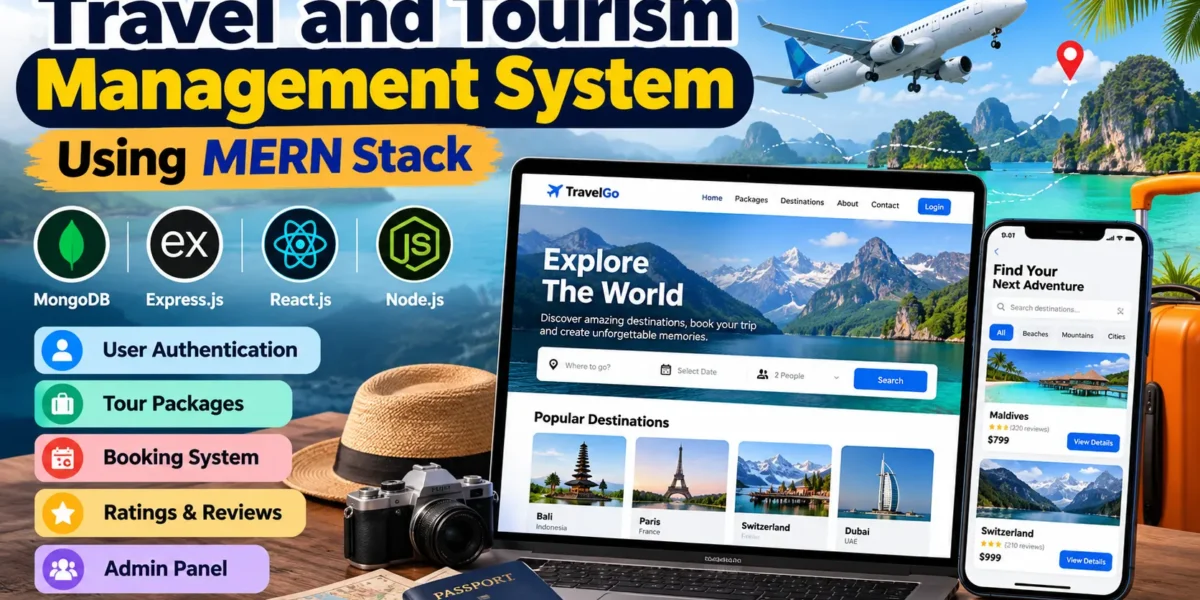
Tourism Management System Using MERN Stack
The Travel and Tourism Management System using MERN Stack is a full-stack web application designed to simplify travel package management and online tour bookings. Developed using MongoDB, Express.js, React.js, and Node.js, this project allows users to explore destinations, view tour packages, make bookings, and share reviews.
The system also provides administrative functionality for managing users, tour packages, bookings, and customer reviews. It is a suitable project for students who want to learn full-stack development, REST API integration, authentication, and database management through a practical application.
Complete Advance AI Topics: Click Here
Real Time Projects on YouTube:- DecodeIT
Project Overview
| Parameter | Details |
|---|---|
| Project Name | Travel and Tourism Management System |
| Language/s Used | JavaScript (React.js, Node.js, Express.js) |
| Database | MongoDB |
| Type | Full-Stack Web Application |
Project Description
The Travel and Tourism Management System provides a centralized platform for managing travel-related activities. Users can register, log in, browse available tour packages, view package details, make bookings, and access their booking history.
The administrator can manage registered users, create or update travel packages, monitor bookings, and manage customer reviews. The application uses React.js for the frontend, Node.js and Express.js for backend operations, and MongoDB for storing application data.
This project demonstrates how frontend and backend technologies work together through REST APIs to create a practical travel management application.
Available Features
1. User Authentication and Authorization
- User registration and login using JWT-based authentication.
- Password hashing for improved security.
- Role-based access for users and administrators.
2. Tour Package Management
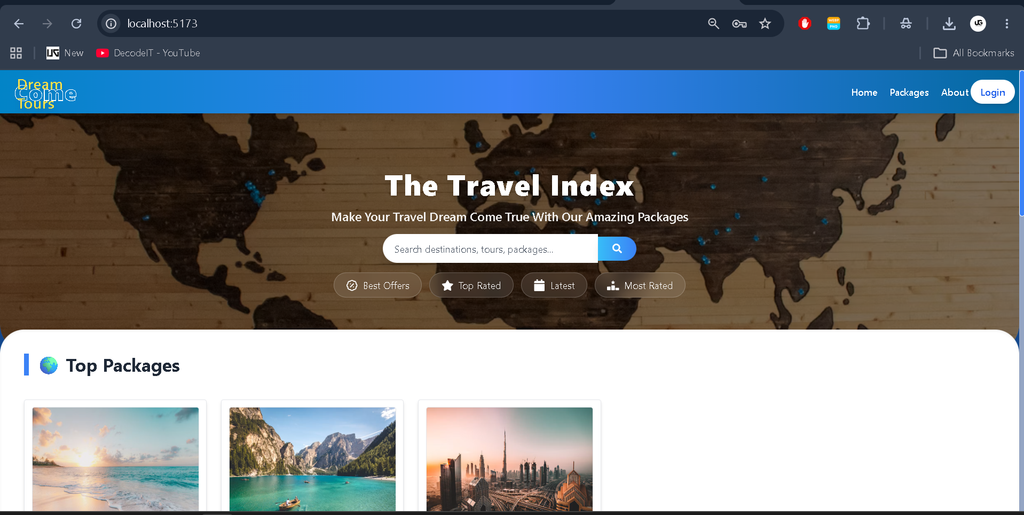
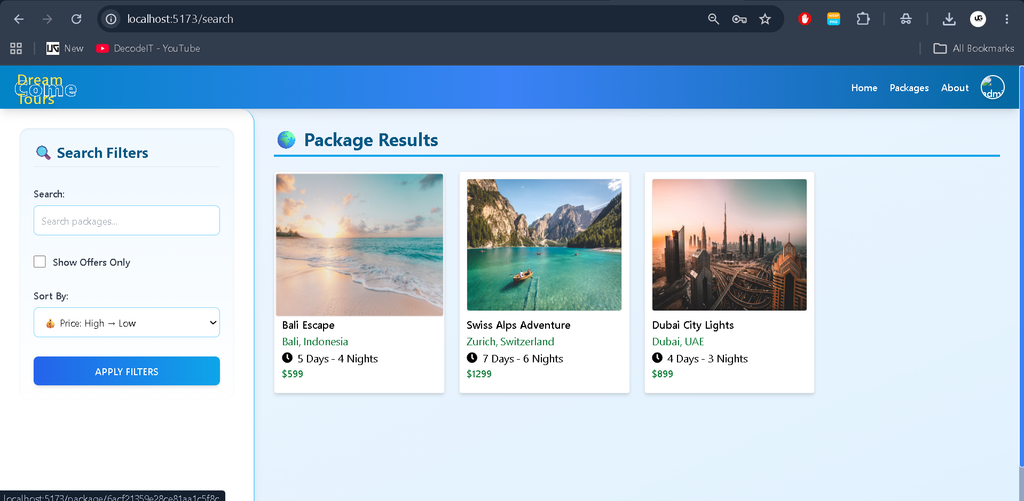
- Browse available tour packages.
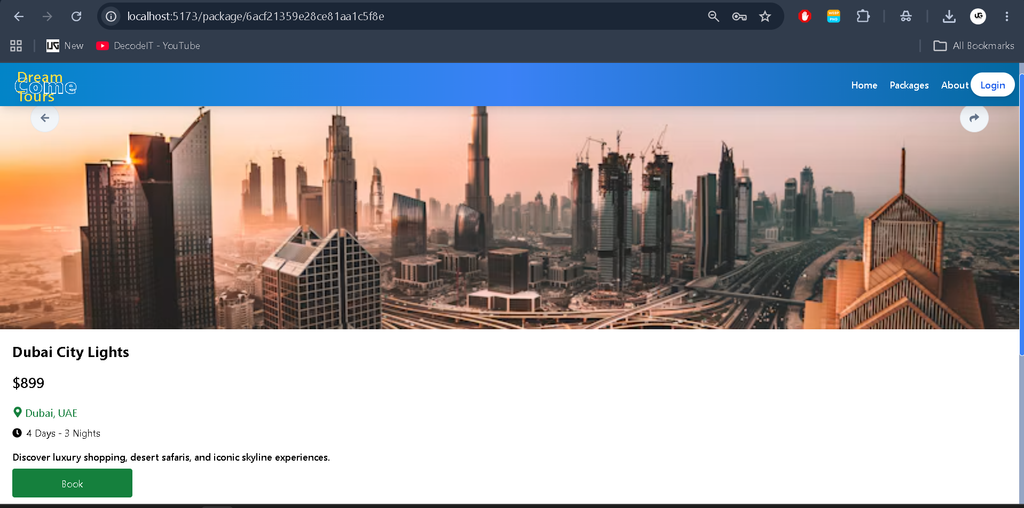
- View package images, descriptions, prices, and travel details.
- Allow administrators to add, update, and delete tour packages.
3. Booking Management
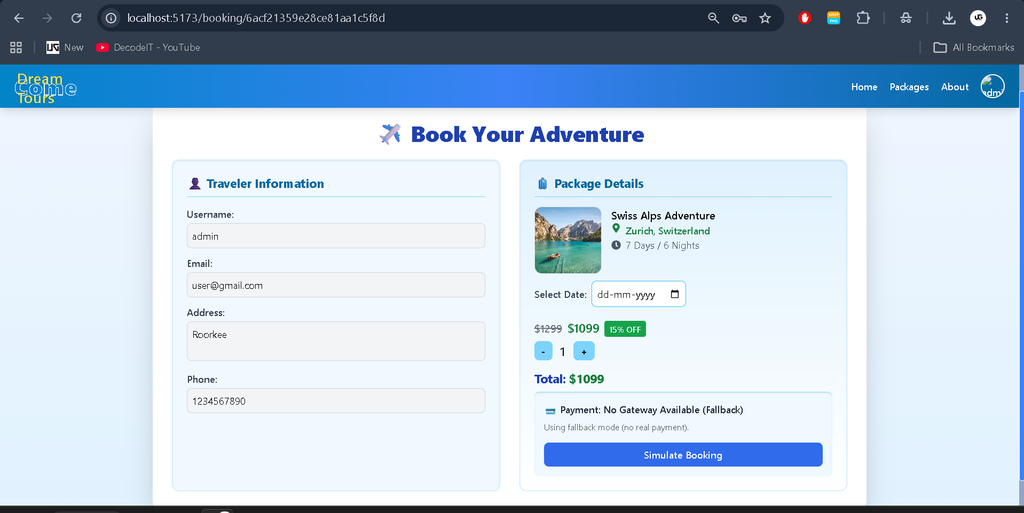
- Book tour packages after logging in.
- Store booking information in MongoDB.
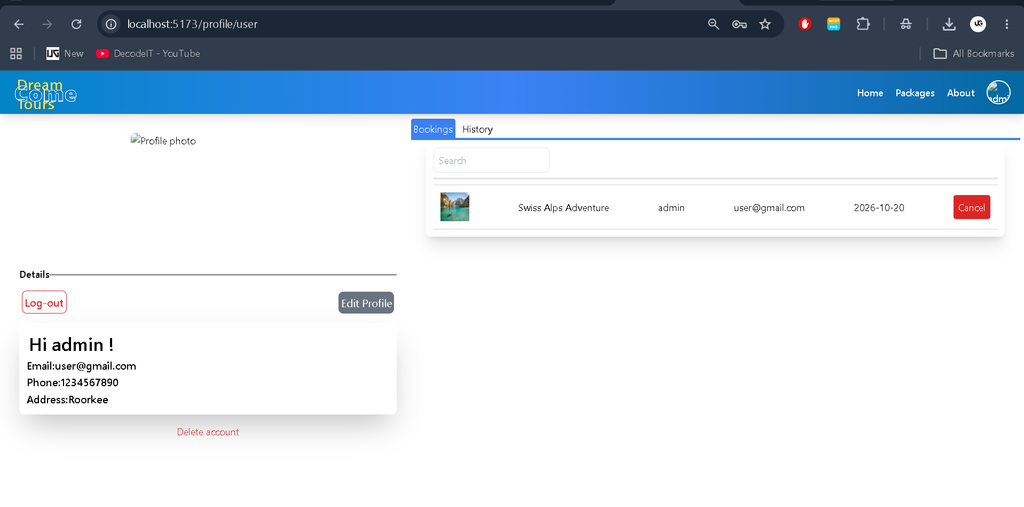
- View previous and upcoming bookings.
4. Ratings and Reviews
- Submit ratings and reviews after completing trips.
- Help other users understand travel experiences through customer feedback.
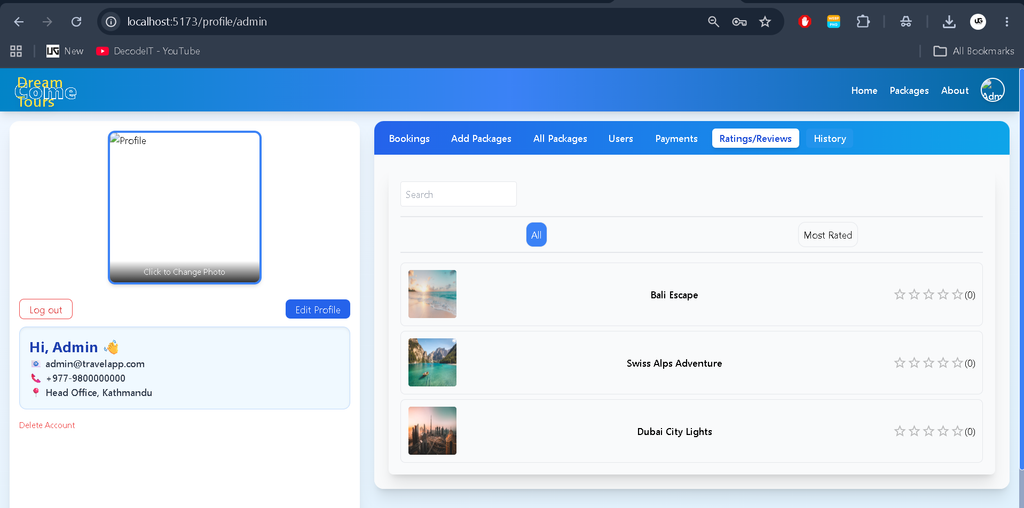
- Allow administrators to manage reviews.
5. User Management
- View registered users through the admin section.
- Manage user accounts.
- Remove inactive or duplicate accounts where required.
6. Responsive Frontend
- Interactive React.js-based user interface.
- Reusable frontend components.
- Dynamic content rendering through API integration.
7. REST API Integration
- Backend API routes for authentication, packages, bookings, and reviews.
- Express.js middleware for handling application requests.
- MongoDB integration for persistent data storage.
Technology Stack
- React.js: Builds the interactive frontend and reusable components.
- Node.js: Provides the server-side JavaScript environment.
- Express.js: Handles backend routes, middleware, and API requests.
- MongoDB: Stores users, tour packages, bookings, and reviews.
- JWT: Supports token-based authentication.
- npm: Manages project dependencies.
How to Download
The complete package is available so you can run, study, and submit it with confidence.
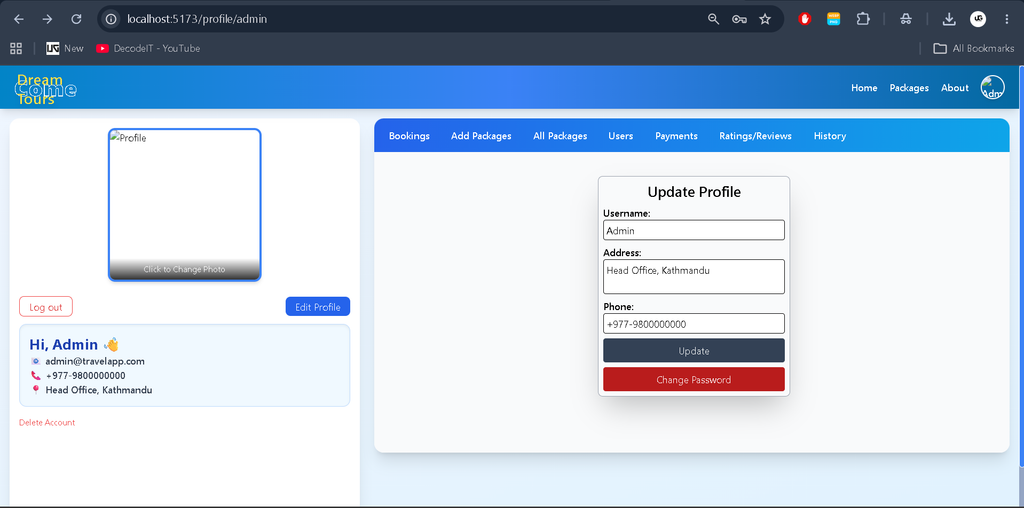
Screenshot
Installation Guide for VS Code
Follow these steps to configure and run the Travel and Tourism Management System on your local computer.
Step 1: Install Required Software
Install Node.js, npm, Visual Studio Code, and MongoDB. Alternatively, configure a MongoDB Atlas database.
Step 2: Extract the Project
Extract the downloaded project files into a folder on your computer.
Step 3: Open the Project in VS Code
Open Visual Studio Code, select File > Open Folder, and choose the extracted project directory.
Step 4: Install Backend Dependencies
Open the VS Code terminal and execute the following commands:
cd backend
npm install
Step 5: Configure Environment Variables
Create a .env file inside the backend folder and add the following configuration:
PORT=5000
MONGO_URI=your_mongodb_connection_string
JWT_SECRET=your_secret_key
Replace the example values with your actual MongoDB connection string and a secure JWT secret.
Step 6: Start the Backend Server
Run the following command inside the backend directory:
npm startThe backend should start on port 5000 if the project scripts and environment variables are configured correctly.
Step 7: Install Frontend Dependencies
Open another terminal in VS Code and navigate to the client directory:
cd client
npm install
Step 8: Run the Frontend
Start the frontend using the command supported by the project’s package configuration:
npm startOpen the local URL displayed in the terminal to access the application. The frontend and backend must both be running for the complete application to work.
Usage
1. User Role
- Registration and Login: Register an account and log in to access the available travel packages.
- Browse Packages: Explore tour packages and review their prices, images, and descriptions.
- Book Tours: Book available packages and view booking information.
- Booking History: Check previous and upcoming bookings.
- Ratings and Reviews: Share feedback after completing a trip.
2. Admin Role
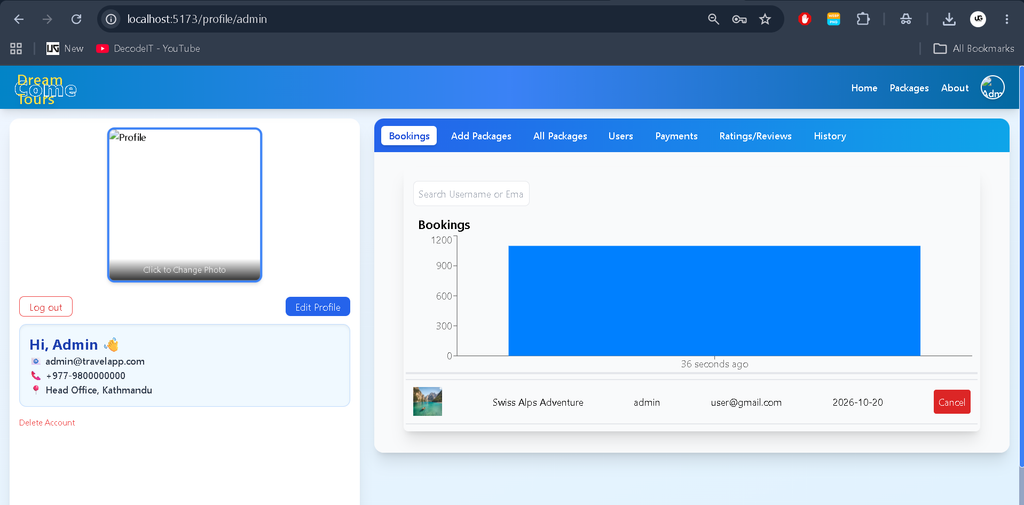
- Manage Packages: Add, update, and delete travel packages.
- Manage Users: View and manage registered user accounts.
- Monitor Bookings: Review customer bookings and package information.
- Manage Reviews: Check and manage user feedback.
Technical Overview
The application follows the MERN architecture, with each technology handling a specific responsibility.
- MongoDB: Stores application records.
- Express.js: Defines backend routes and middleware.
- React.js: Renders the user interface and communicates with APIs.
- Node.js: Executes the backend application.
Simplified Folder Structure
Travel-Tourism-Management-System/
├── backend/
│   ├── controllers/
│   ├── models/
│   ├── routes/
│   ├── index.js
│   └── package.json
├── client/
│   ├── public/
│   ├── src/
│   └── package.json
└── README.md
The structure above is illustrative. The actual folders and filenames may differ depending on the supplied project files. Controllers handle application logic, models define database structures, and routes organize API endpoints.
Why This Project Is Useful for Students
- Practical Learning: Understand CRUD operations, authentication, and REST API development.
- Full-Stack Development: Learn how React.js communicates with a Node.js and Express.js backend.
- Database Management: Practice storing and retrieving application records using MongoDB.
- Real-World Relevance: Explore the basic workflow of an online travel booking platform.
- Career Preparation: Build practical experience useful for academic projects, internships, and entry-level development roles.
Real-Life Applications
A travel and tourism management system can be used by travel agencies to organize tour packages and manage customer bookings. Customers can explore travel options and maintain their booking records through an online platform.
The application could be extended with online payment integration, advanced package filtering, notifications, and real-time customer support. These are potential future enhancements and are not included among the verified features listed above.
Conclusion
The Travel and Tourism Management System using MERN Stack is a practical full-stack project for students interested in modern web development. It combines React.js, Node.js, Express.js, and MongoDB to demonstrate package management, user authentication, bookings, and reviews.
From a student’s perspective, this project offers an opportunity to understand how different application components communicate and how a database-driven web application is developed. It can serve as a useful foundation for learning full-stack development and building more advanced travel management applications.
SEO Details
SEO Title: Travel and Tourism Management System Using MERN Stack
Meta Description: Explore the Travel and Tourism Management System using MERN Stack with features, technology stack, MongoDB integration, installation steps, and project usage.
Keywords: Travel and Tourism Management System Using MERN Stack, MERN Stack Travel Project, Travel Management System Project, Tourism Management System, Tour Package Booking System, React Node.js Project, MongoDB Travel Application,Tourism Management System Using MERN Stack,Tourism Management System Tourism Management System tourism management system project tourism management system project report pdf free download tourism management system class diagram tourism management system er diagram tourism management system project github tourism management system project ppt tourism management system project pdf tourism management system website tourism management system github
[…] Tourism Management System Using MERN Stack :- Click Here […]