
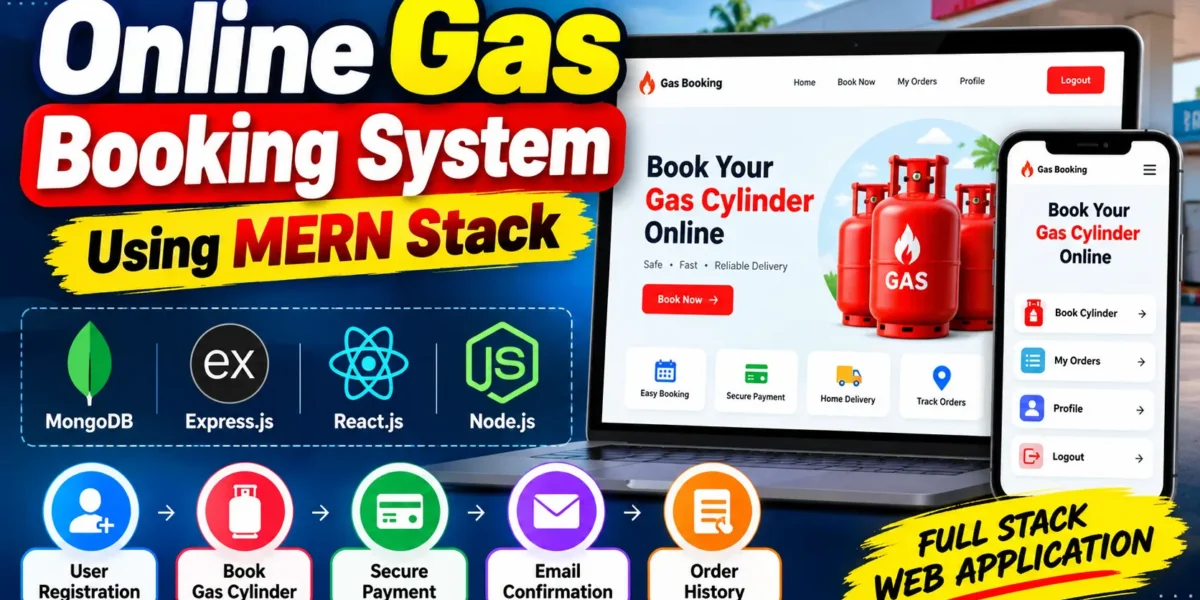
Online Gas Booking System Using MERN Stack
The Online Gas Booking System is a full-stack web application developed to simplify the process of booking gas cylinders through an online platform. The system allows users to register, log in, book gas cylinders, receive email confirmations, and view their previous booking records through a user-friendly interface.
Developed using the MERN Stack (MongoDB, Express.js, React.js, and Node.js), this project demonstrates how modern web technologies can automate traditional gas booking services. It provides practical experience in frontend and backend integration, database management, user authentication, and email communication.
Complete Advance AI Topics: Click Here
Real Time Projects on YouTube:- DecodeIT
Project Overview
| Attribute | Description |
|---|---|
| Project Name | Online Gas Booking System |
| Languages and Technologies Used | HTML, CSS, JavaScript, React.js, Node.js, Express.js |
| Database | MongoDB |
| Type | Full Stack Web Application |
Introduction
Traditional gas cylinder booking methods may involve phone calls, manual records, and direct communication with gas agencies. These processes can be time-consuming and difficult to manage when handling multiple customer bookings.
The Online Gas Booking System provides a digital alternative that enables users to book gas cylinders from their homes. Customers can access their accounts, submit booking requests, receive confirmation emails, and review their order history through the application.
From a student’s perspective, this project offers practical experience in developing a complete web application using the MERN Stack. It is suitable for understanding how different components of a modern web application work together.
Available Features
User Features
- User Registration and Login: Users can create accounts and log in to access the application.
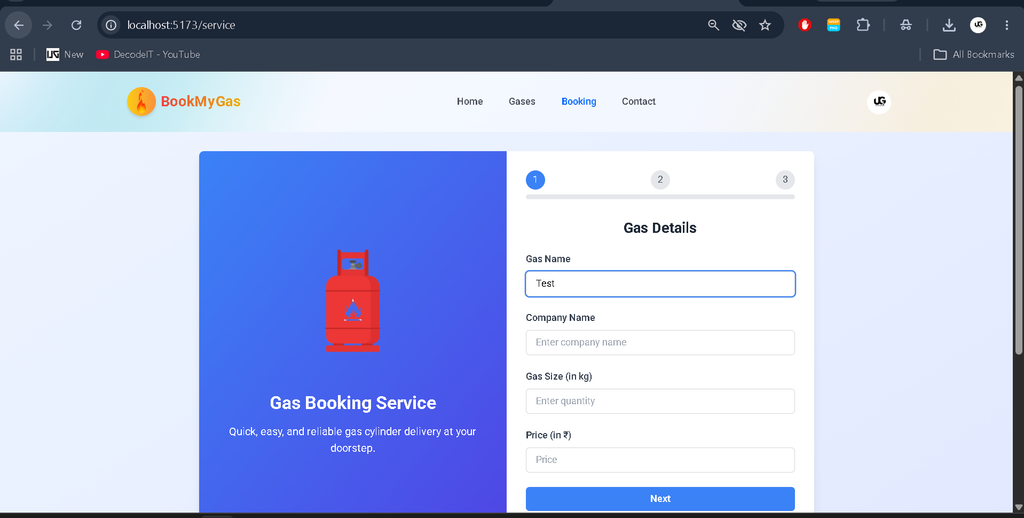
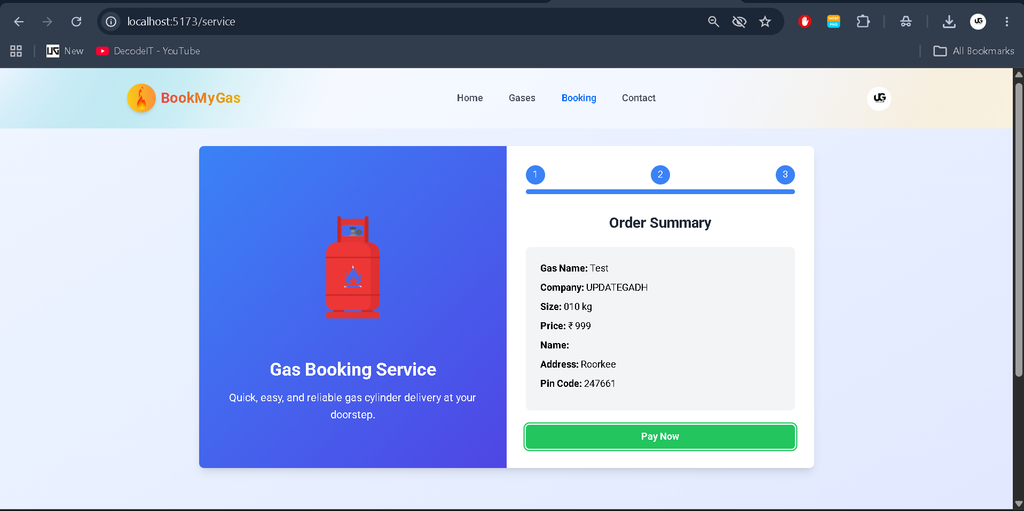
- Online Gas Cylinder Booking: Users can submit gas cylinder booking requests through the interface.
- Email Confirmation: The system sends email confirmations after successful bookings when the email service is configured correctly.
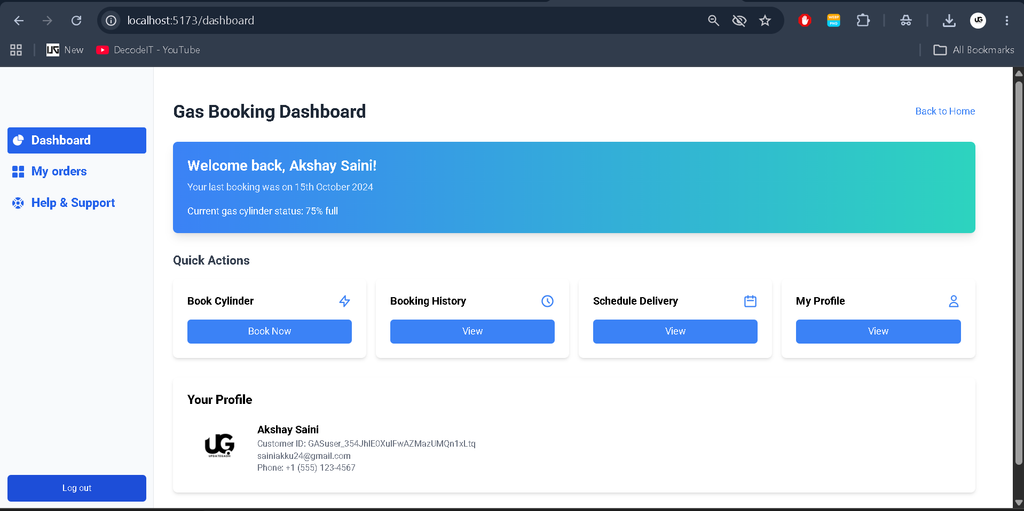
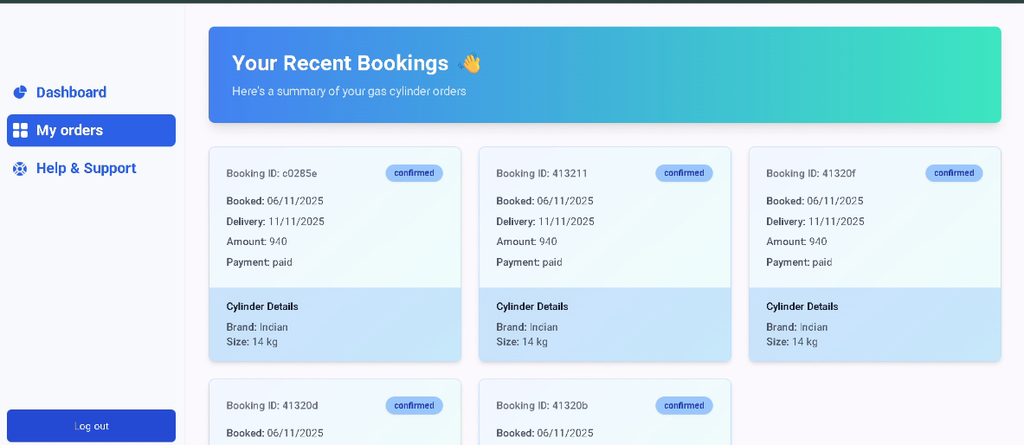
- Order History: Users can view their previous and current booking records through the dashboard.
Technology Stack
- HTML: Structures the web pages.
- CSS: Provides styling and layout for the user interface.
- JavaScript: Implements application logic and interactive functionality.
- React.js: Develops the frontend interface and reusable components.
- Node.js: Runs the backend JavaScript environment.
- Express.js: Handles server-side routes and API requests.
- MongoDB: Stores application data, including user and booking records.
Installation Guide (VS Code Setup)
Follow these steps to configure and run the Online Gas Booking System on your local computer using Visual Studio Code.
Step 1: Install the Required Software
Ensure that Node.js, MongoDB or MongoDB Atlas access, and Visual Studio Code are available on your system.
Verify the Node.js and npm installations using the following commands:
node -v
npm -v
Step 2: Extract and Open the Project
- Extract the
Online-Gas-Boking-System.zipfile. - Open Visual Studio Code.
- Select File > Open Folder and choose the extracted project directory.
- Locate the
backendandfrontendfolders.
The backend folder contains the Node.js and Express.js server, while the frontend folder contains the React.js application.
Step 3: Install Backend Dependencies
Open a terminal in VS Code and run the following commands:
cd backend
npm install
This command installs the dependencies specified in the backend package configuration.
Step 4: Install Frontend Dependencies
Open a second terminal and execute:
cd frontend
npm install
This installs the packages required by the frontend application.
Step 5: Configure Environment Variables
Inside the backend folder, create a file named .env and add the following configuration:
MONGO_URI=your_mongodb_connection_string
PORT=5000
EMAIL_USER=your_email@example.com
EMAIL_PASS=your_email_app_password
Replace the example values with your actual MongoDB connection string and email credentials. Use an appropriate email app password where required, and do not share your credentials publicly. The variable names must match those expected by the backend code.
Step 6: Start the Backend Server
In the backend terminal, execute:
npm startIf the project is configured correctly, the server should start and establish a database connection. If the command fails, check the backend package.json file for available scripts and verify the database configuration.
Step 7: Start the Frontend Application
In the frontend terminal, run:
npm run devOpen the local URL displayed in the terminal to access the application. The exact address depends on the frontend development server configuration.
How to Download
The complete package is available so you can run, study, and submit it with confidence.
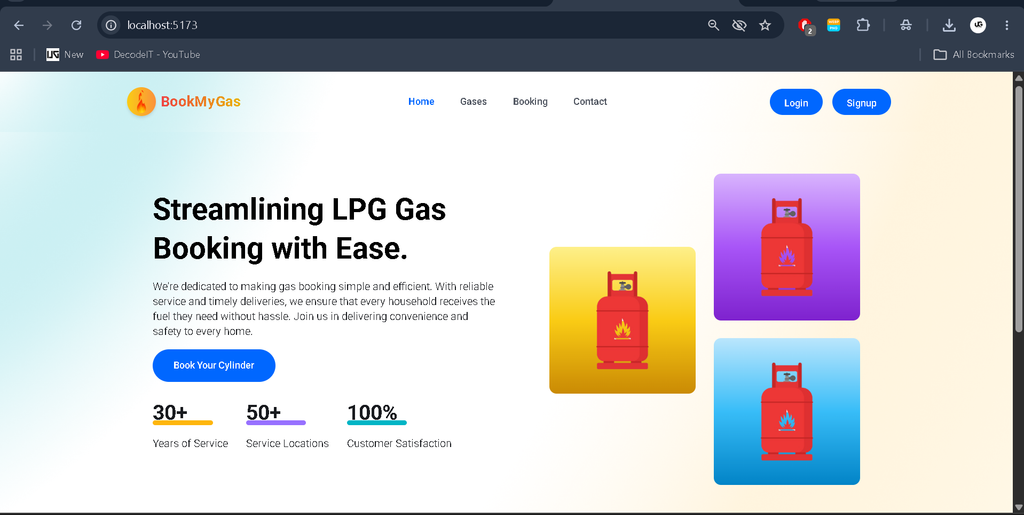
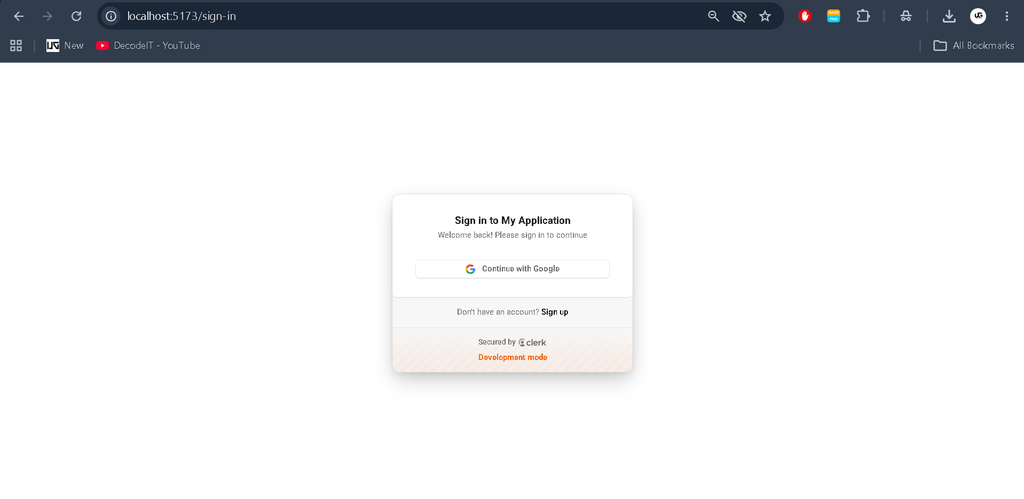
Screenshot
Usage
- Register an Account: Create a user account using the registration form.
- Log In: Enter the registered credentials to access the user dashboard.
- Book a Gas Cylinder: Submit a booking request through the available booking interface.
- Receive Email Confirmation: Check the registered email address for booking confirmation when email functionality is configured.
- View Booking History: Open the order history section to review available booking records.
- Log Out: Sign out after completing the required activities.
The available workflow depends on the modules implemented in the project. Features such as delivery tracking, online payments, and administrative management should not be assumed unless they are included in the actual application.
Real-Life Applications
The Online Gas Booking System demonstrates how digital platforms can simplify booking-related activities for gas agencies and their customers. A similar system can help agencies organize customer information, maintain booking records, and reduce dependence on manual booking procedures.
- Local gas distribution agencies
- Customer booking portals
- Digital service management platforms
- Academic demonstrations of full-stack web development
Future Scope
The Online Gas Booking System can be enhanced with the following features in the future:
- Admin Panel: Manage users, gas bookings, and overall system activities.
- Booking Management: Manage booking requests and update booking status.
- Gas Cylinder Management: Manage cylinder details, prices, and availability.
- Online Payment Integration: Add secure online payment options.
- Delivery Management: Manage delivery schedules and delivery personnel.
- Booking Status Tracking: Allow users to check their booking and delivery status.
- Email and SMS Notifications: Send booking confirmations and important updates.
- Reports and Analytics: Generate booking reports and view system statistics.
- Customer Feedback: Allow users to submit feedback and reviews.
Learning Outcomes for Students
This project helps students develop practical knowledge of:
- MERN Stack application architecture
- React.js frontend development
- REST API development using Node.js and Express.js
- MongoDB database connectivity
- User registration and authentication workflows
- Email integration for booking notifications
- Frontend and backend communication
Final Thoughts
The Online Gas Booking System is a useful full-stack web development project for students who want to understand how an online booking platform is designed and implemented. It combines frontend development, server-side programming, database operations, and email communication in one application.
Keywords: Online Gas Booking System, Online Gas Booking System Full Stack Web Application, online gas booking system project, online gas booking system project report PDF, online gas booking system PPT, gas booking system project, gas agency management system, MERN Stack project, online gas booking system download
[…] Online Gas Booking System Using MERN Stack :- Click Here […]