
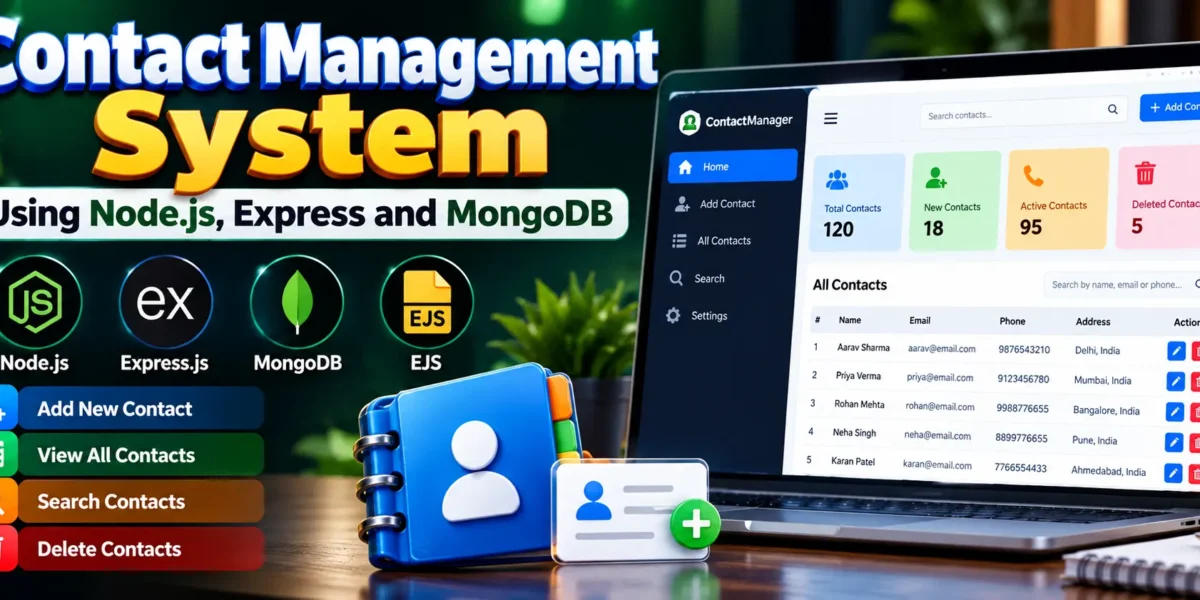
Contact Management System Using Node.js
The Contact Management System Using Node.js, Express and MongoDB is a beginner-friendly web application designed to simplify storing, searching, viewing, and managing contact information. It demonstrates how JavaScript-based backend technologies and a database can work together to create a dynamic web application.
The application allows users to save contact details, including names, phone numbers, email addresses, and physical addresses. Users can view saved contacts, search for specific records, and delete unwanted entries through a simple web interface.
Complete Advance AI Topics: Click Here
Real Time Projects on YouTube:- DecodeIT
Project Overview
| Parameter | Details |
|---|---|
| Project Name | Contact Management Using MongoDB Database |
| Language/s Used | JavaScript, HTML, CSS |
| Backend | Node.js and Express.js |
| Frontend | EJS, HTML, CSS |
| Database | MongoDB |
| ODM | Mongoose |
| Type | Web Application |
Project Objectives
- Contact Organization: Store personal and professional contact details in a centralized database.
- Quick Search: Find contact records using names or other supported search keywords.
- Database Integration: Demonstrate how Node.js applications connect to and interact with MongoDB.
- Dynamic Rendering: Display database records through EJS templates.
- Data Management: Introduce essential operations for creating, viewing, searching, and deleting records.
- Beginner-Friendly Development: Help students understand server-side programming and web application architecture.
Available Features
1. Add New Contacts
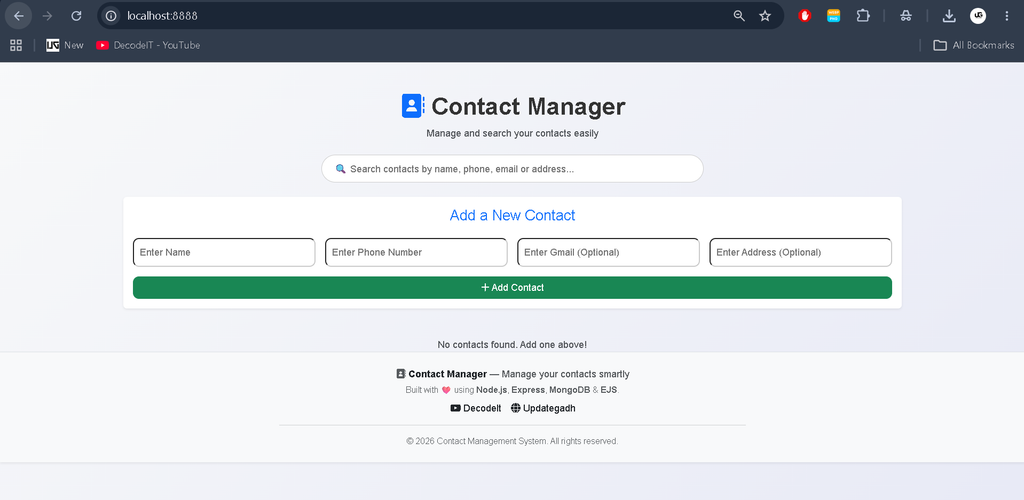
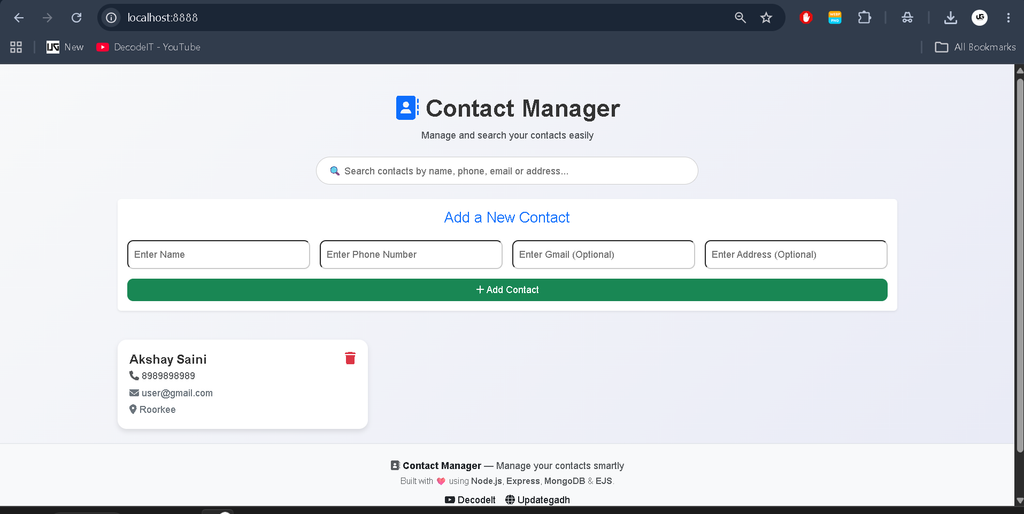
Users can enter contact information, including names, phone numbers, email addresses, and physical addresses. Submitted records are stored in MongoDB for future access.
2. View All Contacts
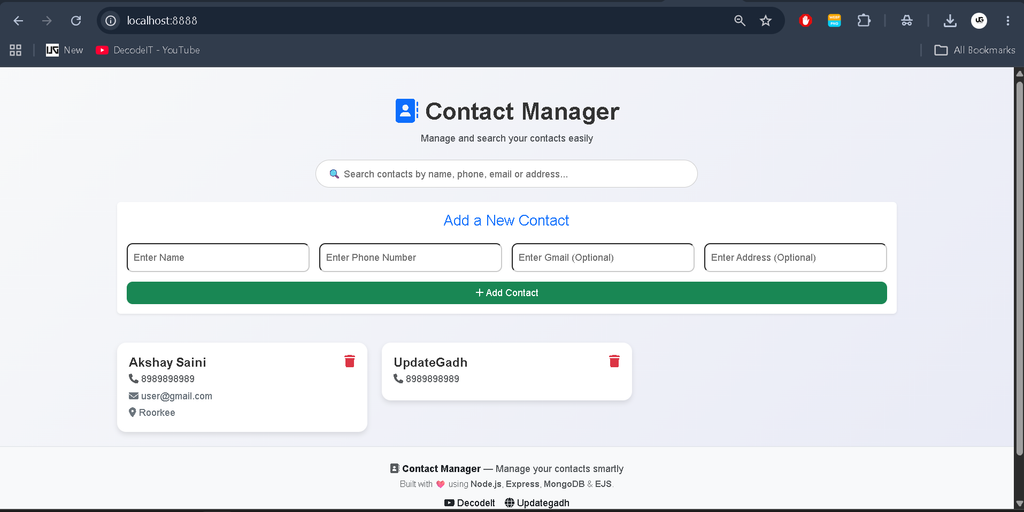
The homepage displays saved contacts in an organized layout. Contact information is retrieved from the database and rendered dynamically using EJS templates.
3. Search Contacts
The search functionality helps users locate relevant contact records using names or supported keywords, making it easier to retrieve information as the contact list grows.
4. Delete Contacts
Users can remove unwanted contact records using the available delete option. The corresponding record is deleted from the database.
5. Dynamic Page Rendering
EJS templates combine application data with HTML to generate pages containing contact records retrieved from the server.
6. Static File Integration
Express serves static resources such as CSS files to provide the application’s layout and visual styling.
7. MongoDB Database Connectivity
Mongoose manages the database connection and provides models for interacting with stored contact information.
8. Organized Routing
Express routes handle application requests, making the project easier to understand and maintain.
Explanation of Important Files
- index.js: Entry point of the application. It initializes Express, configures middleware, establishes routes, and starts the server.
- config/mongoose.js: Handles the MongoDB connection using Mongoose.
- models/contact.js: Defines the contact schema and model used to manage database records.
- views/home.ejs: Renders the main contact management interface.
- views/layout.ejs: Provides a reusable layout for the application’s pages.
- static/css/style.css: Contains styling rules for the user interface.
- package.json: Defines project metadata, dependencies, and available npm scripts.
Download complete source code
Screenshot
Installation Guide (Using VS Code)
Step 1: Install Required Software
Install Node.js, npm, MongoDB, and Visual Studio Code before running the application.
Verify Node.js and npm installations:
node -v
npm -v
If MongoDB Shell is installed, verify it with:
mongosh --versionStep 2: Open the Project in VS Code
Extract the project ZIP file, open Visual Studio Code, and select the extracted project folder.
Alternatively, navigate to the project directory through the terminal:
cd Contact-Management-Using-MongoDb-Database-master
code .
Use the actual extracted folder name if it differs.
Step 3: Install Dependencies
Open the VS Code terminal and execute:
npm installThis installs the dependencies listed in the project’s package.json file.
Step 4: Start MongoDB
Ensure that the MongoDB server is running and that the connection URL configured in the project points to the correct database instance.
On Windows, MongoDB may run as a Windows service if it was installed and configured that way. The mongosh command opens the database shell; it does not start the database server itself.
Step 5: Run the Application
Start the application using the following command:
node index.jsIf the project uses a different startup script, check the scripts section of package.json.
Step 6: Access the Application
When the server starts successfully, open your browser and visit:
http://localhost:8888The contact management interface should appear if the server is running and the homepage route is configured correctly.
Usage Guide
1. Add a New Contact
Enter the available contact information in the form, including the person’s name and phone number. Provide email and address details if those fields are available. Submit the form to save the record.
2. View Saved Contacts
Open the homepage to see the contacts retrieved from MongoDB. The interface displays information according to the fields and layout implemented in the project.
3. Search for a Contact
Enter a name or another supported keyword into the search field. The application retrieves or filters matching records according to its search implementation.
4. Delete a Contact
Select the delete option associated with the contact you want to remove. Confirm the action if prompted. The corresponding record will be removed from the database.
Technical Stack
- Node.js: Provides the JavaScript runtime for executing backend code.
- Express.js: Handles HTTP requests, routing, and middleware configuration.
- MongoDB: Stores contact information in a document-oriented database.
- Mongoose: Defines schemas, models, and database interaction logic.
- EJS: Generates dynamic HTML pages using server-side data.
- HTML and CSS: Structure and style the application’s interface.
Why This Project Is Useful for Students
Understanding Backend Development
Students gain practical experience creating an Express server, defining routes, handling requests, and returning responses.
Learning MongoDB Integration
The project demonstrates how an application connects to MongoDB and performs database operations using Mongoose.
Practicing Data Management
Adding, viewing, searching, and deleting contacts helps students understand common database workflows.
Exploring Dynamic Templates
Working with EJS teaches students how to render database records in HTML without manually creating a separate page for every contact.
Improving Debugging Skills
Students can practice reading terminal messages, diagnosing connection errors, and testing application routes.
Building a Portfolio Project
The project provides a foundation for understanding how simple business applications manage structured information.
Real-Life Applications
- Personal Contact Books: Organize and retrieve personal contact details.
- Business Directories: Maintain customer and business contact records.
- Team Directories: Store employee or department contact information.
- Small Business Applications: Provide a starting point for basic customer relationship management tools.
Future Enhancements
The project can be extended with contact editing, user authentication, pagination, advanced search filters, contact import and export, and cloud database deployment. Additional security controls and input validation can also help prepare the application for broader use.
These improvements can transform the basic application into a more comprehensive contact management platform.
Final Thoughts
The Contact Management System Using Node.js, Express, and MongoDB is a useful learning project for students beginning backend and full-stack web development. It combines database connectivity, dynamic page rendering, routing, and essential contact management operations in one application.
Keywords: Contact Management System, Contact Management System Using Node.js, Contact Management System Using MongoDB Database, Contact Management System Project GitHub, Contact Management System Project in Python, Contact Management System Project With Source Code, Contact Management System Project in C, Contact Management System Project in Java, Contact Management System Project Report PDF, Contact Management System Project PPT, Contact Management System Project in Python PDF, Contact Management System Project in PHP, Contact Management System Project PDF

I always look forward to reading your posts, they never fail to brighten my day and educate me in some way Thank you!