
GYM Management System in MERN Stack
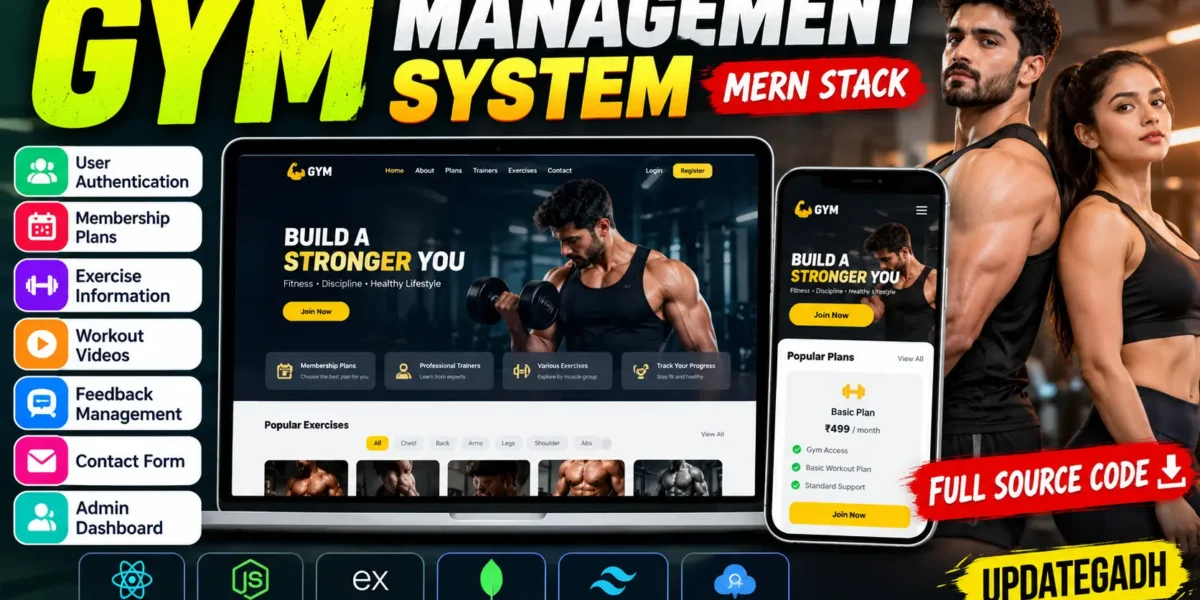
The GYM Management System is a full-stack web application designed to simplify gym-related activities and provide an interactive fitness platform. Developed using the MERN stack, this project allows users to explore workout exercises, view membership plans, submit subscription requests, provide feedback, and contact the gym through a responsive interface.
The application uses React.js and Tailwind CSS for the frontend, Node.js and Express.js for backend operations, and MongoDB for data storage. It includes authentication, subscription management, plan categories, feedback handling, contact management, and external API integration for exercise information and workout videos. This project is suitable for students who want to learn full-stack development through a practical gym-based application.
Complete Advance AI Topics: Click Here
Real Time Projects on YouTube:- DecodeIT
Project Overview
| Project Details | Description |
|---|---|
| Project Name | GYM Management System |
| Languages Used | JavaScript, HTML, CSS |
| Frontend | React.js, Tailwind CSS |
| Backend | Node.js, Express.js |
| Database | MongoDB |
| API Integration | RapidAPI |
| Project Type | MERN Stack Full-Stack Web Application |
Introduction
Managing membership plans, workout information, subscriptions, and customer communication can be challenging when these activities are handled separately. The GYM Management System combines these functions into one web application, making gym-related information easier to access and manage.
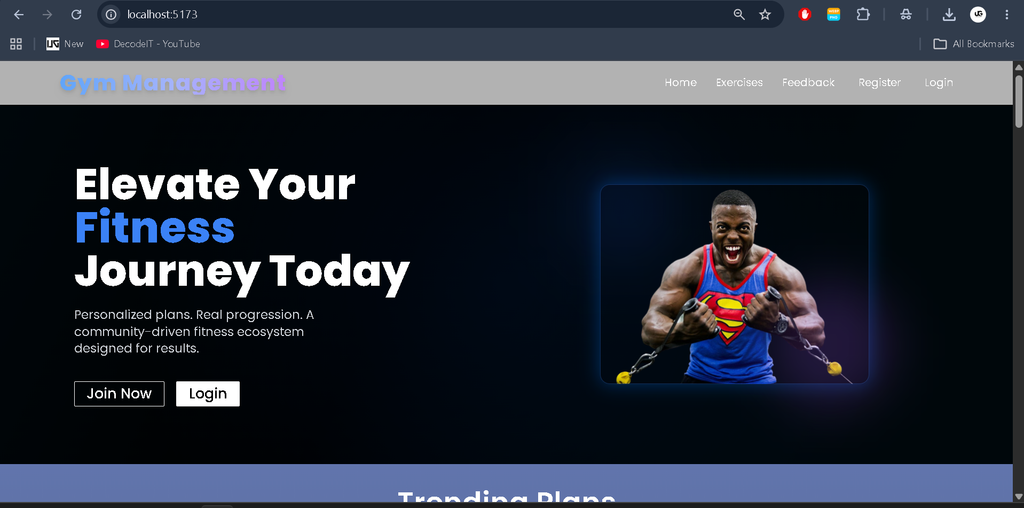
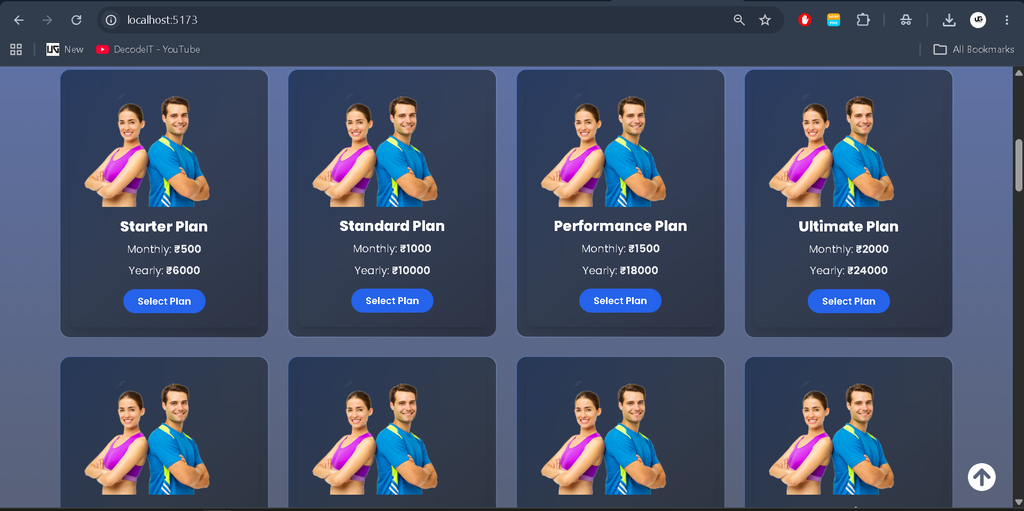
The frontend contains sections for pricing, trainers, testimonials, exercises, and contact information. The backend processes authentication, subscriptions, feedback, contact messages, and membership plan categories. Its separate client and server folders make the application structure easier for students to understand and maintain.
The project also demonstrates how external APIs can provide exercise information and YouTube workout videos. Its modular architecture helps learners understand database operations, API requests, authentication, and communication between frontend and backend components.
Available Features
1. User Authentication
The application supports user registration and login. Token-based authentication, password hashing, and middleware help manage authentication and access to protected backend routes.
2. Subscription Management
Users can submit subscription details for gym membership plans. The backend processes subscription requests and stores subscription records in MongoDB.
3. Membership Plan Categories
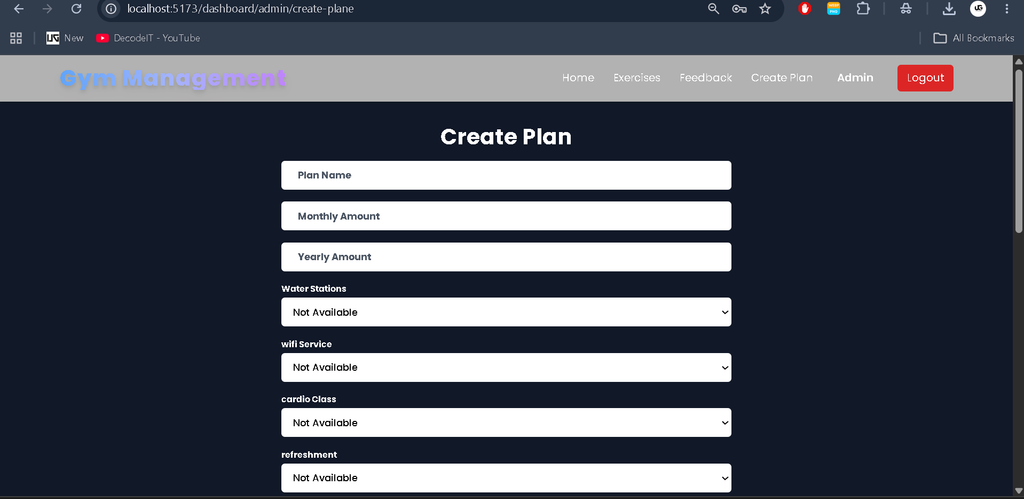
The system includes plan categories and related backend operations for organizing membership options. Administrators can manage plan categories through the available backend functionality.
4. Exercise Information
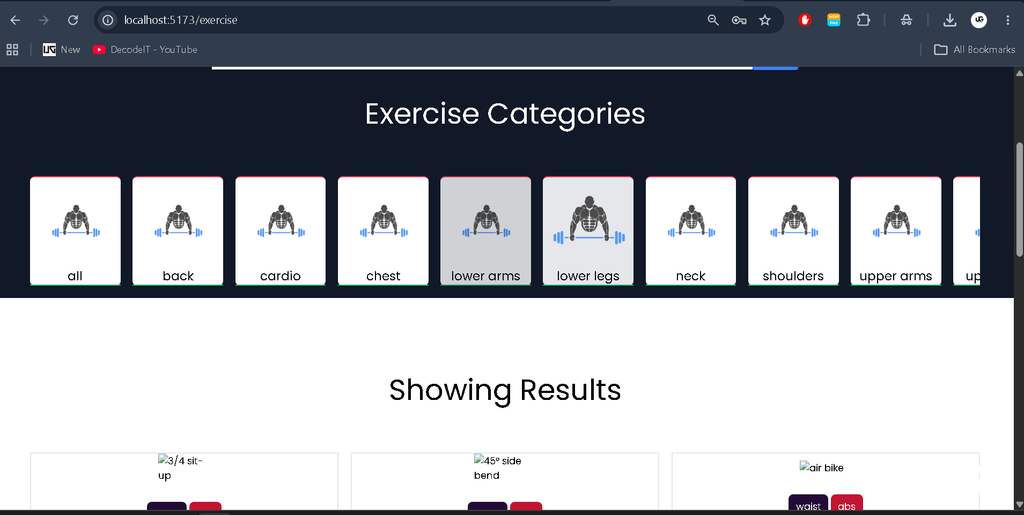
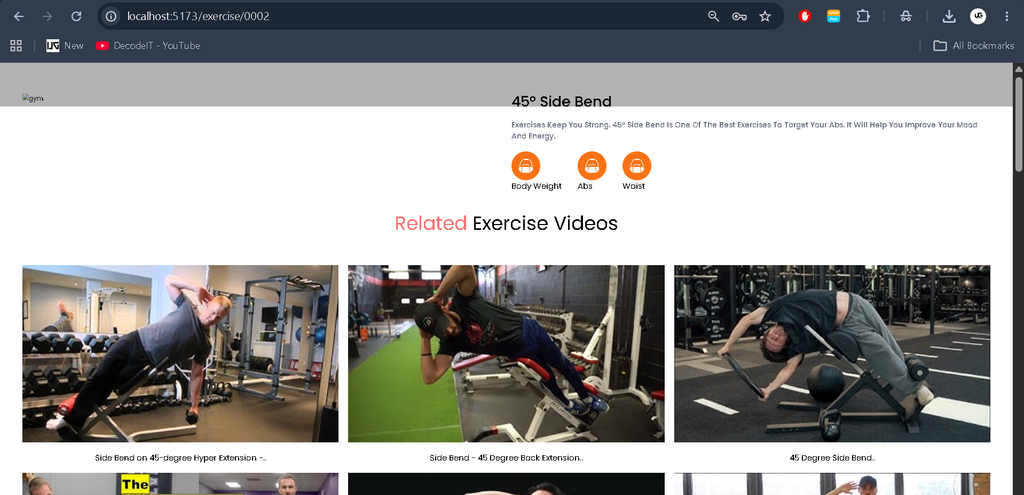
Users can browse exercises and explore workout information based on muscle groups. Exercise-related data is retrieved through the integrated RapidAPI services.
5. Workout Video Integration
The application integrates a YouTube-related API to retrieve workout video information, helping users discover exercise demonstrations and fitness tutorials.
6. Feedback Management
Users can submit feedback through the available form. Feedback records are stored in MongoDB and can be retrieved for administrative review.
7. Contact Management
A contact form allows users to send questions and messages to the gym. The backend stores submitted messages for later access.
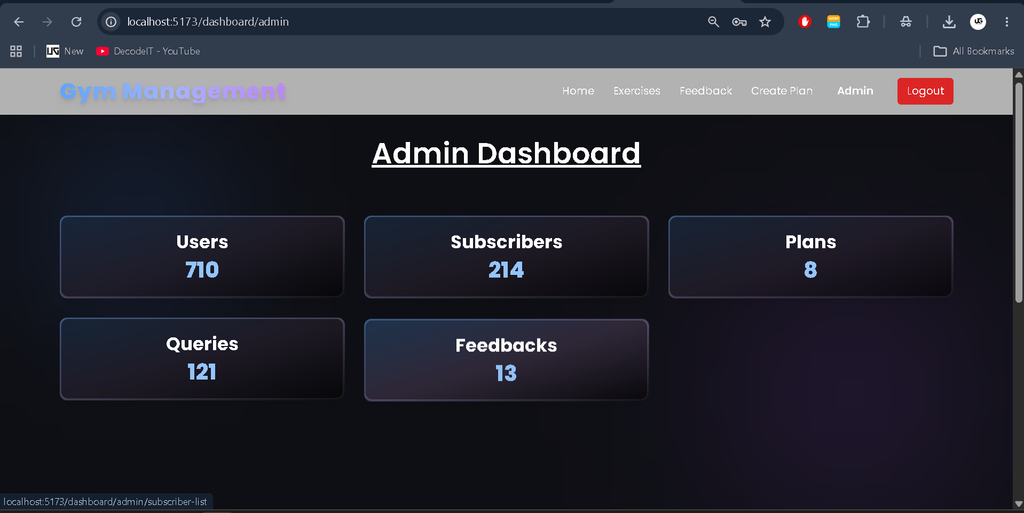
8. Administrative Operations
The backend provides operations for retrieving user records, accessing subscription data, managing plan categories, and reviewing feedback and contact messages.
9. Responsive Interface
The React.js frontend uses Tailwind CSS to provide a modern fitness-themed interface that adapts to different screen sizes. Sections include pricing, trainers, testimonials, and exercises.
Technology Stack
- React.js: Creates interactive frontend components and pages.
- Tailwind CSS: Provides responsive styling and layout design.
- Node.js: Runs the backend JavaScript environment.
- Express.js: Handles API routes and server requests.
- MongoDB: Stores application data and records.
- JWT: Supports token-based authentication.
- RapidAPI: Provides access to external exercise and video-related APIs.
Software and Tools Required
- Visual Studio Code
- Node.js and npm
- MongoDB Atlas or a compatible MongoDB instance
- RapidAPI account with access to the required APIs
- Modern web browser
How to Download
The complete package is available so you can run, study, and submit it with confidence. It includes:
- Full Source Code
- Project Report
- Synopsis
- PPT Presentation
Screenshot
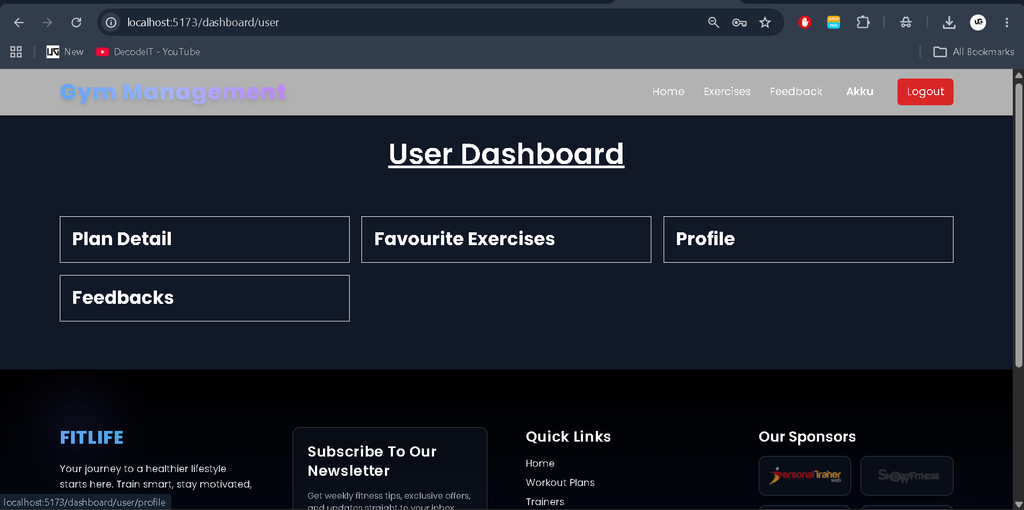
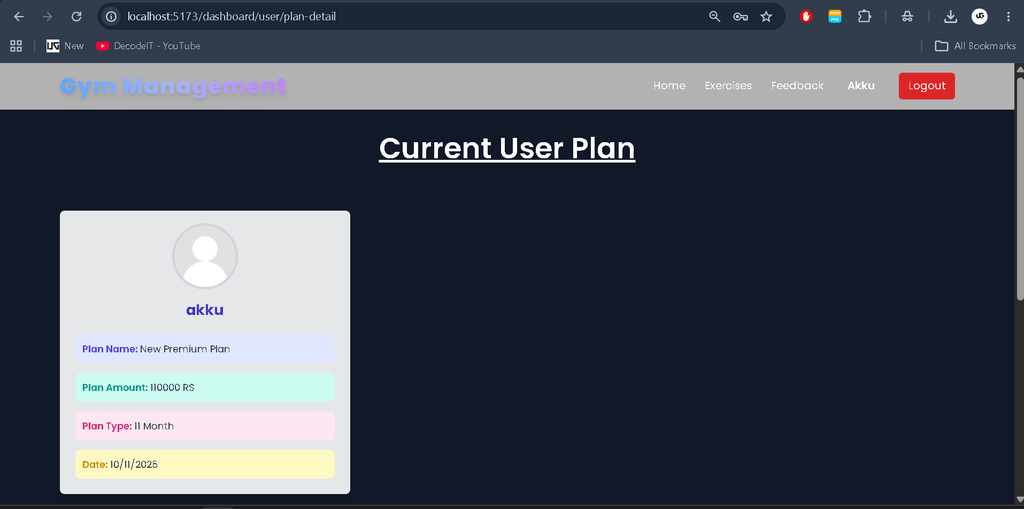
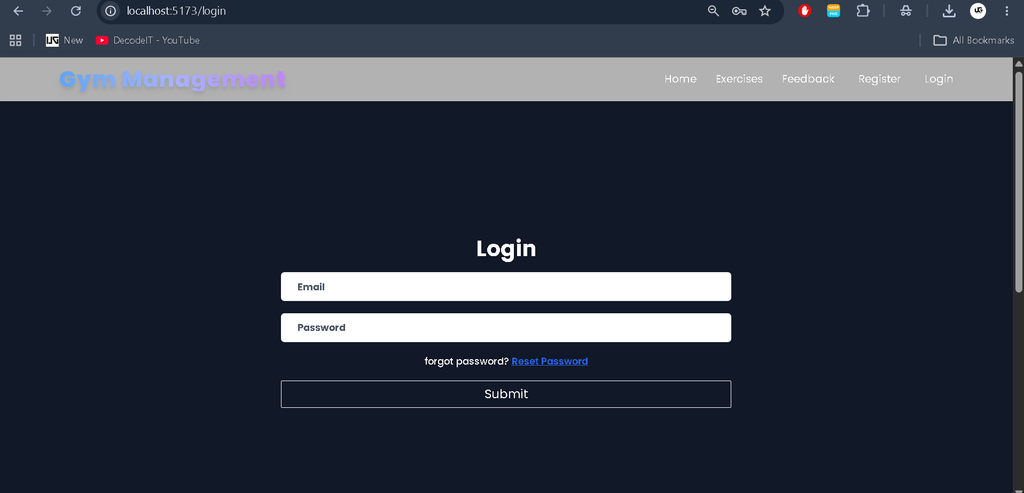
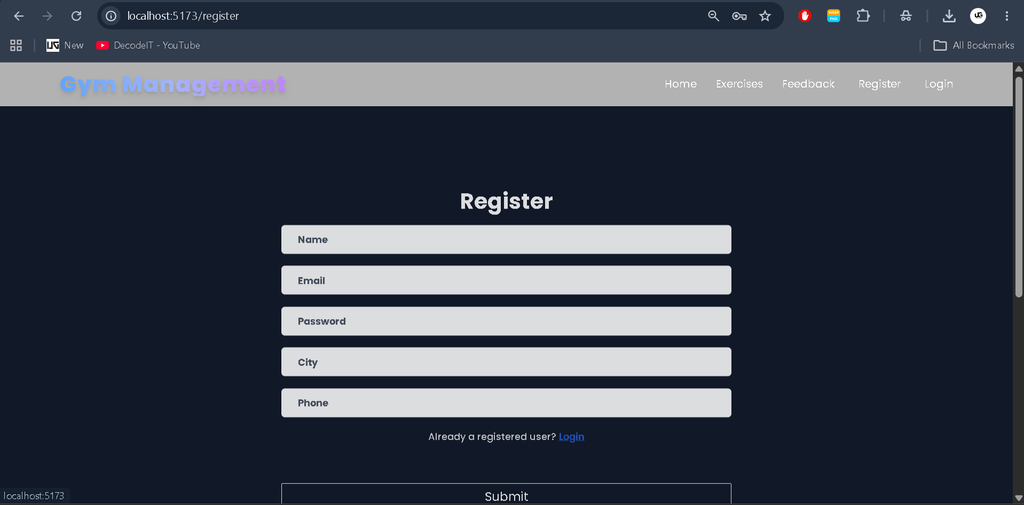
Installation Guide for VS Code
Step 1: Extract the Project
Extract the project ZIP file and open the main project folder in Visual Studio Code. Ensure that both the client and server folders are available.
Step 2: Open the Terminal
Open the VS Code terminal using the following keyboard shortcut:
Ctrl + `Step 3: Install Backend Dependencies
Navigate to the server directory and install the required packages:
cd server
npm install
Step 4: Configure Backend Environment Variables
Create a .env file inside the server folder and add the following variables:
MONGO_URL=your_mongodb_connection_string
JWT_SECRET=your_strong_secret_key
PORT=5000
To obtain the MongoDB connection string, create a cluster in MongoDB Atlas, configure database access, and select the connection option. Replace the example value with your actual connection string. Keep your database credentials and JWT secret private.
Step 5: Start the Backend Server
Run the following command from the server directory:
npm startCheck the terminal to confirm that the server starts successfully and connects to MongoDB. If the command fails, verify the scripts defined in the server’s package.json file.
Step 6: Install Frontend Dependencies
Open another terminal in VS Code and navigate to the client directory:
cd client
npm install
Step 7: Configure Frontend Environment Variables
Create a .env file inside the client folder and configure the required API settings:
VITE_REACT_APP_RAPIDAPI_KEY=your_rapidapi_key
VITE_API_URL=your_backend_api_url
Set the backend URL according to your local server configuration. Use the exact environment variable names expected by the project source code.
Step 8: Configure RapidAPI
Visit RapidAPI and create an account. Search for the required YouTube Search and Download API and ExerciseDB API, then obtain access according to their subscription requirements.
Copy the API key and configure it in the client environment file. Verify the API host names and request settings used by the project. Restart the frontend after changing environment variables.
Step 9: Start the Frontend
From the client directory, execute:
npm run devOpen the local development URL displayed in the terminal. Keep the frontend and backend running simultaneously to test the complete application.
How to Use the GYM Management System
- Open the application in your browser.
- Register a new account and log in.
- Explore the available gym information and membership plans.
- Browse exercises and related workout videos.
- Submit subscription details using the available interface.
- Send feedback or contact messages through the provided forms.
- Use the supported administrative operations to access and manage stored records.
User Roles
User
- Create an account and log in.
- Explore gym plans and exercise information.
- Submit membership subscription requests.
- Browse workout-related video information.
- Submit feedback and contact messages.
Administrator
- Retrieve registered user records.
- Access subscription records.
- Manage membership plan categories.
- Review submitted feedback.
- View contact messages submitted by users.
Administrative access depends on the routes and authorization checks implemented in the project. Verify that sensitive administrative endpoints are protected before deploying the application.
Project Benefits
- Provides practical experience with MERN stack development.
- Demonstrates frontend and backend integration.
- Introduces MongoDB database operations and REST API development.
- Explains authentication and protected routes.
- Demonstrates integration with external APIs.
- Provides a useful foundation for college projects and developer portfolios.
Conclusion
The GYM Management System is a useful full-stack development project for students who want to understand how modern web applications are designed and implemented. It combines authentication, subscription management, exercise information, feedback, and contact functionality in a single platform.
Keywords: GYM Management System Project in MERN Stack, GYM Management System, MERN Stack Project, Gym Website Project, React Gym Project, Node.js Project, MongoDB Project, Full Stack Project for Students, UPDATEGADH,
GYM Management System, GYM Management System – Google Search, gym management system project, gym management system GitHub, gym management system project in Python, gym management system project with source code, gym management system UI, gym management system project GitHub, gym management system ER diagram, gym management system project in Java, gym management system use case diagram.

[…] GYM Management System in MERN Stack:- Click Here […]