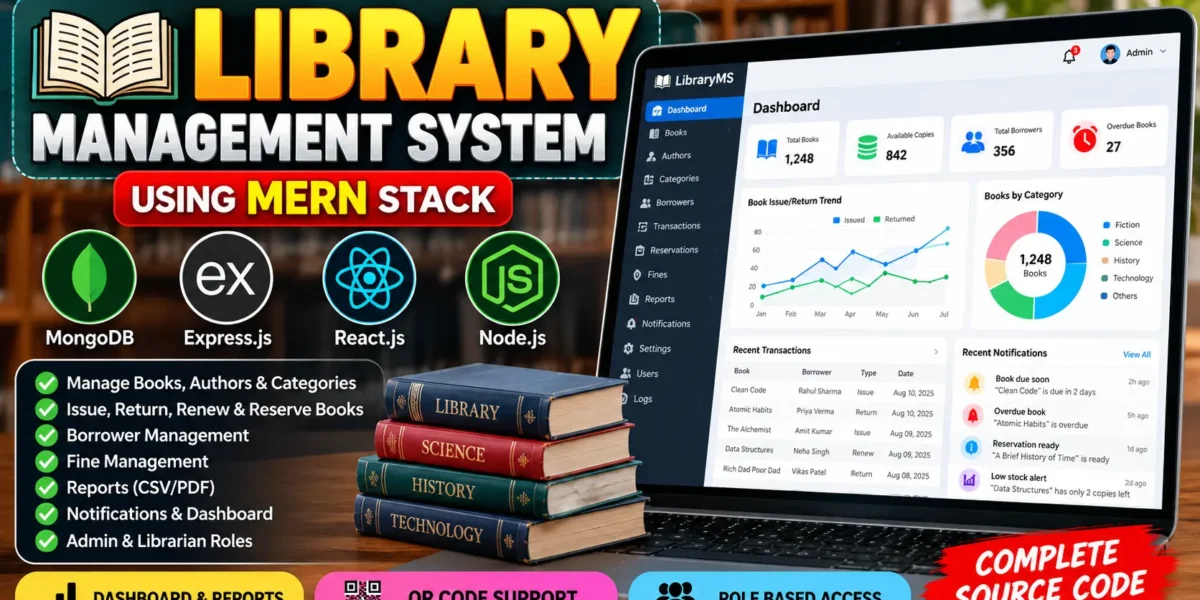
Library Management System in MERN stack
The Library Management System Using MERN Stack is a full-stack web application designed to simplify library operations through a centralized digital platform. Developed by UPDATEGADH, this project helps administrators and librarians manage books, authors, categories, borrowers, book issues, returns, reservations, fines, notifications, and reports.
The application uses MongoDB, Express.js, React.js, and Node.js to provide a modern library management solution. Its dashboard, charts, tables, and reports use database records rather than hardcoded statistics. JWT authentication and role-based permissions help protect administrative operations.
Complete Advance AI Topics: Click Here
Real Time Projects on YouTube:- DecodeIT
Project Overview
| Project Information | Details |
|---|---|
| Project Name | Library Management System |
| Language/s Used | JavaScript |
| Frontend | React.js, Vite, Ant Design |
| Backend | Node.js, Express.js |
| Database | MongoDB |
| Authentication | JWT, bcryptjs |
| Charts | Recharts |
| Project Type | Full-Stack Web Application |
Available Features
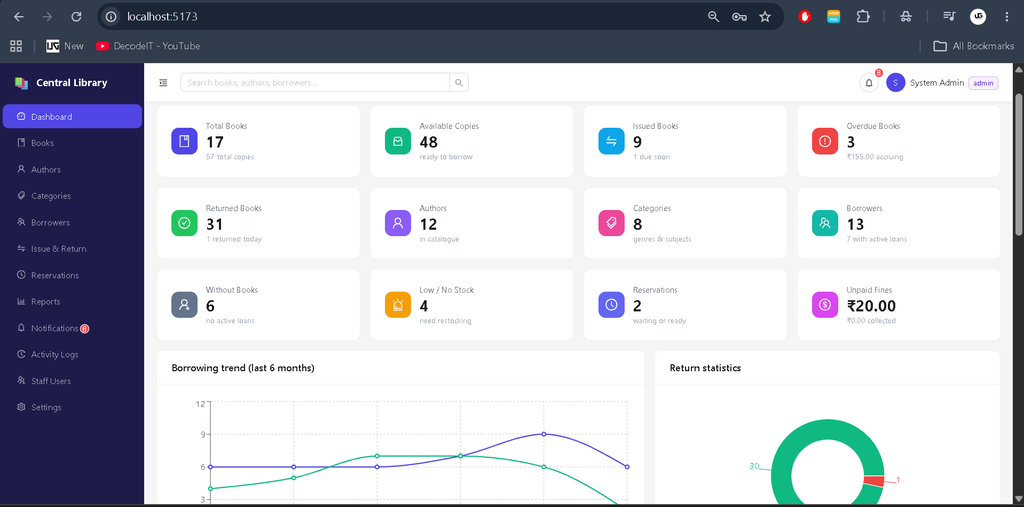
1. Admin and Librarian Dashboard
- Display database-driven statistics and charts.
- Monitor books, available copies, borrowers, active loans, overdue books, and fines.
- View popular books, recent transactions, borrowing trends, and activity.
- Navigate to relevant library management modules.
2. Book Management
- Add, view, update, and search book records.
- Maintain ISBN, title, author, category, publisher, publication year, shelf location, quantity, and description.
- Upload book cover images.
- Filter books by availability, author, category, and stock status.
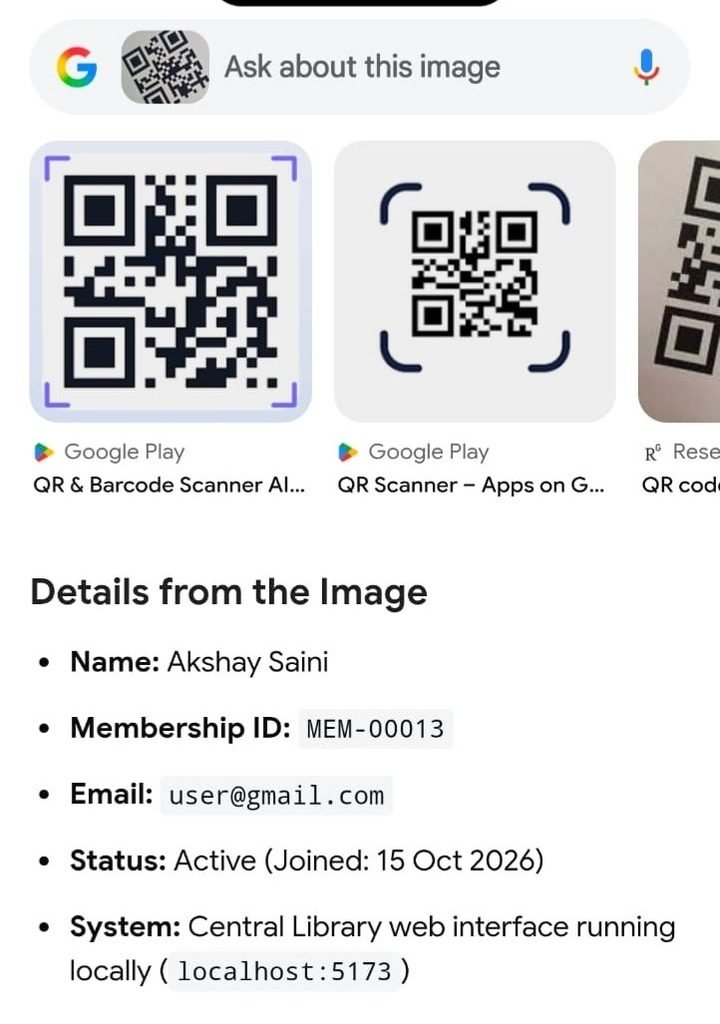
- Generate QR codes containing book ISBN information.
- Restrict book deletion to administrators.
3. Author and Category Management
- Create, edit, view, and search authors and categories.
- Associate books with their respective authors and categories.
- Prevent deletion of records referenced by existing books.
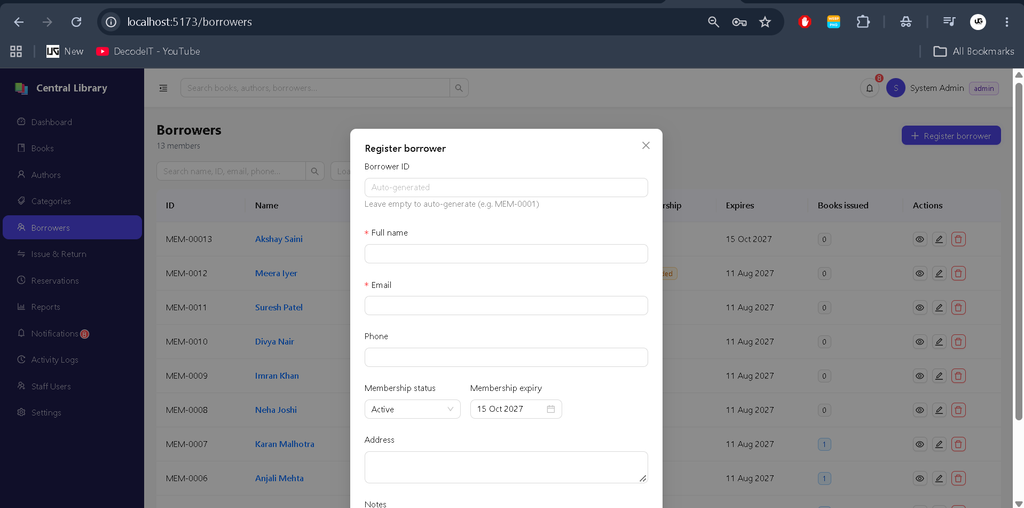
4. Borrower Management
- Register and update library members.
- Maintain member IDs, contact information, membership status, and expiry dates.
- Search and filter borrower records.
- Review borrowing activity and generate member ID QR codes.
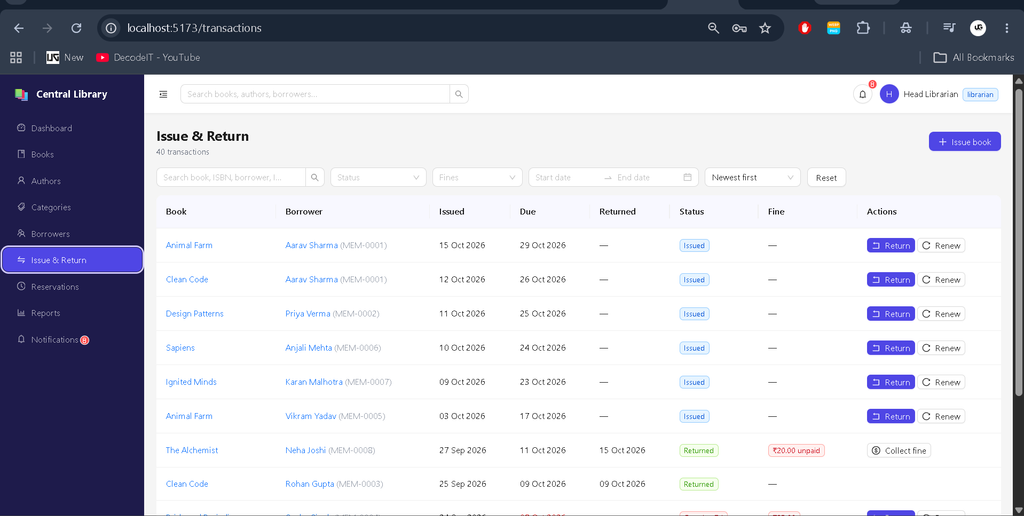
5. Book Issue, Return and Renewal
- Issue books to eligible borrowers.
- Record issue dates, due dates, and transaction history.
- Process returns and update available inventory.
- Renew eligible loans according to configured rules.
- Filter transactions by status, borrower, book, and outstanding fines.
- Prevent duplicate active loans of the same book for a borrower.
6. Reservations and Waiting List
- Reserve books when copies are unavailable.
- Maintain reservation waiting lists.
- Mark reservations as ready when a copy becomes available.
- Hold reserved copies for a configurable period.
- Expire uncollected holds and advance the waiting list.
7. Fine Management
- Calculate late-return fines using overdue days and configurable daily rates.
- Support optional maximum fine limits.
- Record fine payments and administrator-approved waivers.
- Track outstanding and collected fines.
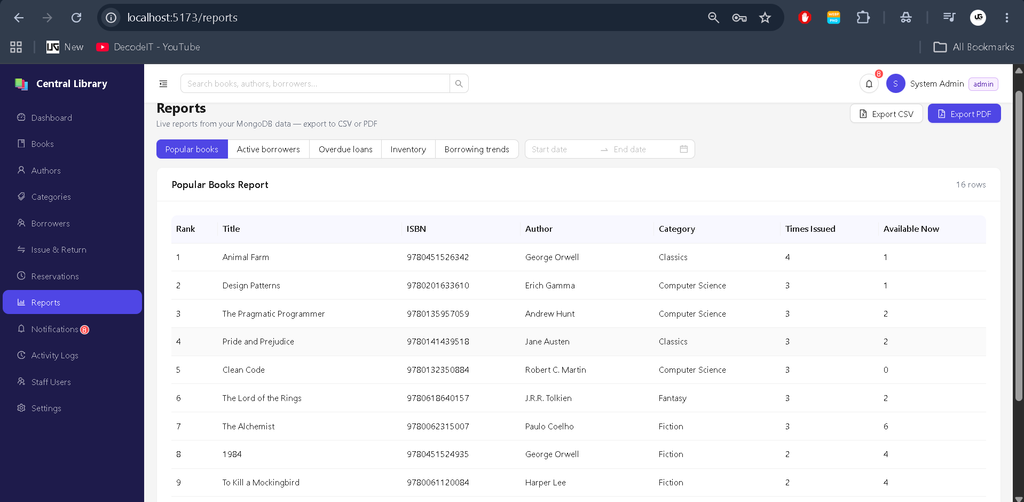
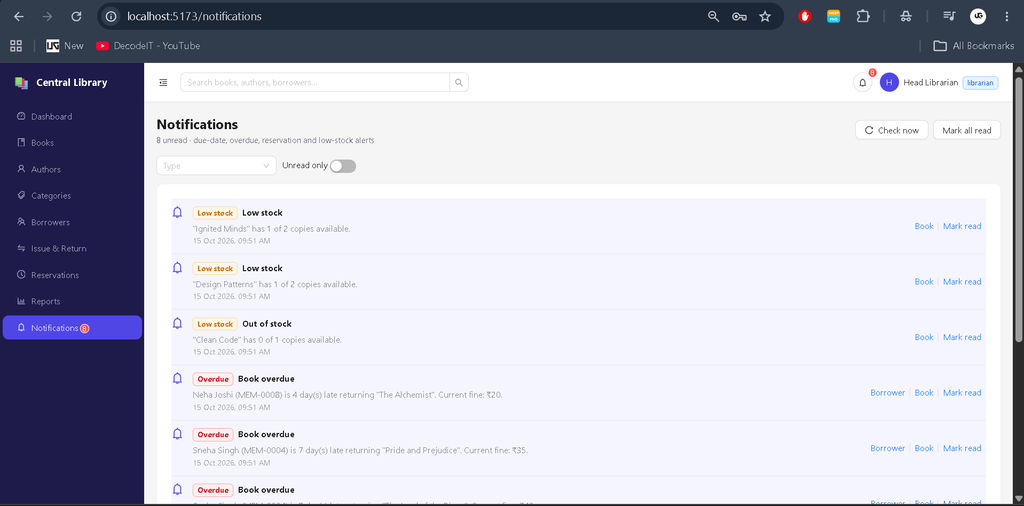
8. Reports and Notifications
- Generate inventory, overdue-loan, active-borrower, popular-book, and borrowing-trend reports.
- Export reports in CSV and PDF formats.
- Generate in-app due-soon, overdue, reservation-ready, and low-stock notifications.
- Review notifications and mark them as read.
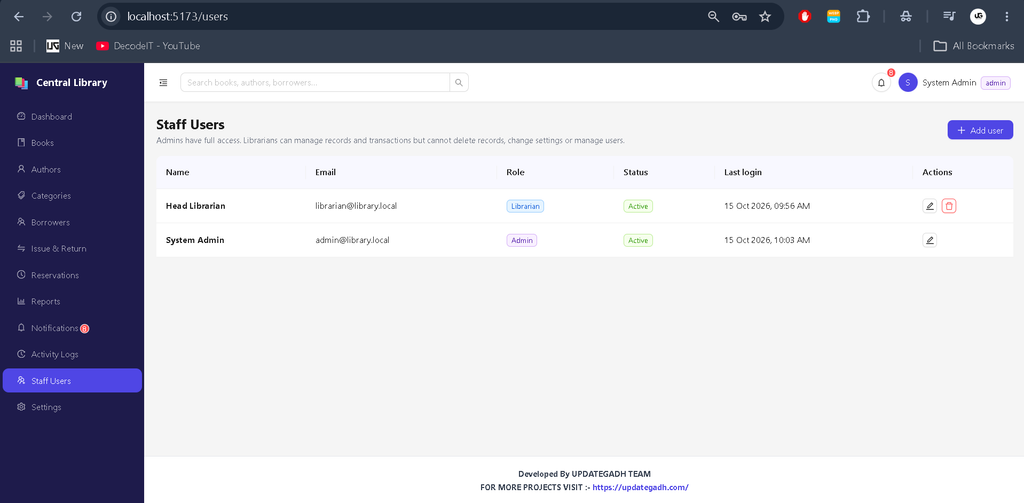
9. User Management and Security
- Manage administrator and librarian accounts.
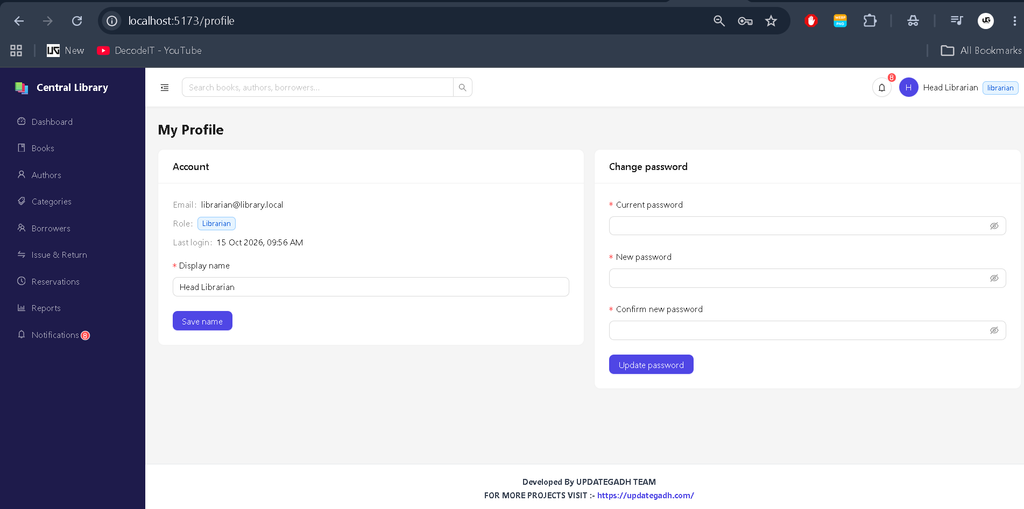
- Provide profile management and password changes.
- Maintain administrative activity logs.
- Protect API routes with JWT authentication.
- Hash account passwords and apply role-based access restrictions.
Technology Stack
- React.js: Creates the interactive frontend.
- Vite: Provides development and production build tools.
- Ant Design: Supplies interface components, forms, tables, and modals.
- Recharts: Displays dashboard charts and trends.
- Node.js: Runs the backend application.
- Express.js: Handles API routes and server operations.
- MongoDB: Stores library records and transactions.
- Mongoose: Defines database models and validation.
- JWT and bcryptjs: Support authentication and password security.
- PDFKit and QRCode: Support PDF reports and QR-code generation.
Software and Tools Required
- Node.js 18 or later
- MongoDB Community Server or MongoDB Atlas
- Visual Studio Code
- Web browser
- npm package manager
How to Download
The complete package is available so you can run, study, and submit it with confidence.
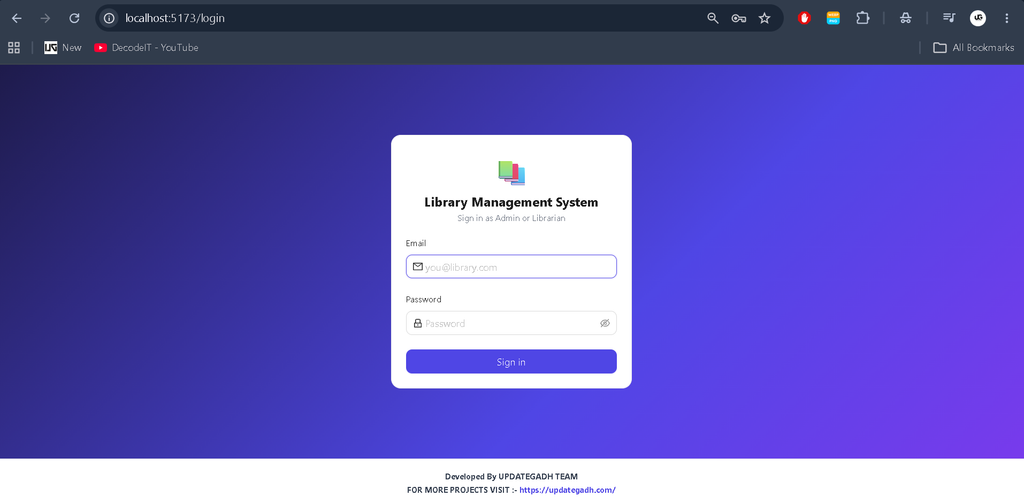
Screenshot
Installation Guide for VS Code
Step 1: Extract the Project
Extract the library-mern.zip file and open the extracted project folder in Visual Studio Code.
Step 2: Install Backend Dependencies
Open the VS Code terminal and execute:
cd backend
npm install
copy .env.example .env
Open backend/.env and configure the database connection, JWT secret, and account credentials.
PORT=5000
MONGO_URI=mongodb://127.0.0.1:27017/library_mern
JWT_SECRET=your_generated_secret
JWT_EXPIRES_IN=7d
CLIENT_URL=http://localhost:5173
ADMIN_NAME=System Admin
ADMIN_EMAIL=admin@library.local
ADMIN_PASSWORD=ChangeMe123
LIBRARIAN_NAME=Head Librarian
LIBRARIAN_EMAIL=librarian@library.local
LIBRARIAN_PASSWORD=Library123
These are example credentials. Replace the passwords and generate a strong JWT secret before running the application. Keep the .env file private.
Generate the JWT secret with:
node -e "console.log(require('crypto').randomBytes(48).toString('hex'))"Step 3: Create Initial Accounts
Start MongoDB and execute the following command from the backend directory:
npm run seed:adminTo load optional sample books, authors, borrowers, transactions, reservations, and other library records, run:
npm run seedStep 4: Start the Backend
npm run devThe backend API will run at http://localhost:5000.
Step 5: Start the Frontend
Open a second VS Code terminal and execute:
cd frontend
npm install
npm run dev
Open http://localhost:5173 in your browser and sign in using the administrator credentials configured in the environment file.
Step 6: Run the Production Build
Build the frontend from the frontend directory:
npm run buildThen start the backend from the backend directory:
npm startThe Express server can serve the production frontend build when the build output is available.
Usage
Admin
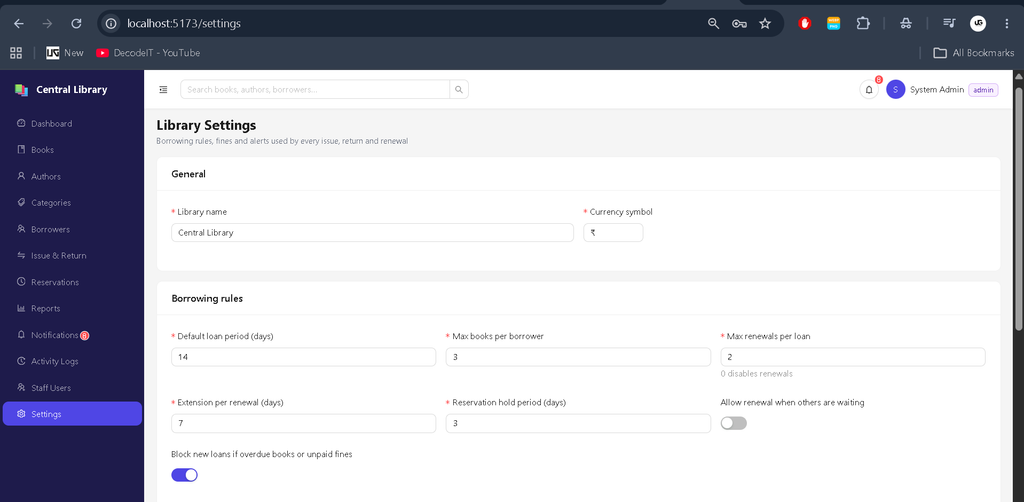
The administrator manages staff accounts, library settings, books, authors, categories, borrowers, reports, and activity logs. The admin can also delete eligible records and waive fines.
Librarian
The librarian manages books, borrowers, authors, categories, book issues, returns, renewals, reservations, fine payments, and reports. Administrator-only actions remain restricted.
Borrowers are managed as library members by staff. The project provides Admin and Librarian login roles rather than a separate borrower login portal.
Frequently Asked Questions
1. What is the Library Management System built with?
It uses MongoDB, Express.js, React.js, and Node.js, along with Vite, Ant Design, and Recharts.
2. Does the dashboard use real database data?
Yes. Dashboard statistics, charts, tables, and reports are calculated from database records rather than hardcoded dashboard figures.
3. Which login roles are available?
The application supports Admin and Librarian accounts with different permissions.
4. Can the system calculate late-return fines?
Yes. It calculates overdue fines using configurable daily rates and optional maximum limits.
5. Can I run this project in VS Code?
Yes. Configure MongoDB and the environment variables, install the backend and frontend dependencies, create the initial accounts, and start both servers.
Final Thoughts
The Library Management System Using MERN Stack demonstrates how modern web technologies can organize everyday library operations in one application. Its database-driven dashboard, book circulation, reservations, fine management, reporting, notifications, and role-based access make it a useful project for students learning full-stack development.
Keywords: Library Management System Using MERN Stack, MERN Stack Library Project, Library Management System using React and Node.js, MongoDB Library Management System, Library Management System Source Code, Book Issue and Return System, Library Management Project for Students, UPDATEGADH,Library Management System,Library Management System Using MERN Stack