Health Insurance Management System Using MERN Stack
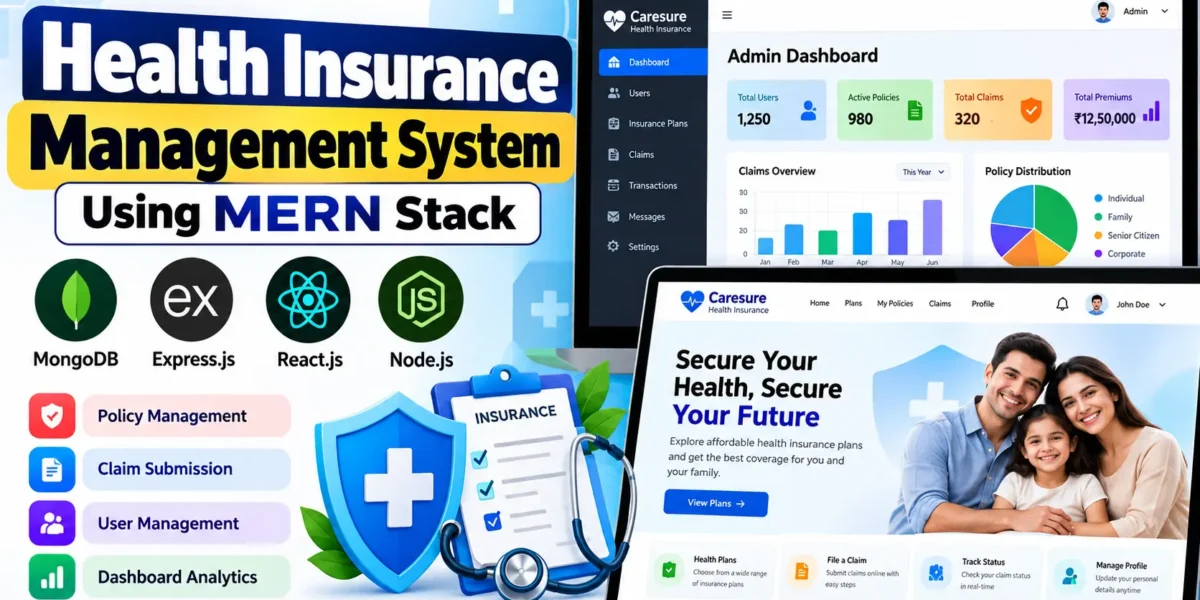
The Health Insurance Management System Using MERN Stack, named Caresure Health Insurance, is a full-stack web application developed using MongoDB, Express.js, React.js, and Node.js. It provides a centralized platform for managing health insurance policies, client accounts, insurance claims, and related transactions.
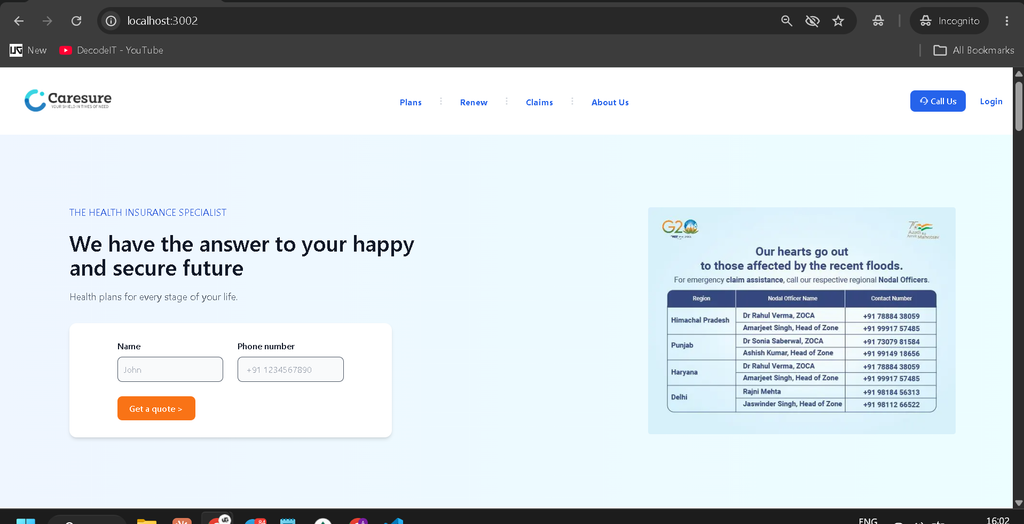
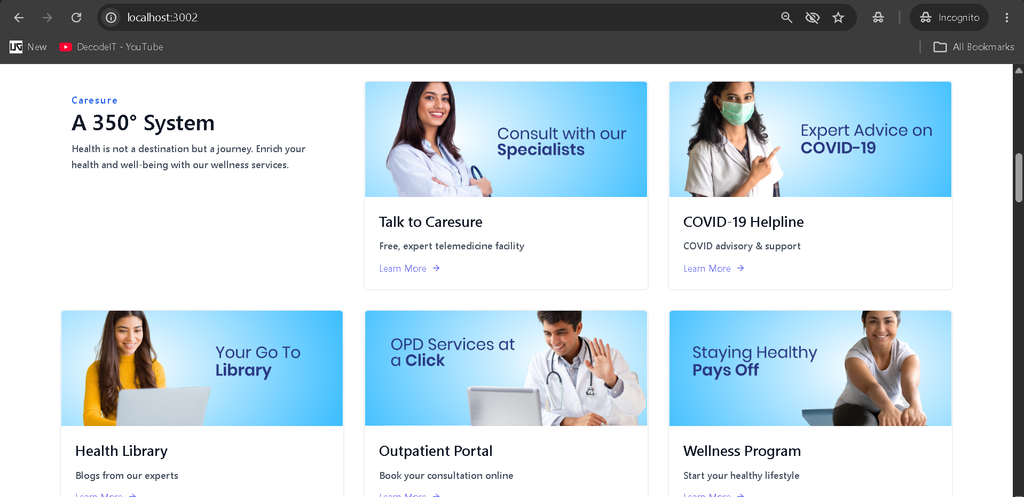
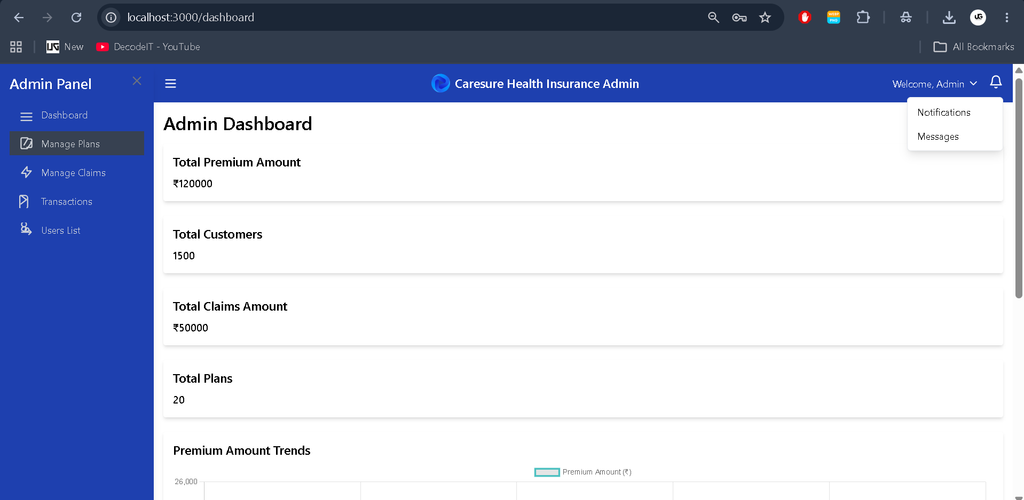
The application includes separate client and administrator panels. Clients can explore insurance plans, submit claims, track claim statuses, and manage their profiles. Administrators can manage registered users, insurance plans, claims, and dashboard analytics through a dedicated management interface.
Complete Advance AI Topics: Click Here
Real Time Projects on YouTube:- DecodeIT
Project Overview
| Property | Details |
|---|---|
| Project Name | Health Insurance Management System |
| Language/s Used | JavaScript (MERN Stack) |
| Frontend | React.js |
| Backend | Node.js and Express.js |
| Database | MongoDB |
| Type | Full-Stack Web Application |
Project Objectives
- Policy Management: Provide a convenient way to explore insurance plans and manage policy information.
- Claim Processing: Simplify online claim submission, verification, and status tracking.
- Centralized Administration: Manage clients, insurance plans, claims, and transaction records from a single dashboard.
- Data Security: Support secure authentication and appropriate access control.
- Improved Accessibility: Make insurance-related information available through a user-friendly web interface.
- Dashboard Analytics: Present important insurance statistics through summary cards and charts.
Development Details
- Code Editor: Visual Studio Code
- Frontend: React.js
- Backend: Node.js and Express.js
- Database: MongoDB
- API Testing: Postman
- Debugging: Chrome Developer Tools
- Operating System: Windows 11
The application follows the MERN architecture. React.js provides the user interface, Express.js and Node.js handle backend operations, and MongoDB stores application data.
Available Features
Client Panel
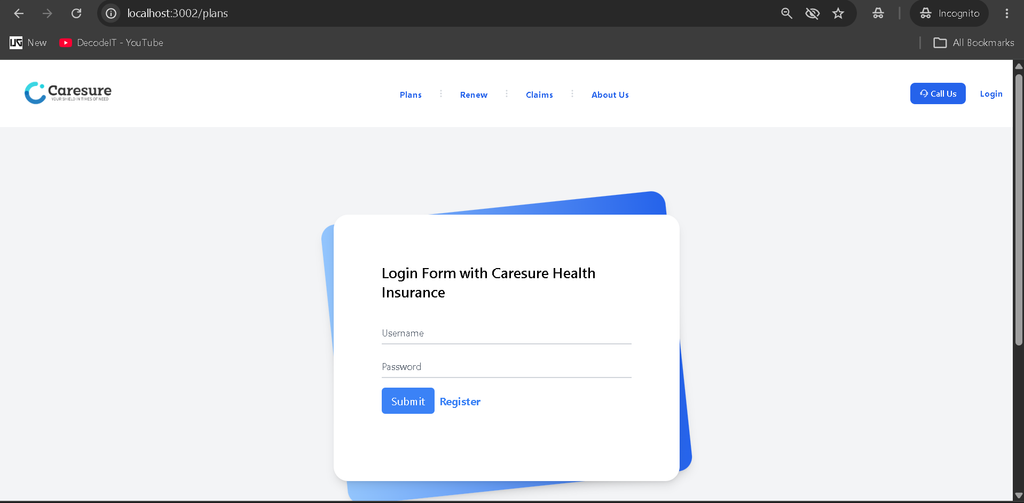
- User Registration and Login: Allows clients to create accounts and access the application.
- Client Dashboard: Displays relevant policy details, claim history, and account information.
- Insurance Plan Management: Enables users to browse available plans and review subscribed policies.
- Online Claim Submission: Allows clients to submit insurance claims with the required details.
- Claim Status Tracking: Helps users monitor claim progress, including Pending, Approved, and Rejected statuses where supported.
- Profile Management: Allows clients to view and update personal information.
Admin Panel
- Admin Authentication: Provides a separate administrator login interface.
- Dashboard Analytics: Displays statistics related to users, active policies, claims, and premiums.
- User Management: Allows administrators to view and manage registered client accounts.
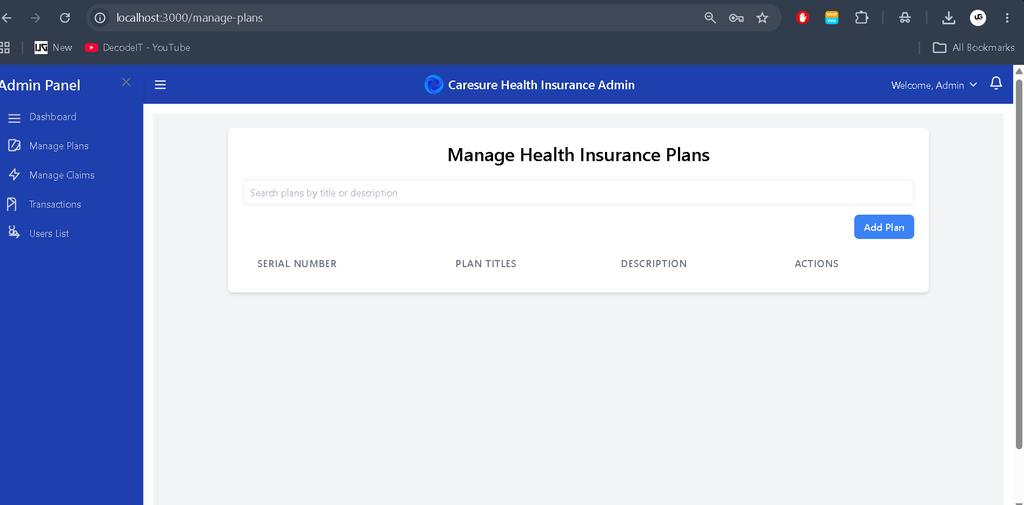
- Insurance Plan Management: Supports adding, editing, and deleting insurance plans.
- Claim Management: Enables administrators to review claims and update their statuses after verification.
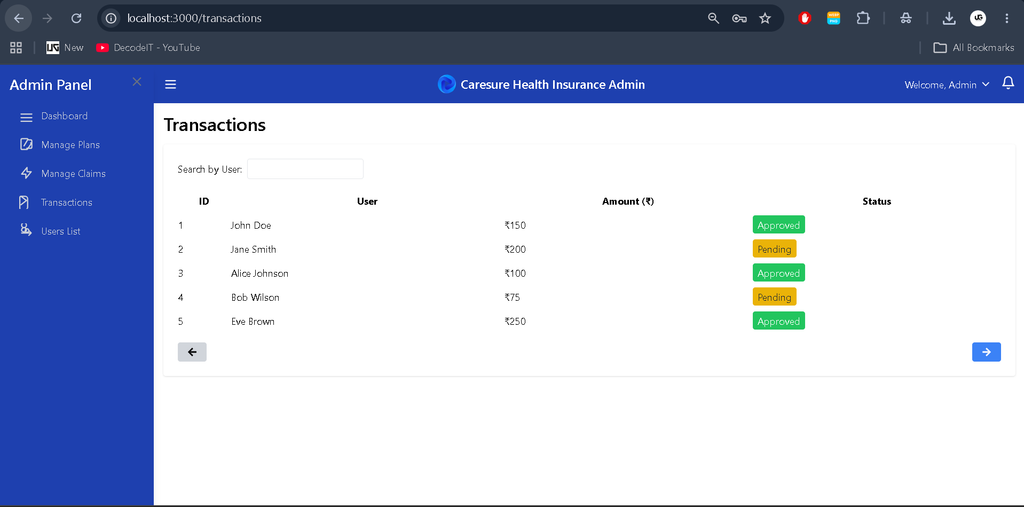
- Transaction Overview: Provides access to available premium payment and claim-related records.
Download complete source code
Screenshot
Installation Guide (Step-by-Step in VS Code)
Step 1: Install the Required Software
Install the following tools before starting the project:
- Node.js and npm
- MongoDB
- Visual Studio Code
Step 2: Extract the Project Files
Extract the project ZIP file into your preferred directory.
Step 3: Open the Project in VS Code
Open the project directory in Visual Studio Code. Alternatively, run the following commands using the appropriate project path:
cd "Health Insurance Management System"
code .
Step 4: Install Backend Dependencies
Open the terminal, navigate to the backend directory, and install the required packages:
cd backend
npm install
Follow the project’s README and environment configuration instructions if the backend uses a different directory structure.
Step 5: Install Frontend Dependencies
Open another terminal and navigate to the client directory:
cd Client
npm install
If the project contains a separate Admin directory with its own package.json file, install its dependencies as well:
cd ../Admin
npm install
Step 6: Configure the Database
Start MongoDB and configure the database connection string and other required environment variables according to the project’s configuration files. Use the variable names specified by the application.
Step 7: Start the Backend Server
Navigate to the backend directory and use the start command specified in its package.json file:
npm startIf the project uses a different startup script, follow the instructions in its README.
Step 8: Start the Client and Admin Panels
Open separate terminals for the client and administrator interfaces. Run the appropriate command in each directory:
npm startSome React projects use npm run dev instead. Check the relevant package.json file to confirm the correct command and local URL for each interface.
Usage
Client Role (User Portal)
After registration and login, clients can use the dashboard to:
- Browse available health insurance plans.
- Review subscribed policy information.
- Submit new insurance claims.
- Track claim statuses.
- View and update profile details.
The client panel provides a convenient way to access insurance-related services online without relying entirely on manual paperwork.
Admin Role (Management Panel)
Administrators can access their dedicated panel to perform the following tasks:
- Review registered client accounts.
- Add, update, and remove insurance plans.
- Verify submitted claims and update their statuses.
- Monitor insurance statistics through dashboard charts.
- Review available transaction records.
The admin panel centralizes important operations and helps organize day-to-day insurance management activities.
Student Perspective: Why This Project Matters
From a student’s perspective, developing a Health Insurance Management System provides practical experience in full-stack web development. It combines frontend design, backend programming, database operations, and application testing in one project.
Full-Stack Development
Students gain experience with React.js, Node.js, Express.js, and MongoDB while understanding how different application components work together.
API Development and Integration
The project introduces REST API development, request handling, routing, and communication between the frontend and backend.
Authentication and Access Control
Separate client and administrator interfaces help students understand authentication, authorization, and role-based access control.
Database Management
Managing users, policies, claims, and transactions provides practical knowledge of database operations, data validation, and CRUD functionality.
User Interface Design
Building responsive dashboards helps students understand navigation, forms, tables, data presentation, and user experience principles.
Testing and Debugging
Using Postman and browser developer tools helps students identify API errors, troubleshoot interface issues, and test application workflows.
Real-Life Applications
- Insurance Companies: Can use similar systems to organize policy and claim management processes.
- Healthcare Organizations: Can adapt insurance-related workflows to coordinate relevant insurance information.
- Academic Projects: Provides a practical full-stack project for students learning web development.
- Software Developers: Can extend the application with additional reporting, notifications, and integrations.
Future Enhancements
The system can be extended with additional functionality, such as automated email notifications, advanced analytics, document verification, payment gateway integration, and AI-assisted customer support. These enhancements would require additional development and testing.
Final Thoughts
The Health Insurance Management System using the MERN stack is a practical project for understanding how modern web applications manage users, policies, and insurance claims. Its separate client and administrator panels provide a clear demonstration of full-stack development concepts, database integration, and role-based application design.
Keywords: Health Insurance Management System, Health Insurance Management System MERN Stack, Health Insurance Management System MERN Stack Tutorial, Health Insurance Management System Project, MERN Stack Project for Students, Health Insurance Web Application, Insurance Claim Management System,Health Insurance Management System, Health Insurance Management System , health insurance management system project documentation pdf, health insurance management system project, health insurance management system e-r diagram, health care management system, health plan management system, health plan management system hpms, health care management system project, health care management system project pdf, health care management system project source code