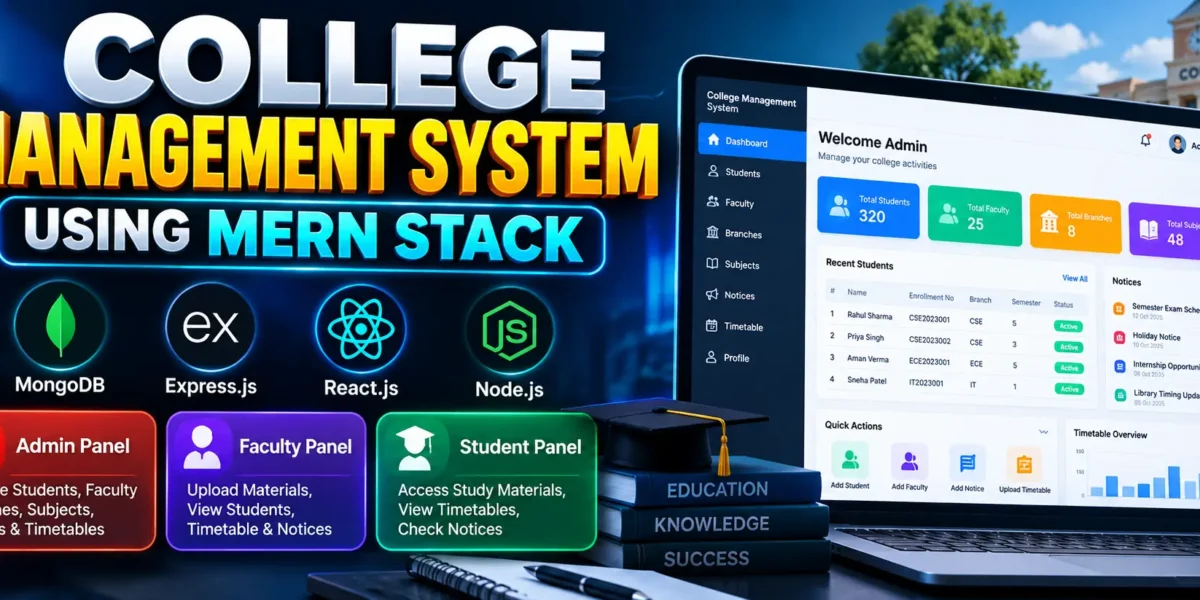
The College Management System Using MERN Stack is a full-stack web application designed to simplify and organize the daily operations of colleges and universities. It provides a centralized platform where administrators, faculty members, and students can manage academic information, student records, faculty details, study materials, notices, and timetables.
Developed using MongoDB, Express.js, React.js, and Node.js, this project demonstrates how modern web technologies can be combined to build a practical academic management solution. It is suitable for BCA, B.Tech, MCA, and other computer science students who want hands-on experience with full-stack web development.
Complete Advance AI Topics: Click Here
Real Time Projects on YouTube:- DecodeIT
Project Overview
| Project Details | Information |
|---|---|
| Project Name | College Management System Using MERN Stack |
| Language/s Used | JavaScript, React.js, Node.js, Express.js |
| Database | MongoDB |
| Type | Web Application |
| Frontend | React.js |
| Backend | Node.js and Express.js |
| Authentication | JSON Web Token (JWT) |
| Developer | UPDATEGADH |
Introduction
Managing college activities manually can require considerable time and effort. Maintaining student records, sharing study materials, publishing notices, and organizing timetables becomes difficult when information is scattered across different systems.
The College Management System addresses these challenges by providing separate panels for Admin, Faculty, and Students. Each role receives access to the functions relevant to its responsibilities.
The project also helps students understand CRUD operations, REST API integration, authentication, database management, and role-based access control in a real-world application.
Available Features
1. Admin Panel
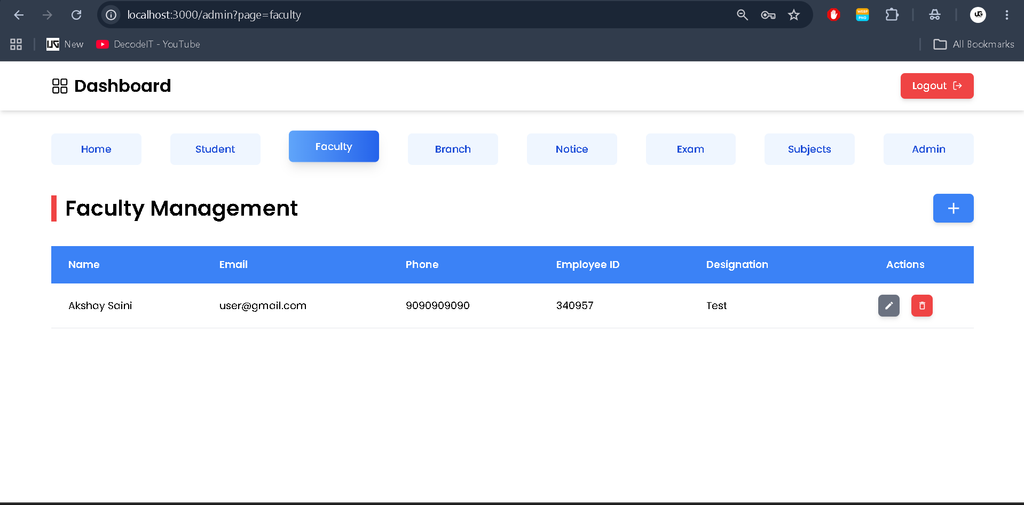
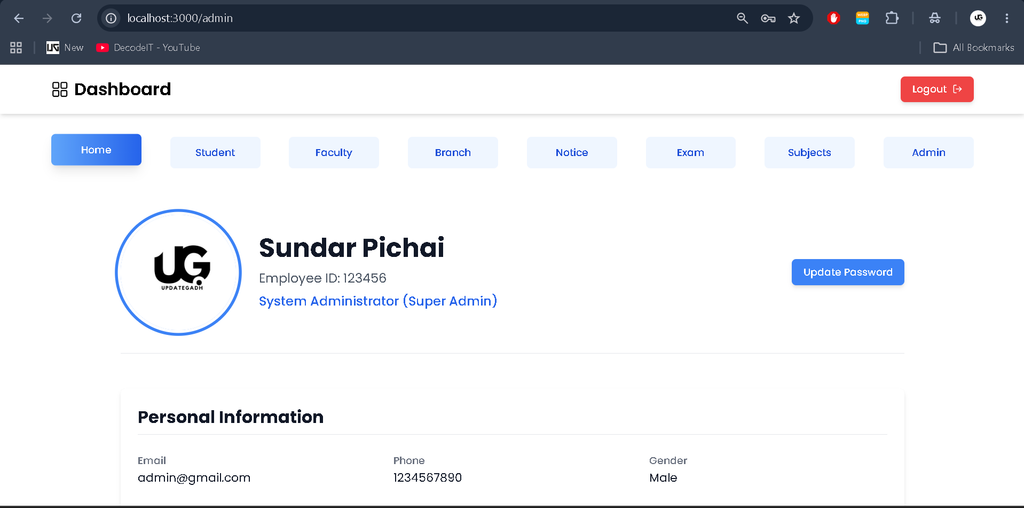
- Faculty Management: Add, view, and maintain faculty records, including contact information.
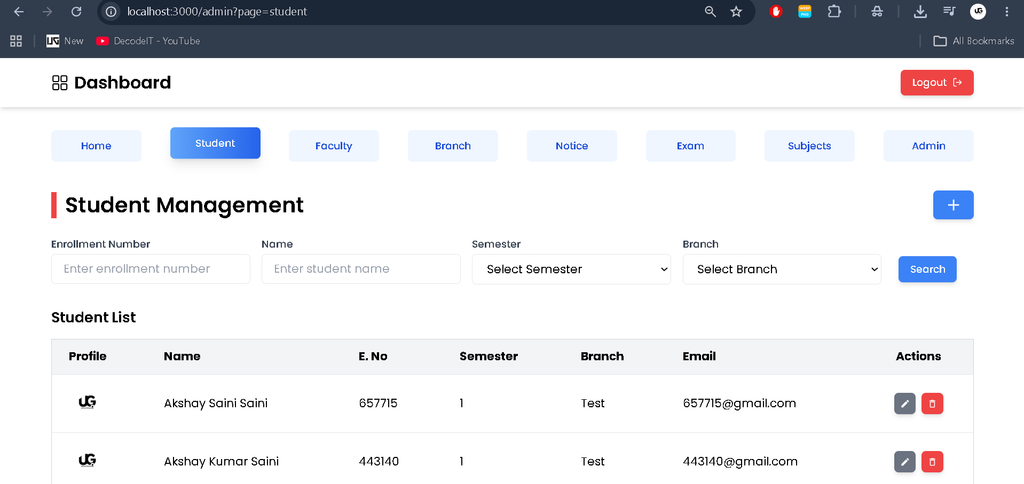
- Student Management: Manage student profiles, enrollment numbers, and academic details.
- Branch Management: Maintain academic branches and course structures.
- Subject Management: Organize subjects according to branch and semester.
- Notice Management: Create and publish notices for faculty members and students.
- Timetable Management: Upload and manage timetables for different branches and semesters.
- Profile Management: View and update admin profile information and account credentials.
2. Faculty Panel
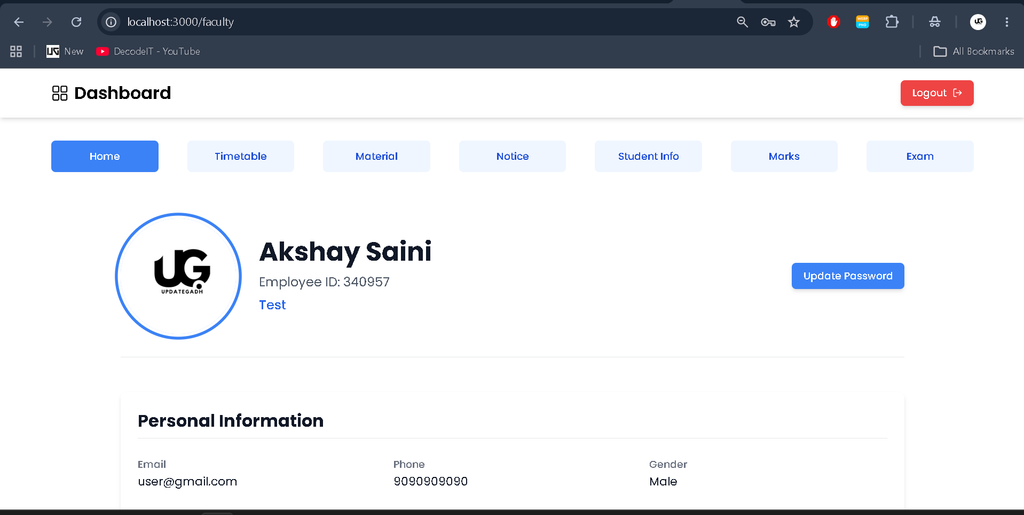
- Faculty Profile: View and update personal profile details.
- Study Materials: Upload and manage notes, assignments, and syllabus documents.
- Material Filtering: Filter learning resources by subject, semester, and material type.
- Timetable Access: Upload and maintain timetables for assigned branches.
- Student Information: Search student records using enrollment number, name, or semester.
- Notice Access: View administrative notices and respond where supported by the application.
- Account Management: Update passwords and account credentials.
3. Student Panel
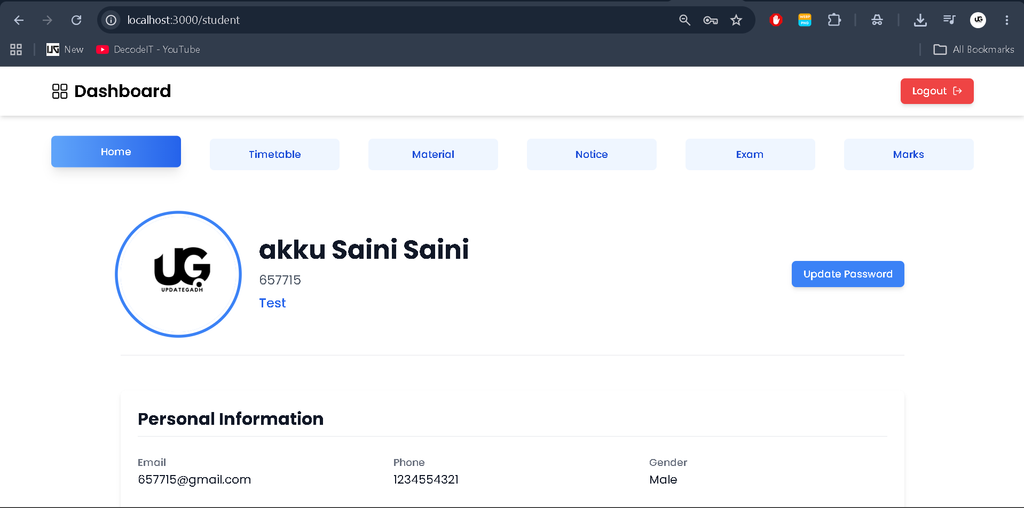
- Student Profile: View personal and academic details.
- Study Materials: Access learning resources uploaded by faculty members.
- Material Filtering: Find materials by subject or type.
- Timetable: View and download available class timetables.
- College Notices: Read notices and academic announcements.
- Password Management: Update account credentials.
The application uses JWT-based authentication to support authenticated access to the system. Access to specific features depends on the user’s assigned role and the implemented authorization rules.
Technology Stack
- MongoDB: Stores student, faculty, subject, notice, and other application records.
- Express.js: Provides backend routing and API functionality.
- React.js: Builds the interactive user interface.
- Node.js: Runs the server-side JavaScript application.
- JavaScript: Implements frontend and backend application logic.
- JWT: Supports token-based authentication.
- Tailwind CSS: Provides interface styling where configured in the project.
Software and Tools Required
- Node.js with npm
- MongoDB installed locally or a MongoDB Atlas connection
- Visual Studio Code
- A modern web browser
- Git, if required for version control
How to Download
The complete package is available so you can run, study, and submit it with confidence. It includes:
- Full Source Code
- Project Report
- Synopsis
- PPT Presentation
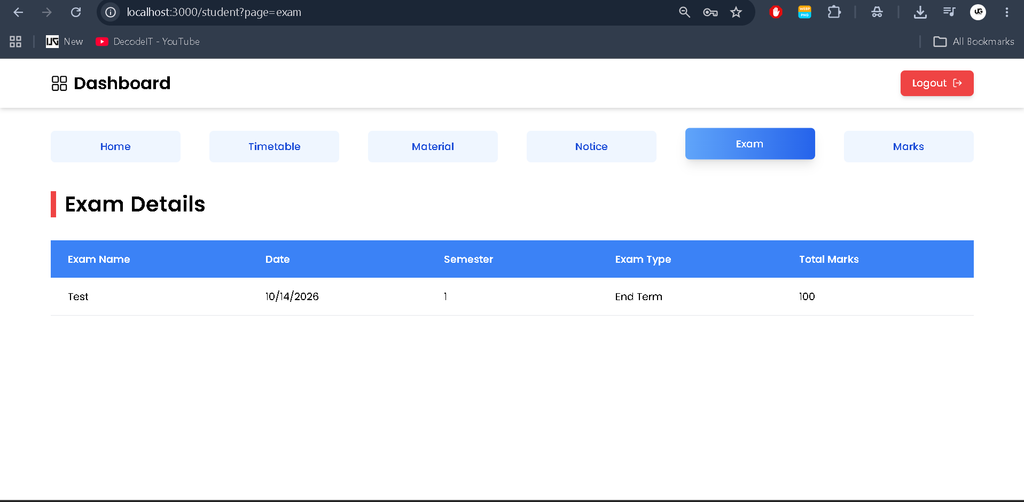
Screenshot
Installation Guide for VS Code
Follow these steps to run the project on your computer.
Step 1: Extract the Project
Extract the project ZIP file and open the extracted folder in Visual Studio Code. Open the terminal using Terminal > New Terminal.
Step 2: Configure the Backend
Navigate to the backend directory:
cd backendInstall the required dependencies:
npm installStep 3: Configure Environment Variables
Create a .env file inside the backend directory and configure the required values according to your backend code.
MONGODB_URI=mongodb://127.0.0.1:27017/College-Management-System
PORT=4000
JWT_SECRET=YOUR_SECRET_KEY
FRONTEND_API_LINK=http://localhost:3000
Replace the example values with your actual configuration if the project uses different environment variable names or ports. Keep secret values private.
Step 4: Start the Backend Server
Run the backend using the configured start script:
npm startKeep this terminal running. Confirm that the server starts successfully and connects to MongoDB.
Step 5: Install Frontend Dependencies
Open another terminal in VS Code and navigate to the frontend directory:
cd frontend
npm install
If your terminal is already inside the backend directory, use:
cd ../frontend
npm install
Step 6: Start the Frontend
Run the React application:
npm startThe application will normally open at http://localhost:3000, depending on your configuration.
Step 7: Log In to the Application
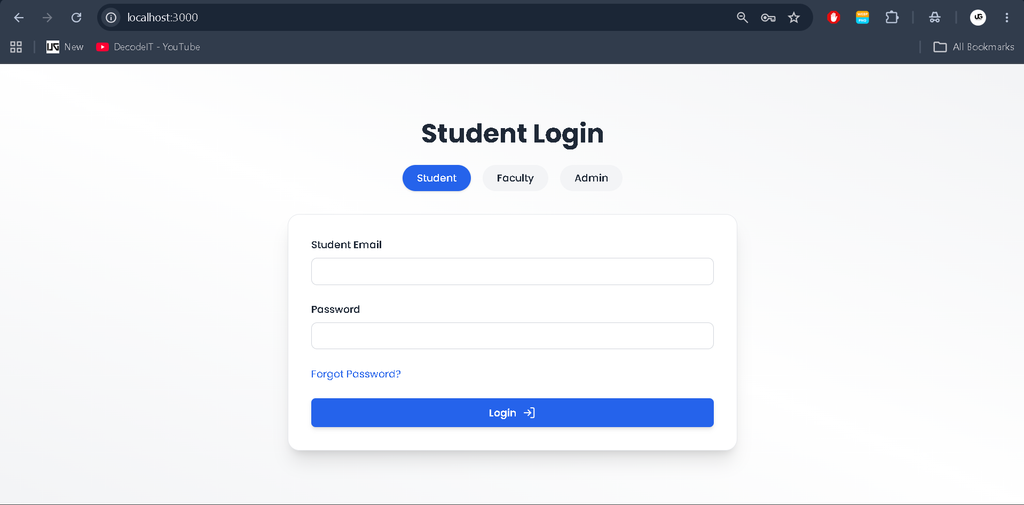
Open the application in your browser and select the appropriate role: Admin, Faculty, or Student. Use valid credentials for an account already registered in the database. Do not assume that default credentials exist unless they are provided by the project.
Usage Guide
1. Admin Panel
The administrator manages students, faculty members, branches, subjects, notices, and timetables. The Admin Panel helps organize academic records and maintain the information required by other users.
2. Faculty Dashboard
Faculty members use their dashboard to manage study materials, access timetables, view notices, and search for student information. These functions help teachers organize academic resources and access student records efficiently.
3. Student Portal
Students use their portal to view their profiles, access study materials, check class timetables, and read college notices. This provides a convenient way to access important academic information from one place.
Project Benefits
The College Management System is useful for students learning full-stack web development because it demonstrates practical implementation of:
- CRUD operations using MongoDB and Express.js.
- Frontend and backend integration through APIs.
- JWT-based authentication.
- Role-based application functionality.
- React components and reusable interface elements.
- Database-driven student and faculty management.
- Academic resource and timetable management.
Students can use this project to understand how a multi-user web application is organized and how different modules communicate with a backend database.
Final Thoughts
From a student’s perspective, the College Management System Using MERN Stack is a useful learning project for understanding how frontend development, backend APIs, database operations, and authentication work together. It covers common college workflows through separate Admin, Faculty, and Student panels.
Keywords: College Management System Using MERN Stack, College Management System Project, MERN Stack Project, Student Management System, College Management System Source Code, React.js College Project, MongoDB Project, Node.js Project, Final Year Project,college-management-system mern github college management system project with source code student management system using mern stack github college management system project using html, css and javascript college-management system project github college management system in react js github event management system using mern stack github university management system github mern stack college management system using mern stack github college management system using mern stack pdf college management system using mern stack node js