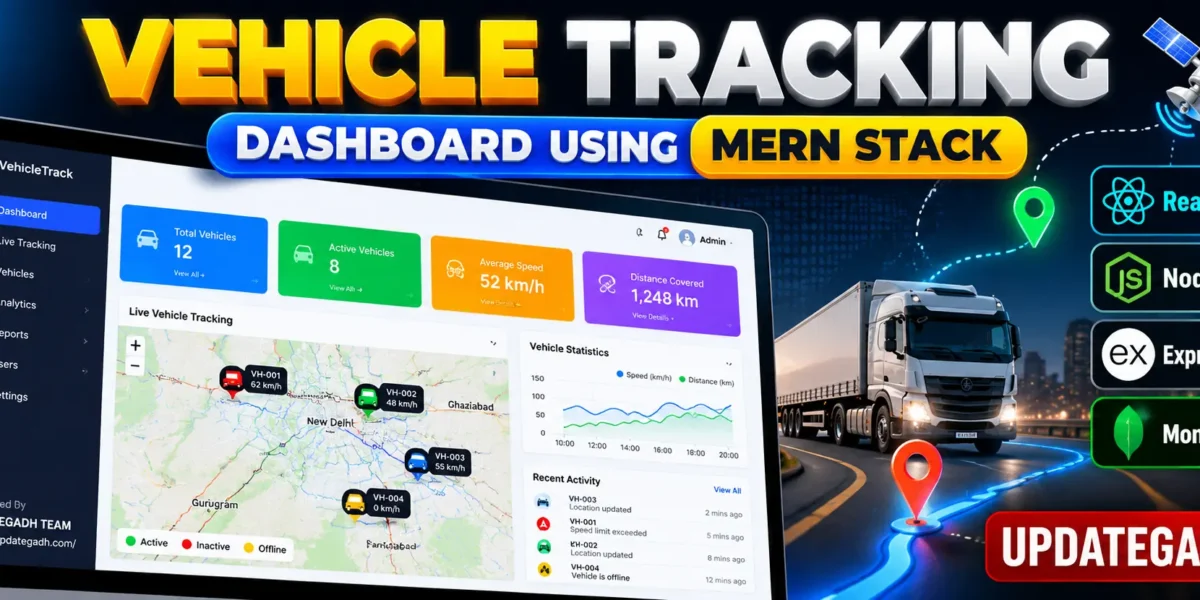
The Vehicle Tracking Dashboard Using MERN Stack is a web-based application designed to monitor vehicles, manage fleet information, visualize vehicle locations, and analyze vehicle performance through an interactive dashboard. The project uses React.js for the frontend, Node.js and Express.js for backend development, and MongoDB for storing vehicle information and tracking history.
The application provides an organized interface with vehicle statistics, interactive maps, speed monitoring, analytics charts, and vehicle management features. It also supports simulated GPS movement for local testing and real GPS integration when a trusted tracking provider is configured.
Complete Advance AI Topics: Click Here
Real Time Projects on YouTube:- DecodeIT
Project Overview
| Project Name | Advanced Vehicle Tracking Dashboard |
|---|---|
| Language/s Used | JavaScript |
| Frontend | React.js, CSS |
| Backend | Node.js, Express.js |
| Database | MongoDB |
| Mapping Library | Leaflet, OpenStreetMap |
| Charts | Recharts |
| Real-Time Communication | Socket.IO |
Project Description
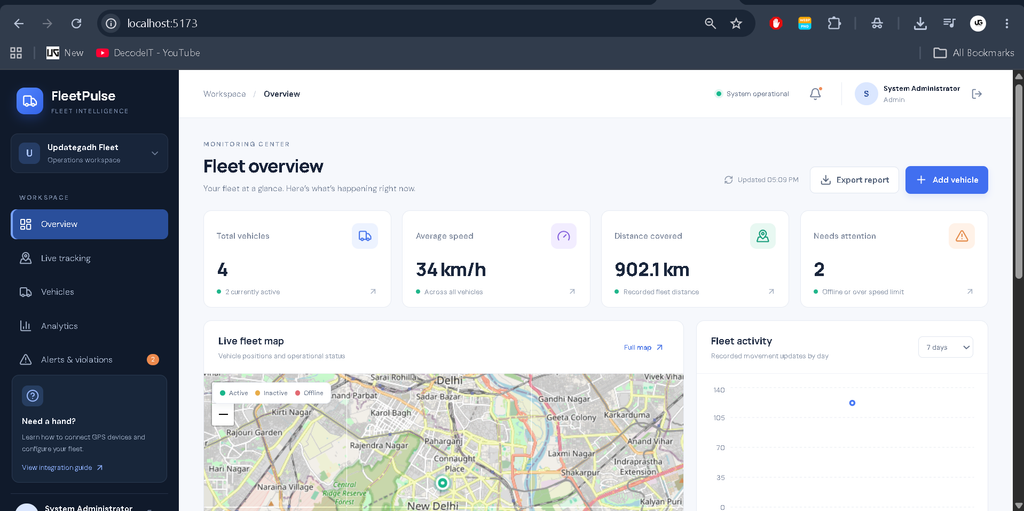
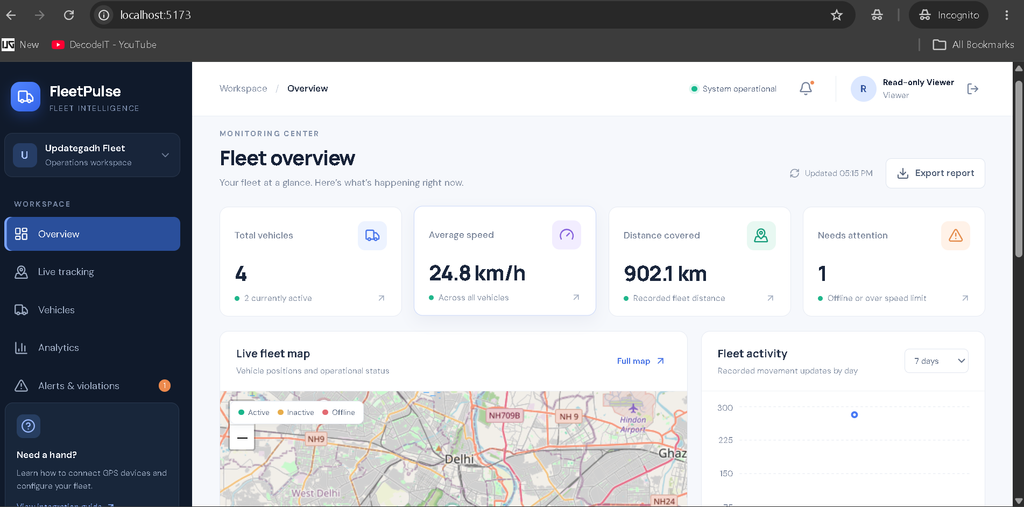
The Vehicle Tracking Dashboard provides a centralized platform for monitoring a fleet of vehicles. Administrators can manage vehicle records, check operational status, view recorded locations, and analyze speed and distance information. The dashboard receives updates through Socket.IO when vehicle information changes.
The system includes Admin and Viewer roles. Administrators can manage vehicle records, while Viewers can access monitoring information without modifying or deleting vehicles. The interface is responsive and designed for desktop, tablet, and mobile screens.
Available Features
1. Admin Dashboard
- View total vehicles, active vehicles, average speed, and recorded distance.
- Monitor vehicle activity through dashboard charts.
- Navigate between tracking, vehicle management, analytics, and alerts.
- Access real database records rather than decorative statistics.
2. Vehicle Management
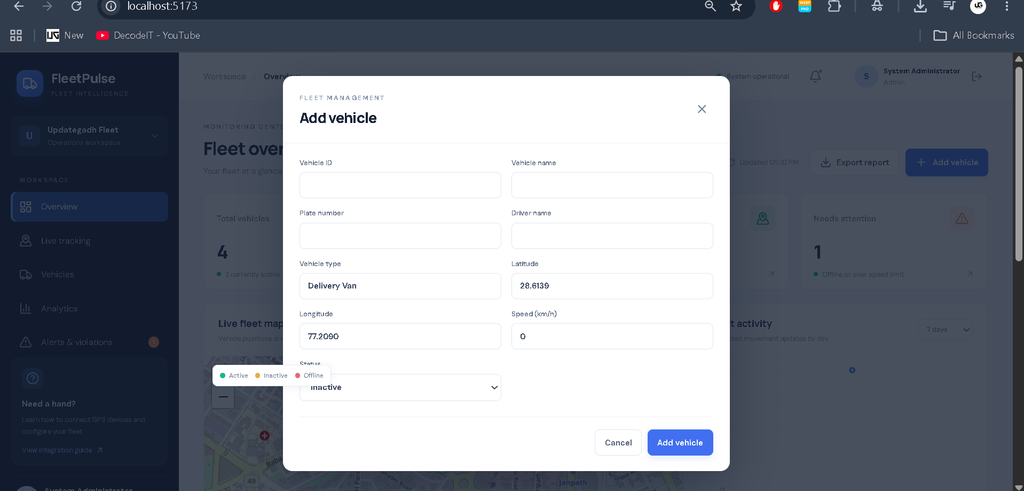
- Add, view, edit, and delete vehicle records with Admin access.
- Store vehicle ID, name, registration number, driver, and vehicle type.
- Search and filter vehicles by status or vehicle information.
- Sort records by vehicle ID, speed, status, distance, and last update.
3. Interactive Vehicle Tracking
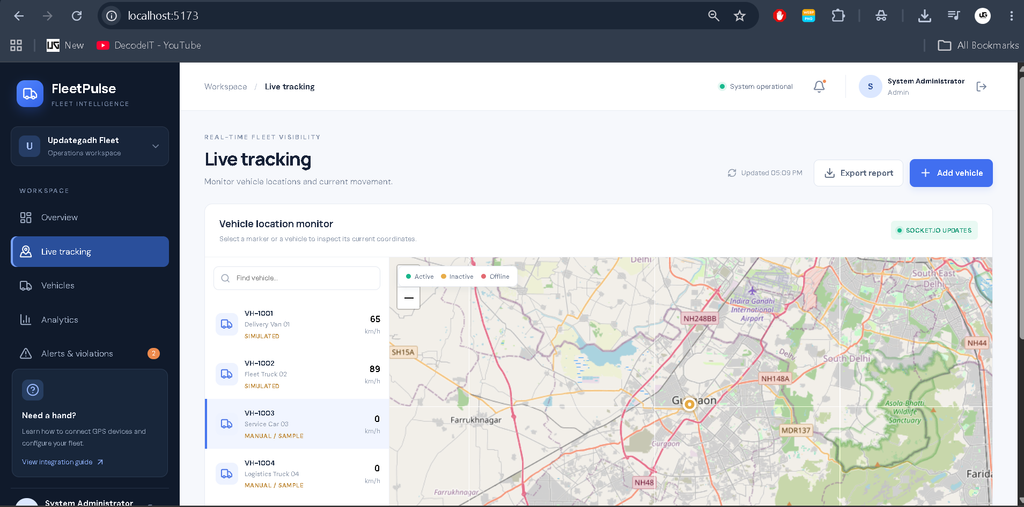
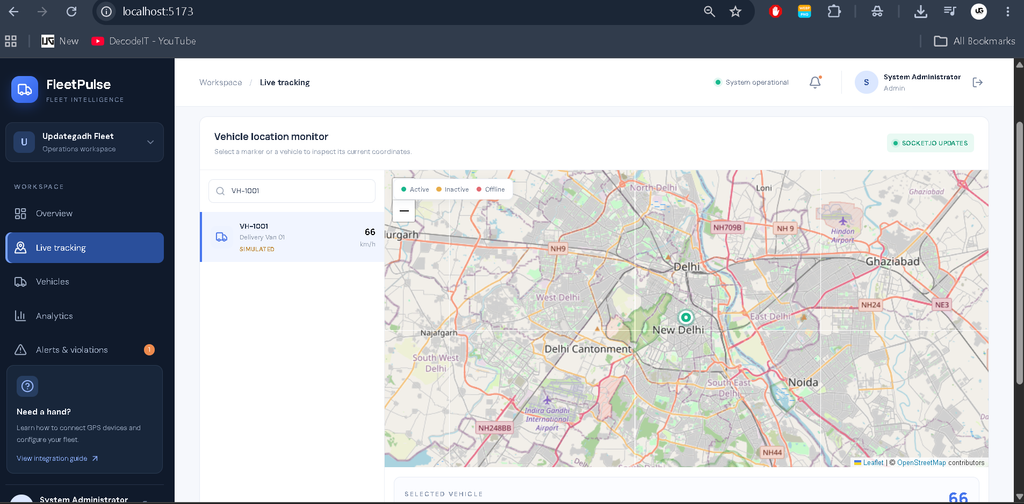
- Display vehicle markers on a Leaflet map using OpenStreetMap tiles.
- View vehicle coordinates, speed, and last update time.
- Distinguish active, inactive, and offline vehicles using different marker colors.
- Receive vehicle updates through Socket.IO.
- Store location history with timestamps and data-source information.
4. Analytics and Reports
- Compare current vehicle speeds using charts.
- View stored location activity and distance summaries.
- Identify vehicles exceeding the configured speed limit.
- Identify offline vehicles requiring attention.
- Download vehicle records as a CSV report.
5. Authentication and Security
- JWT-based user authentication.
- Separate Admin and Viewer permissions.
- Protected API routes and request validation.
- Environment-based configuration for database connections and application secrets.
Technology Stack
The frontend uses React.js, JavaScript, and CSS. The backend is developed using Node.js and Express.js, with Mongoose managing MongoDB records. Leaflet provides interactive maps, Recharts displays analytics, and Socket.IO supports real-time communication between the server and connected clients.
Software Requirements
- Visual Studio Code
- Node.js and npm
- MongoDB or MongoDB Atlas
- A modern web browser
- Internet access for OpenStreetMap tiles
How to Download
The complete package is available so you can run, study, and submit it with confidence. It includes:
- Full Source Code
Screenshot
Installation Guide for VS Code
Step 1: Extract the Project
Download and extract the project ZIP file. Open the extracted vehicle-tracking-dashboard folder in Visual Studio Code.
Step 2: Configure the Backend
Open the VS Code terminal and run:
cd server
copy .env.example .env
npm install
Open server/.env and configure your MongoDB connection and JWT secret. Ensure MongoDB is running if you are using a local database.
Step 3: Start the Backend Server
npm run devThe backend normally runs at http://localhost:5000. It initializes demo users and sample vehicles when the database is empty.
Step 4: Install Frontend Dependencies
Open a second VS Code terminal and execute:
cd client
copy .env.example .env
npm install
Step 5: Start the Frontend
npm run devOpen http://localhost:5173 in your browser.
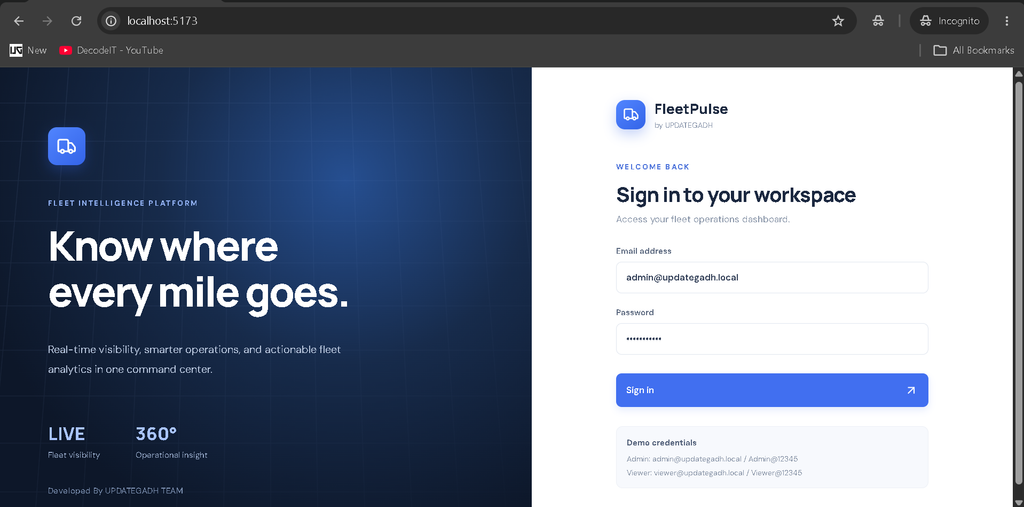
Step 6: Log In
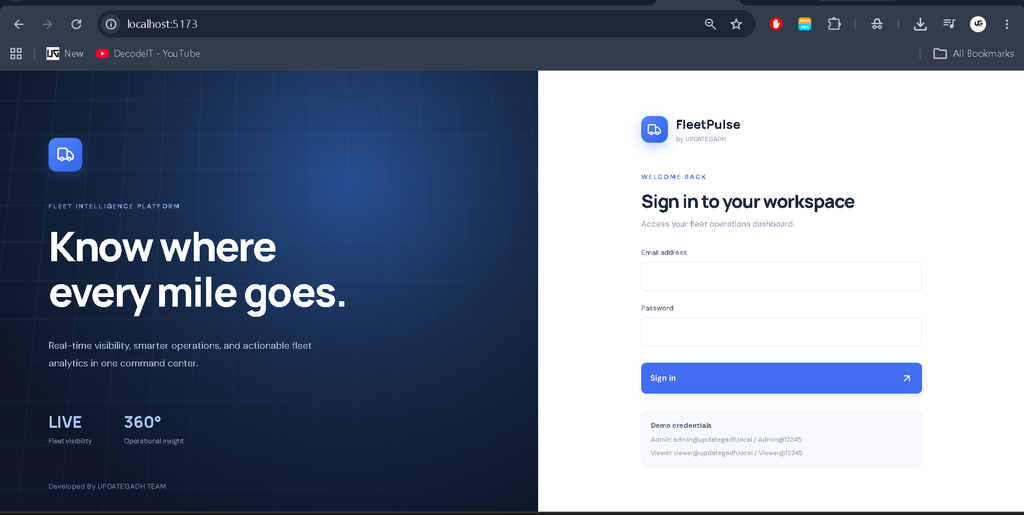
Use the development Admin credentials below to access vehicle management features.
Email: admin@updategadh.local
Password: Admin@12345
Viewer credentials are also included in the README file. Change all default credentials and secrets before production deployment.
How to Use the Project
- Admin: Sign in to manage vehicles, review dashboard statistics, and export vehicle reports.
- Live Tracking: Open the tracking section to inspect map markers, coordinates, speeds, and update timestamps.
- Analytics: Compare vehicle speeds and review recorded movement activity.
- Alerts: Check offline vehicles and speed-limit violations.
- Viewer: Sign in with Viewer credentials to access monitoring information without vehicle modification permissions.
GPS Configuration and Data Sources
The project includes simulated vehicle movement for development and testing. Simulated coordinates are not genuine live GPS data. The interface identifies simulated records so users can distinguish them from other sources.
To integrate genuine GPS tracking, configure a trusted GPS device or provider API. The provider integration must authenticate incoming data, validate coordinates and timestamps, and send authorized location updates to the backend. Leaflet uses OpenStreetMap tiles by default, so review the tile usage policy before production deployment.
Frequently Asked Questions
1. Which technologies are used in this project?
The project uses React.js, Node.js, Express.js, MongoDB, Mongoose, Leaflet, Recharts, and Socket.IO.
2. Can administrators manage vehicle records?
Yes. Admin users can add, view, edit, and delete vehicles. Viewer users have read-only access.
3. Does the project provide real GPS tracking automatically?
No. The included simulator generates sample movement for testing. Genuine GPS tracking requires a configured and authenticated GPS device or provider integration.
4. Can I export vehicle information?
Yes. Authenticated users can download the available vehicle records in CSV format.
5. Which database is required?
MongoDB is used to store vehicle details, current coordinates, speed information, and tracking history.
Final Thoughts
The Advanced Vehicle Tracking Dashboard Using MERN Stack is a practical project for learning full-stack web development, database management, interactive maps, real-time communication, and fleet analytics. Its modular structure makes it suitable for students who want to understand how frontend interfaces, backend APIs, and database records work together in a vehicle monitoring application.
Advanced Vehicle Tracking Dashboard Using MERN Stack, Vehicle Tracking System Project, React.js Vehicle Tracking, MERN Stack Project, Node.js Vehicle Tracking System, MongoDB Vehicle Management, Live Vehicle Tracking Dashboard, Fleet Management System Vehicle Tracking Dashboard Using MERN Stack, Vehicle Tracking Dashboard MERN Project, Vehicle Tracking System Using MERN Stack, Vehicle Tracking System Project, MERN Stack Project with Source Code, Real Time Vehicle Tracking System, Vehicle Monitoring Dashboard, React Node.js MongoDB Project, UPDATEGADH