Hotel Booking Management System In PHP and MySQL
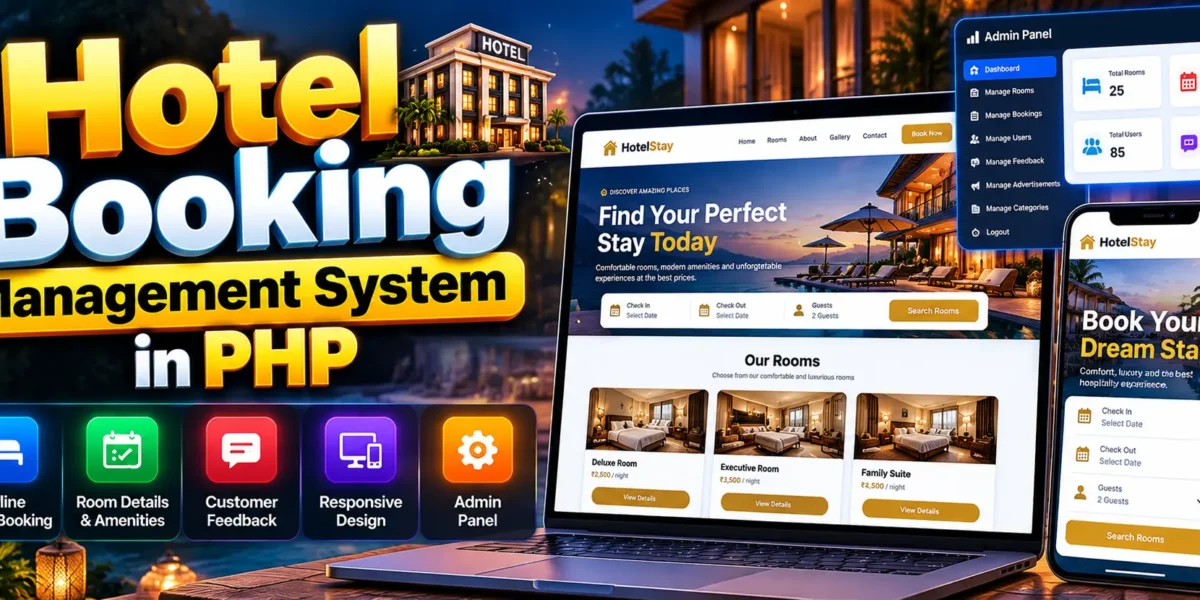
The Hotel Booking Management System In PHP and MySQL is a web-based application designed to simplify hotel room browsing and online reservations. It allows customers to explore room options, view room descriptions, check prices and amenities, make bookings, and share feedback about their stay. Its responsive design helps provide a convenient browsing experience across desktop computers, tablets, and mobile devices.
This project focuses on improving the customer booking experience through a simple interface and essential hotel booking features. It also includes a separate admin panel, making it a useful academic project for students interested in PHP web development and hospitality management applications.
Complete Advance AI Topics: Click Here
Real Time Projects on YouTube:- DecodeIT
What Is a Hotel Booking Management System?
A Hotel Booking Management System is a web application that allows customers to explore hotel room options and make reservations online. It provides room information and booking functionality while allowing customers to share feedback about their experience.
The system brings important booking-related activities together in one website. Customers can review room details before making decisions, while the responsive interface helps them access the website from different devices.
Project Overview
The project combines a customer-facing booking website with an administrative interface. The following table summarizes the main project details based on the supplied description.
| Project Details | Description |
|---|---|
| Project Name | Hotel Booking Management System |
| Programming Language | PHP |
| Frontend Technologies | HTML, CSS, JavaScript |
| Database | MySQL |
| Project Type | Web-Based Application |
| Main Modules | User Panel, Admin Panel |
| Primary Purpose | Hotel room browsing, booking, and customer feedback |
What Are the Available Features of the Hotel Booking Management System?
The project provides essential features for room browsing, online reservations, customer feedback, and responsive website navigation. These features help make the hotel booking process more convenient for customers.
- Easy Online Booking: Customers can book their preferred rooms through the website using a straightforward booking interface.
- Detailed Room Information: Room listings include descriptions, amenities, prices, and images to help customers compare their options.
- Customer Feedback System: Customers can share feedback about their stay, helping other visitors learn from previous experiences.
- Responsive Design: The website adapts to desktop computers, tablets, and mobile devices.
- User-Friendly Interface: The layout is designed to make room browsing and booking easier to understand.
- Admin Panel: The project includes a separate administration interface for its administrative functions.
How Does the Online Room Booking Feature Help Customers?
The online booking feature allows customers to make reservations through the website instead of relying entirely on manual booking procedures. Customers can explore room information and select a suitable option through the available booking interface.
Detailed room descriptions, amenities, prices, and images help visitors understand their options before booking. This approach makes the browsing experience more convenient and helps customers make informed decisions.
Why Is the Customer Feedback System Important?
The customer feedback system allows guests to share their experiences after a stay. This information can help other potential customers understand previous guests’ experiences and support improvements in hotel services.
Feedback also provides a way for the website to collect customer opinions. The supplied project description confirms feedback functionality but does not specify additional features such as review ratings, moderation workflows, or automated review analysis.
Which Technologies Are Used in This Project?
The project uses PHP as its primary backend language, alongside frontend technologies for presenting room information and booking interfaces.
- PHP: Handles server-side application functionality.
- HTML: Defines the structure of the website pages.
- CSS: Styles the website and supports responsive layouts.
- JavaScript: Supports interactive interface elements.
- SQL Database: The project includes an SQL file for database setup. Verify the database engine and connection requirements from the supplied project files.
What Software and Tools Are Required?
You can run the project locally using XAMPP or WAMP Server. These environments provide the server setup needed to test PHP applications on your computer.
- XAMPP or WAMP Server
- Visual Studio Code
- Web Browser
How to Download
The complete package is available so you can run, study, and submit it with confidence. It includes:
- Full Source Code
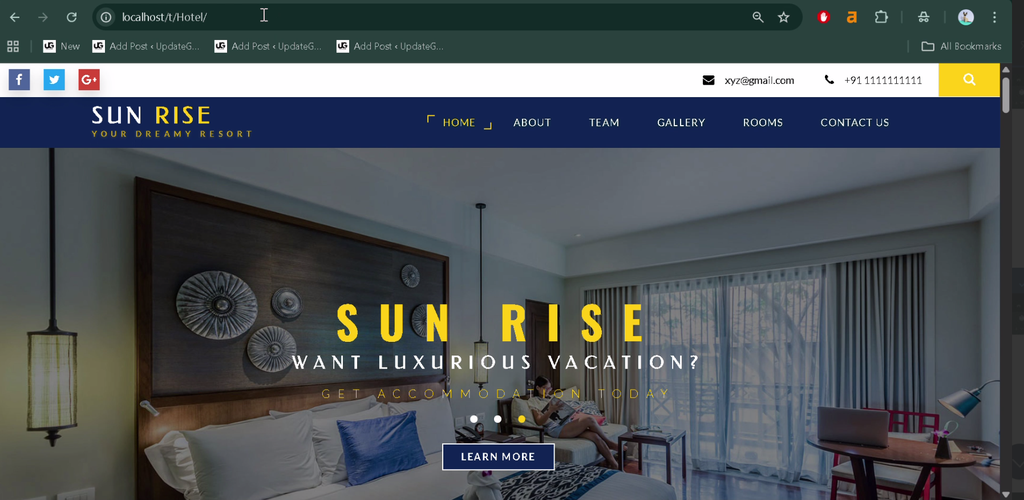
Screenshot
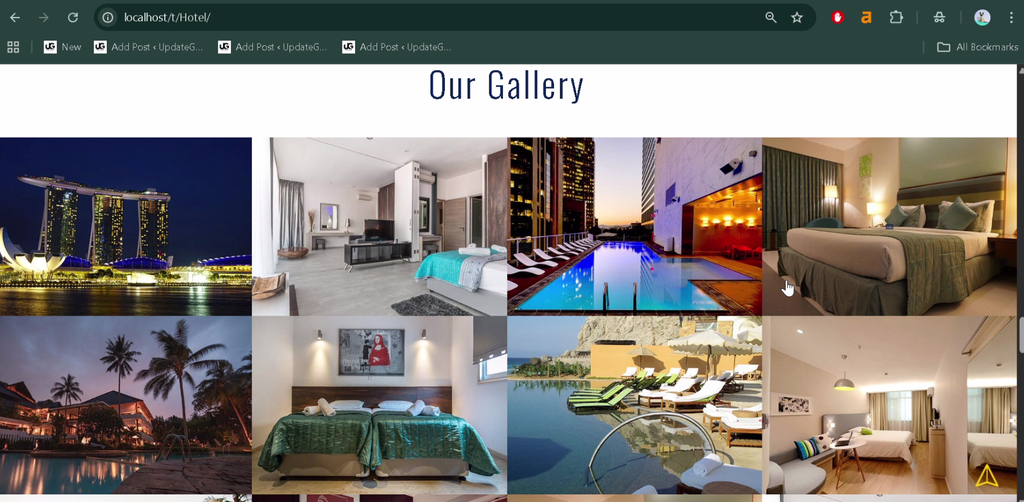
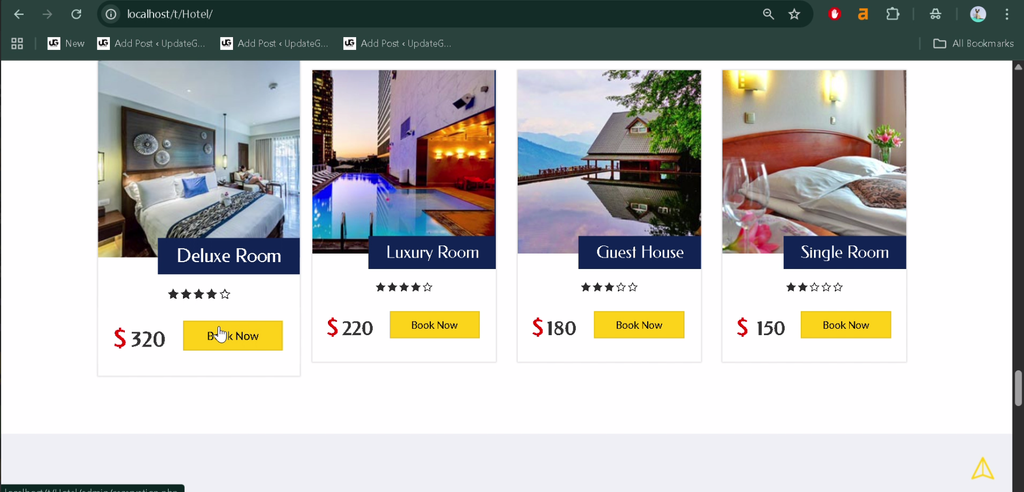
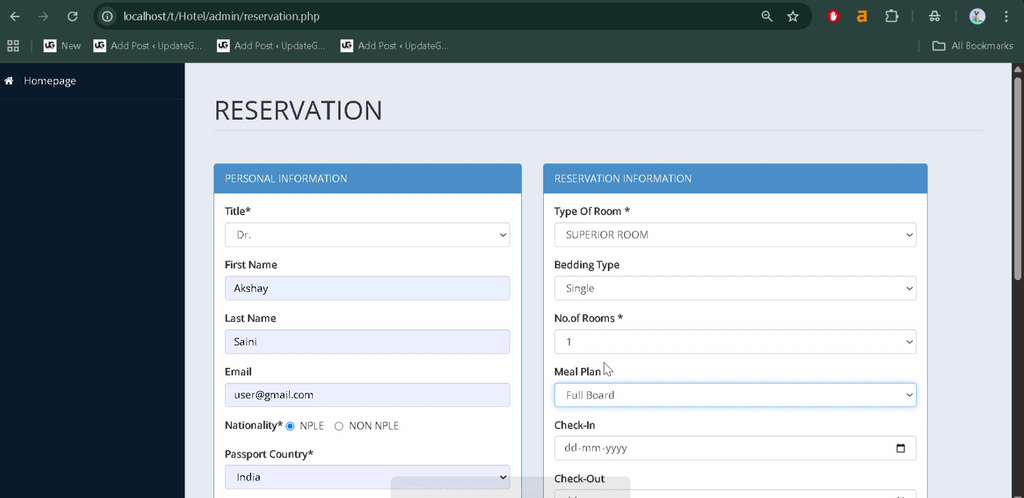
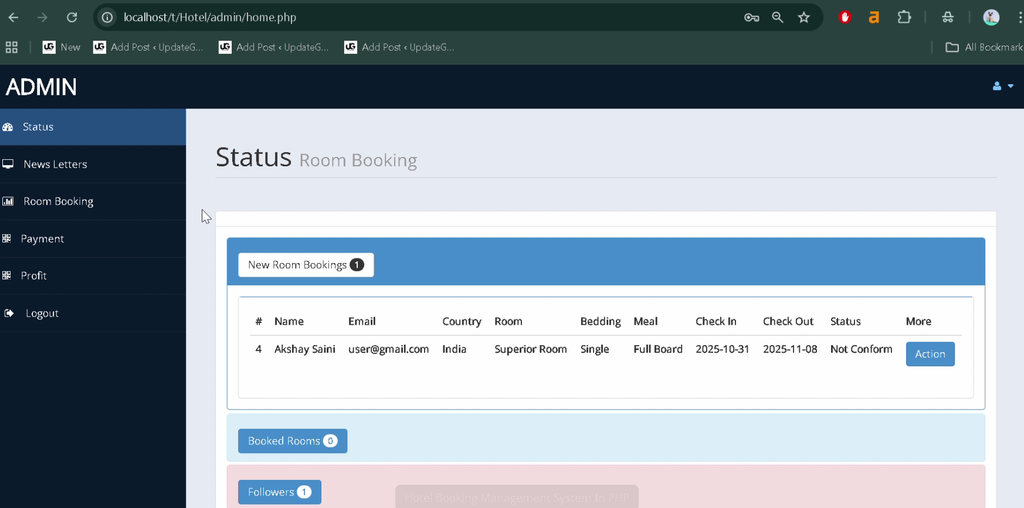
How to Install and Run the Hotel Booking Management System?
To run the project locally, extract the website files, place them in the server directory, import the supplied SQL file, and open the application through localhost. Follow the steps below to configure the project.
Step 1: Download and Extract the Project Files
Extract the downloaded project archive to a folder on your computer. Locate the website files and the SQL file included with the project.
Step 2: Copy the Project Folder
Move the extracted project folder into the appropriate directory for your local server installation.
XAMPP: C:\xampp\htdocs\
WAMP:  C:\wamp\www\
Keep the original project folder name or note the name you use because it will be needed when opening the website.
Step 3: Start the Local Server
Open the XAMPP or WAMP control panel and start the required web server and database services. Make sure the services start successfully before continuing.
Step 4: Open phpMyAdmin
For a standard XAMPP installation, open the following address in your browser:
http://localhost/phpmyadmin/Use the corresponding database management interface if you are running a different local server configuration.
Step 5: Create and Import the Database
Create a database using the name specified in the project’s database configuration. Select that database, open the Import tab, choose the supplied SQL file, and start the import.
The original instructions mention a database named forum and an SQL file named db_name.sql. Verify these names against the actual downloaded files before creating or importing the database.
Step 6: Configure the Database Connection
Open the relevant PHP configuration file in Visual Studio Code. Check the database name, username, password, and connection settings to ensure they match your local database environment.
Step 7: Run the Website
Open your browser and visit the local project URL:
http://localhost/project_folder_name/Replace project_folder_name with the actual folder name. If the project requires a particular PHP entry file, follow the file structure and instructions provided with the downloaded project.
How Does the Hotel Booking Management System Work?
The application supports customer booking activities through its user-facing website and provides a separate interface for administration. The exact administrative operations depend on the functions implemented in the supplied project files.
- Customer: Browses room information, checks prices and amenities, books rooms, and submits feedback.
- Administrator: Uses the admin panel to access the administrative functions available in the project.
Why Is This Project Useful for Students?
This project helps students practise PHP development, responsive web design, database configuration, and online booking workflows. It also provides an opportunity to understand how customer-facing pages and administrative interfaces can be organized within one application.
BCA, MCA, and other computer science students can use this project to explore practical web development concepts and learn how hotel-related services can be presented through a web application.
Final Thoughts
The Hotel Booking Management System is a practical academic project for students interested in PHP development and hospitality applications. Its room information, online booking, customer feedback, and responsive design features demonstrate how a website can make hotel reservations more convenient. Setting up the project also provides experience with local PHP servers, SQL imports, and database configuration.
Frequently Asked Questions
1. What is a Hotel Booking Management System?
It is a web application that allows customers to browse room details, make bookings, and submit feedback about their experience.
2. Which programming language is used in this project?
PHP is the primary backend programming language identified in the project description.
3. Does the website support mobile devices?
Yes. The supplied description identifies the website as responsive for desktop computers, tablets, and mobile devices.
4. Can I run the project using XAMPP?
Yes. Place the project inside the XAMPP htdocs directory, configure the database, and open the website through localhost.
5. Which database should I create?
The original instructions mention a database named forum, but you should verify the correct database name and SQL filename against the downloaded project files.
Keywords: Hotel Booking Management System, Hotel Booking System Project, PHP Hotel Booking Website, Online Hotel Reservation System, Hotel Room Booking Project, Hotel Management System Project