Food Delivery Application in React JS
The Food Delivery Application in React JS is a frontend web development project designed to demonstrate how a modern online food ordering interface can be created using React.js. This project allows users to explore food items, browse different food categories, and view product information, including images, names, prices, and descriptions.
This project is suitable for BCA, B.Tech, MCA, and computer science students who want to learn React.js through practical implementation. It demonstrates reusable components, props, React Hooks, dynamic rendering, category filtering, and responsive user interface design.
Complete Advance AI Topics: Click Here
Real Time Projects on YouTube:- DecodeIT
Project Overview
| Field | Details |
|---|---|
| Project Name | Food Delivery Application Using React JS |
| Language/s Used | JavaScript, HTML, CSS |
| Framework | React.js |
Project Description
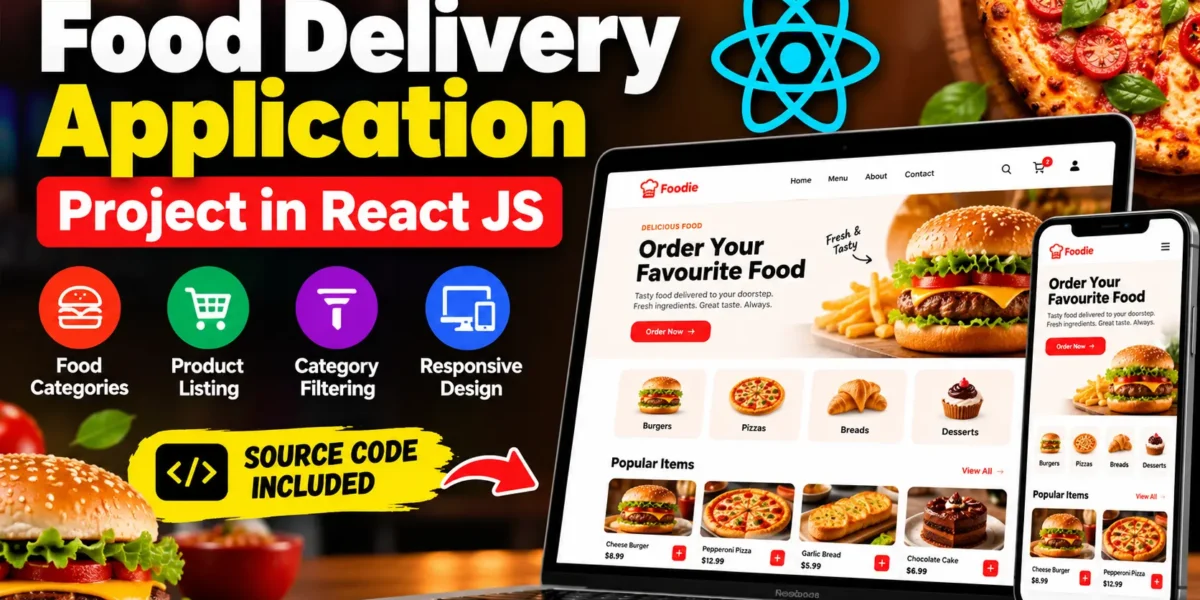
The React Food Delivery Application simulates the browsing experience of an online food ordering platform. It contains a homepage, food categories, product listings, navigation, a testimonial section, and a footer.
Food product information is stored in the static data file src/assets/fake-data/products.js. Each product includes details such as its name, image, price, and description. React components organize the different interface sections, making the application easier to understand, maintain, and customize.
The project demonstrates how React renders product information dynamically and updates the displayed products when users interact with category filters. Since it is a frontend-only application, actual order processing, authentication, payment processing, and database storage are not included.
Available Features
1. Homepage with Hero Section
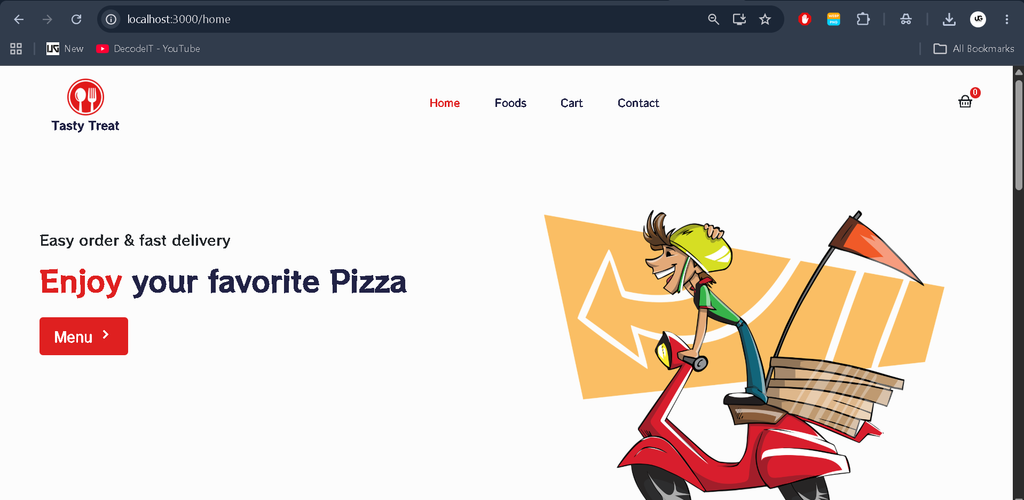
The homepage includes a hero section with a background image, main heading, and introductory text. It creates an attractive first impression and introduces users to the food delivery interface.
2. Food Category Display
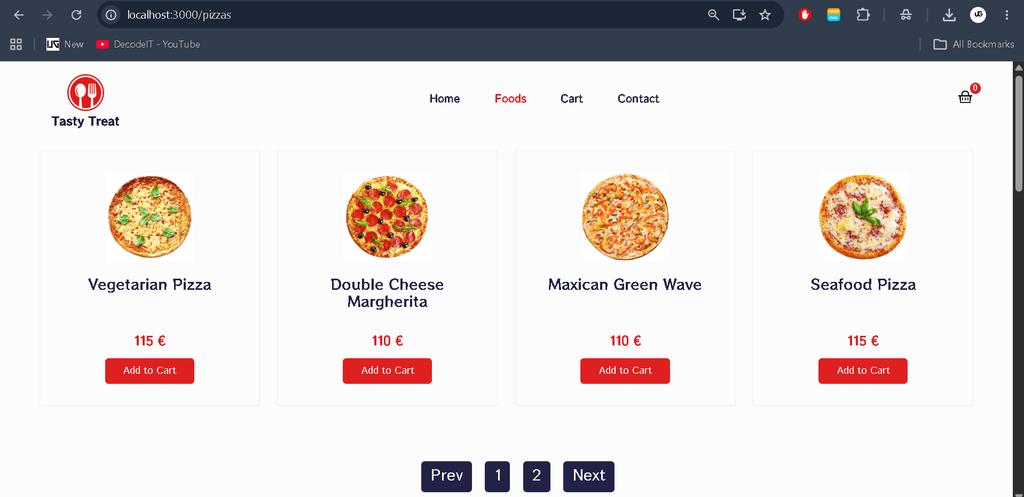
The application displays food categories such as burgers, pizzas, bread, and desserts. Category icons and images help users explore the available food items.
3. Product Listing
Food products appear in reusable product cards containing images, names, prices, and interactive buttons as provided by the interface. React’s map() function can be used to render multiple products from an array.
4. Product Filtering by Category
Users can select a food category to display relevant products. This feature demonstrates how React state and event handling can control the information displayed on the page.
5. Navigation Bar
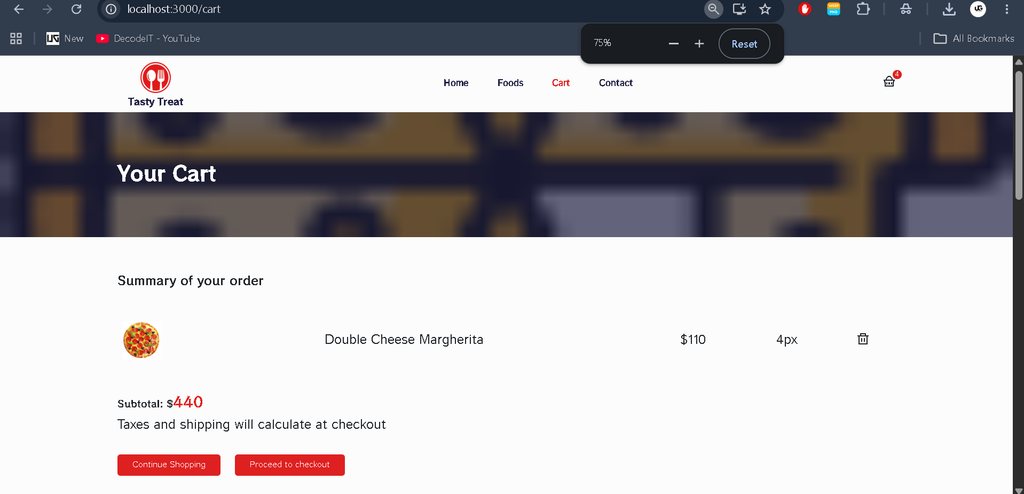
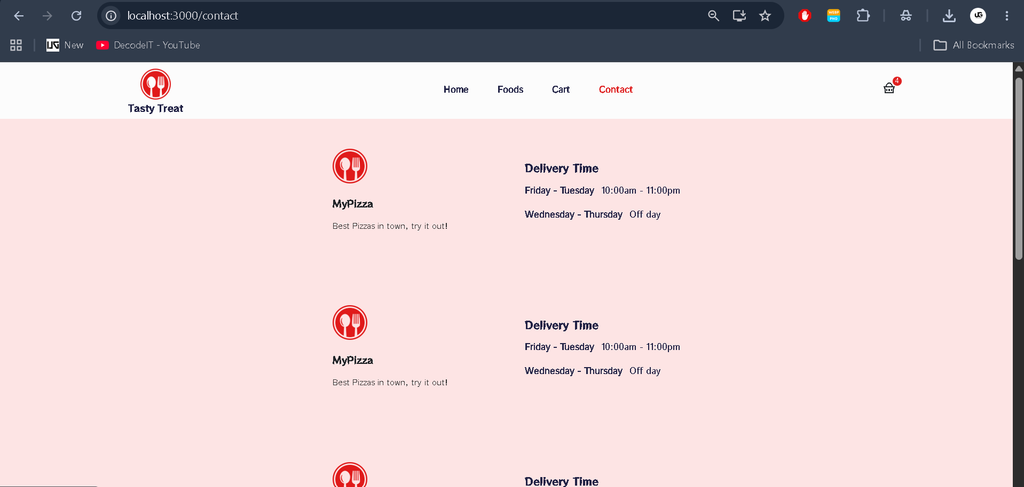
The navigation bar provides access to sections such as Home, Menu, and Contact. It includes branding elements and may display a cart icon. React Router supports navigation where configured in the project.
6. Responsive UI Design
The interface adjusts to different screen sizes, including desktop computers, tablets, and smartphones. CSS styling and responsive layout techniques help maintain a consistent browsing experience.
7. Testimonial Section
The testimonial section displays sample customer reviews with names and profile pictures. It demonstrates how reusable components can present customer feedback in a structured layout.
8. Footer Section
The footer contains branding information, navigation links, and social media icons, completing the overall website interface.
Technology Stack
- React.js: Creates reusable user interface components.
- JavaScript: Handles application logic and product filtering.
- HTML: Provides the webpage structure.
- CSS: Manages styling and responsive layouts.
- React Hooks: Support state and component behavior where implemented.
- React Router: Supports navigation between configured routes.
- Node.js and npm: Provide the development environment and dependency management.
Software and Tools Required
- Visual Studio Code
- Node.js
- npm package manager
- A web browser
- Food Delivery Application project source code
Download complete source code
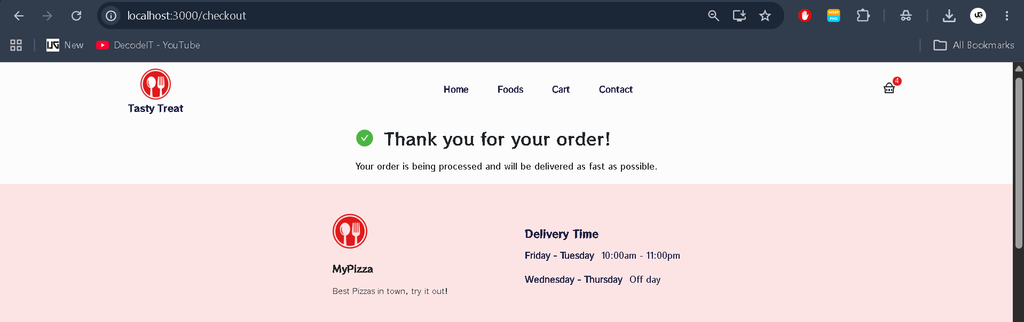
Screenshot
Installation Guide for VS Code
Step 1: Extract the Project
Extract the downloaded project ZIP file into a folder on your computer.
Step 2: Open the Project in VS Code
Open Visual Studio Code and select File > Open Folder. Choose the extracted project folder.
Step 3: Check Node.js and npm
Open the VS Code terminal and execute the following commands:
node -v
npm -v
If the commands do not display version numbers, install a compatible version of Node.js before continuing.
Step 4: Install Dependencies
Run the following command from the project directory:
npm installThis command installs the dependencies specified in the project’s package.json file.
Step 5: Run the Application
If the project includes a start script, execute:
npm startIf a different script is configured, check the scripts section in package.json and use the appropriate command. Open the local URL displayed in the terminal.
Step 6: Explore the Application
Browse food categories, view product cards, navigate through the available sections, and resize the browser window to test responsiveness.
Usage
How the Application Works
When users open the application, the homepage displays the food delivery interface and featured content. Users can explore food categories and view products through their images, names, prices, and descriptions.
Selecting a category filters the product list according to the implemented functionality. The navigation bar helps users explore configured sections, while testimonials and the footer complete the interface.
Because the application uses static data, it does not process real food orders or store customer information in a database.
Learning Outcomes for Students
- React component creation and reuse.
- Passing information through props.
- State management and event handling.
- Rendering arrays using the
map()function. - Filtering products by category.
- Responsive CSS design.
- Managing images and assets.
- Understanding a React project’s folder structure.
Real-Life Applications
Food delivery platforms help customers browse menus and explore food options. This project introduces students to the interface design concepts used in such applications.
The project can be used as:
- A college assignment for frontend web development.
- A portfolio project demonstrating React.js skills.
- A starting point for a larger food delivery application.
- A practical example of component-based UI development.
Future Enhancement Possibilities
The current project can be extended by integrating a backend and database. Possible enhancements include user registration, login, cart persistence, order management, payment integration, and order tracking. These are future possibilities and are not included in the current frontend implementation.
Frequently Asked Questions (FAQs)
1. What is the Food Delivery Application Project in React JS?
It is a frontend web development project that demonstrates an online food browsing interface using React.js, JavaScript, HTML, and CSS.
2. Does the project include a database?
No. The described implementation uses static product data and does not include database connectivity.
3. Which technologies are used in this project?
The project uses React.js, JavaScript, HTML, and CSS. Node.js and npm support the development environment and dependency management.
4. How can I run the project in VS Code?
Open the project folder in VS Code, execute npm install, and run npm start if the corresponding script is available in package.json.
5. Can this project be converted into a full-stack application?
Yes. A backend, database, authentication, cart management, and order processing can be added as future enhancements.
Conclusion
The Food Delivery Application Project in React JS is a useful learning resource for students interested in frontend web development. Its product listings, category filtering, navigation, testimonials, and responsive interface demonstrate important React concepts through a familiar real-world theme.
Keywords: Food Delivery Application Project in React JS, React Food Delivery App, Food Delivery Website Using React, React JS Project for Students, Food Ordering UI Project, React Frontend Project, Food Delivery App Source Code, JavaScript Project for Students,Food Delivery Application,Food Delivery Application in React JS,Food Delivery Application in React