Python Libraries for Extracting Text from Images
Images often contain valuable information in the form of text. Scanned documents, ID cards, receipts, invoices, screenshots, and photographs can all contain data that needs to be converted into editable and searchable text.
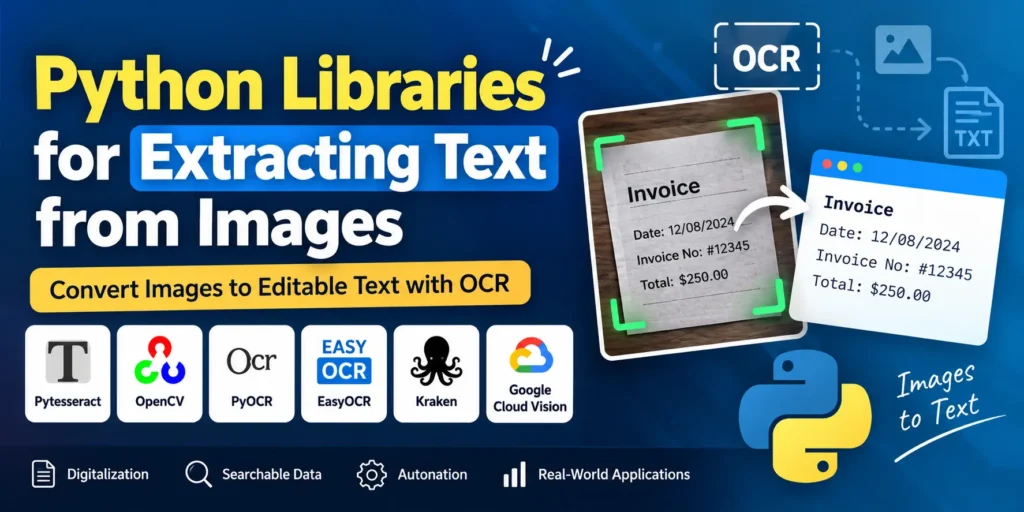
Optical Character Recognition (OCR) makes this possible by allowing computers to recognize text from images and convert it into machine-readable content. Python provides a wide range of libraries and tools that make OCR implementation easier for developers.
In this tutorial, we will explore how OCR works, why it is important, and some of the most useful Python libraries for extracting text from images.
Complete Advance AI Topics: Click Here
SQL Tutorial: Click Here
What is Optical Character Recognition (OCR)?
Optical Character Recognition, commonly known as OCR, is a technology used to convert printed or handwritten text contained in images into machine-readable text.
OCR systems recognize letters, numbers, and symbols from visual content using techniques such as computer vision, image processing, and pattern recognition. This makes it possible for applications to process information that would otherwise remain locked inside an image.
Why OCR Matters
1. Digital Documentation
OCR helps convert physical documents such as books, reports, forms, invoices, and other records into digital formats. Digitizing these documents makes them easier to store, search, retrieve, and share while reducing the need for manual data entry.
2. Accessibility
OCR also plays an important role in improving digital accessibility. By converting text contained in images into readable digital content, screen readers and other assistive technologies can interpret information that would otherwise be inaccessible.
3. Data Extraction and Analysis
Organizations in industries such as finance, healthcare, logistics, and law use OCR to extract important information from documents such as bills, contracts, prescriptions, and forms.
Automating this process can reduce manual work, speed up document processing, and make extracted information easier to analyze.
4. Searchability
Text extracted from image-based documents can be searched, highlighted, and indexed. This is particularly useful when working with large collections of scanned documents where finding specific information manually would take considerable time.
5. Automation
OCR can automate repetitive processes such as invoice processing, form data extraction, and ID verification. This can reduce operational effort and improve the efficiency of document-based workflows.
Top Python Libraries for Text Extraction from Images
Python has several useful libraries and tools for implementing OCR and image-processing workflows. Here are some of the most popular options.
1. Pytesseract (Tesseract OCR Wrapper)
Pytesseract is a Python wrapper for the open-source Tesseract OCR engine. It provides a simple way to add OCR functionality to Python applications.
Key Features
- Supports multiple languages
- Works well with image preprocessing tools
- Can be integrated with OpenCV and other Python libraries
- Provides a simple interface for extracting text from images
import pytesseract
from PIL import Image

text = pytesseract.image_to_string(Image.open('sample.jpg'))
print(text)
2. OpenCV
OpenCV is not an OCR engine itself, but it is one of the most commonly used computer vision libraries for preparing images before OCR processing.
Image preprocessing can significantly improve OCR results, especially when images contain noise, poor lighting, or complicated backgrounds.
Key Features
- Image filtering and noise reduction
- Contour detection
- Image segmentation
- Text localization
- Image binarization and morphological transformations
OpenCV is commonly combined with OCR engines such as Tesseract to prepare images and improve the quality of extracted text.
3. PyOCR
PyOCR is another Python wrapper that provides access to OCR engines such as Tesseract and Cuneiform.
It can be useful when an application needs the flexibility to work with different OCR backends.
Key Features
- Supports multiple OCR engines
- Provides language configuration options
- Suitable for basic OCR integrations
4. EasyOCR
EasyOCR is a deep learning-based OCR library designed for extracting text from images. It supports more than 80 languages and can work with both CPU and GPU environments.
EasyOCR is particularly useful for real-world images where text may appear against complex backgrounds or in different visual layouts.
Key Features
- CPU and GPU support
- Pre-trained models for multiple languages
- Good performance on complex images
- Simple Python interface
import easyocr

reader = easyocr.Reader(['en'])
text = reader.readtext('sample.jpg')

print(text)
5. Kraken
Kraken is an advanced OCR engine that allows developers and researchers to train models using custom datasets.
It is particularly useful for specialized OCR applications involving historical documents, rare scripts, and non-standard document layouts.
Key Features
- Supports custom OCR model training
- Works with complex document structures
- Useful for academic and archival projects
- Suitable for specialized OCR applications
6. Google Cloud Vision (google-cloud-vision)
Google Cloud Vision API provides cloud-based OCR capabilities that can be accessed from Python using the google-cloud-vision package.
It can recognize text from images and provide additional information about the detected content and its structure.
Key Features
- Supports multiple languages
- Automatic language detection
- Cloud-based scalability
- Provides text and structural information
from google.cloud import vision

client = vision.ImageAnnotatorClient()

with open('sample.jpg', 'rb') as img:
    content = img.read()

image = vision.Image(content=content)

response = client.text_detection(image=image)

for text in response.text_annotations:
    print(text.description)
Download New Real Time Projects :- Click here
Conclusion
OCR is a powerful technology for extracting valuable information from images and converting it into machine-readable text. Python provides several libraries and tools that make it easier to build OCR-based applications, from Pytesseract and EasyOCR to advanced solutions such as Google Cloud Vision.
Whether you are developing a document scanner, automating invoice processing, extracting information from forms, or improving accessibility, these Python libraries provide a strong foundation for working with text inside images.
Keywords
Python Libraries for Extracting Text from Images, Python OCR, OCR Python, Pytesseract, Tesseract OCR, EasyOCR, OpenCV OCR, PyOCR, Kraken OCR, Google Cloud Vision OCR, extract text from image using Python, image text extraction Python, optical character recognition