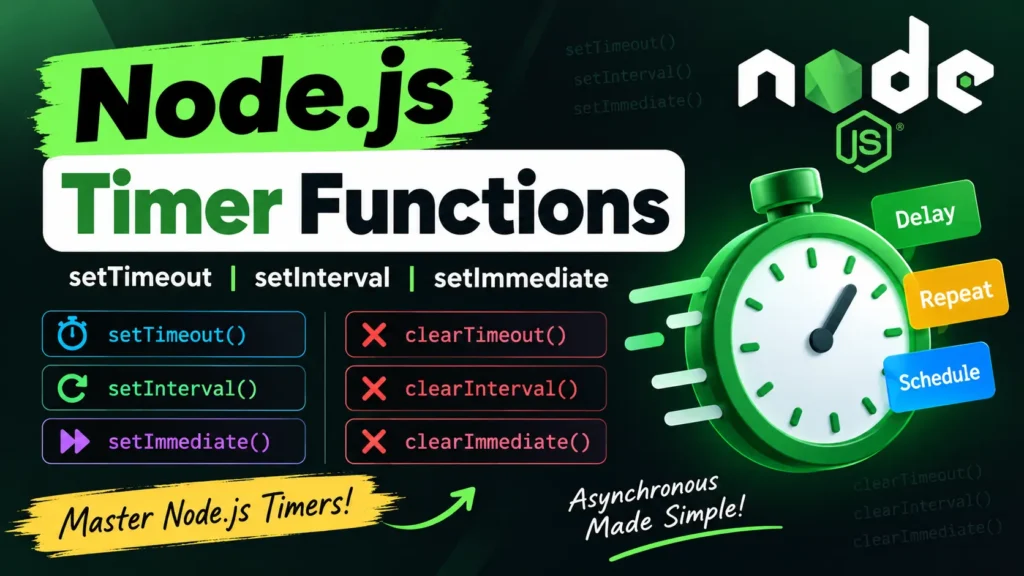
Node.js Timer Functions
In Node.js, timer functions are global, so you do not need to import any module to use them. Timers allow you to schedule code to run after a specific delay, repeatedly at intervals, or after the current event loop phase.
Understanding Node.js timers is essential when working with asynchronous operations and event-driven applications.
Complete Advance AI Topics: Click Here
SQL Tutorial: Click Here
Set Timer Functions
Node.js provides several functions for scheduling code execution:
setTimeout(callback, ms)– Executes a callback once after the specified delay.setInterval(callback, ms)– Executes a callback repeatedly after every specified interval.setImmediate(callback)– Executes a callback after the current poll phase of the event loop.
Clear Timer Functions
Timers can be cancelled using the corresponding clear functions:
clearTimeout(id)– Cancels a timer created withsetTimeout().clearInterval(id)– Stops an interval created withsetInterval().clearImmediate(id)– Cancels a callback scheduled withsetImmediate().
setInterval() Example
The setInterval() function repeatedly executes a callback after the specified interval.
setInterval(() => {
  console.log("Hey! 1 second completed!");
}, 1000);
In this example, the message is printed every 1 second.
setTimeout() Example
The setTimeout() function executes a callback only once after the specified delay.
setTimeout(() => {
  console.log("Runs once after 1 second");
}, 1000);
The callback runs once after approximately 1 second.
Recursive setTimeout()
A recursive setTimeout() can be used when you want repeated execution while maintaining more control over when the next execution is scheduled.
function recursive() {
  console.log("Tick!");
  setTimeout(recursive, 1000);
}

recursive();
This function schedules itself again after each execution.
Cancelling Timers
You can cancel timers by storing the returned timer identifiers and passing them to the appropriate clear function.
function welcome() {
  console.log("Welcome to UpdateGadh!");
}

const id1 = setTimeout(welcome, 1000);
const id2 = setInterval(welcome, 1000);

clearTimeout(id1);  // Cancel the timeout
clearInterval(id2); // Stop the interval
In this example, both scheduled operations are cancelled before they can continue running.
setTimeout() vs setImmediate()
setImmediate() schedules a callback to run after the current poll phase of the Node.js event loop. In contrast, setTimeout(fn, 0) schedules a timer with a minimum delay of approximately 0 milliseconds, subject to the event loop and system scheduling.
setImmediate() can be useful when you want to defer work until the current I/O-related processing has progressed.
Download New Real Time Projects:- Click here
Conclusion
Node.js timer functions provide a simple way to schedule asynchronous tasks. The main functions are setTimeout(), setInterval(), and setImmediate(), while clearTimeout(), clearInterval(), and clearImmediate() can be used to cancel scheduled operations.
Keywords
Node.js Timer Functions, Node.js Timers, setTimeout, setInterval, setImmediate, clearTimeout, clearInterval, clearImmediate, Node.js Event Loop, Node.js Tutorial