Node.js Tutorial
Welcome to this complete Node.js Tutorial designed for beginners as well as developers who want to strengthen their backend development skills. Node.js is a cross-platform JavaScript runtime that allows developers to execute JavaScript outside the browser.
Node.js is widely used to build server-side applications, REST APIs, real-time applications, streaming platforms, and scalable backend systems.
What is Node.js?
Node.js is an open-source, cross-platform JavaScript runtime built on Google’s V8 JavaScript engine. It uses an event-driven, non-blocking I/O architecture, making it suitable for applications that need to handle many concurrent operations efficiently.
Unlike traditional browser-based JavaScript, Node.js allows JavaScript to run on the server and provides APIs for working with files, networks, processes, operating-system features, and other backend functionality.
In simple terms:
Node.js = JavaScript Runtime + Backend APIsKey Features of Node.js
- High Performance: Node.js uses the V8 engine to execute JavaScript efficiently.
- Asynchronous and Event-Driven: Non-blocking operations allow applications to continue processing other tasks while waiting for I/O operations.
- Event Loop: The event loop helps Node.js handle many concurrent operations without requiring a separate thread for every request.
- Scalable: Node.js is suitable for applications that need to handle large numbers of concurrent connections.
- Streaming: Streams allow data to be processed in smaller chunks, making Node.js useful for applications involving large files and media.
- Large Ecosystem: npm provides access to a huge collection of reusable packages and development tools.
- Open Source: Node.js is freely available for personal and commercial development.
- Cross-Platform: Node.js applications can run on Windows, Linux, and macOS.
Complete Advance AI Topics: Click Here
SQL Tutorial: Click Here
How Node.js Works
Node.js uses an event-driven, non-blocking architecture. Instead of waiting for an I/O operation such as reading a file or accessing a database to finish, Node.js can continue handling other tasks.
The event loop coordinates asynchronous operations and executes their callbacks when the required operation is completed. This architecture makes Node.js particularly useful for network applications and real-time systems.
What This Node.js Tutorial Covers
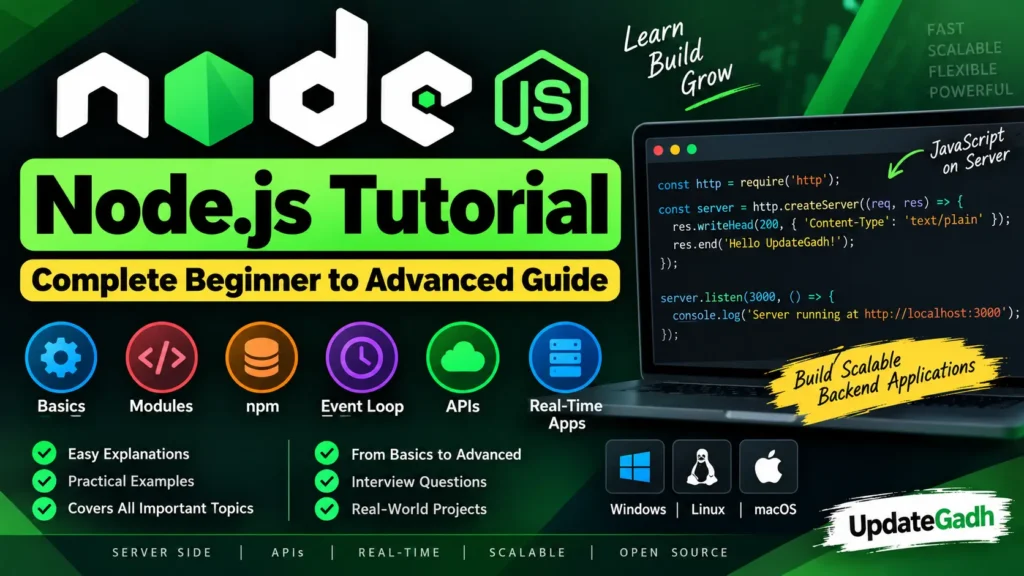
This complete tutorial covers important Node.js concepts from beginner to advanced levels.
- Installing Node.js on Windows and Linux
- Understanding the Node.js REPL
- Using the Node.js command line
- Managing packages with npm
- Understanding callbacks
- Working with Promises
- Using async and await
- Understanding the Node.js event loop
- Working with timers
- Using the OS module
- Using the Path module
- Working with URLs
- Understanding the DNS module
- Using the Net and UDP modules
- Working with the File System module
- Using the Crypto module
- Understanding Streams and Buffers
- Working with the Process object
- Using Child Processes
- Understanding global objects and functions
- Node.js interview questions
- Real-world Node.js examples
Node.js Modules
Node.js provides many built-in modules that help developers perform common backend tasks without installing external packages.
| Module | Purpose |
|---|---|
fs | Work with files and directories. |
path | Work with file and directory paths. |
http | Create HTTP servers and handle requests. |
os | Access operating system information. |
dns | Perform DNS lookups and related operations. |
net | Work with network connections. |
crypto | Perform cryptographic operations. |
child_process | Run external processes from Node.js. |
Node.js Asynchronous Programming
Asynchronous programming is one of the most important concepts in Node.js. It allows applications to perform tasks without blocking the execution of other operations.
Node.js developers commonly use three approaches for asynchronous programming:
- Callbacks – Functions executed after an asynchronous operation completes.
- Promises – Objects representing the eventual completion or failure of an asynchronous operation.
- Async/Await – A cleaner syntax for working with Promise-based asynchronous code.
async function getData() {
  const result = await Promise.resolve("Hello Node.js");
  console.log(result);
}

getData();
Who Uses Node.js?
Node.js is used across many industries for applications that require scalable backend infrastructure, APIs, real-time communication, and efficient handling of network requests.
Companies such as Netflix, LinkedIn, PayPal, and Uber have used Node.js in parts of their technology stacks. It is also popular among startups and development teams building REST APIs, chat applications, real-time dashboards, streaming systems, and IoT platforms.
What Can You Build with Node.js?
Node.js can be used to develop many different types of applications, including:
- RESTful APIs
- Real-time chat applications
- Web servers
- Streaming applications
- Backend services
- Microservices
- IoT applications
- Command-line tools
- Real-time dashboards
- Data-intensive applications
YT:- DecodeIT
Why Learn Node.js?
Node.js allows JavaScript developers to work on both frontend and backend applications using the same programming language. Its large package ecosystem, asynchronous architecture, and strong community make it a popular technology for modern web development.
Learning Node.js also provides a foundation for working with popular backend frameworks and technologies such as Express and other JavaScript-based server frameworks.
Conclusion
Node.js brings JavaScript to the server side and provides developers with a powerful environment for building modern backend applications. Its event-driven architecture, non-blocking I/O, scalability, and extensive package ecosystem make it suitable for a wide range of development projects.
Whether you are a beginner starting backend development or an experienced developer improving your Node.js skills, understanding the fundamentals covered in this tutorial will help you build efficient web servers, APIs, real-time applications, and other server-side systems.
Continue exploring Node.js modules, asynchronous programming, npm, Express, streams, APIs, and real-world projects to take your Node.js development skills to the next level.
Keywords
Node.js Tutorial, Node.js, Node.js Tutorial for Beginners, Node.js Advanced Tutorial, Learn Node.js, Node.js Programming, Node.js Backend Development, Node.js Runtime, Node.js Event Loop, Node.js Modules, Node.js npm, Node.js API, Node.js Web Development, Node.js Server, Node.js Express, Node.js Examples Node.js Tutorial, Node.js, Node.js Tutorial for Beginners, Node.js Advanced Tutorial, Learn Node.js, Node.js Programming, Node.js Backend Development, Node.js Runtime, Node.js Event Loop, Node.js Modules, Node.js npm, Node.js API, Node.js Web Development, Node.js Server, Node.js Express, Node.js Examples, Node.js Real-Time Applications, Node.js Projects