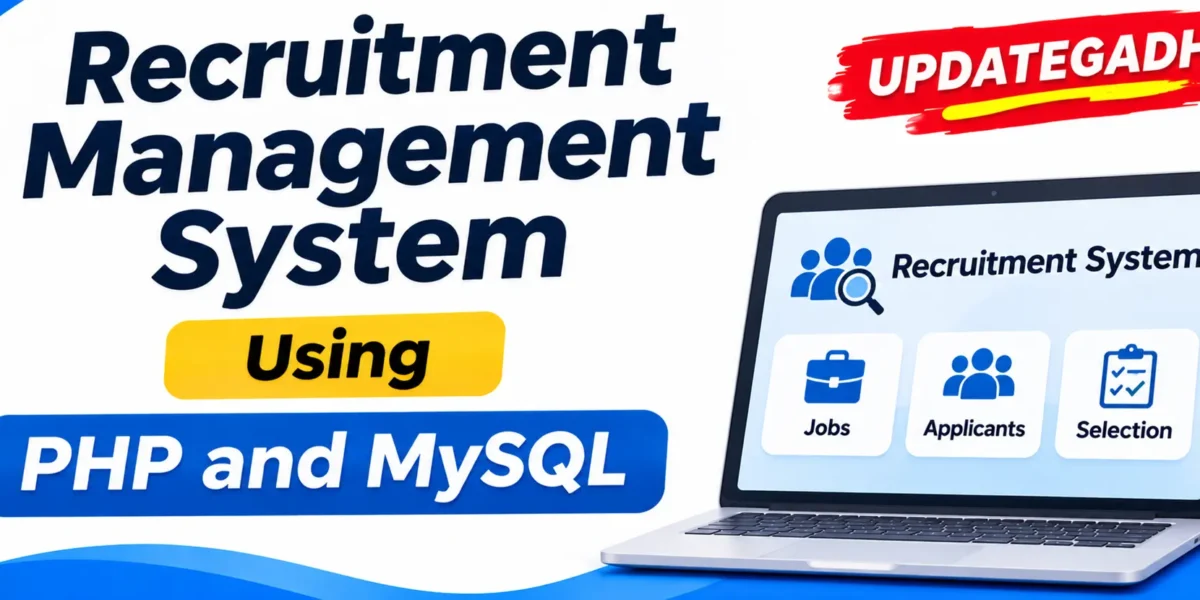
Recruitment Management System Using PHP and MySQL
Introduction
Recruitment Management System Using PHP and MySQL is a web-based application designed to simplify and organize the recruitment process for companies. It provides a centralized platform where administrators can manage registered companies, candidates, vacancies, and recruitment activities.
The system allows companies to publish job vacancies, receive applications from candidates, review submitted resumes, and manage the selection or rejection process. Administrators can monitor registered companies, registered users, vacancy listings, and recruitment reports through the admin dashboard.
Developed using PHP and MySQL, this project includes separate functionalities for Admin and Registered Company users. It is useful for students who want to understand PHP web development, database management, user authentication, job posting, and online recruitment processes.
Real Time Projects on YouTube:- DecodeIT
Project Overview
The Recruitment Management System provides an organized environment for managing job vacancies and candidate applications. Companies can manage their recruitment activities, while administrators can monitor the overall system.
| Project Details | Information |
|---|---|
| Project Name | Recruitment Management System |
| Programming Language | PHP 5.6, PHP 7.x |
| Database | MySQL 5.x |
| Frontend | HTML, JavaScript, jQuery, AJAX |
| Web Browsers | Mozilla, Google Chrome, IE8, Opera |
| Local Server | XAMPP / WAMP / MAMP / LAMP |
| Project Type | Web-Based Recruitment Management System |
What Are the Main Features of the Recruitment Management System?
Recruitment Management System Using Django :- Click Here
The project provides separate functionalities for administrators and registered company users to manage recruitment activities.
1. Admin Dashboard
The admin dashboard displays important recruitment information in one place.
- Total registered companies.
- Total registered candidates.
- Total listed vacancies.
2. Registered Company Management
Administrators can view information about companies registered on the recruitment platform.
3. Registered User Management
The admin can view the details of registered users and candidates.
4. Website Page Management
The administrator can manage the About Us and Contact Us pages of the website.
5. Recruitment Reports
The reporting section allows administrators to view company registration information for particular periods. Administrators can also check how many vacancies a particular company has listed during a selected period.
What Are the Registered Company Features?
Registered companies can manage their job vacancies, review candidate applications, and monitor recruitment activities through their dashboard.
1. Company Dashboard
The company dashboard displays recruitment statistics, including:
- Total applications received.
- Total new applications.
- Total selected applications.
- Total rejected applications.
2. Post and Manage Vacancies
Companies can add new job vacancies and manage their existing job postings through the vacancy management section.
3. Job Application Management
Companies can view new, shortlisted, and rejected applications. They can review candidate applications, select suitable candidates, or reject applications.
When an application is selected or rejected, the corresponding message is sent to the candidate.
4. Company Recruitment Reports
Companies can view job postings and application statistics for particular periods. This helps them monitor their recruitment activities.
How Does the Recruitment Management System Work?
The system follows an organized recruitment process, starting with administrator access and ending with application status management.
1. User Authentication
Users must provide valid login credentials to access the administrative section of the system.
2. Recruitment Status Categories
The administrator or authorized staff maintains recruitment status categories to organize candidates according to their application status.
3. Vacancy Position Management
Administrators and staff members manage available job positions and provide descriptions so potential applicants can understand the available opportunities.
4. Online Application Process
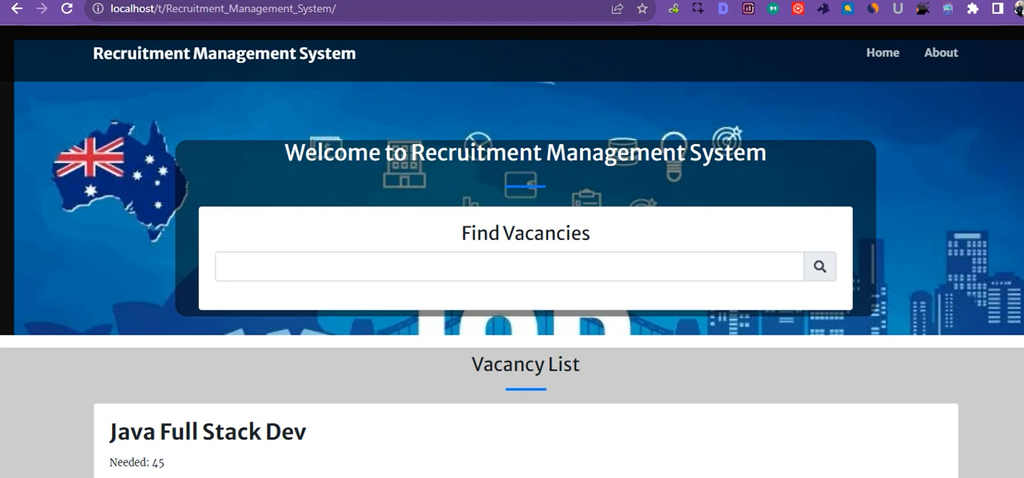
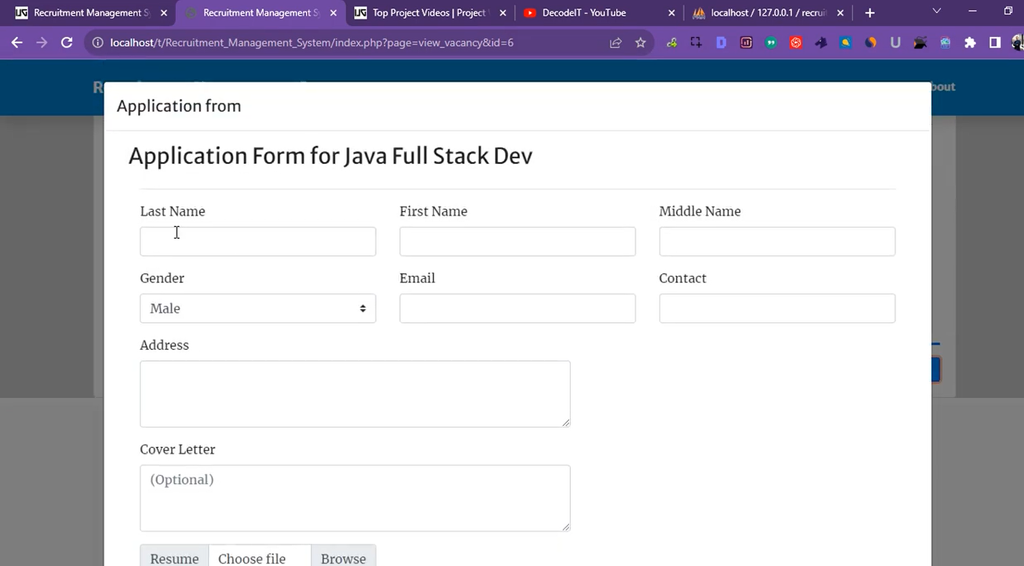
Candidates visit the recruitment website, browse available positions, and select a suitable vacancy. They can click the Apply Now button to open the application form, enter the required information, and upload their resumes.
For candidates applying in person at the company location, administrative staff can also facilitate the application process.
5. Recruitment Status Management
Administrators and staff can update candidate recruitment statuses throughout the selection process. This helps organize applications and monitor candidate progress.
AI-Powered Job Portal Using Python | Advanced Python Project :- Click Here
How to Download
The complete package is available so you can run, study, and submit it with confidence. It includes:
- Full Source Code
Demo Video
Screenshot
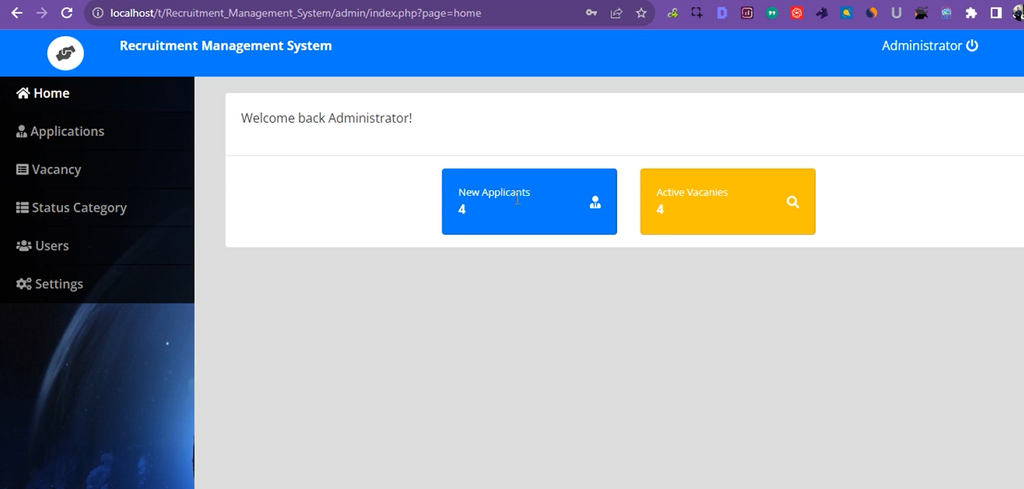
How to Install and Run the Recruitment Management System in XAMPP?
Follow these steps to install and run the Recruitment Management System on your Windows computer using XAMPP and phpMyAdmin.
Step 1: Install XAMPP
Download and install XAMPP on your computer. It provides the Apache web server and MySQL database environment required to run the PHP project.
Step 2: Install a Code Editor
Install Visual Studio Code or Sublime Text to view and edit the project files.
Step 3: Extract the Project ZIP File
Download and extract the project ZIP file. Copy the extracted Recruitment_Management_System folder.
Step 4: Move the Project to htdocs
Paste the project folder inside the XAMPP htdocs directory.
C:\xampp\htdocs\Recruitment_Management_System
Step 5: Start Apache and MySQL
Open the XAMPP Control Panel and start both Apache and MySQL services.
Step 6: Open phpMyAdmin
Open your browser and visit:
http://localhost/phpmyadmin/
Step 7: Create the Database
Create a new MySQL database with the following name:
recruitment_db
Step 8: Import the SQL File
Open the SQL file folder included in the project ZIP package. Select recruitment_db.sql and import it into the recruitment_db database through phpMyAdmin.
Step 9: Run the Project
Open your browser and enter the following URL:
http://localhost/Recruitment_Management_System/
Step 10: Admin Login Credentials
Use the following demo credentials to access the admin panel:
| Login Details | Credentials |
|---|---|
| Username | admin |
| Password | admin123 |
Frequently Asked Questions
1. What is a Recruitment Management System in PHP?
It is a web-based application developed using PHP and MySQL to manage companies, job vacancies, candidate applications, and recruitment activities.
2. Which programming language is used?
PHP 5.6 and PHP 7.x are listed for backend development.
3. Which database is used?
MySQL 5.x is used as the database management system.
4. What are the main user sections?
The project includes an Admin section and a Registered Company section.
5. Can companies manage job vacancies?
Yes, registered companies can add and manage job postings.
6. Can companies select or reject candidates?
Yes, companies can review applications, select candidates, reject applications, and send corresponding messages to candidates.
7. What are the default admin login credentials?
Username: admin and Password: admin123.
Final Thoughts
Recruitment Management System Using PHP and MySQL is a practical web development project for understanding how online recruitment platforms work. It includes company management, candidate registration, vacancy posting, application processing, recruitment status management, and reporting functionality.