Node.js First Example
Node.js applications can be created in different ways, but two of the simplest examples are console-based applications and web-based applications. In this tutorial, you will create your first Node.js Hello World program and then build a basic HTTP web server using Node.js.
Console-Based Hello World
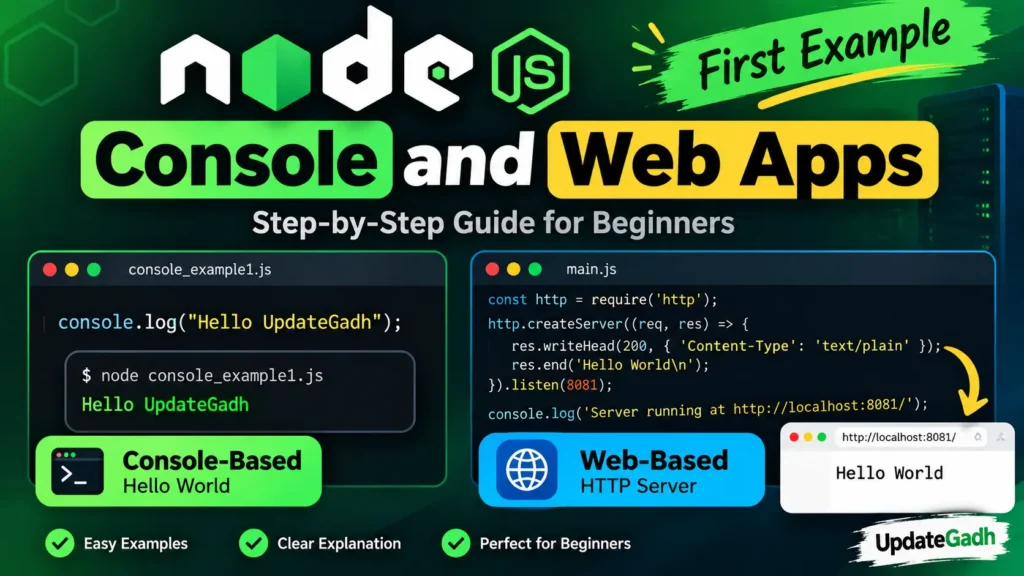
The easiest way to start learning Node.js is by creating a simple console application. The console.log() method displays text directly in the terminal.
// File: console_example1.js

console.log("Hello UpdateGadh");

// Run with:
// node console_example1.js
After running the program, you will see the following output:
Hello UpdateGadhComplete Advance AI Topics: Click Here
SQL Tutorial: Click Here
Web-Based HTTP Server
Node.js includes a built-in http module that allows you to create a basic web server without installing any additional package.
A simple HTTP server involves three main steps:
- Import the
httpmodule. - Create the HTTP server.
- Listen for requests on a specific port.
// File: main.js

const http = require("http");

http.createServer(function (request, response) {
  response.writeHead(200, {
    "Content-Type": "text/plain"
  });

  response.end("Hello World\n");
}).listen(8081);

console.log("Server running at http://localhost:8081/");
Run the Node.js Web Server
Save the code as main.js and run it from your terminal using the following command:
node main.jsYou should see a message similar to:
Server running at http://localhost:8081/Now open the following address in your web browser:
http://localhost:8081/The browser will display:
Hello WorldHow the HTTP Server Works
Let’s understand the important parts of the server code:
require("http")loads Node.js’s built-in HTTP module.http.createServer()creates an HTTP server.response.writeHead()sends the HTTP status code and response headers.response.end()sends the response and closes the request.listen(8081)starts the server on port8081.
Modern Alternative with Express
Although Node.js’s built-in http module is excellent for learning the fundamentals, production applications often use frameworks such as Express. Express provides features such as routing and middleware while making server-side code easier to organize.
const express = require("express");

const app = express();

app.get("/", (req, res) => {
  res.send("Hello World");
});

app.listen(8081, () => {
  console.log("Server running at http://localhost:8081/");
});
Before running this example, install Express in your project:
npm install expressThen start your application:
node main.jsVisit http://localhost:8081/ in your browser to see the Hello World response.
YT:- DecodeIT
Node.js Console App vs Web Server
| Feature | Console Application | Web Application |
|---|---|---|
| Output | Terminal | Web browser |
| Main API | console | http |
| Example | console.log() | http.createServer() |
| Common Use | Scripts and testing | Web servers and APIs |
Conclusion
In this tutorial, you created two basic Node.js applications. First, you built a simple console application using console.log(). Then, you created an HTTP server using Node.js’s built-in http module.
These examples provide a foundation for understanding how Node.js executes JavaScript outside the browser and how it can be used to create web servers. Once you understand the basics, you can move on to Express and build more advanced web applications and APIs.
Keywords
Node.js First Example, Node.js Hello World, Node.js Tutorial, Node.js Console Application, Node.js HTTP Server, Node.js Web Server, Node.js http module, Node.js createServer, Node.js Express Tutorial, Node.js Beginner Tutorial Node.js First Example, Node.js Hello World, Node.js Tutorial, Node.js Console Application, Node.js HTTP Server, Node.js Web Server, Node.js http module, Node.js createServer, Node.js Express, Node.js Beginner Tutorial, Console and Web Apps, Node.js Examples