Introduction
A Pharmacy Management System is more than just software; it’s the backbone of a well-organized pharmacy. Imagine having a system that not only tracks every pill in your inventory but also ensures that each prescription is handled with care and precision. From processing sales to maintaining patient records, a PMS takes the chaos of daily operations and transforms it into a smooth, efficient process. Its like having a trusted partner who never misses a detail, ensuring that your pharmacy runs like a well-oiled machine.
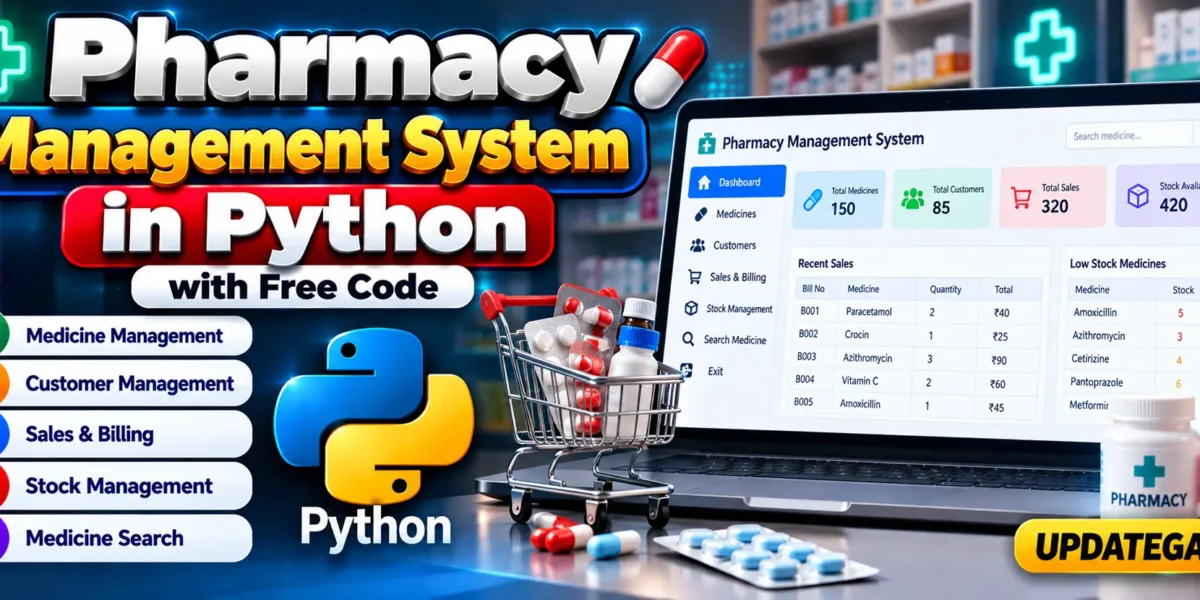
Pharmacy Management System in Python With Source Code
Table of Contents
Complete Advance AI Topics: Click Here
Real Time Projects:- DecodeIT
Core Features
- Inventory Management: Keep accurate track of every medication, from arrival to sale. Automated alerts help ensure that you never run out of critical stock.
- Prescription Handling: Automate the process of verifying and filling prescriptions, reducing the risk of errors and saving valuable time..
Step-by-Step Guide
- Prescription Handling Module: Here, the system processes prescriptions, verifying patient information and ensuring that the correct medication and dosage are dispensed. This module often includes safeguards to prevent errors, such as alerts for potential drug interactions.
- User Management Module: This module controls access to the system, ensuring that only authorized personnel can view or edit sensitive information. Its essential for maintaining the security and privacy of patient data.
Customizing the Source Code
One of the most empowering aspects of having access to the source code is the ability to customize it to better suit your needs. Whether its adding a new feature, adjusting an existing one, or integrating the system with other software, Pythons flexibility makes it possible.
- Adding New Features: Suppose your pharmacy needs a new feature, like automatic restocking alerts or a detailed sales report. With access to the source code, you can add these functionalities directly into the system.
- Optimizing Performance: Over time, as your pharmacy grows, you might find that certain parts of the system need to be optimized for better performance. By tweaking the source code, you can improve the efficiency of these operations, ensuring that the system runs smoothly even as the demands on it increase.
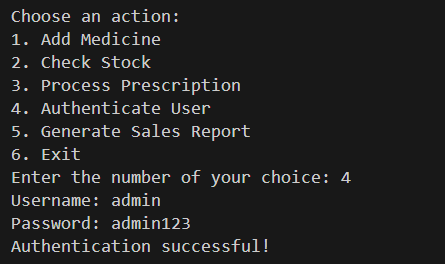

Source Code
# Initialize the inventory, user database, and transactions
inventory = {}
user_database = {'admin': {'password': 'admin123'}}
transactions = []

def add_medicine(medicine_name, quantity, expiration_date):
    if medicine_name in inventory:
        inventory[medicine_name]['quantity'] += quantity
    else:
        inventory[medicine_name] = {'quantity': quantity, 'expiration_date': expiration_date}
    print(f"Added {quantity} of {medicine_name} to inventory.")

def check_stock(medicine_name):
    return inventory.get(medicine_name, {}).get('quantity', 0)

def dispense_medicine(medicine_name, quantity):
    if medicine_name in inventory:
        if inventory[medicine_name]['quantity'] >= quantity:
            inventory[medicine_name]['quantity'] -= quantity
            transactions.append({'date': '2024-09-20', 'medicine': medicine_name, 'quantity': quantity})  # Example date
            print(f"Dispensed {quantity} of {medicine_name}.")
        else:
            print(f"Not enough stock for {medicine_name}.")
    else:
        print(f"{medicine_name} is not in inventory.")

def process_prescription(prescription_id, patient_id, medication_list):
    for medication in medication_list:
        if check_stock(medication['name']) < medication['quantity']:
            return f"Insufficient stock for {medication['name']}"
        dispense_medicine(medication['name'], medication['quantity'])
    return "Prescription processed successfully"

def authenticate_user(username, password):
    return username in user_database and user_database[username]['password'] == password

def generate_sales_report(start_date, end_date):
    report = []
    for transaction in transactions:
        if start_date <= transaction['date'] <= end_date:
            report.append(transaction)
    return report

# Example user input handling
if __name__ == "__main__":
    while True:
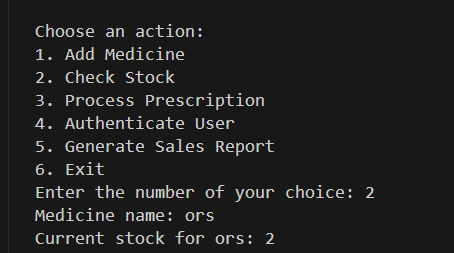
        print("\nChoose an action:")
        print("1. Add Medicine")
        print("2. Check Stock")
        print("3. Process Prescription")
        print("4. Authenticate User")
        print("5. Generate Sales Report")
        print("6. Exit")

        action = input("Enter the number of your choice: ").strip()

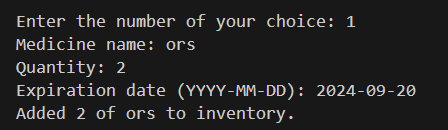
        if action == '1':
            name = input("Medicine name: ")
            qty = int(input("Quantity: "))
            exp_date = input("Expiration date (YYYY-MM-DD): ")
            add_medicine(name, qty, exp_date)

        elif action == '2':
            name = input("Medicine name: ")
            stock = check_stock(name)
            print(f"Current stock for {name}: {stock}")

        elif action == '3':
            prescription_id = input("Prescription ID: ")
            patient_id = input("Patient ID: ")
            medication_list = []
            while True:
                med_name = input("Medication name (or type 'done' to finish): ")
                if med_name.lower() == 'done':
                    break
                med_qty = int(input("Quantity: "))
                medication_list.append({'name': med_name, 'quantity': med_qty})
            result = process_prescription(prescription_id, patient_id, medication_list)
            print(result)

        elif action == '4':
            username = input("Username: ")
            password = input("Password: ")
            if authenticate_user(username, password):
                print("Authentication successful!")
            else:
                print("Authentication failed.")

        elif action == '5':
            start_date = input("Start date (YYYY-MM-DD): ")
            end_date = input("End date (YYYY-MM-DD): ")
            report = generate_sales_report(start_date, end_date)
            print("Sales Report:", report)

        elif action == '6':
            print("Exiting the system.")
            break

        else:
            print("Invalid action. Please try again.")
The Power of Python in Pharmacy Management
Cost-Effectiveness
Python is not only powerful but also cost-effective. Being an open-source language, it eliminates the need for expensive licenses. Plus, its extensive library support reduces development time, saving you money in the long run.
Ease of Use
Pythons straightforward syntax makes it easy to learn and use, even for those who are new to programming. This ease of use extends to the systems built with it, ensuring that your staff can quickly get up to speed with minimal training.
Security at Its Core
Security is a top priority in any system that handles sensitive healthcare data. Python provides robust tools for securing your Pharmacy Management System, from encrypting data to managing user authentication and access controls.
Overcoming Challenges
Common Development Challenges
While Python simplifies many aspects of development, there are still challenges to be aware of, such as:
- Ensuring Data Security: Protecting sensitive patient information is critical. Implementing strong encryption, secure authentication, and regular security audits can help mitigate risks.
- Integration Issues: If your pharmacy already uses other software systems, ensuring seamless integration with your new PMS can be challenging. Thorough testing and the use of standard APIs can help address this.
Meeting These Challenges Head-On
With careful planning and a solid understanding of Python, most development challenges can be overcome. Focus on thorough testing, regular updates, and keeping abreast of the latest best practices in Python development to ensure your systems success.
10 FAQs – Pharmacy Management System in Python
- What is a Pharmacy Management System in Python?
A Pharmacy Management System in Python is a software application designed to manage pharmacy operations such as medicines, customers, sales, billing, and stock records. - Which programming language is used in this Pharmacy Management System?
The project is developed using Python. - What are the main features of the Pharmacy Management System?
Common features include medicine management, customer management, medicine search, sales management, billing, and inventory/stock management. - Is this Pharmacy Management System suitable for beginners?
Yes. It can be useful for students and beginners who want to learn Python through a practical management-system project. - Can the system manage medicine stock?
Yes, the system can be designed to maintain medicine details and track available stock. - Can customers and medicines be managed separately?
Yes. The system can maintain customer information and medicine records as separate parts of the application. - Can this project be used as a college project?
Yes. A Pharmacy Management System in Python can be used as a practical Python project for academic and learning purposes. - Does the project include billing functionality?
Yes, the system can provide billing functionality for recording medicine sales and calculating the purchase amount. - What skills can students learn from this project?
Students can practice Python programming, data handling, functions, conditional statements, user input, and application development concepts. - Can the Pharmacy Management System be customized?
Yes. Students and developers can modify the project according to their requirements and add supported functionality as needed.
Keywords:
- Pharmacy Management System Python
- Pharmacy Management System Source Code
- Pharmacy Management System Project in Python
- Pharmacy Management Software in Python
- Python Pharmacy Project
- Pharmacy Management System with Source Code
- Python Pharmacy Management Project
- Pharmacy Billing System in Python
- Pharmacy Inventory Management System
- Pharmacy Management System Project
- Python Project for Students
- Pharmacy Software Project in Python
- Pharmacy Store Management System
- Python Management System Project
- Pharmacy Management System Free Code