Exploring the nsetools Library in Python
The nsetools library in Python is a useful tool for working with stock market information from the National Stock Exchange of India (NSE). It can be used to retrieve stock quotes, index information, market statistics, and other data that can be useful for Python-based financial applications and data analysis.
In this tutorial, we will explore the basic features of nsetools, learn how to install the library, create an NSE object, and retrieve information for a specific stock using Python.
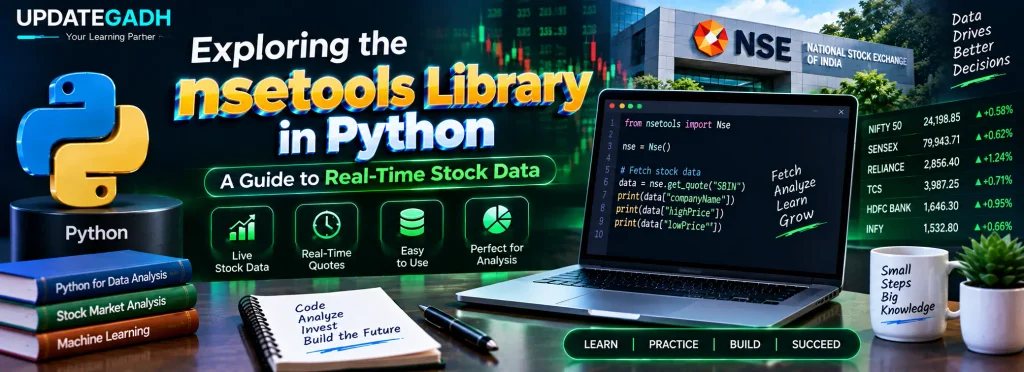
What is the nsetools Library in Python?
nsetools is a Python library designed to provide access to information related to the National Stock Exchange of India. NSE is one of India’s major stock exchanges and is located in Mumbai.
Using nsetools, developers can work with market information directly from Python. This makes the library useful for applications that need to collect stock-related information for monitoring, analysis, or educational projects.
Some common uses of the library include:
- Fetching stock quotes and index information.
- Collecting data for financial analysis.
- Preparing datasets for data science and machine learning projects.
- Creating command-line applications for monitoring market information.
Note: The original source describes the data accuracy of
nsetoolsin relation to the official NSE website. Availability and behavior of third-party libraries can change over time, so applications should verify the returned data before using it for financial decisions.
Key Features of the nsetools Library
The nsetools library provides several features that make it useful for accessing NSE-related information from Python.
1. Easy to Install
The library can be installed using Python’s pip package manager without requiring a complicated setup process.
2. Stock and Index Information
The library can be used to retrieve information related to stocks and market indices, making it useful for basic market-data applications.
3. Market Statistics
According to the source material, nsetools provides information such as:
- Top gainers
- Top losers
- Most active stocks
4. Validation APIs
The library provides functions that can be used for validating stock and index codes before requesting related information.
5. JSON Support
The source also describes JSON support, which can make retrieved information easier to process in Python applications.
6. Python Compatibility
The original tutorial describes support for both Python 2 and Python 3. When using an older library, always check its currently supported Python versions before starting a new project.
Installing nsetools in Python
The installation process uses pip. Open Command Prompt, PowerShell, or the terminal in VS Code and execute the following command:
pip install nsetoolsIf the package is already installed and you want to upgrade it, use:
pip install nsetools --upgradeAfter installation, you can import the library into your Python program and create an NSE object.
Creating an NSE Object
The Nse() class is used to create an NSE object. This object provides the interface through which the application can request NSE-related information.
Example: Creating an NSE Object
# Importing the Nse class from nsetools
from nsetools import Nse

# Creating an NSE object
nse_obj = Nse()

# Displaying the NSE object
print("NSE Object:", nse_obj)
Output
NSE Object: Driver Class for National Stock Exchange (NSE)Explanation
First, the Nse class is imported from the nsetools package. An object named nse_obj is then created using Nse().
This object acts as the main interface for accessing the library’s stock-market functionality. Once the object has been created, different methods can be used to request market information.
Fetching Live Stock Information
One of the important operations demonstrated in the original tutorial is retrieving information about a particular stock. The get_quote() method is used for this purpose.
For example, the stock symbol SBIN can be passed to the method to request information related to State Bank of India.
Example: Fetching Stock Data
# Importing the Nse class
from nsetools import Nse

# Creating an NSE object
nse_obj = Nse()

# Fetching the quote for SBIN
stock_data = nse_obj.get_quote('sbin')

# Displaying selected information
print("Company Name:", stock_data["companyName"])
print("Average Price:", stock_data["averagePrice"])
Output
Company Name: State Bank of India
Average Price: 431.97
The exact values returned by a market-data request can vary with market conditions and data availability. The values shown above are the example output from the source material.
How the Code Works
The first step is importing the Nse class:
from nsetools import NseNext, an NSE object is created:
nse_obj = Nse()The get_quote() method is then called with the stock symbol:
stock_data = nse_obj.get_quote('sbin')The returned information is stored in the stock_data variable. Since the result contains different pieces of stock information, individual values can be accessed using dictionary keys.
For example:
stock_data["companyName"]
stock_data["averagePrice"]
The first key retrieves the company name, while the second retrieves the average price included in the returned data.
Complete Advance AI Topics: Click Here
SQL Tutorial: Click Here
YT:- DecodeIT
Why Use nsetools in Python Projects?
The library can be useful when learning how Python interacts with external market-data sources. It can also provide a starting point for projects involving financial data collection, data analysis, or command-line market monitoring.
For example, a student project could use retrieved stock information as input for further analysis. The data could then be processed using other Python libraries depending on the requirements of the project.
However, because stock-market information is time-sensitive, developers should verify that the library and its data source are working correctly before relying on the information in an application.
Frequently Asked Questions
1. What is nsetools in Python?
nsetools is a Python library used to access information related to the National Stock Exchange of India.
2. How do I install nsetools?
You can install the package using the Python package manager with pip install nsetools.
3. What is the Nse() class used for?
The Nse() class is used to create an NSE object that provides access to the library’s functionality.
4. How can I fetch a stock quote using nsetools?
The get_quote() method can be used with a stock symbol. For example, nse_obj.get_quote('sbin') requests quote information for SBIN.
5. What information can get_quote() return?
The returned data can contain different stock-related fields. In the example, companyName and averagePrice are accessed from the returned dictionary.
6. Can nsetools be used for data analysis?
Yes. The retrieved information can be used as input for financial analysis and other Python-based data-processing projects.
7. Does nsetools provide market statistics?
The source describes features for retrieving information such as top gainers, top losers, and most active stocks.
8. Is nsetools suitable for financial decisions?
Library output should be treated as data for software and analysis purposes rather than as financial advice. Developers should verify the source, freshness, and accuracy of market information before using it.
Conclusion
The nsetools library in Python provides a way to work with NSE-related stock-market information from Python programs. In this tutorial, we explored the purpose of the library, its major features, installation commands, creation of an Nse() object, and the use of get_quote() to retrieve stock information.
For students and Python developers, this type of library can be useful for learning how external data can be collected and processed inside Python applications. It can also serve as a starting point for projects involving financial data, market monitoring, and data analysis.
Keywords: Exploring the nsetools Library in Python, nsetools Library in Python, nsetools Python example, nsetools library in Python example, nsetools API, nsetools documentation, nsetools GitHub, nsetools not working, nsepy, nselib Python, NSE Python library, Python stock market data, Python NSE stock data, get_quote nsetools, real-time stock data Python,Exploring the nsetools Library in Python,Exploring the nsetools Library in Python