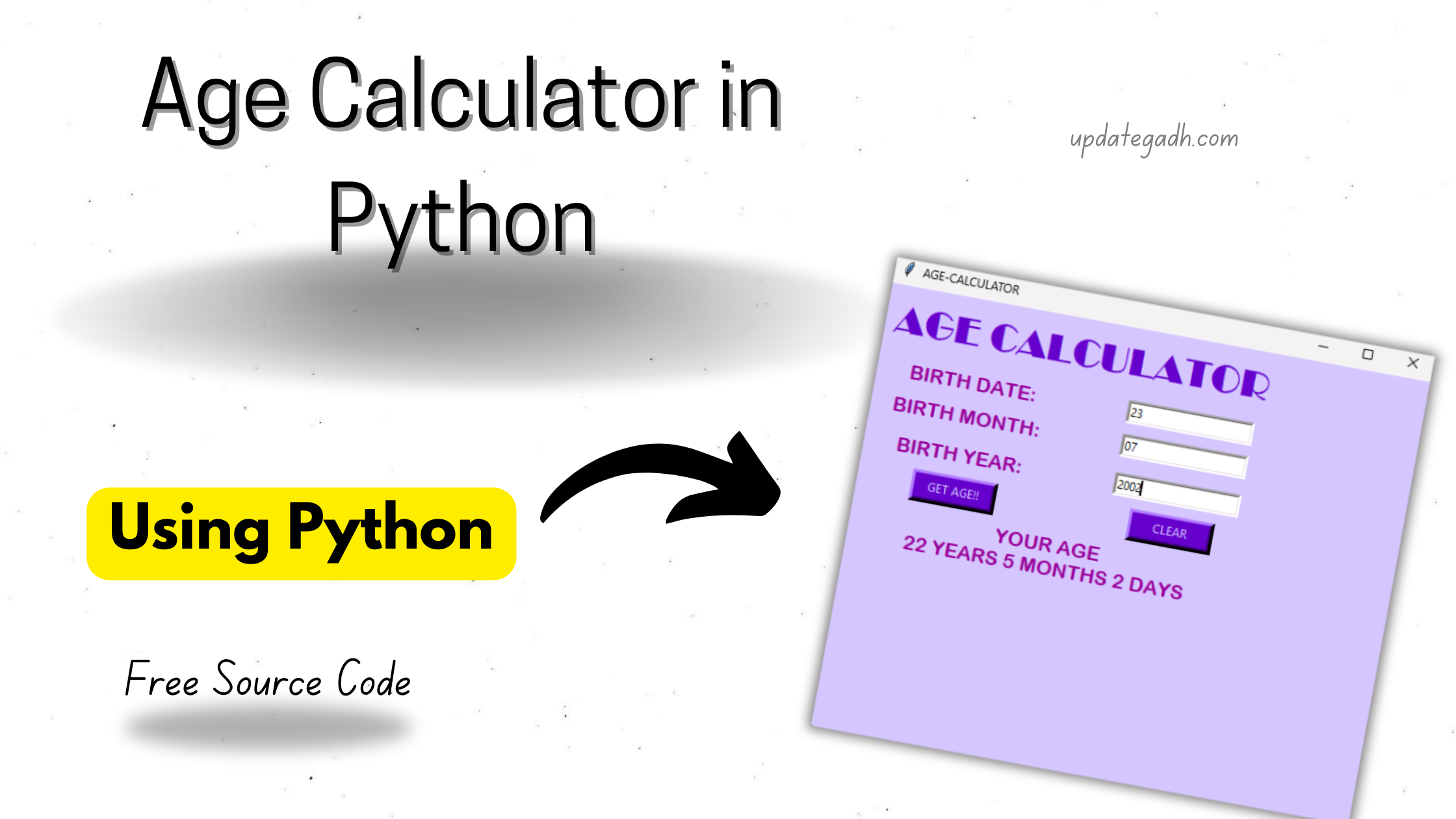
Age Calculator in Python
Building a small Python project is a useful way to understand programming concepts through practical implementation. An Age Calculator in Python is a simple Tkinter-based application that accepts a user’s birth date and calculates the person’s age in years, months, and days.
This project combines Python’s Tkinter library for creating the graphical interface with the datetime module for obtaining the current date. It is a beginner-friendly example for understanding GUI components, functions, user input, and date-based calculations.

What You Will Learn
- Create a desktop GUI using Python Tkinter.
- Work with dates using Python’s
datetimemodule. - Take date, month, and year values from input fields.
- Calculate an age in years, months, and days.
- Build buttons for calculation and clearing input.
Complete Age Calculator Code
The following program creates the complete graphical age calculator. Users enter their birth date, birth month, and birth year, then click the calculation button to view the result.
from tkinter import *
from datetime import date

# Create the main application window
root = Tk()
root.title("AGE-CALCULATOR")
root.configure(bg="#D5C6FF")
root.geometry("400x300")

# Label used for displaying the calculated result
new = Label(root, bg="#D5C6FF")
new.grid(row=5, column=0, columnspan=3)

# Get the current date
today = str(date.today())
list_today = today.split("-")


# Calculate the user's age
def age(b_date, b_month, b_year):
    global today
    global new

    new.grid_forget()

    b_date = int(entry_date.get())
    b_month = int(entry_month.get())
    b_year = int(entry_year.get())

    c_date = int(list_today[2])
    c_month = int(list_today[1])
    c_year = int(list_today[0])

    month = [31, 28, 31, 30, 31, 30,
             31, 31, 30, 31, 30, 31]

    if b_date > c_date:
        c_month -= 1
        c_date += month[b_month - 1]

    if b_month > c_month:
        c_year -= 1
        c_month += 12

    resultd = str(c_date - b_date)
    resultm = str(c_month - b_month)
    resulty = str(c_year - b_year)

    new = Label(
        root,
        text=f"YOUR AGE\n{resulty} YEARS {resultm} MONTHS {resultd} DAYS",
        fg="#990099",
        bg="#D5C6FF",
        borderwidth=6
    )

    new.config(font=("Arial Rounded MT Bold", 15))
    new.grid(row=5, column=0, columnspan=3)


# Clear the entered values
def clean(entry_date, entry_month, entry_year):
    global new

    new.grid_forget()

    entry_date.delete(0, END)
    entry_month.delete(0, END)
    entry_year.delete(0, END)


# Application title
title_label = Label(
    root,
    text="AGE CALCULATOR",
    borderwidth=10,
    fg="#6600CC",
    bg="#D5C6FF"
)

title_label.config(font=("Broadway", 29))
title_label.grid(row=0, column=0, columnspan=3)


# Date input
label_date = Label(
    root,
    text="BIRTH DATE:",
    borderwidth=4,
    fg="#990099",
    bg="#D5C6FF"
)

label_date.config(font=("Arial Rounded MT Bold", 15))
label_date.grid(row=1, column=0)


# Month input
label_month = Label(
    root,
    text="BIRTH MONTH:",
    borderwidth=5,
    fg="#990099",
    bg="#D5C6FF"
)

label_month.config(font=("Arial Rounded MT Bold", 15))
label_month.grid(row=2, column=0)


# Year input
label_year = Label(
    root,
    text="BIRTH YEAR:",
    borderwidth=9,
    fg="#990099",
    bg="#D5C6FF"
)

label_year.config(font=("Arial Rounded MT Bold", 15))
label_year.grid(row=3, column=0)


# Entry fields
entry_date = Entry(root, width=20, borderwidth=3)
entry_month = Entry(root, width=20, borderwidth=3)
entry_year = Entry(root, width=20, borderwidth=3)

entry_date.grid(row=1, column=2)
entry_month.grid(row=2, column=2)
entry_year.grid(row=3, column=2)


# Calculate button
submit = Button(
    root,
    text="GET AGE!!",
    width=10,
    anchor=CENTER,
    command=lambda: age(entry_date, entry_month, entry_year),
    bg="#6600CC",
    fg="#D5C6FF",
    borderwidth=5
)

submit.grid(row=4, column=0)


# Clear button
clear = Button(
    root,
    text="CLEAR",
    width=10,
    command=lambda: clean(
        entry_date,
        entry_month,
        entry_year
    ),
    bg="#6600CC",
    fg="#D5C6FF",
    borderwidth=5
)

clear.grid(row=4, column=2)

root.mainloop()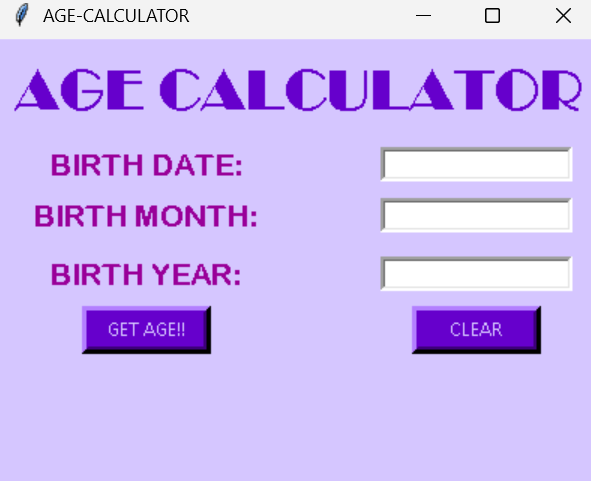
How the Age Calculator Works
1. Required Modules
The application uses two Python modules. tkinter supplies the graphical components such as labels, entry fields, and buttons, while datetime.date provides the current date used during the calculation.
2. User Interface
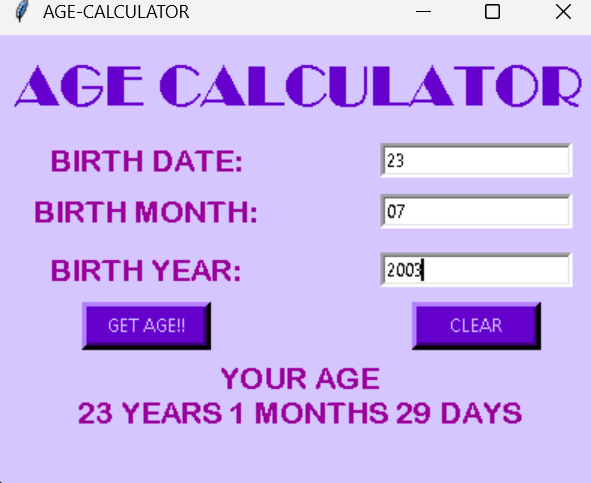
The program creates a window containing three input fields. Users enter their birth date, birth month, and birth year. Two buttons are provided: GET AGE!! starts the calculation, while CLEAR removes the entered values and previous result.
3. Date Calculation
When the calculation button is pressed, the values entered by the user are converted into integers. The program compares these values with today’s date and calculates the difference between the birth date and current date.
The calculation also adjusts the month and year when the entered day or month is greater than the corresponding current value. The final result is displayed as years, months, and days.
4. Clearing the Form
The clean() function removes the existing result and clears all three input fields. This allows the calculator to be reused without restarting the application.
Key Features
- Simple GUI: Provides a straightforward interface for entering birth information.
- Age Calculation: Displays the calculated age in years, months, and days.
- Clear Function: Lets users reset the form quickly.
- Tkinter Based: Uses Python’s built-in GUI toolkit for the application interface.
- Interactive Result: Shows the calculated age directly inside the application window.
Conclusion
The Age Calculator in Python is a practical beginner-level project for learning Tkinter and date handling. It demonstrates how a graphical application can collect user input, process date information, and present a calculated result through an interactive interface.
By working with this project, beginners can gain hands-on experience with Python functions, GUI widgets, input fields, buttons, and the datetime module while building a functional desktop application.
Complete Advance AI Topics: Click Here
SQL Tutorial: Click Here
YT:- DecodeIT
FAQs
1. What is an Age Calculator in Python?
It is a Python application that calculates a person’s age using their date, month, and year of birth.
2. Which library is used to create the GUI?
The project uses Tkinter to create the graphical user interface.
3. Which Python module provides the current date?
The program uses date from Python’s datetime module to obtain the current date.
4. Can this project calculate age in months and days?
Yes. The program calculates and displays the result in years, months, and days.
5. What does the CLEAR button do?
The CLEAR button removes the current result and empties the date, month, and year input fields.
Keywords: Age Calculator in Python, age calculator in python with source code, python program to calculate age in years months and days, age calculator in python tkinter, python calculate age from date of birth, python program to display age is greater than 18 or not, age calculator project report pdf in python, python age limit, how to calculate average age in python, python compiler, age calculator, python code for date of birth, Age Calculator in Python with Source Code